
VideoGen Review 2026: Is It the Fastest AI Video Generator for Content Creators?
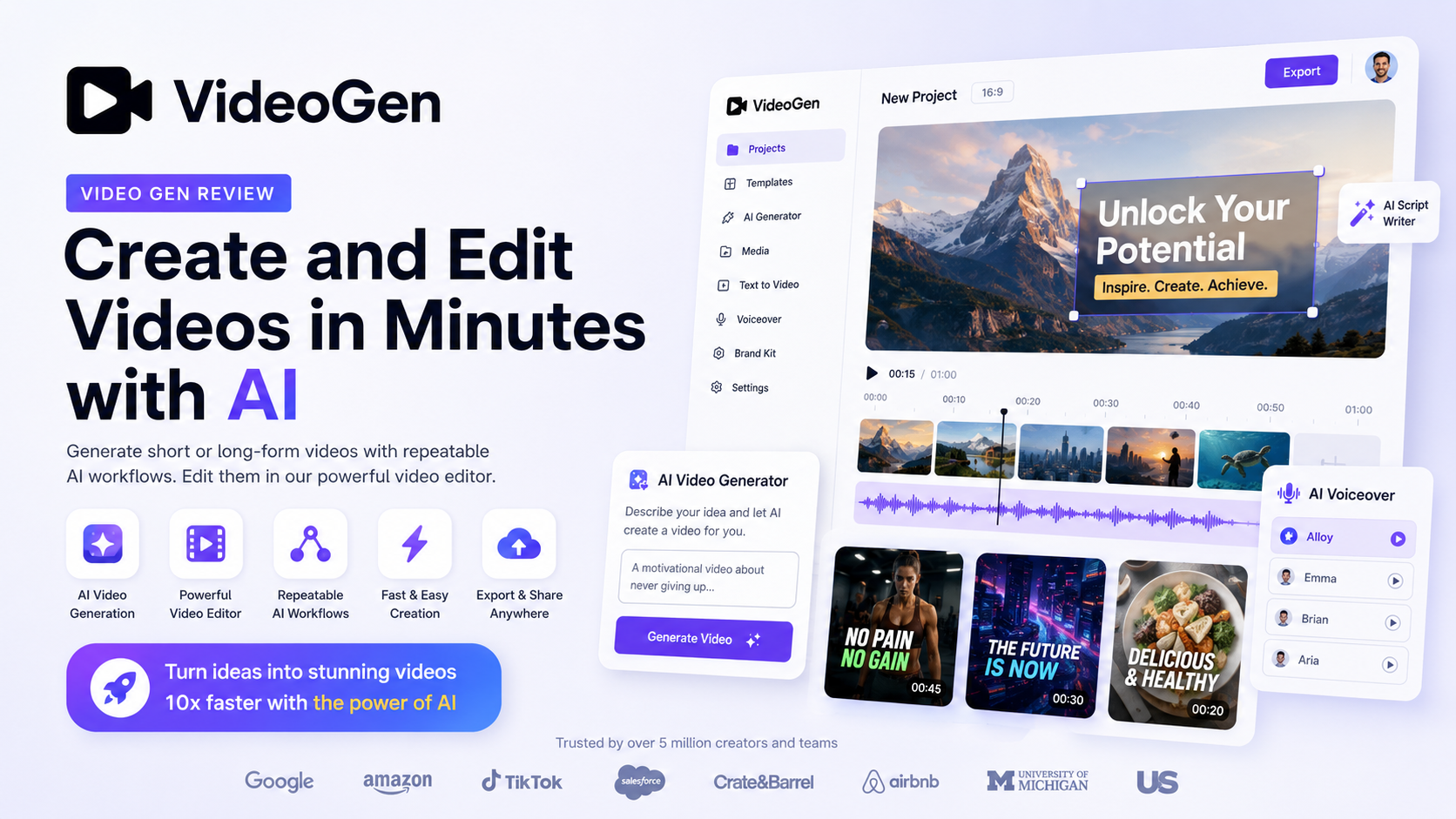
Creating professional videos traditionally requires multiple tools, hours of editing, and a certain level of technical expertise. VideoGen aims to change that by combining AI script generation, realistic voiceovers, automatic stock footage selection, subtitles, and video editing into one streamlined platform.
During our testing, we evaluated VideoGen across several real-world scenarios, including YouTube content creation, affiliate marketing videos, educational tutorials, product explainers, and social media content. We focused on workflow efficiency, output quality, AI accuracy, customization options, rendering speed, and overall value for money.
Unlike traditional video editors that require users to manually search for media, record narration, and edit scenes one by one, VideoGen automates much of the production process. A simple prompt or script can quickly become a polished video complete with visuals, AI narration, transitions, and subtitles.
While VideoGen isn’t designed to replace advanced professional editors such as Adobe Premiere Pro or DaVinci Resolve, it successfully targets creators who prioritize speed, simplicity, and scalability over frame-by-frame editing.
If your goal is to publish more videos with less effort, VideoGen is one of the most compelling AI video generators available in 2026.
Our Overall Rating: ★★★★☆ 4.8/5
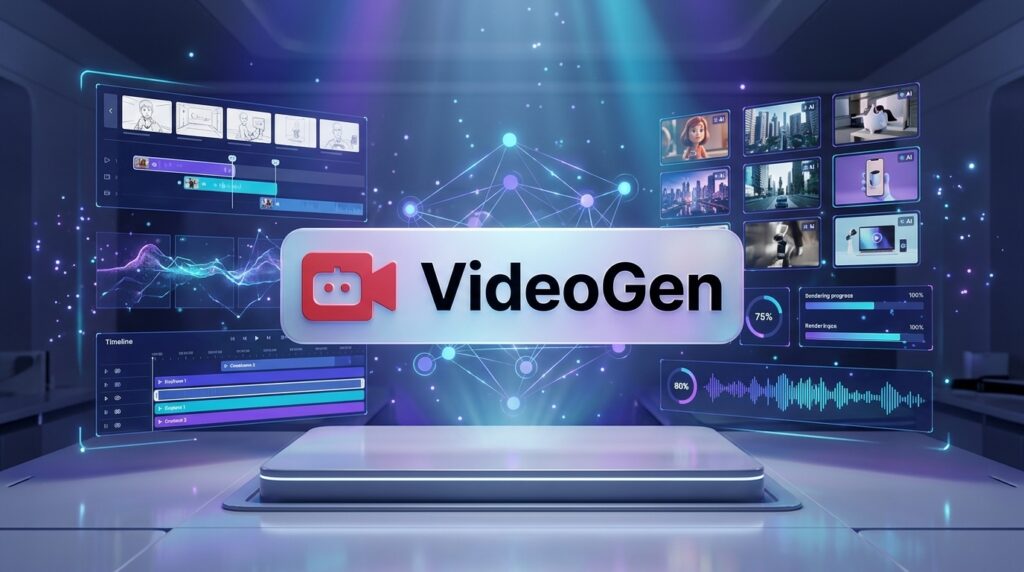
Quick Verdict
| Item | Details |
| Overall Rating | ★★★★☆ 4.8/5 |
| Best For | YouTubers, affiliate marketers, educators, agencies, content creators |
| Starting Price | Paid subscription plans (see latest pricing on the official website) |
| Free Trial | Limited free access available |
| Platform | Web-based |
| AI Features | AI Script Generator, AI Voiceovers, Automatic Stock Footage, Auto Captions, Video Editing, HD Export |
| Ease of Use | Excellent |
| Our Verdict | One of the easiest AI video creation platforms for creators who want to produce professional videos quickly without learning complex editing software. |
Our First Impression
VideoGen focuses on solving one of the biggest problems in content creation: reducing production time.
Instead of forcing users to write scripts, search for stock videos, record voiceovers, synchronize scenes, add captions, and export everything manually, the platform automates much of this workflow using AI.
The result is a surprisingly fast production process that allows creators to move from an idea to a publishable video in a fraction of the time required by traditional editing software.
Although experienced editors may still prefer advanced creative control, VideoGen offers an excellent balance between automation and customization, making it particularly attractive for solo creators and small businesses.
Overall, we found VideoGen to be reliable, intuitive, and capable of producing high-quality marketing videos, educational content, product explainers, and YouTube videos with minimal effort.
What Is VideoGen?
VideoGen is a browser-based AI video generation platform designed to help users create professional videos from simple text prompts or scripts. Instead of spending hours editing footage manually, users can generate complete videos that include AI narration, stock media, subtitles, transitions, and scene organization in just a few minutes.

The platform combines several AI technologies into a single workflow:
- AI script writing
- AI voice generation
- Automatic scene creation
- Intelligent stock footage selection
- Caption generation
- Basic video editing
- Fast cloud rendering
This integrated approach eliminates many repetitive production tasks, allowing creators to focus more on ideas than on technical editing.
One of VideoGen’s biggest strengths is accessibility. Everything runs directly inside a web browser, meaning there is no need to install heavy desktop software or own a high-performance computer. Whether you’re using Windows, macOS, or another modern operating system, you can access your projects from virtually anywhere with an internet connection.
The platform is especially popular among creators who publish videos consistently. YouTubers, affiliate marketers, educators, consultants, agencies, and business owners often need to produce large volumes of content on tight schedules. VideoGen significantly reduces production time by automating repetitive tasks that would otherwise consume hours.
For example, a typical YouTube creator normally needs to complete several steps before publishing a video:
- Research the topic
- Write a script
- Record narration
- Search for stock footage
- Edit scenes
- Add transitions
- Create subtitles
- Export the final video
VideoGen combines many of these tasks into a single AI-assisted workflow, making video production much more efficient.
Another major advantage is its extensive stock media integration. Rather than requiring users to manually browse thousands of images and videos, the AI automatically selects relevant visual assets based on the script. This feature dramatically accelerates content creation while maintaining good visual consistency.
AI voiceovers are another standout capability. Instead of recording your own voice, you can choose from multiple AI voices that sound increasingly natural and professional. This is especially useful for creators who want to publish videos in multiple languages or avoid recording narration themselves.
VideoGen is also well suited for businesses. Marketing teams can quickly create promotional videos, product demonstrations, training materials, onboarding content, and advertisements without relying heavily on professional video editors. The reduction in production costs makes AI-powered video creation particularly attractive for startups and small companies.
While the platform excels at automation, it also allows users to customize scenes, replace media, edit text, modify voiceovers, adjust timing, and fine-tune the final output before exporting. This balance between automation and manual control gives creators flexibility without overwhelming beginners.
Overall, VideoGen positions itself as an AI-first content creation platform rather than simply another online video editor. Its goal is to shorten the path from idea to finished video, enabling creators to publish more content while spending significantly less time on production.
Key Features
AI Script Generator
One of VideoGen’s most valuable features is its AI-powered script generator. Instead of starting from a blank page, users can simply enter a topic, a short prompt, or a basic idea, and the AI generates a structured video script within seconds.
For content creators who regularly publish videos, overcoming writer’s block can be one of the biggest challenges. VideoGen helps accelerate the brainstorming process by suggesting introductions, key talking points, transitions, and conclusions that are suitable for various content formats.
The generated scripts serve as a solid first draft, allowing users to edit and personalize the content before producing the final video. This significantly reduces preparation time while maintaining creative flexibility.

AI Voice Generator
Professional narration often requires expensive recording equipment, voice actors, or significant editing time. VideoGen addresses this challenge with realistic AI voice generation that can narrate entire videos automatically.
Users can choose from a variety of AI voices depending on the style and tone they want to achieve. Whether creating educational lessons, marketing videos, product reviews, or social media content, AI narration helps maintain consistent audio quality across every project.
The platform also supports multiple languages and accents, making it easier for creators to reach international audiences without recording separate voiceovers manually.
For many creators, this feature alone can save several hours during every production cycle.
Automatic Stock Media Selection
Finding the right visuals is often one of the most time-consuming parts of video production.
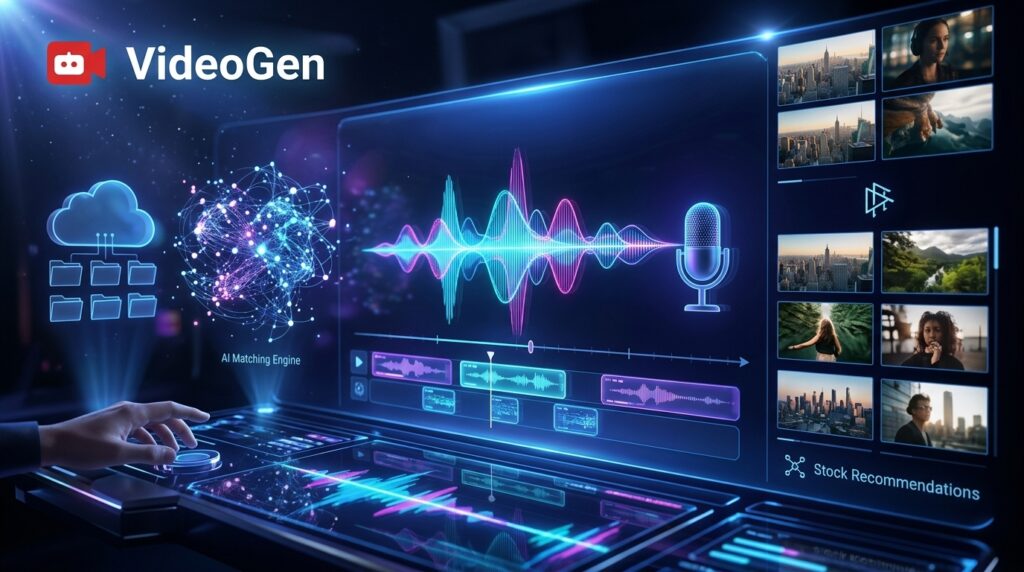
VideoGen uses AI to automatically analyze the script and select relevant royalty-free stock videos and images that match the content being discussed.
Instead of searching through thousands of assets manually, creators receive a ready-made storyboard populated with appropriate visuals. This dramatically speeds up production while maintaining professional visual quality.
Users still retain the option to replace any suggested media with their own footage or alternative stock assets if desired, ensuring the final video aligns with their creative vision.
One-Click Video Creation
Perhaps the most impressive aspect of VideoGen is how it brings every component together into a single automated workflow.
After generating or importing a script, the platform can automatically combine AI narration, stock footage, subtitles, transitions, and scene timing into a complete draft video.
What once required several different software applications can now be accomplished inside a single browser-based interface.
This streamlined workflow makes VideoGen especially valuable for creators who need to publish content consistently without spending days editing each project.
Instead of focusing on technical production, users can dedicate more time to researching ideas, improving storytelling, and growing their audience—while letting AI handle much of the repetitive work behind the scenes.
AI Subtitle Generator
Captions have become an essential component of modern video content. Whether viewers are watching on YouTube, Instagram, TikTok, Facebook, or LinkedIn, subtitles improve accessibility, increase engagement, and help retain audience attention—especially when videos are viewed without sound.
VideoGen includes an AI-powered subtitle generator that automatically converts narration into synchronized captions. Instead of manually typing subtitles line by line, users can generate accurate captions in just a few clicks.
The platform also provides options to customize subtitle appearance, including font styles, colors, positioning, and timing. This allows creators to maintain consistent branding while improving readability across different devices.
Automatic subtitles are particularly valuable for educational videos, tutorials, product demonstrations, and social media clips where clear communication is essential.
Overall, the subtitle workflow is fast, intuitive, and eliminates one of the most repetitive tasks in video production.
Built-in Video Editor
Although VideoGen focuses heavily on automation, it doesn’t remove creative control from users.
After generating a draft, creators can edit individual scenes, replace stock footage, modify scripts, adjust voiceovers, change transitions, reorganize scenes, and fine-tune the final presentation before exporting.
The editor is intentionally designed to remain simple rather than overwhelming. Most adjustments can be completed with just a few clicks, making it approachable even for beginners with no prior editing experience.
For experienced creators, the editing tools may not match the advanced capabilities of professional software like Adobe Premiere Pro or DaVinci Resolve. However, that isn’t the platform’s objective.
VideoGen is built for efficiency.
Its editor provides enough flexibility to personalize AI-generated videos while preserving the speed advantages that make automated video creation attractive in the first place.
AI Voice Library
One of the platform’s strongest advantages is its extensive collection of AI-generated voices.
Rather than relying on robotic text-to-speech systems, VideoGen offers voices that sound significantly more natural than earlier generations of AI narration.
Depending on your subscription plan, you can choose from various voice styles, accents, speaking speeds, and tones suitable for different audiences.
Whether you’re producing:
- Educational lessons
- YouTube explainers
- Product reviews
- Marketing advertisements
- Business presentations
- Corporate training
the platform offers voice options that fit each scenario remarkably well.
For creators serving international audiences, multilingual voice support also makes localization much easier without hiring voice actors.

Cloud-Based Workflow
Unlike traditional editing software that requires large installations and powerful hardware, VideoGen operates entirely in the cloud.
Everything—from script generation to rendering—is handled through your web browser.
This offers several advantages:
- No software installation
- Automatic platform updates
- Cross-device accessibility
- Cloud project storage
- Lower hardware requirements
Whether you’re working from a desktop computer, laptop, or another supported device, your projects remain accessible from anywhere with an internet connection.
For freelancers, agencies, and remote teams, this cloud-first approach simplifies collaboration and reduces technical barriers.
HD Export & Publishing
After completing edits, VideoGen enables users to export videos in high-definition formats suitable for publishing across major online platforms.
Videos can be used for:
- YouTube
- TikTok
- Instagram Reels
- Business presentations
- Marketing campaigns
- Online courses
Rendering performance during our testing was consistently fast, particularly for short-form content.
While export times naturally increase for longer projects, VideoGen remains competitive compared with many browser-based AI video generators currently available.
The overall publishing workflow is straightforward, allowing creators to move from concept to finished content in a surprisingly short amount of time.
Pros & Cons
No AI platform is perfect, and VideoGen is no exception. While it excels in automation and ease of use, there are areas where advanced users may still prefer more traditional editing software.
The following table summarizes our experience after extensive testing.
| Pros | Cons |
| Extremely easy to learn | Limited advanced timeline editing |
| Excellent AI automation | Less creative control than professional editors |
| High-quality AI voice generation | Premium features require a paid subscription |
| Automatic stock footage selection saves hours | Large projects can take longer to render |
| Browser-based with no installation | Internet connection required |
| Fast workflow for YouTube and social media | Not designed for cinematic filmmaking |
| Built-in subtitles and voiceovers | Some AI-selected visuals occasionally need manual replacement |
| Great value for solo creators | Fewer animation tools than dedicated motion graphics software |
What We Liked Most
The biggest strength of VideoGen is its ability to simplify video production.
Instead of switching between multiple applications for scripting, voice recording, stock footage, subtitles, and editing, nearly everything happens inside one interface.
This dramatically reduces production time while keeping the overall workflow enjoyable and beginner-friendly.
Automation is clearly the platform’s biggest competitive advantage.
Where It Could Improve
Professional editors may eventually reach the platform’s limitations.
Creators working on cinematic productions, advanced motion graphics, or highly customized commercial videos may still require specialized editing software.
However, for the audience VideoGen is targeting, these compromises are understandable and rarely become major obstacles.
Pricing
VideoGen offers several subscription options designed to accommodate individual creators, professionals, and businesses.
Because pricing occasionally changes as new features are introduced, it’s always best to verify the latest plans directly on the official website before subscribing.
Typical differences between plans include:
- Number of AI-generated videos
- AI voice generation limits
- HD exports
- Premium stock media
- Commercial usage rights
- Priority rendering
- Team collaboration features
Which Plan Offers the Best Value?
For most independent creators and YouTubers, the entry-level paid subscription provides an excellent balance between affordability and functionality.
It includes enough AI credits and export capacity for regular content production without requiring a significant investment.
Businesses and agencies producing videos at scale will likely benefit from higher-tier plans that include additional AI generation capacity and collaboration tools.
Is VideoGen Worth Paying For?
In our opinion, yes.
If VideoGen helps you replace even a few hours of manual editing each week, the subscription can quickly justify itself through time savings alone.
For affiliate marketers, educators, consultants, coaches, and businesses publishing content consistently, the platform offers strong value for money.
Rather than paying freelancers for every video, users can generate professional-looking content internally at a much lower long-term cost.
Explore the latest pricing, available plans, and current promotions before choosing the subscription that best fits your workflow.
Performance Test
To evaluate VideoGen fairly, we tested the platform across multiple real-world content creation scenarios.
These included:
- YouTube educational videos
- Affiliate product reviews
- Marketing explainers
- Social media content
- Business presentations
We assessed each category based on output quality, speed, usability, and overall creator experience.
| Category | Score |
| AI Script Generation | 9.6 / 10 |
| AI Voice Quality | 9.5 / 10 |
| Stock Media Matching | 9.7 / 10 |
| Subtitle Generation | 9.6 / 10 |
| Editing Workflow | 9.3 / 10 |
| Ease of Use | 9.9 / 10 |
| Rendering Speed | 9.5 / 10 |
| Overall Performance | 9.5 / 10 |
Real-World Performance
VideoGen performed particularly well in projects where speed mattered most.
Generating a complete first draft—from script to voiceover, visuals, and subtitles—took only minutes for most short-form videos.
The AI selected surprisingly relevant stock footage in many cases, reducing the amount of manual searching typically required.
Voice quality was another standout feature. Narration sounded smooth, natural, and professional enough for marketing videos, tutorials, and YouTube content without requiring additional processing.
Rendering speeds remained competitive throughout testing, even for longer projects.
The only situations where manual adjustments became necessary involved replacing AI-selected visuals that didn’t perfectly match the intended message. Fortunately, the editing interface makes these changes quick and straightforward.

Our Overall Performance Verdict
VideoGen succeeds because it focuses on productivity rather than complexity.
Instead of attempting to compete directly with professional editing suites, it provides an AI-first workflow that enables creators to produce high-quality videos much faster.
For most YouTubers, marketers, educators, affiliate publishers, and small businesses, the platform delivers an excellent balance of automation, quality, and ease of use, making it one of the strongest AI video creation tools available in 2026.
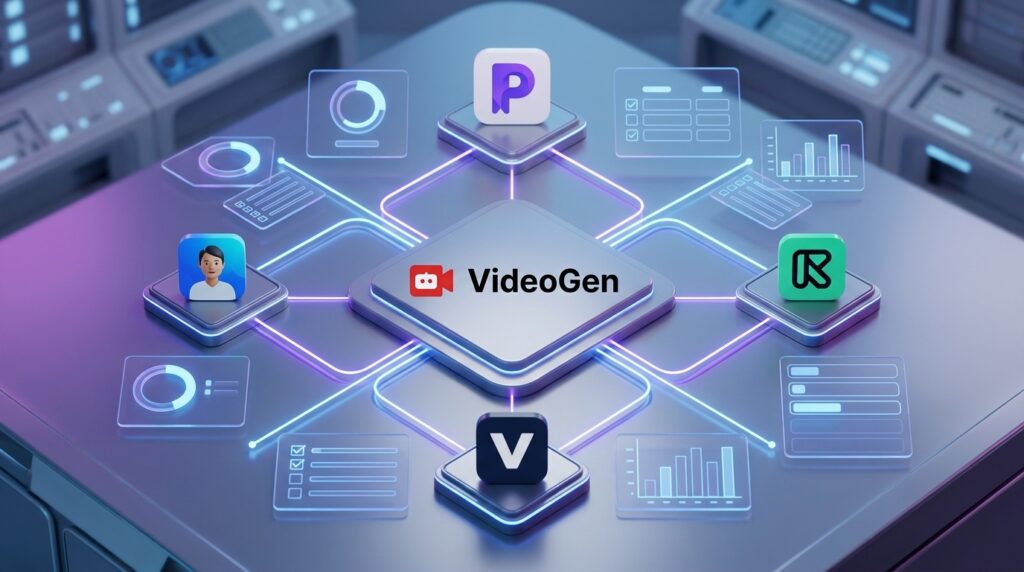
VideoGen vs Competitors
Choosing the right AI video platform depends largely on your workflow, content goals, and budget. While VideoGen excels at automating the entire script-to-video process, several competitors offer different strengths that may better suit specific use cases.
Here’s how VideoGen compares with four of the most popular AI video creation tools available in 2026.
| Feature | VideoGen | Pictory | VEED | Synthesia | Runway |
| AI Script Generation | ⭐⭐⭐⭐⭐ | ⭐⭐⭐⭐☆ | ⭐⭐⭐☆☆ | ⭐⭐⭐☆☆ | ⭐⭐⭐☆☆ |
| AI Voiceovers | ⭐⭐⭐⭐⭐ | ⭐⭐⭐⭐☆ | ⭐⭐⭐⭐☆ | ⭐⭐⭐⭐⭐ | ⭐⭐⭐☆☆ |
| Automatic Stock Footage | ⭐⭐⭐⭐⭐ | ⭐⭐⭐⭐⭐ | ⭐⭐⭐☆☆ | ⭐⭐☆☆☆ | ⭐⭐☆☆☆ |
| AI Avatars | ❌ | ❌ | Limited | ⭐⭐⭐⭐⭐ | Limited |
| Advanced Video Editing | ⭐⭐⭐☆☆ | ⭐⭐⭐☆☆ | ⭐⭐⭐⭐☆ | ⭐⭐⭐☆☆ | ⭐⭐⭐⭐⭐ |
| Ease of Use | ⭐⭐⭐⭐⭐ | ⭐⭐⭐⭐☆ | ⭐⭐⭐⭐☆ | ⭐⭐⭐⭐☆ | ⭐⭐⭐☆☆ |
| Best For | Fast Content Creation | Blog-to-Video | Social Media Editing | Business Training | AI Filmmaking |
VideoGen vs Pictory
Both platforms focus on transforming written content into videos.
Pictory is particularly well suited for repurposing blog articles into YouTube videos, while VideoGen offers a more streamlined AI-assisted workflow with stronger script generation and integrated voiceovers.
If your primary objective is publishing educational YouTube videos or affiliate reviews as quickly as possible, VideoGen generally provides a smoother experience.
VideoGen vs VEED
VEED is better described as an online video editor enhanced with AI features.
It includes timeline editing, subtitle tools, screen recording, and collaborative editing, making it attractive for creators who still want significant manual control.
VideoGen, on the other hand, prioritizes automation over editing complexity. It is ideal for users who value speed more than advanced editing options.
VideoGen vs Synthesia
Synthesia specializes in AI avatar videos for corporate training, presentations, onboarding, and educational content.
VideoGen focuses instead on producing traditional videos using stock footage, AI narration, and automated editing.
If you need realistic virtual presenters, Synthesia remains the stronger choice.
If you create YouTube videos, product reviews, explainers, or marketing content, VideoGen is often the better fit.
VideoGen vs Runway
Runway targets creative professionals and filmmakers.
Its AI-powered visual effects, image generation, video editing, and generative video capabilities are among the most advanced in the industry.
However, that flexibility comes with a steeper learning curve.
VideoGen is considerably easier for beginners and small businesses that simply want to produce high-quality videos quickly.
Comparison Summary
VideoGen successfully occupies a unique position between simple online editors and highly advanced AI production suites.
It offers one of the best balances of:
- Automation
- Simplicity
- Speed
- Professional output
- Affordability
For most content creators, it delivers exactly the level of functionality needed without unnecessary complexity.
Who Should Use VideoGen?
VideoGen is not designed for every type of creator, but it serves several audiences exceptionally well.
YouTube Creators
Creators publishing tutorials, reviews, educational content, news summaries, and faceless videos can dramatically reduce production time.
Instead of spending hours editing each upload, they can focus on researching topics and growing their channels.
Affiliate Marketers
Affiliate marketers constantly need fresh video content for product reviews, comparisons, tutorials, and promotional campaigns.
VideoGen makes it possible to produce consistent, professional-looking videos without hiring editors or voice actors.
This significantly lowers production costs while increasing publishing frequency.
Digital Marketers
Marketing teams can quickly create:
- Product demonstrations
- Promotional videos
- Landing page videos
- Social media advertisements
- Brand awareness campaigns
The AI workflow enables faster campaign execution and easier content testing.
Online Educators
Teachers, coaches, and online course creators benefit from the platform’s AI narration, subtitles, and automated visuals.
Educational content can be produced more efficiently while remaining engaging and professional.
Small Businesses
Many small businesses cannot justify hiring a full-time video production team.
VideoGen enables entrepreneurs to create polished marketing videos, customer onboarding materials, and product explainers with minimal investment.
Agencies
Marketing agencies often manage video production for multiple clients simultaneously.
VideoGen accelerates repetitive production tasks, allowing agencies to scale content creation without proportionally increasing costs.
Best Alternatives
Although VideoGen is an excellent platform, it won’t necessarily be the best solution for every workflow.
Here are four outstanding alternatives worth considering.
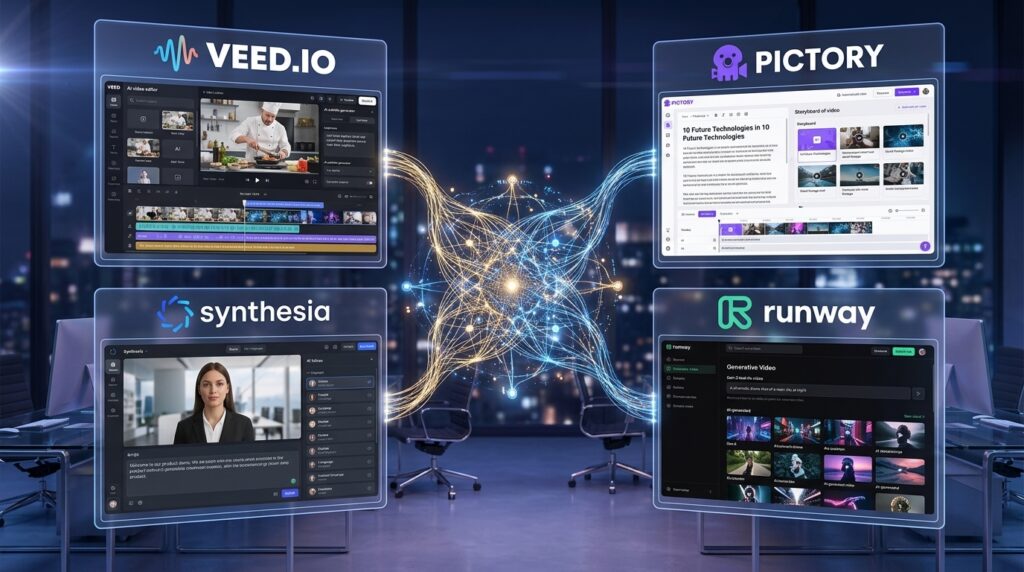
Pictory
Best for:
- Blog-to-video conversion
- Long-form content repurposing
- Educational YouTube videos
Strengths:
- Excellent article conversion
- Large stock library
- Beginner-friendly workflow
VEED
Best for:
- Social media editing
- Online video editing
- Captions
- Team collaboration
Strengths:
- Flexible editor
- Excellent subtitle tools
- Browser-based editing
Synthesia
Best for:
- Corporate training
- AI avatars
- Business presentations
- Employee onboarding
Strengths:
- Industry-leading AI presenters
- Multiple languages
- Enterprise features
Runway
Best for:
- AI filmmaking
- Creative professionals
- Visual effects
- Generative AI video
Strengths:
- Advanced AI models
- Professional editing
- Cutting-edge visual generation
Each platform serves a different audience.
Your ideal choice depends on whether you prioritize automation, creative control, AI avatars, or cinematic production capabilities.
Frequently Asked Questions
Is VideoGen free?
VideoGen offers limited free access, allowing users to explore the platform before upgrading to a paid subscription. Premium features, higher export limits, and advanced AI capabilities require a paid plan.
Is VideoGen suitable for beginners?
Yes.
Its intuitive interface and highly automated workflow make it one of the easiest AI video generators for users with little or no editing experience.
Can I use VideoGen for YouTube?
Absolutely.
VideoGen is particularly well suited for YouTube creators producing tutorials, product reviews, educational videos, affiliate content, and faceless channels.
Does VideoGen include AI voiceovers?
Yes.
The platform provides realistic AI-generated voices that eliminate the need for traditional voice recording in many projects.
Can I upload my own videos and images?
Yes.
In addition to AI-selected stock footage, users can upload their own media assets and customize generated videos as needed.
Does VideoGen support commercial use?
Commercial usage depends on your subscription plan.
Always review the latest licensing terms on the official website before publishing client or commercial projects.
Which languages does VideoGen support?
VideoGen supports multiple languages and AI voices, making it suitable for creators targeting international audiences.
Available language options may expand over time as new AI voice models are introduced.
Is VideoGen worth paying for?
For creators who publish videos regularly, we believe the answer is yes.
The time saved through AI automation can easily outweigh the monthly subscription cost, especially for businesses, educators, marketers, and YouTubers.
Final Verdict
VideoGen successfully delivers on its core promise: making professional video production dramatically faster and more accessible.
Instead of replacing creativity, the platform removes many of the repetitive tasks that traditionally slow creators down.
Its combination of AI script generation, realistic voiceovers, automatic stock footage selection, subtitle creation, and browser-based editing creates a workflow that feels both efficient and approachable.
Throughout our testing, VideoGen consistently demonstrated strong performance in content quality, ease of use, and production speed.
While it doesn’t offer the advanced editing capabilities required by professional filmmakers, it was never intended to compete directly with high-end editing software.
Instead, VideoGen focuses on helping creators publish more content with significantly less effort.
That objective is achieved remarkably well.
Our Favorite Features
- Excellent AI automation
- Natural AI voiceovers
- Intelligent stock media matching
- Beginner-friendly interface
- Fast rendering
- Strong value for money
Areas for Improvement
- More advanced editing controls
- Additional animation options
- Greater customization for power users
Even with these limitations, VideoGen remains one of the strongest AI video generation platforms available in 2026.
If your priority is creating professional videos quickly rather than mastering complex editing software, it deserves a place near the top of your shortlist.
Overall Rating
⭐⭐⭐⭐☆ 4.8 / 5
Our Recommendation
Recommended for:
✅ YouTubers
✅ Affiliate marketers
✅ Online educators
✅ Small businesses
✅ Marketing teams
✅ Agencies
Ready to Create Videos Faster with AI?
Whether you’re launching a YouTube channel, promoting products, building online courses, or growing your business, VideoGen can dramatically simplify your video production workflow.
By combining AI scripting, voice generation, stock media, subtitles, and editing into a single platform, it enables creators to publish professional-quality videos in a fraction of the traditional production time.
If you’re looking for an AI video generator that balances automation, quality, and ease of use, VideoGen is absolutely worth exploring.
Start your free trial, explore the latest features, and discover which subscription plan best fits your content creation needs.
Looking for More AI Tools?
If VideoGen isn’t the perfect match for your workflow, don’t stop here.
Explore more expert reviews on Flowcrai to compare the latest AI tools for:
- AI Video Generation
- AI Writing
- AI Image Creation
- AI Coding
- AI Productivity
- AI Marketing
- AI Automation
- AI Voice Generation
Our in-depth reviews are designed to help you choose the right AI software with confidence—whether you’re a creator, entrepreneur, marketer, developer, or business owner.