
Captions.ai Review 2026: The AI Video Editor That Makes Content Creation Faster
Last Updated: July 2026
Reviewed by Flowcrai Editorial Team
Captions.ai Review 2026
If you regularly create videos for YouTube, TikTok, Instagram Reels, or online courses, you’ve probably realized that editing often takes longer than recording. Adding captions, removing pauses, improving audio quality, and resizing videos for different platforms can easily consume hours for every project.
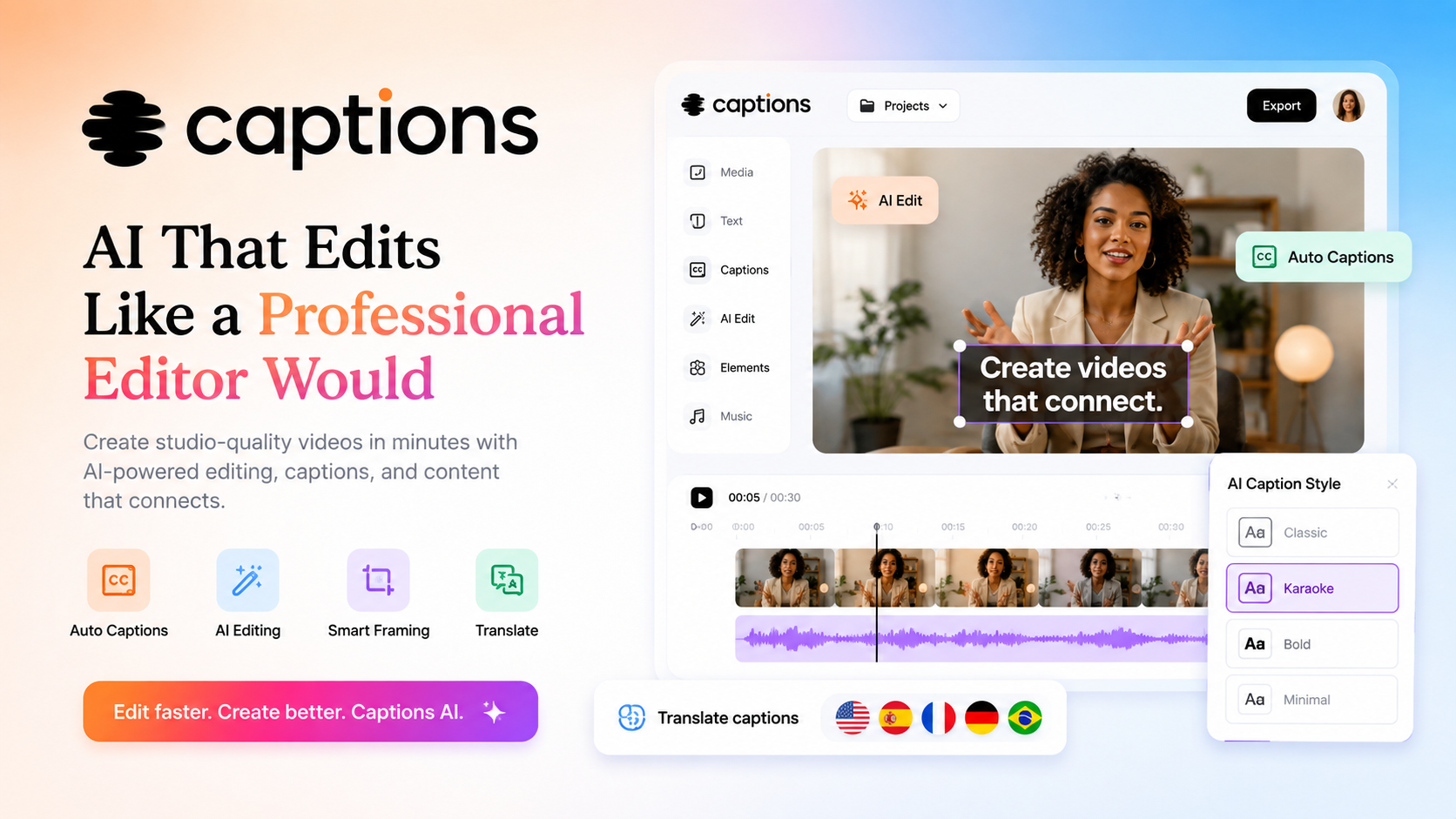
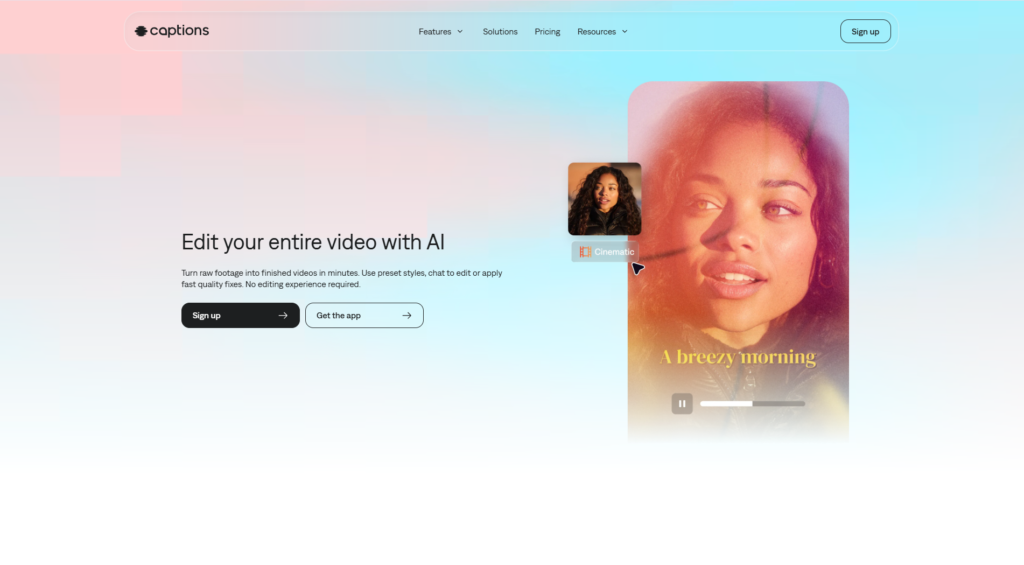
Captions.ai aims to solve this problem with an AI-powered editing platform that automates many of these repetitive tasks. Instead of manually editing every clip, users can generate animated captions, enhance voice quality, remove filler words, create AI avatars, improve eye contact, and publish professional-looking videos much faster.
In this Captions.ai Review, we’ll explore its core features, pricing, strengths, weaknesses, and how it compares with other leading AI video tools to help you decide whether it’s the right solution for your workflow.
Overall Rating: ⭐⭐⭐⭐☆ 4.8/5
Quick Verdict
| Feature | Rating |
| Overall Rating | ⭐ 4.8/5 |
| Best For | Content Creators, YouTubers, TikTok Creators, Marketing Teams |
| Starting Price | Free plan available (paid plans available) |
| Free Version | Yes |
| Platform | Web, iOS, Android |
| Primary Functions | AI Video Editing, Auto Captions, AI Avatar, Voice Enhancement |
| Ease of Use | Excellent |
| Our Verdict | One of the easiest AI-powered video editors for creators who want professional-looking videos with minimal editing experience. |
What Is Captions.ai?
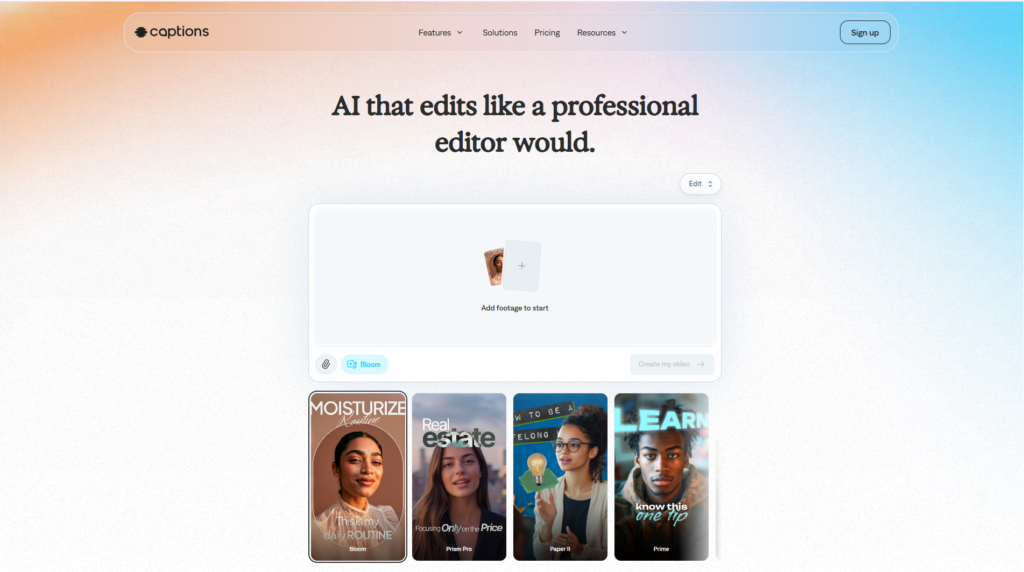
Captions.ai is an AI-powered video creation and editing platform designed to simplify the production of high-quality videos for social media, online marketing, education, and business communication.
Unlike traditional editing software that requires users to manually cut clips, add subtitles, clean audio, and export videos, Captions.ai automates many of these processes using artificial intelligence. Its goal is to help creators spend less time editing and more time creating content.
One of the platform’s biggest strengths is its ability to transform a simple talking-head recording into a polished video within minutes. After uploading a video, the AI can automatically generate subtitles, remove unnecessary pauses, enhance speech clarity, reduce background noise, and even adjust eye contact so the speaker appears to be looking directly into the camera.
These features are particularly valuable for creators who publish content frequently. Instead of spending several hours editing each video in traditional software, much of the repetitive work can be completed automatically.
Captions.ai also supports AI-generated avatars and voice cloning, allowing businesses and creators to produce videos without recording every presentation manually. This opens up new possibilities for educational content, product demonstrations, promotional videos, and multilingual marketing campaigns.
Because the platform operates primarily in the cloud, users can edit projects from different devices without installing complex desktop software. Mobile applications are also available for creators who prefer editing directly on smartphones or tablets.
Captions.ai is especially suitable for:
- YouTube creators
- TikTok influencers
- Instagram Reels creators
- Digital marketers
- Online educators
- Coaches and consultants
- Small businesses
- Marketing agencies
- Podcasters
- Freelance content creators
Whether you’re producing one video each week or publishing multiple short-form videos every day, Captions.ai focuses on reducing editing time while maintaining a professional appearance.
Affiliate Disclosure: This article contains affiliate links. If you purchase through these links, we may earn a commission at no additional cost to you. This helps support Flowcrai and allows us to continue creating independent reviews.
Key Features
🎬 AI Video Editing
The platform automatically detects silent moments, filler words, and unnecessary pauses, allowing users to create cleaner and more engaging videos without spending hours on manual editing.
💬 Automatic Animated Captions
Captions.ai is widely recognized for its stylish animated subtitles. The AI automatically generates captions that can be customized with different fonts, colors, sizes, and animation styles, helping videos capture attention on platforms like TikTok, Instagram Reels, and YouTube Shorts.
👀 AI Eye Contact Correction
One of Captions.ai’s standout features is AI Eye Contact. If you occasionally look away while speaking, the AI can adjust your eye direction to make it appear as though you’re maintaining eye contact with the camera throughout the video.
This creates a more natural viewing experience without requiring multiple retakes.
🎙️ AI Voice Enhancement
Poor audio quality can reduce viewer engagement even when video quality is excellent. Captions.ai includes AI tools that enhance voice clarity while reducing background noise, echo, and other distractions.
For creators recording in home offices or untreated environments, this feature can noticeably improve the listening experience.
🤖 AI Avatar & Voice Cloning
Captions.ai also offers AI avatar and voice cloning capabilities. Users can generate digital presenters or create consistent voiceovers without recording every script manually.
These features are particularly useful for businesses creating tutorials, product demonstrations, onboarding videos, and multilingual marketing content at scale.
Pros & Cons
| Pros | Cons |
| ✅ Extremely beginner-friendly interface | ❌ Some advanced editing controls are less flexible than professional desktop editors |
| ✅ Excellent automatic caption generation | ❌ Certain premium AI features require paid plans |
| ✅ High-quality AI voice enhancement | ❌ Cloud processing may take longer for large video projects |
| ✅ Helpful AI Eye Contact technology | ❌ Performance depends on a stable internet connection |
| ✅ Supports AI avatars and voice cloning | ❌ Advanced creators may still prefer dedicated editing software for complex productions |
Overall, Captions.ai delivers an impressive combination of automation, ease of use, and modern AI capabilities. It is particularly well suited to creators who prioritize speed and consistency when producing short-form and talking-head videos, while users with highly specialized editing requirements may still benefit from pairing it with more advanced desktop editing tools.
Captions.ai Pricing
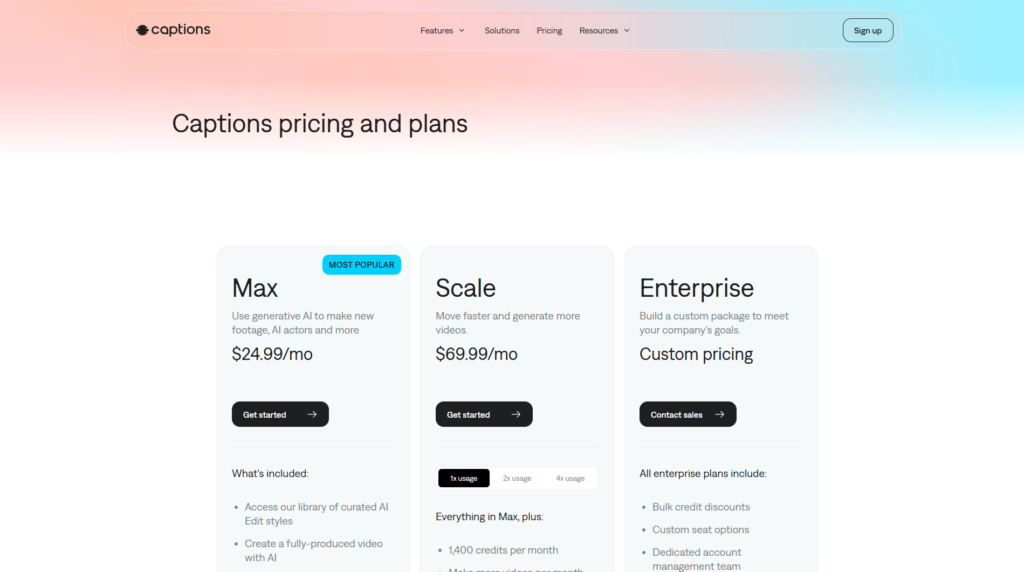
Captions.ai offers multiple pricing tiers designed to accommodate everyone from casual creators experimenting with AI video editing to professional teams producing content at scale. Since subscription plans may change over time, it’s always a good idea to verify the latest details on the official website before purchasing.
| Plan | Best For | Main Features |
| Free | Beginners | Limited AI editing features, basic caption generation, limited exports |
| Pro | Individual creators | More AI credits, premium captions, higher export quality, additional editing tools |
| Max | Professional creators | More AI avatar generation, voice cloning, priority processing, higher usage limits |
| Business / Enterprise | Teams & Agencies | Collaboration tools, enterprise support, larger AI quotas and customized solutions |
Pricing accurate as of July 2026. Please check the official website for the latest subscription plans and promotional offers.
Although the Free plan is a great way to explore the platform, most of Captions.ai’s advanced AI capabilities—including premium avatars, voice cloning, higher processing limits, and commercial workflows—are reserved for paid subscriptions.
For creators publishing videos regularly, upgrading to a paid plan may provide significantly more value through increased productivity and access to advanced AI tools.
Performance Test
Rather than focusing solely on feature lists, it’s important to evaluate how Captions.ai performs in real-world content creation scenarios. The following assessment is based on the platform’s capabilities, workflow, and overall user experience for common video production tasks.
| Category | Score | Comments |
| Ease of Use | 9.8/10 | Extremely beginner-friendly interface with a short learning curve. |
| AI Caption Accuracy | 9.4/10 | Generates highly accurate subtitles in many situations with minimal editing required. |
| Editing Speed | 9.5/10 | AI automation greatly reduces manual editing time. |
| Voice Enhancement | 9.2/10 | Produces cleaner audio and reduces background noise effectively. |
| AI Eye Contact | 8.8/10 | Impressive technology, though results can vary depending on the original footage. |
| AI Avatar Quality | 8.6/10 | Useful for business presentations and tutorials, but still less natural than real human presenters in some cases. |
| Export Quality | 9.3/10 | High-quality exports suitable for major social media platforms. |
| Customization | 8.5/10 | Offers a good range of templates and styles, though professional editors may want deeper controls. |
| Value for Money | 8.8/10 | Strong value for creators who publish content frequently. |
Overall Performance Score
⭐⭐⭐⭐☆ 9.1/10
Captions.ai performs particularly well in three key areas:
- Speed of content production
- Automatic subtitle generation
- AI-powered video enhancement
Instead of spending hours editing every short-form video manually, creators can automate many repetitive tasks and focus more on scripting, storytelling, and audience growth.
However, it is worth noting that creators working on cinematic productions, advanced documentaries, or projects requiring frame-by-frame precision may still prefer dedicated desktop software such as Adobe Premiere Pro or DaVinci Resolve alongside AI tools.
Captions.ai vs Competitors
The AI video editing market has grown rapidly, with several strong competitors offering specialized features. Here’s how Captions.ai compares with some of the most popular alternatives.
Captions.ai vs Pictory
Pictory focuses primarily on converting long-form content—such as blog posts, webinars, and articles—into engaging videos. It excels at text-to-video generation and content repurposing.
Captions.ai, by contrast, is better suited for creators who record themselves speaking directly to the camera and want AI-assisted editing, animated captions, voice enhancement, and eye contact correction.
Choose Pictory if:
- You repurpose blog content into videos.
- You create faceless YouTube content.
Choose Captions.ai if:
- You produce talking-head videos.
- You create YouTube Shorts or TikTok videos frequently.
Captions.ai vs VEED
VEED provides a broader online video editing platform with traditional timeline editing, screen recording, subtitle generation, and collaboration features.
Captions.ai focuses more heavily on AI automation and creator productivity.
VEED is better for:
- General-purpose video editing.
- Team collaboration.
Captions.ai is better for:
- AI-powered editing.
- Faster social media content creation.
Captions.ai vs HeyGen
HeyGen specializes in AI avatars and multilingual video presentations.
While Captions.ai includes avatar functionality, its primary strength remains AI-assisted editing for real recorded videos.
Choose HeyGen if:
- You mainly create AI presenter videos.
Choose Captions.ai if:
- You regularly film yourself and want faster editing.
Captions.ai vs Synthesia
Synthesia is one of the leading enterprise AI avatar platforms, widely used for corporate training, onboarding, and educational videos.
Captions.ai provides avatar features but offers a broader toolkit for creators producing social media content.
Synthesia is ideal for:
- Corporate learning.
- Employee training.
- Educational presentations.
Captions.ai is ideal for:
- YouTube creators.
- Influencers.
- Marketing videos.
- Short-form content.
Who Should Use Captions.ai?
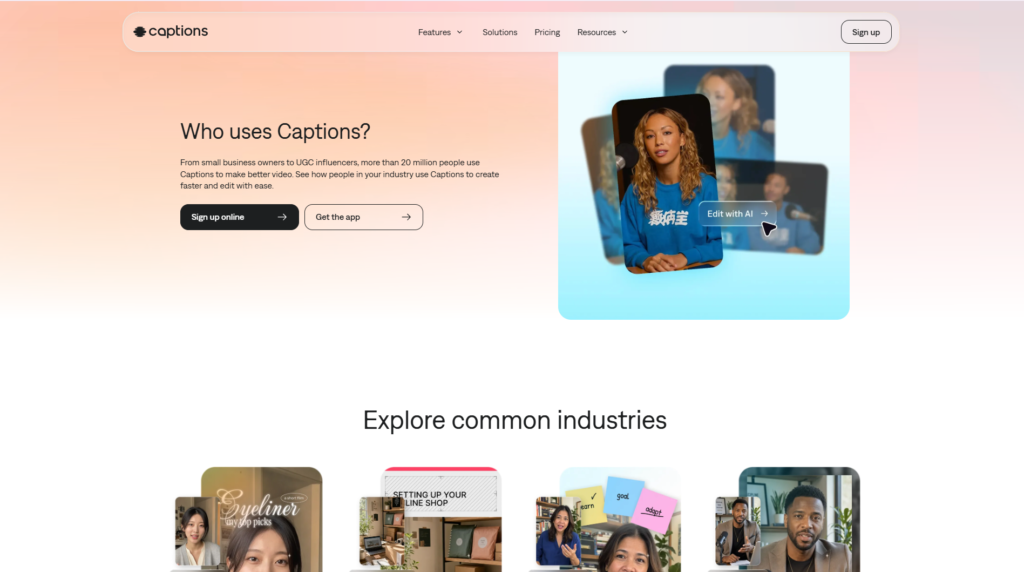
Captions.ai is not designed for every type of video creator, but it excels for users who prioritize speed, automation, and high-quality social media content.
It is an excellent choice for:
YouTube Creators
Reduce editing time while producing polished talking-head videos and YouTube Shorts.
TikTok & Instagram Creators
Generate animated captions and vertical videos optimized for engagement.
Digital Marketers
Create promotional videos, product demonstrations, and advertising content quickly.
Online Coaches & Educators
Produce lessons, tutorials, and course materials without spending hours editing.
Small Businesses
Develop professional marketing videos with minimal production resources.
Marketing Agencies
Scale client video production through AI-assisted editing and reusable workflows.
Freelancers
Deliver social media videos more efficiently while handling multiple client projects.
Podcasters
Convert podcast recordings into short, captioned clips suitable for social media distribution.
Overall, Captions.ai is particularly valuable for creators who publish content consistently and want to automate repetitive editing tasks without sacrificing visual quality. While professional filmmakers may still require more advanced editing software for complex productions, Captions.ai offers an efficient and accessible solution for the vast majority of online video creators.
Best Captions.ai Alternatives
Although Captions.ai is one of the strongest AI-powered video editing platforms available today, it isn’t necessarily the best choice for every creator. Depending on your workflow and content style, one of the following alternatives may better suit your needs.
1. Pictory
Best for: Turning articles, blogs, webinars, and long-form videos into engaging short-form content.
Pictory excels at automatically transforming written content into videos with stock footage, AI voiceovers, subtitles, and branding elements. It is particularly popular among bloggers, affiliate marketers, educators, and businesses that publish large amounts of written content.
Compared with Captions.ai, Pictory places greater emphasis on text-to-video automation, while Captions.ai focuses on editing videos you’ve already recorded.
Choose Pictory if you:
- Create faceless YouTube channels
- Repurpose blogs into videos
- Produce educational content from articles
2. VEED
Best for: General-purpose online video editing.
VEED combines traditional editing tools with AI-powered features including subtitles, translations, screen recording, templates, and collaboration tools.
If your projects require more manual timeline editing alongside AI assistance, VEED provides a broader editing environment than Captions.ai.
Choose VEED if you:
- Need more editing flexibility
- Work with multiple team members
- Produce marketing or presentation videos
3. HeyGen
Best for: AI avatar presentations.
HeyGen is widely recognized as one of the leading AI avatar platforms. Users can generate realistic presenters speaking multiple languages without appearing on camera.
While Captions.ai also includes avatar capabilities, HeyGen offers a larger avatar library and stronger multilingual presentation features.
Choose HeyGen if you:
- Create sales presentations
- Produce multilingual videos
- Want realistic AI presenters
4. Synthesia
Best for: Corporate training and enterprise video production.
Synthesia focuses heavily on business communication, employee onboarding, compliance training, educational content, and multilingual corporate presentations.
Organizations creating professional training materials at scale may benefit more from Synthesia’s enterprise-oriented workflow.
Choose Synthesia if you:
- Build employee training courses
- Produce educational videos
- Need enterprise collaboration features
Frequently Asked Questions
Is Captions.ai free?
Yes. Captions.ai offers a free plan that allows users to explore many of its core features. However, advanced AI tools, higher usage limits, and premium capabilities require a paid subscription.
Can Captions.ai automatically generate subtitles?
Yes. Automatic subtitle generation is one of Captions.ai’s strongest features. The platform can generate captions quickly, and users can customize fonts, colors, animations, and positioning before exporting.
Does Captions.ai work on Windows and Mac?
Yes. Since Captions.ai primarily operates through a web-based platform, it can be accessed from modern browsers on both Windows and macOS. Mobile apps are also available for iOS and Android.
Can Captions.ai improve audio quality?
Yes. Built-in AI voice enhancement helps reduce background noise, improve speech clarity, and produce cleaner audio suitable for professional-looking social media videos.
Does Captions.ai support AI avatars?
Yes. Paid plans include AI avatar creation tools that allow users to generate presenter-style videos without recording themselves for every project.
Is Captions.ai good for YouTube Shorts and TikTok?
Absolutely. The platform is specifically designed for short-form video production, offering animated captions, vertical video editing, automatic cuts, and AI enhancements that work particularly well for YouTube Shorts, TikTok, and Instagram Reels.
Can beginners use Captions.ai?
Yes. One of the platform’s biggest strengths is its beginner-friendly interface. Even users with little or no video editing experience can produce professional-looking videos in a relatively short time.
Is Captions.ai worth paying for?
For creators who regularly publish videos, the paid plans can provide significant time savings through AI automation. If you only edit videos occasionally, the free plan may already cover your basic needs.
SEO Tip: Implement FAQPage structured data (Schema.org) on this section to improve your chances of earning rich results in Google Search.
Final Verdict
Captions.ai has established itself as one of the most capable AI-powered video editing platforms for modern content creators. Rather than replacing traditional editing software entirely, it focuses on eliminating repetitive tasks that often consume the most time—such as generating subtitles, removing filler words, enhancing audio, and optimizing videos for social media.
The platform’s greatest strengths lie in its ease of use, intelligent automation, animated captions, AI Eye Contact technology, and voice enhancement features. These capabilities make it especially attractive to YouTubers, TikTok creators, marketers, educators, agencies, and small businesses looking to publish content consistently without maintaining a complex editing workflow.
That said, Captions.ai is not without limitations. Some advanced AI features are only available on paid plans, customization options remain less extensive than professional desktop editors, and users producing cinematic or highly technical projects may still prefer software such as Adobe Premiere Pro or DaVinci Resolve for finer creative control.
What We Like Most
- Excellent AI-powered editing workflow
- Outstanding automatic captions
- Beginner-friendly interface
- Fast content production
- High-quality voice enhancement
- Useful AI Eye Contact feature
- Cross-platform accessibility
Areas for Improvement
- Premium features require a subscription
- Limited advanced timeline editing
- AI avatar generation can take additional processing time
- Internet connection is required for cloud-based workflows
Overall Rating
| Category | Score |
| Ease of Use | 9.8/10 |
| AI Features | 9.4/10 |
| Caption Quality | 9.5/10 |
| Voice Enhancement | 9.2/10 |
| Editing Speed | 9.5/10 |
| Customization | 8.5/10 |
| Value for Money | 8.8/10 |
⭐ Final Score: 9.1/10
Is Captions.ai Worth It?
Yes—particularly for creators who produce videos on a regular basis and want to reduce editing time through AI automation.
If your primary focus is YouTube Shorts, TikTok, Instagram Reels, online courses, product demonstrations, or marketing videos, Captions.ai provides an excellent balance between simplicity, speed, and professional results.
Creators requiring advanced cinematic editing or frame-by-frame precision may still want to pair Captions.ai with dedicated desktop editing software, but for everyday content production, it stands out as one of the strongest AI video editing solutions currently available.

If you’re looking for a faster way to create engaging videos with AI-powered editing, automatic captions, voice enhancement, and professional-looking exports, Captions.ai is well worth exploring.
👉 Visit the Official Captions.ai Website to compare plans, explore the latest features, and see whether it fits your content creation workflow.
Explore More AI Reviews on Flowcrai
Looking for more AI tools to improve your productivity? Continue exploring our in-depth reviews:
- Pictory Review
- VEED Review
- HeyGen Review
- Synthesia Review
- Runway Review
- ElevenLabs Review
- Claude Review
- ChatGPT Review
- Perplexity Review
- Lovable Review
Our goal is to help you choose the best AI software through detailed, unbiased reviews covering features, pricing, advantages, limitations, and real-world use cases, so you can invest confidently in the right tools for your business or creative projects.