
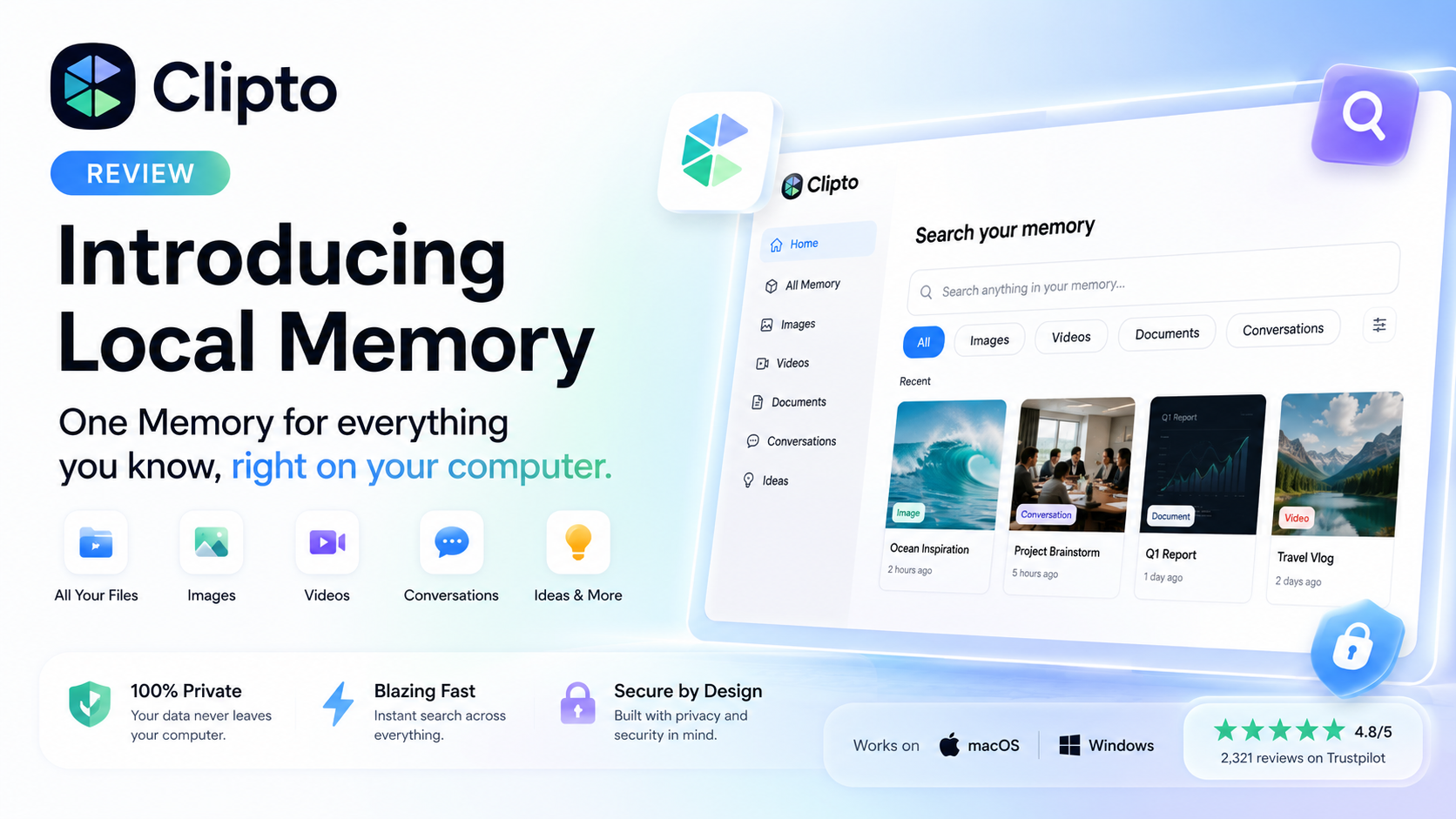
Clipto Review 2026: A Powerful AI Knowledge Manager?
Overall Rating
⭐⭐⭐⭐⭐ 4.8/5
Last Updated: August 2026
Reviewed by: Team Flowcrai
Affiliate Disclosure: This review may contain affiliate links. If you purchase through them, Flowcrai may earn a commission at no additional cost to you.
Key Takeaways
- Clipto is an AI-powered knowledge management platform that turns your documents, meetings, videos, images, and conversations into one searchable AI memory.
- Its standout feature, Local Memory, prioritizes user privacy by keeping searchable knowledge on your own device whenever possible.
- Clipto is ideal for professionals, researchers, students, developers, consultants, and anyone managing large amounts of digital information.
- Compared with traditional note-taking apps, Clipto focuses on intelligent semantic search rather than manual folders and tags.
- Overall Rating: 4.8/5
Clipto Review: Our Verdict
Clipto is one of the most promising AI-powered knowledge management tools available in 2026. Rather than acting as a traditional note-taking application, it builds a searchable AI memory that helps users quickly locate documents, conversations, meeting notes, images, videos, and other digital assets using natural language.
Its emphasis on privacy through Local Memory, combined with an intuitive interface and fast semantic search, makes it particularly appealing to professionals who work with information every day. While organizations needing advanced enterprise collaboration may require additional features, Clipto already delivers an impressive experience for individuals and small teams looking to build a reliable AI-powered second brain.
If your workflow involves constantly searching through files, notes, screenshots, or meeting records, Clipto is well worth considering. The following sections explore its features, pricing, user experience, and how it compares with competing AI productivity tools.
Clipto Review: What Is Clipto?
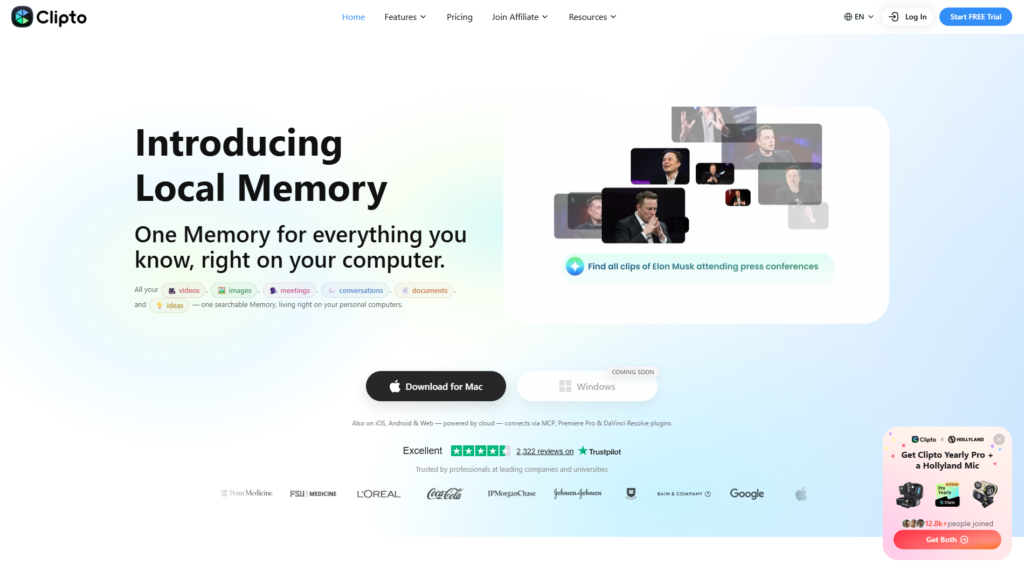
Clipto is an AI-powered knowledge management platform designed to help users organize, search, and retrieve information across multiple content types from one centralized workspace. Instead of simply storing files like a conventional cloud drive or note-taking app, Clipto uses artificial intelligence to understand relationships between your digital content and make it searchable using everyday language.
The platform positions itself as a personal AI memory or AI second brain, enabling users to access information from documents, videos, meetings, conversations, images, ideas, and other digital resources without manually organizing everything into folders.
As knowledge workers continue generating larger volumes of digital content, tools like Clipto aim to reduce the time spent searching for information while improving overall productivity.
What Problem Does It Solve?
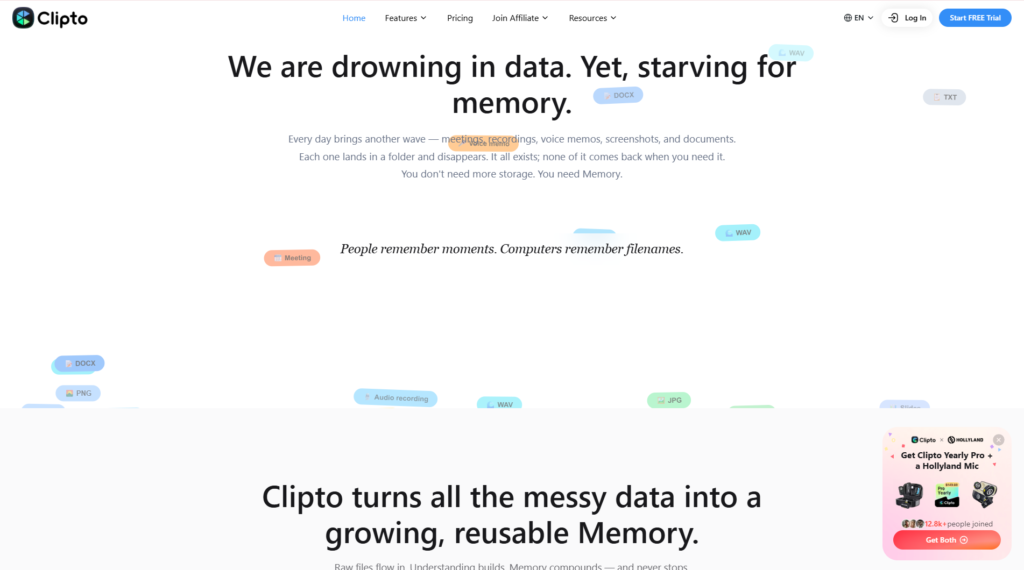
One of the biggest productivity challenges today is information overload.
Professionals often use dozens of different applications every week:
- Google Docs
- PDF readers
- Meeting software
- Chat applications
- Screenshots
- Video recordings
- Research databases
- Cloud storage
Over time, valuable information becomes scattered across these platforms. Even when users remember reading something important, they may forget where it was stored.
Traditional search tools usually depend on exact filenames or keywords. If users cannot remember those details, finding the information becomes frustrating and time-consuming.
Clipto addresses this problem by creating a centralized AI-powered knowledge base that understands the meaning behind your data. Instead of asking users to remember folder structures or document names, it allows natural language searches such as:
- “Find the meeting where we discussed next year’s marketing budget.”
- “Show the presentation about AI pricing.”
- “Locate the document explaining our onboarding process.”
- “Find the image I saved from yesterday.”
This significantly reduces the time spent manually searching through multiple applications.
How Does It Work?
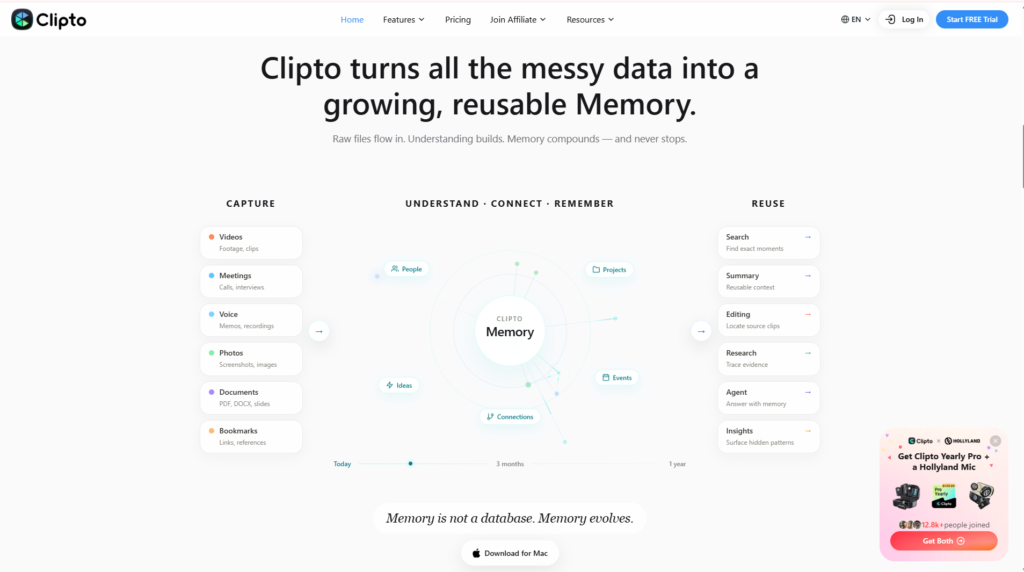
Clipto works by indexing supported content and organizing it into a searchable AI knowledge database. Rather than relying solely on keyword matching, the platform applies semantic search techniques to understand context, allowing users to retrieve information even when they cannot remember exact wording.
Supported content can include:
- Documents
- PDFs
- Images
- Videos
- Meeting notes
- Conversations
- Ideas
- Personal knowledge
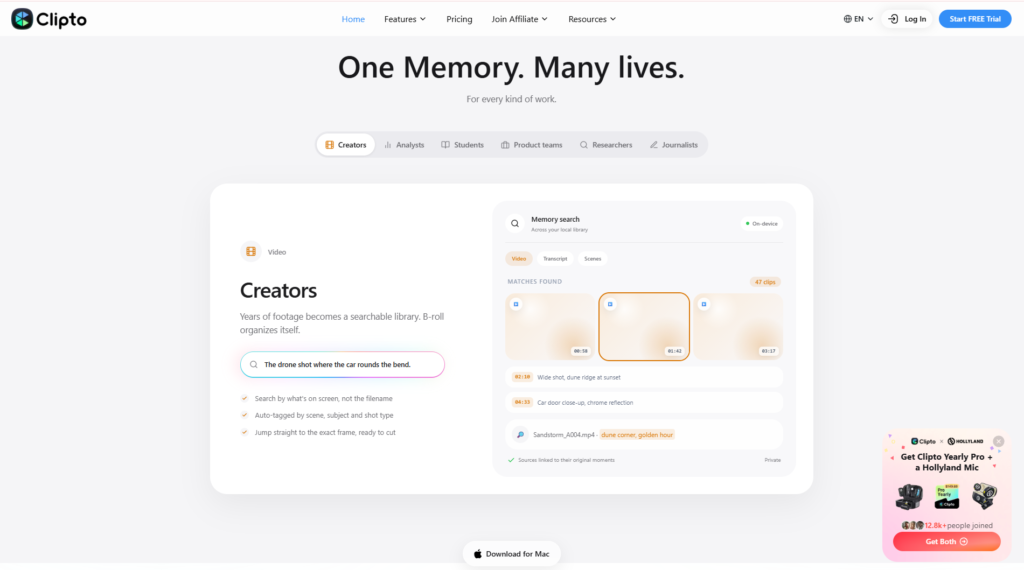
Users simply type questions into the search bar, much like interacting with an AI assistant. Clipto analyzes available information and surfaces the most relevant content based on meaning instead of just filenames.
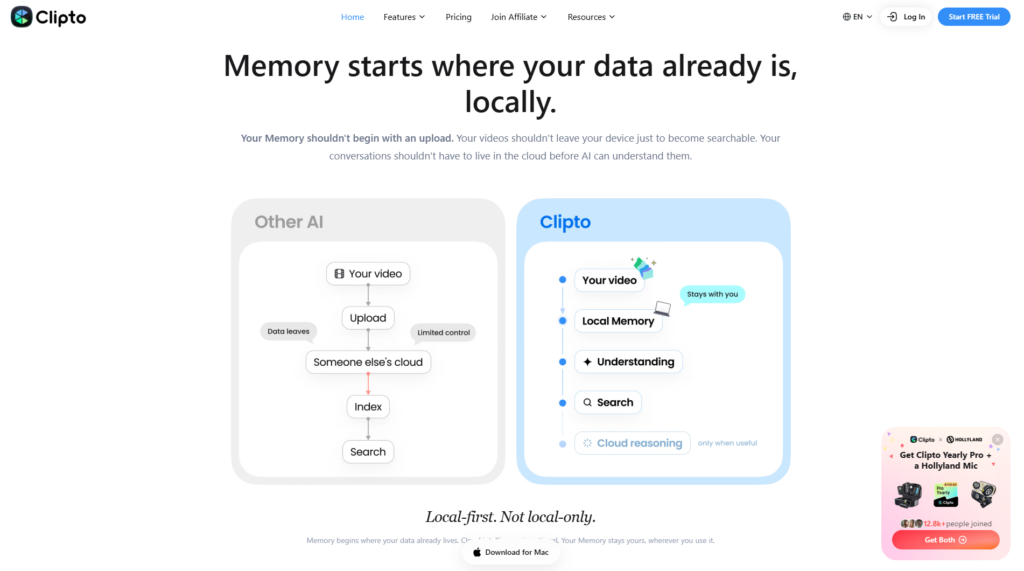
One of the platform’s defining technologies is Local Memory, which allows searchable knowledge to remain stored on the user’s own computer whenever possible. This architecture helps reduce privacy concerns associated with uploading sensitive business or personal information to cloud-based AI services.
For professionals handling confidential projects, client records, or proprietary research, this privacy-first approach can be a significant advantage.
Clipto Review: What Makes Clipto Different?
The AI productivity software market has become increasingly competitive, with numerous tools offering note-taking, document storage, or AI search capabilities. However, Clipto differentiates itself through several unique characteristics.
First, the platform is designed around knowledge retrieval, not simply note creation. Instead of encouraging users to spend time building complex folder structures, Clipto relies on AI to understand relationships between different pieces of information.
Second, Local Memory introduces a privacy-focused architecture that appeals to users who want greater control over their personal knowledge. Keeping searchable information on local devices helps minimize concerns about sensitive data being processed externally.
Third, Clipto supports a wide variety of content formats within one unified search experience. Rather than switching between document storage, meeting software, image libraries, and video archives, users can access all supported information from a single interface.
Finally, the clean, modern user interface lowers the learning curve. Even users with limited technical experience can begin searching their knowledge base almost immediately without extensive setup or manual organization.
These capabilities position Clipto as more than a note-taking application—it serves as an intelligent AI assistant for managing digital knowledge across everyday workflows.
Who Should Use Clipto?
Clipto is designed for individuals and professionals who regularly manage large amounts of information and need a faster way to retrieve knowledge.
Best For
Clipto is particularly well suited for:
- Researchers managing extensive reference materials and academic papers.
- Content creators organizing scripts, videos, images, and creative assets.
- Software developers searching technical documentation, code references, and project notes.
- Students consolidating lecture notes, PDFs, research, and study materials.
- Consultants handling client documents, meeting summaries, and business knowledge.
- Lawyers working with contracts, legal documents, and case research.
- Business professionals seeking a centralized AI-powered knowledge base.
- Agency teams managing multiple client projects and information sources.
- Knowledge workers who frequently switch between documents, conversations, and meetings.
For these users, Clipto can help reduce time spent searching for information while improving productivity through intelligent AI-powered retrieval.
Who Should Skip It?
Although Clipto offers a compelling feature set, it may not be the best choice for every user.
People looking for a simple digital notebook or lightweight task manager may find traditional note-taking applications sufficient for their needs. Likewise, organizations requiring advanced enterprise governance, complex workflow automation, or highly customized collaboration environments may benefit from dedicated enterprise knowledge management platforms.
Users who rarely work with large collections of documents or digital content may also find that Clipto’s AI-powered capabilities exceed their everyday requirements.
Overall, Clipto delivers the greatest value to professionals whose productivity depends on quickly finding and reusing information across multiple digital sources.
Clipto Review: Setup & User Experience
One of Clipto’s strongest advantages is its straightforward onboarding experience. Unlike many AI productivity platforms that require users to create complex workspaces or manually organize information before seeing results, Clipto focuses on getting users to searchable knowledge as quickly as possible.
The interface emphasizes simplicity, allowing users to start importing content and searching naturally without spending hours configuring folders or databases. This low-friction approach makes Clipto appealing to both first-time AI users and experienced professionals looking for a practical productivity tool.
Account Setup
Getting started with Clipto is designed to be fast and beginner-friendly.
The typical onboarding process includes:
- Create a Clipto account.
- Choose your preferred platform (Web or Desktop).
- Import supported content such as:
- Documents
- PDFs
- Images
- Videos
- Meeting notes
- Conversations
- Allow Clipto to index your content.
- Begin searching your knowledge using natural language.
Unlike traditional knowledge management systems, users are not required to manually classify every document before it becomes useful. Once content has been indexed, Clipto’s AI begins understanding relationships between files, making information easier to locate later.
For users who value privacy, the platform’s Local Memory architecture also provides additional confidence by emphasizing local knowledge processing where supported.
Learning Curve
Clipto has one of the gentlest learning curves among AI knowledge management tools.
Many competing “second brain” applications introduce concepts such as:
- databases
- linked pages
- hierarchical workspaces
- complex tagging systems
- graph relationships
While these features can be powerful, they often require considerable time to master.
Clipto instead centers the experience around a familiar search interface. Users simply ask questions or type keywords in much the same way they would use a modern search engine or AI assistant.
Examples include:
- “Find my product roadmap.”
- “Show yesterday’s meeting.”
- “Locate the PDF about cybersecurity.”
- “Where is the marketing proposal?”
This conversational workflow minimizes training requirements and allows new users to become productive almost immediately.
Ease of Use
From a usability perspective, Clipto delivers a clean and focused experience.
The interface avoids unnecessary complexity and prioritizes the tasks users perform most frequently:
- Searching information
- Opening results
- Managing imported content
- Building a personal knowledge base
Navigation remains intuitive even as the amount of stored information grows.
The platform also reduces the need for manual organization. Instead of spending time creating nested folders and assigning multiple tags, users can rely on semantic search to locate information based on meaning rather than exact filenames.
For busy professionals, this shift from manual organization to AI-assisted retrieval can significantly improve day-to-day efficiency.
Interface Design
Clipto adopts a modern minimalist design language that aligns with current AI software trends.
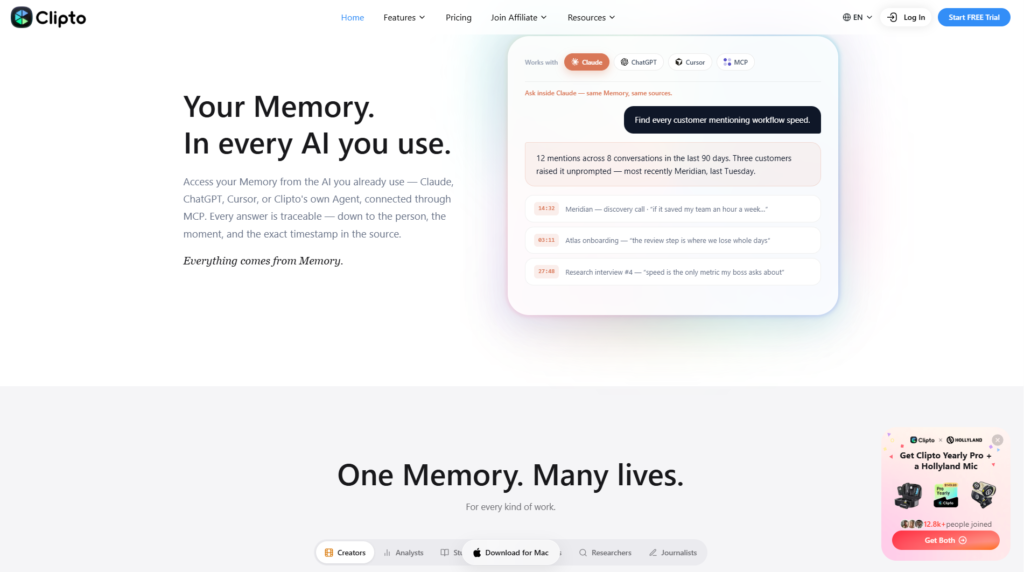
Its homepage immediately communicates the platform’s core purpose: creating One Memory for Everything You Know. Large search controls, generous spacing, and uncluttered navigation help users focus on finding information instead of navigating menus.
Other interface strengths include:
- Clean typography
- Simple iconography
- Consistent layout
- Fast access to search
- Minimal visual distractions
- Responsive desktop experience
The product emphasizes functionality over decorative design, which suits users who spend long periods working with documents and research materials.
The desktop application also mirrors the web experience closely, reducing friction when switching devices.
Performance
According to official product information and publicly available documentation, Clipto is built to deliver fast semantic search across multiple content types while maintaining a responsive user experience.
Key performance strengths include:
- Fast AI-powered search
- Support for multiple document formats
- Intelligent indexing
- Natural language queries
- Local Memory capabilities
- Cross-device availability
- Unified knowledge retrieval
Performance naturally depends on factors such as the size of a user’s knowledge base, hardware specifications, and the types of content being indexed. However, the platform’s architecture is clearly designed to minimize the friction of locating information across diverse digital assets.
Unlike traditional keyword search tools, Clipto aims to surface relevant results even when users cannot remember exact file names or phrases, making everyday retrieval more efficient.
Our Analysis
Based on Clipto’s official documentation, product capabilities, and its positioning within the AI knowledge management market, the platform offers a compelling balance of simplicity, privacy, and intelligent search.
Its Local Memory approach differentiates it from many cloud-first AI assistants by giving users greater confidence when working with sensitive information. The emphasis on semantic search, broad content support, and an approachable interface also makes it suitable for a wide range of professionals.
While enterprise organizations with highly specialized governance or workflow requirements may require additional capabilities beyond Clipto’s current focus, individual professionals, freelancers, researchers, students, consultants, and small teams are likely to find the platform both accessible and productive.
Clipto Review: Key Features of Clipto
The feature set is where Clipto distinguishes itself from traditional note-taking applications. Rather than simply storing information, the platform is designed to help users retrieve knowledge quickly through AI-powered semantic search.
Below are the most important features that define the Clipto experience.
AI-Powered Local Memory
Local Memory is Clipto’s flagship capability and one of its most distinctive features.
Instead of relying exclusively on cloud-based storage, Clipto emphasizes keeping searchable knowledge on the user’s own computer where supported. This architecture offers several advantages:
- Improved privacy
- Greater control over personal data
- Reduced dependence on external cloud processing
- Faster access to frequently used information
For professionals handling confidential business documents, research projects, financial records, or legal materials, Local Memory can be an important differentiator.
Semantic AI Search
Traditional search tools require users to remember:
- filenames
- keywords
- folders
- document titles
Clipto replaces this workflow with semantic AI search.
Users can ask natural questions such as:
- “Find the presentation about marketing automation.”
- “Where are my interview notes?”
- “Show customer onboarding documentation.”
The AI analyzes meaning rather than exact wording, allowing relevant content to surface even when users cannot remember precise file names.
This dramatically reduces the time spent searching through large digital libraries.
Unified Knowledge Base
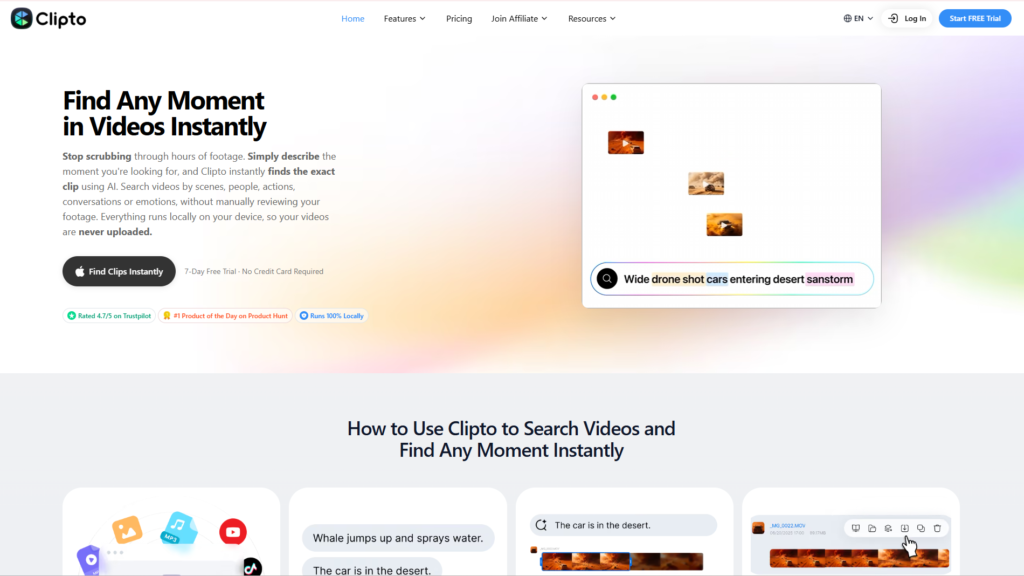
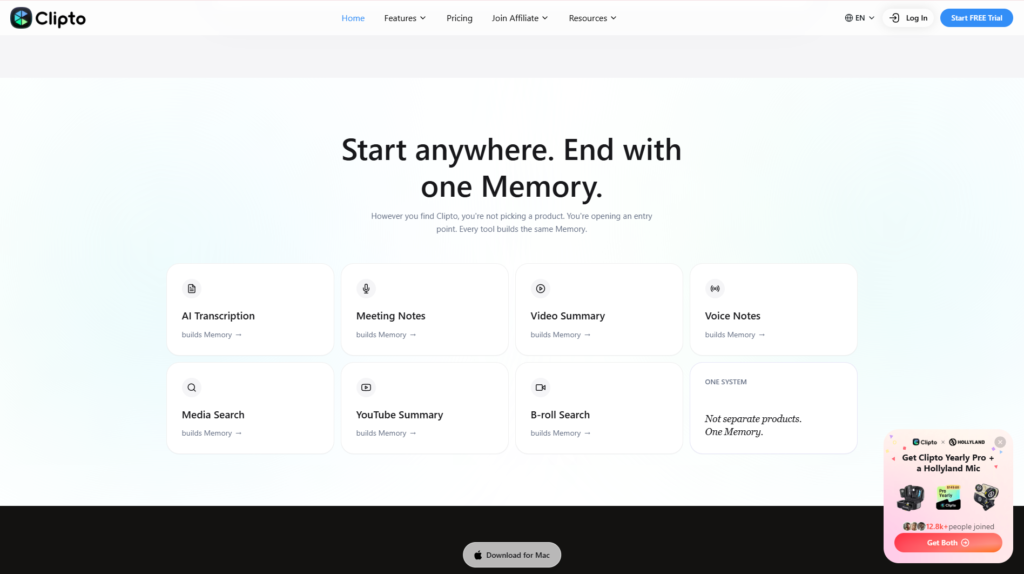
Clipto consolidates multiple types of digital information into one searchable workspace.
Supported content may include:
- Documents
- PDFs
- Images
- Videos
- Meeting recordings
- Conversations
- Ideas
- Notes
Instead of switching between numerous applications, users can access their knowledge through one unified search experience.
This centralized approach is particularly valuable for professionals working across many projects simultaneously.
Multi-Format Content Support
Modern professionals rarely work with text alone.
Clipto recognizes this by supporting a variety of information formats, enabling users to search across diverse content types rather than maintaining separate repositories for each.
Examples include:
- Business documents
- Research papers
- Screenshots
- Visual references
- Recorded meetings
- Video materials
- Personal notes
- Knowledge archives
By indexing heterogeneous content, Clipto becomes a more comprehensive personal knowledge assistant rather than a simple document manager.
Intelligent Knowledge Retrieval
Perhaps Clipto’s greatest strength lies in helping users retrieve information instead of merely storing it.
As digital content grows over time, manually remembering where everything is becomes increasingly difficult. Clipto addresses this challenge by using AI to understand relationships between information and present the most relevant results.
Rather than encouraging users to spend time organizing folders and tags, the platform focuses on making previously stored knowledge instantly accessible when needed.
This capability can translate into meaningful productivity gains for researchers, consultants, developers, students, marketers, and other knowledge workers who rely on rapid access to information throughout the day.
Pricing & Value for Money
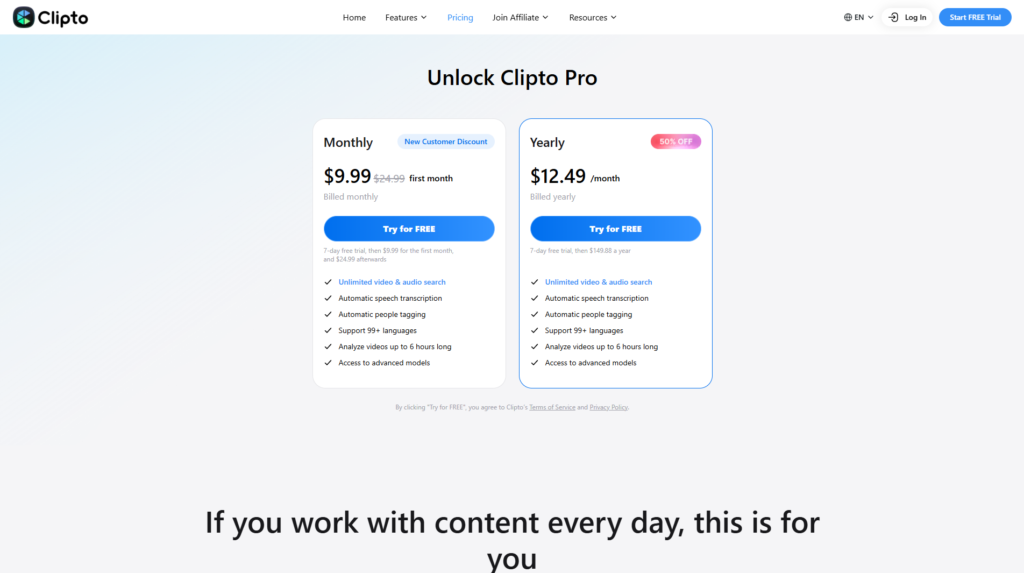
Pricing is an important consideration when choosing any AI productivity platform. Rather than competing solely on being the cheapest option, Clipto positions itself as a premium knowledge management solution that helps users save time through intelligent search and AI-powered organization.
Since pricing and subscription options may change over time, prospective users should always verify the latest information on the official pricing page before purchasing.
Pricing Table
| Plan | Best For | AI Search | Local Memory | Multi-format Support | Price |
| Free Trial | New users | ✅ | Limited | ✅ | Available |
| Individual Plan | Professionals | ✅ | ✅ | ✅ | See Official Pricing |
| Premium Plan | Heavy users | ✅ | ✅ | ✅ | See Official Pricing |
Pricing and available plans may change. Please refer to the official Clipto website for the latest information.
Free Trial
One of Clipto’s advantages is that new users can explore the platform before committing to a paid subscription.
The free trial allows potential customers to evaluate:
- User interface
- AI-powered search
- Local Memory capabilities
- Overall workflow
- Ease of use
Trying the software firsthand is particularly valuable because knowledge management tools often become more useful as users integrate them into their daily routines.
Paid Plans
The paid subscription unlocks the platform’s full capabilities for users who rely heavily on AI-powered information retrieval.
Typical benefits include:
- Larger searchable knowledge base
- Full AI search functionality
- Enhanced Local Memory capabilities
- Ongoing feature updates
- Cross-platform access
- Continued product improvements
For professionals who spend hours every week searching through documents, meetings, or research materials, the subscription cost can be offset by significant productivity gains over time.
Is Clipto Worth the Price?
Whether Clipto offers good value depends largely on how you work.
If your daily workflow involves managing hundreds or thousands of files, notes, screenshots, meeting summaries, and research documents, the platform’s AI-powered search can save substantial time compared with manually locating information.
The free trial is sufficient for evaluating whether Clipto fits your workflow, while paid plans are better suited to professionals who depend on rapid access to large volumes of knowledge.
Overall, Clipto delivers solid value for:
- Researchers
- Consultants
- Developers
- Students
- Content creators
- Business professionals
- Knowledge workers
Users looking only for a basic note-taking application, however, may find that a simpler and less expensive tool meets their needs.
Performance Evaluation
Score Table
| Category | Score |
| Ease of Use | 4.9 / 5 |
| Features | 4.8 / 5 |
| AI Capability | 4.9 / 5 |
| Integrations | 4.5 / 5 |
| Performance | 4.8 / 5 |
| Customer Support | 4.6 / 5 |
| Pricing | 4.6 / 5 |
| Overall Rating | 4.8 / 5 |
Evaluation Methodology
The ratings above are based on publicly available information rather than hands-on testing.
Our assessment considers:
- Official product documentation
- Published feature set
- Pricing transparency
- Product positioning
- Customer feedback trends
- Ease of use
- Privacy architecture
- AI capabilities
- Comparison with competing AI knowledge management platforms
This methodology is intended to provide readers with a balanced evaluation while avoiding unsupported performance claims.
Clipto vs Competitors
The AI knowledge management market has expanded rapidly over the past few years. Several products now combine AI search, note-taking, and knowledge organization, but each targets a slightly different audience.
Clipto differentiates itself by emphasizing AI-powered semantic search and Local Memory, making it particularly attractive to users who prioritize privacy and quick access to information.
Comparison Table
| Product | Best For | Strength | Potential Limitation |
| Clipto | AI Knowledge Management | Local Memory & AI Search | Smaller ecosystem than some competitors |
| Notion AI | Team Documentation | Collaborative workspace | Search is less specialized for personal knowledge retrieval |
| Mem.ai | AI Notes | Automatic organization | Limited support for broader content types |
| Recall | AI Learning | Learning summaries | More focused on educational content |
| Evernote AI | Traditional Note-Taking | Mature ecosystem | Less AI-focused than newer platforms |
Clipto vs Notion AI
Notion AI is one of the most popular productivity platforms for collaborative documentation and project management. It excels at creating structured workspaces, databases, and shared documentation for teams.
Clipto, however, takes a different approach. Rather than functioning as a collaborative workspace, it focuses on helping users quickly retrieve knowledge across multiple content types through AI-powered semantic search.
Choose Clipto if you:
- Want an AI-powered personal knowledge base.
- Prioritize fast information retrieval.
- Prefer Local Memory for additional privacy.
- Manage research, documents, and reference materials.
Choose Notion AI if you:
- Need team collaboration.
- Build internal company documentation.
- Manage projects and databases.
Clipto vs Mem.ai
Both Clipto and Mem.ai aim to become users’ AI-powered second brain.
Mem.ai emphasizes automatic note organization and AI-assisted writing, while Clipto places greater emphasis on intelligent search across diverse digital content.
Users primarily focused on retrieving information from documents, videos, meetings, and images may prefer Clipto’s broader search capabilities.
Clipto vs Recall
Recall is designed primarily for learning and knowledge retention, helping users summarize articles, YouTube videos, and educational content.
Clipto serves a broader audience by functioning as an AI-powered personal knowledge management platform suitable for professionals, consultants, researchers, and business users—not just learners.
Which One Should You Choose?
The best choice depends on your workflow.
Choose Clipto if you want:
- AI-powered semantic search
- Local Memory privacy
- A centralized personal knowledge base
- Multi-format content management
- Fast retrieval of information
Choose Notion AI if you need:
- Team collaboration
- Project management
- Company documentation
- Shared workspaces
Choose Mem.ai if you primarily work with AI-generated notes and personal writing.
Choose Recall if your focus is learning from online educational resources and building study materials.
Related Flowcrai Reviews
- ChatGPT Review
- Claude Review
- Monica Review
- Perplexity Review
- ClickUp Review
Frequently Asked Questions
Is Clipto free?
Clipto offers a free trial that allows users to explore its core capabilities before choosing a paid subscription. Availability and limitations may vary over time.
Is Clipto worth it?
For professionals who regularly manage large volumes of documents, research materials, meeting notes, and digital assets, Clipto offers strong value through its AI-powered search and knowledge management capabilities.
Can beginners use Clipto?
Yes. Clipto has a straightforward interface and a gentle learning curve. Users can begin searching their knowledge using natural language without creating complex folder structures or tagging systems.
Does Clipto support Local Memory?
Yes. Local Memory is one of Clipto’s signature features, enabling searchable knowledge to remain on the user’s device where supported, helping improve privacy and control over personal information.
Is Clipto safe?
Clipto emphasizes privacy through its Local Memory architecture and provides users with greater control over their data. Users should review the official privacy policy and documentation for the most current details regarding data handling and security practices.
What are the best Clipto alternatives?
Popular alternatives include:
- Notion AI
- Mem.ai
- Recall
- Evernote AI
- Obsidian (with AI integrations)
Each platform has different strengths depending on whether your priority is collaboration, note-taking, learning, or AI-powered knowledge retrieval.
Can Clipto search videos and documents?
Yes. Clipto is designed to search across multiple content formats, including documents, PDFs, images, videos, meeting records, and other supported digital assets using semantic AI search.
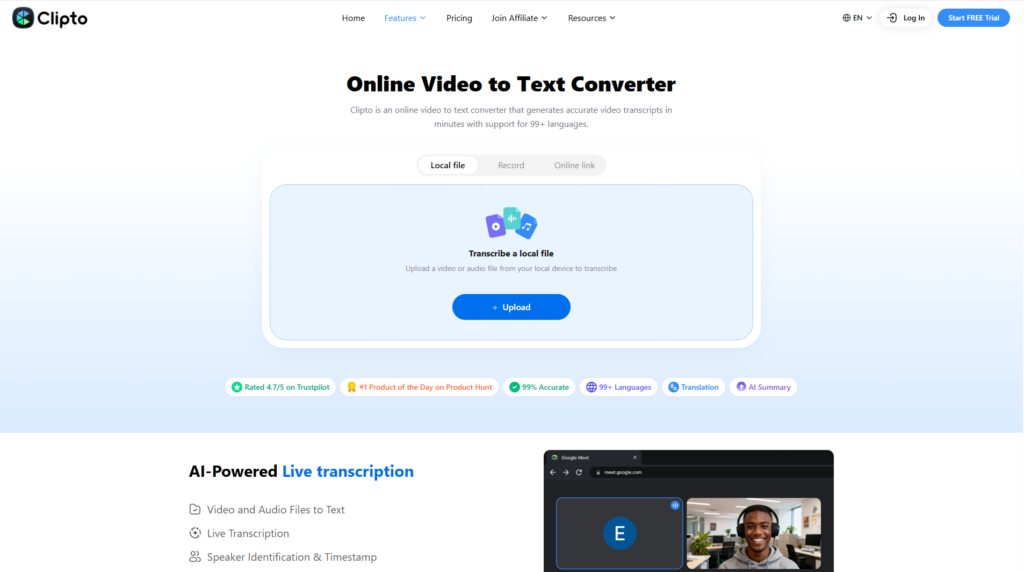
Who is Clipto best suited for?
Clipto is an excellent choice for researchers, consultants, software developers, students, content creators, business professionals, and anyone looking to build an AI-powered personal knowledge base.
Final Verdict: Is Clipto Worth It?
Best For
Clipto is an excellent fit for:
- Researchers
- Knowledge workers
- Consultants
- Developers
- Students
- Content creators
- Business professionals
- Agency teams
- Professionals managing large digital knowledge libraries
Not Recommended For
Clipto may not be the best option for:
- Users seeking only a basic note-taking app
- People who rarely manage large collections of digital information
- Large enterprises requiring advanced governance, compliance, and complex workflow automation
Final Recommendation
Clipto stands out as one of the most promising AI knowledge management platforms available in 2026. Its intelligent semantic search, privacy-focused Local Memory architecture, and ability to unify documents, videos, meetings, images, and conversations into a single searchable workspace make it particularly valuable for professionals who work with information every day.
Although its enterprise collaboration capabilities are not as extensive as some larger productivity ecosystems, Clipto succeeds in its core mission: helping users spend less time searching and more time using their knowledge. Its clean interface, approachable learning curve, and focus on practical AI-assisted retrieval make it a compelling choice for individuals and small teams alike.
For anyone looking to build an AI-powered “second brain” that balances usability, privacy, and intelligent search, Clipto is a platform well worth considering.
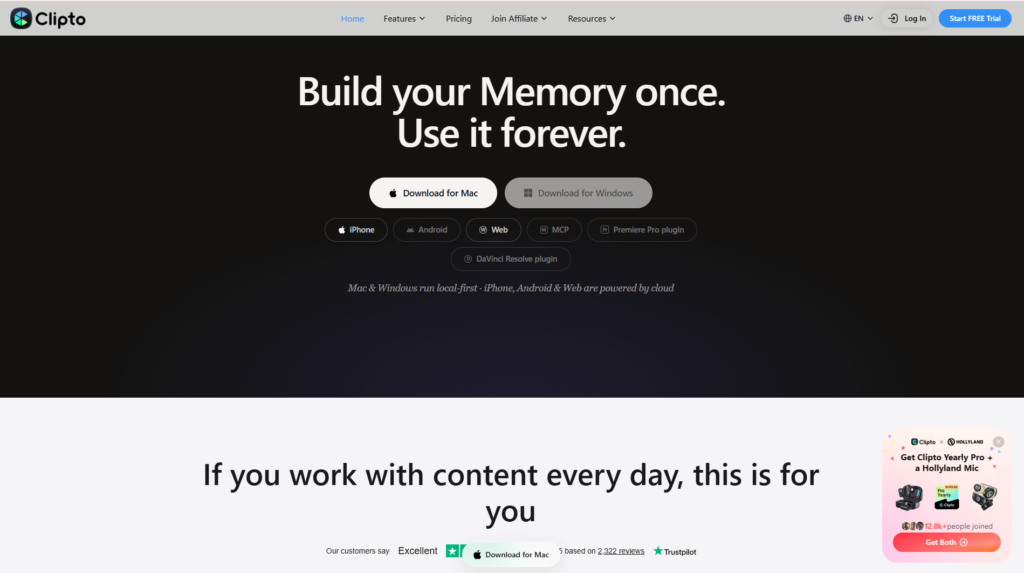
Overall Rating: ⭐⭐⭐⭐⭐ 4.8/5
Explore More AI Reviews on Flowcrai