
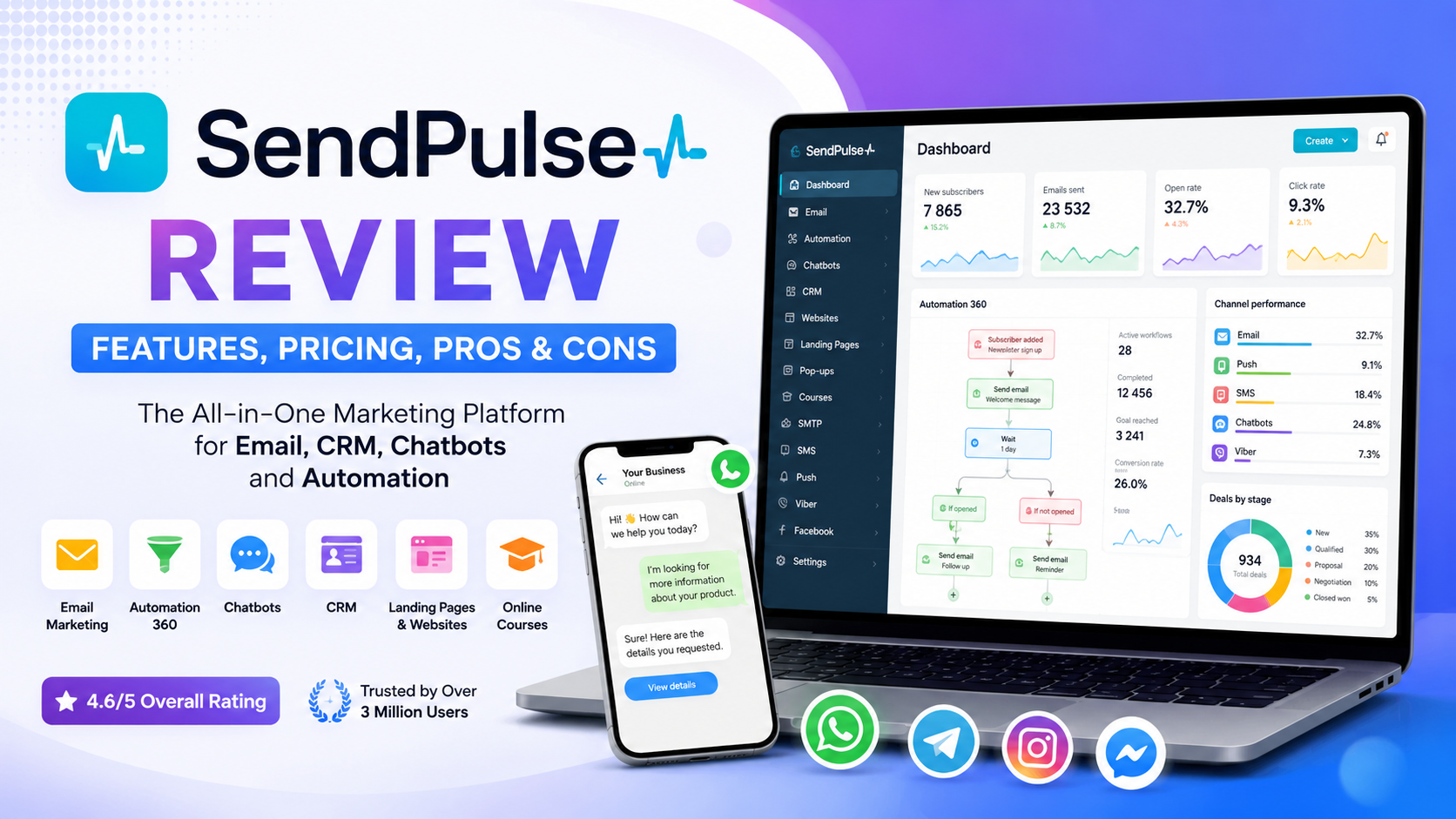
SendPulse Review 2026: Features, Pricing, Pros & Cons
SEO Title: SendPulse Review 2026: Pricing, Features, Pros & Cons
Meta Description: Read our SendPulse review covering features, pricing, automation, email marketing, chatbots, CRM, pros, cons, and the best alternatives.
Overall Rating: 4.6/5
Last Updated: August 2026
Reviewed by: Team Flowcrai
Affiliate Disclosure: This SendPulse review may contain affiliate links. Flowcrai may earn a commission if you register or purchase through our links, at no additional cost to you.
SendPulse is an all-in-one marketing automation platform designed to help businesses generate leads, communicate with customers, and manage marketing activities across multiple channels. It combines email marketing, CRM, chatbots, automated workflows, landing pages, websites, web push notifications, SMS campaigns, and online course tools within one connected ecosystem.
This SendPulse review examines what the platform does, who it is best suited for, how its services work together, and whether it provides enough value for small businesses, marketers, ecommerce brands, agencies, and creators.
Key Takeaways From This SendPulse Review
- SendPulse brings email marketing, CRM, chatbots, websites, landing pages, automation, and customer communication tools into one platform.
- Its main advantage is the ability to connect several marketing channels and customer-management processes instead of using multiple disconnected applications.
- Free entry-level options are available for several services, making the platform accessible to startups, freelancers, and smaller businesses.
- SendPulse can feel more complex as users activate additional modules, particularly CRM, chatbots, and advanced automation.
- It is best suited to businesses that want an affordable multi-channel marketing ecosystem rather than a highly specialized tool for only one function.
SendPulse Review: Quick Verdict
SendPulse Quick Info
| Item | Information |
| Overall Rating | 4.6/5 |
| Best For | Small businesses, marketers, ecommerce brands, agencies, course creators, and consultants |
| Starting Price | Free plans available; paid prices vary by service and usage |
| Free Plan | Yes |
| Main Products | Email marketing, CRM, automation, chatbots, websites, landing pages, SMS, web push, and online courses |
| Platform | Web-based platform and mobile applications |
| Credit Card Required | No credit card required for initial free registration |
| Official Website | SendPulse |
SendPulse does not have one simple price that covers every product. Email marketing, CRM, chatbots, transactional email, online courses, websites, and other services use separate plans or usage limits. The company also provides a pricing-plan builder that allows customers to combine selected paid services within one account.
Our Verdict
SendPulse is worth considering for small and growing businesses that want to manage several marketing and customer-communication activities without subscribing to a different platform for every task. Its strongest advantage is not necessarily that it dominates every individual software category, but that its email, CRM, chatbot, website, landing-page, and automation tools can work together.
The platform is particularly attractive to businesses that communicate through both email and messaging applications. However, companies requiring enterprise-grade CRM customization, highly advanced attribution, or a narrowly focused email tool may prefer a more specialized alternative. Overall, SendPulse offers a strong balance of functionality, accessibility, and value.
Start Using SendPulse for Free
What Is SendPulse?
SendPulse is a multi-channel marketing and sales platform that helps organizations attract leads, organize customer information, automate communication, and support customers throughout the buying journey.
The platform initially became known as an email marketing service, but it has expanded into a much broader software ecosystem. SendPulse now includes bulk and transactional email, a CRM system, chatbot creation, Automation 360, landing pages, websites, pop-ups, SMS campaigns, web push notifications, and an online course builder.
Its purpose is to reduce the need for several separate applications. For example, a business could use one tool to build a landing page, another to collect email addresses, a third to manage leads, and a fourth to send automated messages. SendPulse attempts to connect these tasks inside one account.
What Problem Does SendPulse Solve?
Marketing operations can become fragmented very quickly. A typical small business may use:
- An email service for newsletters
- A separate CRM for leads and sales
- A chatbot platform for WhatsApp or Instagram
- A landing-page builder for advertising campaigns
- Another application for automation
- A separate platform for selling online courses
Using many independent applications creates several problems. Customer information may be stored in different databases, subscription costs increase, integrations can fail, and employees must learn multiple interfaces. It can also become difficult to understand how a visitor moves from discovering a business to becoming a customer.
SendPulse addresses this problem by bringing lead generation, customer communication, sales management, and automation into one connected environment.
A visitor can submit a form on a SendPulse landing page, become a contact in the CRM, enter a sales pipeline, and receive messages through an automated workflow. The business can then communicate through email, SMS, web push, Viber, Instagram, Telegram, Facebook, or WhatsApp, depending on the channels it has configured.
This connected structure is especially useful for smaller teams that do not have dedicated developers or marketing-operations specialists.
How Does SendPulse Work?
A typical SendPulse workflow may follow these steps:
- A business creates a website, landing page, subscription form, pop-up, or chatbot.
- A visitor submits contact information or starts a conversation.
- SendPulse stores the visitor as a subscriber, CRM contact, or sales deal.
- The business adds tags, variables, or segmentation criteria.
- Automation 360 starts a workflow based on a trigger or customer action.
- SendPulse delivers an email, chatbot message, SMS, or web push notification.
- The CRM records the contact’s status and position in the sales pipeline.
- The business reviews campaign and automation statistics.
Automation 360 is the central tool connecting many of these activities. It supports email, CRM, chatbot, and webhook functionality, along with variables and tags for storing customer data and personalizing communication. SendPulse also provides statistics showing how contacts behave at different stages of an automated flow.
Users can build workflows manually using a visual editor, begin with a ready-made template, or use AI-assisted flow generation where available. Official templates include use cases for ecommerce, education, tourism, and CRM-related processes.
What Makes SendPulse Different?
SendPulse is not the only platform offering email marketing, CRM, or automation. Its main differentiator is the breadth of tools available within one ecosystem.
Three characteristics make the platform stand out.
Multi-Channel Communication
SendPulse allows businesses to communicate through email, SMS, web push, Viber, and chatbots connected to platforms such as Instagram, Facebook Messenger, Telegram, and WhatsApp. Automation 360 can coordinate several of these channels within the same workflow.
For example, a business may send an email first, follow up with a chatbot message, and update the customer’s CRM record after a specific action.
Connected Marketing and Sales Tools
SendPulse does more than send messages. Its forms, websites, landing pages, CRM, chatbots, and course platform can transfer data between services.
A landing-page visitor can become a chatbot subscriber. A chatbot conversation can create a CRM contact or deal. A change in a sales stage can trigger an automated message. This reduces dependence on third-party integrations for common workflows, although external platforms, APIs, and webhooks may still be required for more specialized processes.
Accessible Starting Point
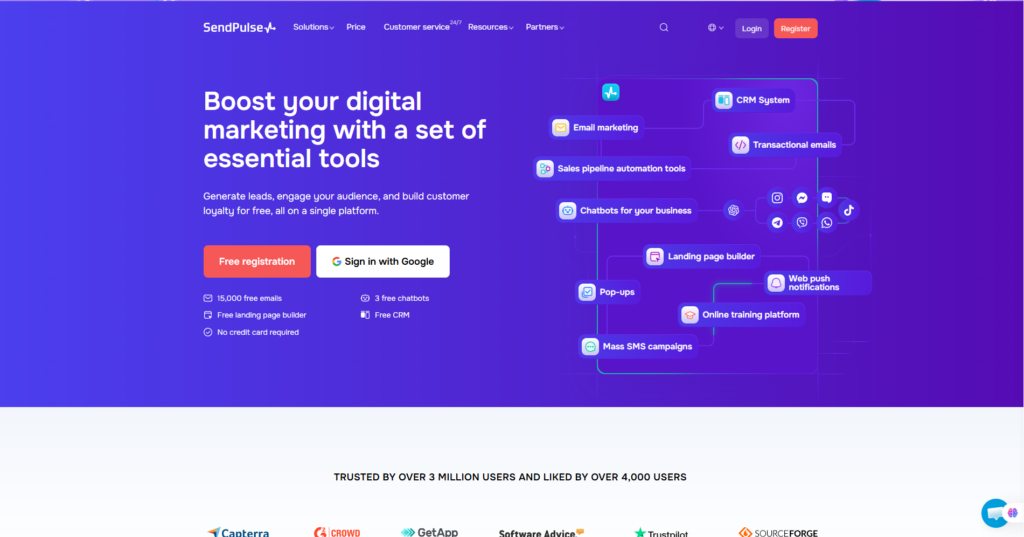
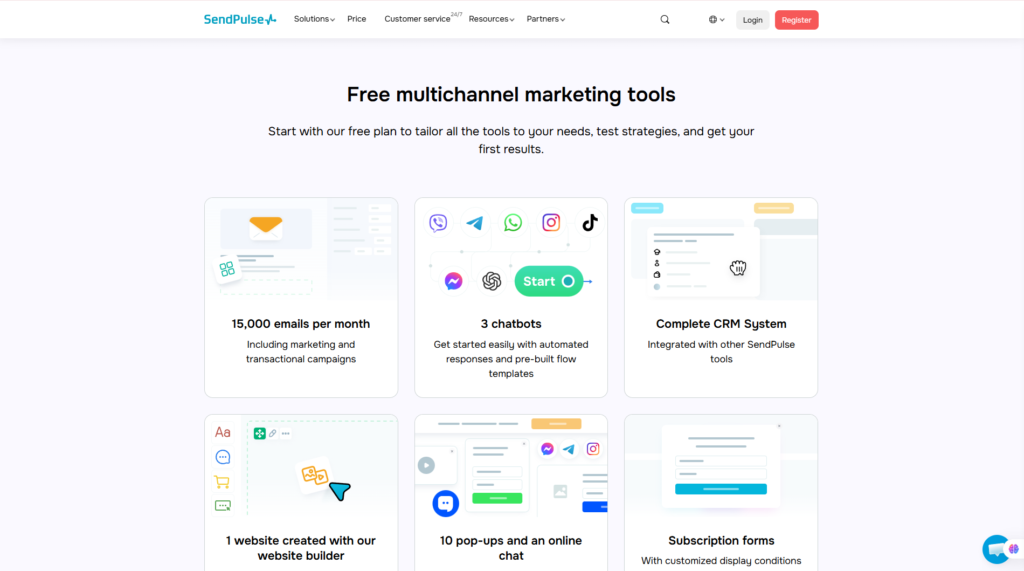
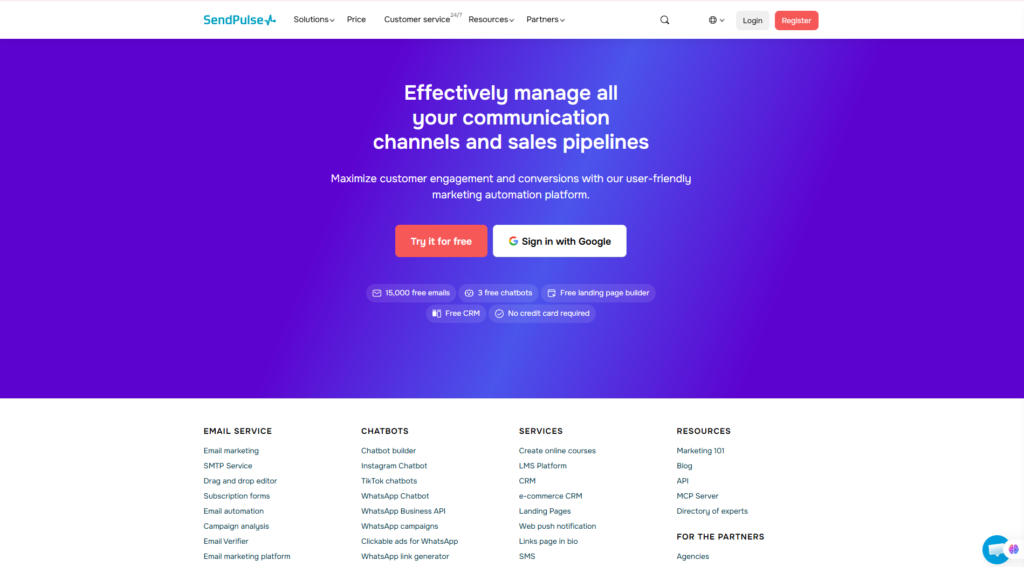
SendPulse offers free entry-level access to several products. Its homepage currently promotes free email capacity, three free chatbots, a free landing-page builder, CRM access, and registration without a credit card. Exact limits vary between services and may change over time.
This makes the platform relatively easy to evaluate before committing to a paid subscription. Businesses can begin with one service and add other modules as their marketing requirements grow.
Explore SendPulse Marketing Tools
Who Should Use SendPulse?
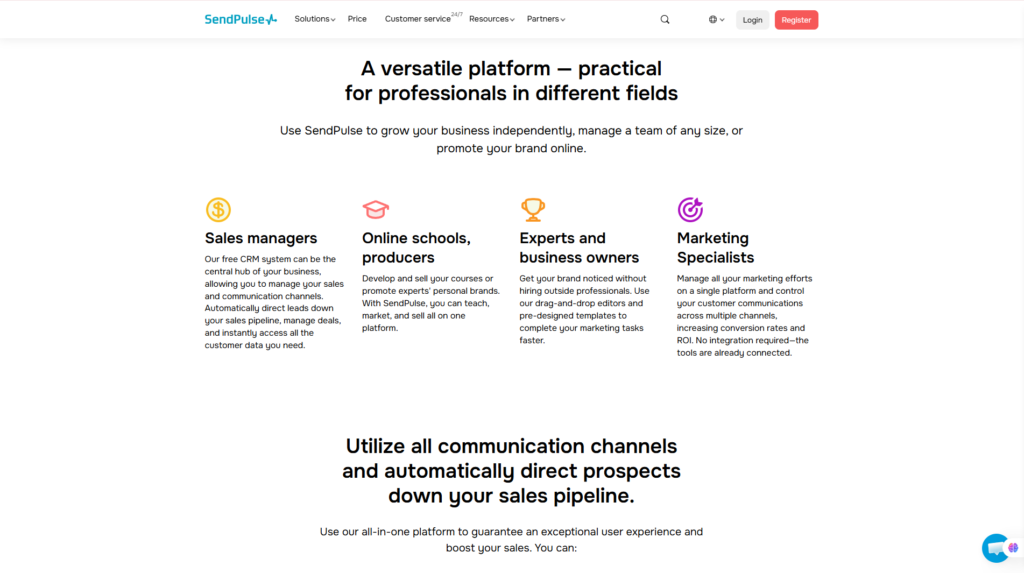
SendPulse serves a broad audience, but it provides the most value to organizations that plan to use more than one of its connected tools.
SendPulse Is Best For
Small Businesses
Small businesses often need email marketing, lead management, landing pages, and customer communication but may not have the budget or technical team to maintain several enterprise platforms.
SendPulse provides a practical starting point because businesses can begin with free services and upgrade specific modules as their contact lists, teams, or campaign volumes increase.
Ecommerce Businesses
Online stores can use SendPulse for:
- Welcome email sequences
- Product promotions
- Abandoned-cart communication
- Order notifications
- Customer segmentation
- Chatbot product recommendations
- Repeat-purchase campaigns
- Lead and sales tracking
Automation 360 can respond to customer events such as registration, purchases, or abandoned carts, making the platform suitable for lifecycle marketing and customer retention.
Digital Marketers
Marketers can use SendPulse to create landing pages, capture leads, manage mailing lists, segment audiences, launch automated sequences, and track contacts in a CRM.
The platform is particularly useful for marketers who need to coordinate email campaigns with chatbot or messaging-app communication.
Marketing Agencies
Agencies may use SendPulse to build campaigns, sales pipelines, chatbots, and automated workflows for different client projects.
However, agencies should carefully review account limits, user permissions, client separation, and total module costs before adopting it as their primary operating platform.
Course Creators, Coaches, and Consultants
SendPulse includes an online course builder for creating lessons, uploading educational content, managing students, and selling training programs.
The current free course plan allows one course, up to 200 students, and 1 GB of file storage. Paid plans expand access to instructors, students, courses, and monetization features.
This can be useful for coaches, teachers, consultants, and creators who want course delivery, email communication, CRM, and automation under one account.
Businesses Using Messaging Apps
SendPulse is particularly relevant for businesses that communicate through WhatsApp, Instagram, Telegram, or Facebook Messenger.
Its chatbot builder can respond to keywords or customer actions, collect user information, qualify leads, and guide subscribers through predefined scenarios.
These capabilities can support customer service, appointment booking, lead generation, product discovery, and promotional campaigns.
Who Should Skip SendPulse?
SendPulse may not be the best option for every organization.
Companies should consider alternatives when they:
- Need a highly specialized enterprise CRM with extensive custom objects, reporting, and governance controls
- Only want a very basic newsletter service with minimal additional features
- Require advanced marketing attribution and business-intelligence capabilities
- Depend on a specific native integration not supported by SendPulse
- Prefer one fixed price covering every feature and communication channel
- Do not want to spend time configuring automated workflows
- Need extensive enterprise onboarding, consulting, or custom service-level agreements
Users who activate several SendPulse modules may also find the interface more complex than a single-purpose email or chatbot application. In addition, total costs should be calculated across all required services rather than judging the platform only by its free plan or the entry price of one module.
For small and midsize businesses seeking breadth, affordability, and multi-channel automation, these limitations may be reasonable. For enterprises with highly specialized requirements, a dedicated CRM, marketing automation suite, or customer data platform may be more appropriate.
SendPulse Setup and User Experience
SendPulse offers a broader range of tools than a conventional email marketing platform. This versatility gives businesses more room to expand, but it also means that the overall user experience depends heavily on which services they activate.
A user who only needs to create a newsletter can get started relatively quickly. Someone building an interconnected system involving CRM pipelines, chatbots, landing pages, and multi-channel automation will need more time to configure the platform properly.
Account Setup
Creating a SendPulse account is straightforward. Users can register for free and begin exploring the platform without entering payment-card information. The main dashboard provides access to SendPulse’s email marketing, CRM, chatbot, website, automation, pop-up, and online course services.
A typical initial setup may include:
- Creating an account and confirming the email address.
- Selecting the first service to configure.
- Importing contacts or creating a mailing list.
- Verifying a sender email address or domain.
- Connecting a chatbot or messaging channel if required.
- Creating a landing page, form, or pop-up for lead collection.
- Building an email campaign or automated workflow.
- Connecting customer information to the CRM.
Users do not need to activate every module immediately. A small business can begin with email marketing or CRM and add chatbots, websites, courses, and automation as its requirements grow.
This modular approach reduces the initial commitment, but businesses should plan their customer journey before activating multiple services. Without a clear structure, it is possible to create duplicate contact lists, unnecessary workflows, or disconnected campaigns.
Learning Curve
SendPulse is relatively accessible for basic tasks, especially creating mailing lists, sending campaigns, and editing landing pages. Its visual builders reduce the need for coding, and many common actions can be completed through templates and drag-and-drop interfaces.
However, the learning curve becomes steeper when users begin working with:
- Automation triggers and conditions
- CRM deal stages
- Contact variables and tags
- Chatbot logic
- Webhooks
- API requests
- Multi-channel customer journeys
- Team permissions and task assignment
Automation 360, for example, allows businesses to create or update CRM deals, nurture leads, and send triggered messages such as welcome emails, transactional emails, confirmation messages, and abandoned-cart reminders. These capabilities are valuable, but they require more planning than a standard one-time email campaign.
Beginners should start with one straightforward workflow, such as a welcome sequence, before attempting a complex automation involving several channels.
Ease of Use
The platform is easiest to use when each module is considered separately.
The email campaign builder follows a familiar process: select a mailing list, create or choose a template, edit the message, configure the sender details, and schedule the campaign. Landing pages and websites also use visual editing tools that allow non-technical users to arrange content without writing code.
The CRM organizes contacts, deals, tasks, and sales pipelines. Users can communicate with customers, add notes, trigger chatbot flows, and manage deal-related activities from within the CRM environment.
The main usability challenge comes from the number of available tools. A user may need to move between email, CRM, automation, websites, chatbots, and contact-management areas. This is not necessarily poor design; it is a predictable consequence of offering many products in one platform.
For users who value breadth, the trade-off may be worthwhile. For those who want only one simple function, a specialized tool may feel more focused.
Interface Design
SendPulse uses a modern web-based interface with separate working areas for its major services. The visual builders are designed to make common marketing tasks understandable without requiring advanced technical knowledge.
Key usability strengths include:
- Visual workflow construction
- Drag-and-drop content editing
- Centralized access to multiple services
- Ready-made templates
- CRM boards and pipelines
- Campaign and automation statistics
- Mobile access to selected tools
The interface may feel crowded once several products are active. Users must understand the relationship between mailing lists, CRM contacts, chatbot subscribers, automation variables, and sales deals.
This distinction is important because these records may represent the same person but serve different purposes inside the platform. A well-planned data structure can make SendPulse efficient; an unplanned setup can create confusion.
Mobile Experience
SendPulse provides mobile apps for managing several core activities. Users can monitor performance, work with email campaigns, manage chatbot conversations, review automated flows, and access selected CRM and pop-up features from a smartphone.
The mobile application can also support campaign creation, mailing-list management, CRM deals, tasks, and customer-data updates. SendPulse expanded its CRM mobile functionality in 2026 to include deal movement, contact management, and team-task creation.
Mobile access is useful for:
- Checking campaign performance
- Responding to chatbot conversations
- Reviewing CRM deals
- Updating customer records
- Managing urgent tasks
- Monitoring campaigns while travelling
However, a desktop interface remains more practical for designing complex landing pages, building long automation flows, configuring detailed chatbot scenarios, and reviewing large amounts of data.
Performance
SendPulse is a cloud-based platform, so users do not need to install the primary software on their own servers. Performance will depend on factors such as account size, workflow complexity, browser conditions, integration reliability, and the volume of contacts or messages being processed.
The platform provides campaign, automation, and customer-management statistics, but businesses should not judge performance solely by whether messages are sent successfully. They should also monitor:
- Email delivery and bounce trends
- Open and click-through rates
- Automation completion rates
- Chatbot engagement
- Landing-page conversions
- CRM pipeline movement
- Unsubscribes and spam complaints
- Integration or webhook failures
No marketing platform can guarantee campaign performance independently. Results also depend on list quality, sender authentication, message relevance, consent practices, segmentation, and the business’s overall marketing strategy.
Our Analysis
Based on SendPulse’s official documentation and current product structure, the platform is approachable for basic marketing tasks but requires a more deliberate setup when several modules are combined.
The visual editors, templates, free entry points, and connected ecosystem make it suitable for small businesses that lack dedicated developers. At the same time, users should not assume that a broad all-in-one platform eliminates the need for planning. CRM fields, contact segments, automation triggers, and communication channels still need to be organized carefully.
The user experience is strongest when a business starts with a defined objective, such as capturing leads or automating onboarding, and then adds only the tools required for that process. Activating every available service at once is more likely to create unnecessary complexity.
Key Features of SendPulse
SendPulse’s most important advantage is the range of features available within one account. The following capabilities form the core of the platform.
Email Marketing and Campaign Builder
Email marketing remains one of SendPulse’s central services. Businesses can use it to create newsletters, product announcements, promotional messages, onboarding emails, and customer-retention campaigns.
Core email marketing capabilities include:
- Mailing-list management
- Subscriber import and collection
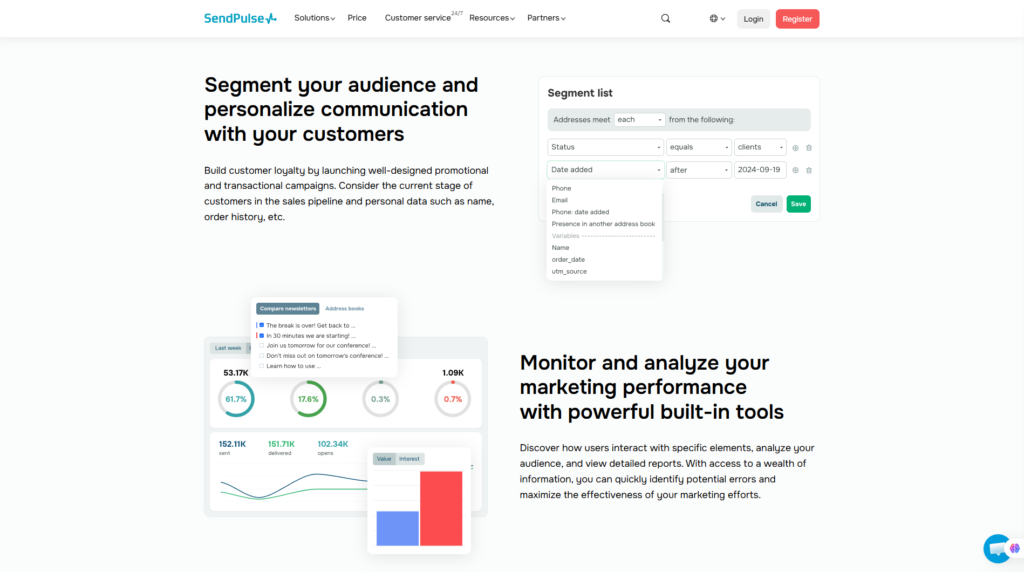
- Audience segmentation
- Email templates
- Drag-and-drop editing
- Personalization
- Campaign scheduling
- Automated email sequences
- Campaign reporting
- Sender and domain configuration
- Webhooks for campaign events
SendPulse email webhooks can transmit events such as email delivery, opens, clicks, unsubscribes, spam complaints, and soft or hard bounces to an external system. This can be useful for businesses that need to synchronize SendPulse campaign activity with internal software or analytics tools.
The email builder is suitable for users who do not want to design campaigns entirely in HTML. Templates can provide a faster starting point, while more advanced users can connect SendPulse through its API and external systems.
Personalization and segmentation are especially important. Sending the same message to every subscriber is rarely the most effective approach. Businesses can organize contacts according to interests, purchase activity, location, lifecycle stage, or other available data.
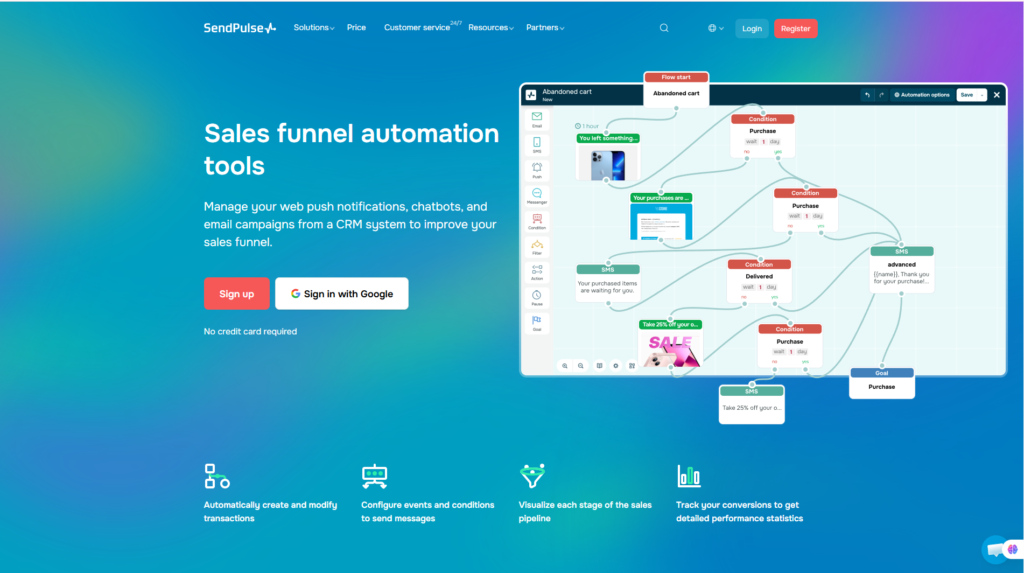
Automation 360
Automation 360 is one of the platform’s most strategically important features. It allows businesses to create automated customer journeys triggered by events, contact data, CRM activity, and other conditions.
Possible workflow actions include:
- Sending welcome emails
- Delivering transactional notifications
- Following up with leads
- Sending abandoned-cart reminders
- Creating or changing CRM deals
- Assigning tasks
- Updating contact information
- Adding or removing tags
- Sending SMS or web push messages
- Triggering chatbot communication
- Transferring information through webhooks
SendPulse documents CRM automation scenarios in which users can automatically create or remove tasks, update contacts, and coordinate team activity.
A practical example could look like this:
- A visitor submits a landing-page form.
- SendPulse creates a CRM contact.
- Automation 360 sends a welcome email.
- The system waits for a defined period.
- If the subscriber clicks a product link, a deal is created.
- A salesperson receives a follow-up task.
- The contact receives a chatbot or email message based on the next action.
This type of workflow helps reduce repetitive work and improves consistency. However, businesses should begin with simple flows and test each branch carefully before using automation with a large audience.
Chatbot Builder
SendPulse includes tools for building automated conversations across supported messaging channels. Its broader platform currently promotes chatbot functionality for services such as Facebook, Telegram, WhatsApp, and Instagram.
Chatbots can be used for:
- Answering frequently asked questions
- Collecting contact details
- Qualifying leads
- Recommending products
- Delivering downloadable resources
- Registering users for events
- Routing customers to support
- Starting automated marketing sequences
- Updating CRM records
- Sending follow-up messages
The visual flow builder enables users to create branching conversations without conventional programming. A chatbot can present buttons, ask questions, collect responses, and move subscribers through different scenarios based on their choices.
Chatbots can also interact with external systems. SendPulse supports webhook actions that transmit subscriber information from chatbot flows to CRM systems, websites, content-management systems, or other applications. Some webhook functionality requires an eligible paid plan.
The most effective chatbot flows are generally concise and purpose-driven. Businesses should avoid building unnecessarily long conversations that prevent users from reaching a human representative or obtaining a clear answer.
CRM and Sales Pipeline
SendPulse includes a CRM for managing contacts, deals, tasks, and sales processes. This allows marketers and sales teams to coordinate customer communication rather than keeping campaign data and sales records in entirely separate systems.
CRM capabilities include:
- Contact management
- Deal creation
- Custom sales pipelines
- Deal-stage tracking
- Team tasks
- Notes and customer history
- Automated deal updates
- Communication through supported channels
- Integration with chatbots and Automation 360
- Mobile CRM management
Businesses can use the CRM to track a lead from initial contact through qualification, negotiation, and purchase. Automation can also notify customers when deal stages change through email, SMS, web push, Viber, Instagram, Telegram, Facebook, or WhatsApp, depending on the configured channels.
The CRM is particularly useful for businesses that need a practical sales pipeline connected to their marketing activities. Nevertheless, it should not automatically be considered a replacement for every specialized enterprise CRM.
Larger organizations may require advanced forecasting, complex permission structures, extensive custom objects, industry-specific workflows, or sophisticated revenue intelligence. They should compare SendPulse carefully with dedicated CRM platforms.
Landing Pages, Websites, Forms, and Pop-Ups
SendPulse allows users to build websites and landing pages within the same platform used for communication and automation.
The builder can support elements such as:
- Forms
- Buttons
- Social links
- Menus
- Images and videos
- FAQ sections
- Countdown timers
- Chatbot subscription buttons
- Custom domains
- Analytics tools
- Pop-ups
- CRM connections
SendPulse documentation shows that website visitors can subscribe to a chatbot and immediately enter a welcome or custom communication flow.
This creates a useful connection between lead generation and follow-up. For example, a visitor could open a landing page, submit a form, join a chatbot, enter the CRM, and receive an automated email sequence without requiring several unrelated platforms.
The website builder is best suited for landing pages, campaign pages, simple business websites, lead-generation funnels, and link-in-bio pages. Users building large content websites, complex web applications, or advanced ecommerce stores may still prefer a dedicated content-management or commerce platform.
Online Course Builder
SendPulse also includes a learning-management component for creating and delivering online courses.
Course creators can use the platform to organize:
- Lessons
- Video and audio content
- Text materials
- Downloadable files
- Tests and assignments
- Student access
- Instructor feedback
- Course payments
- Learner communication
The course builder is particularly relevant to:
- Teachers
- Coaches
- Consultants
- Corporate trainers
- Membership businesses
- Professional educators
- Creators selling knowledge products
Its main advantage is its connection to SendPulse’s other services. A course creator can collect leads through a landing page, nurture them through email, sell access, manage contact data in the CRM, and communicate with learners without building every process in a separate application.
SendPulse also provides a dedicated education mobile app that allows students to access lessons, complete assignments and tests, download materials, and communicate with instructors.
For straightforward online programs, this can provide meaningful value. Creators requiring advanced academic administration, accreditation workflows, highly complex assessments, or extensive learning analytics may need a specialized LMS.
SMS, Web Push, and Transactional Email
In addition to email campaigns and chatbots, SendPulse supports several supplementary communication channels.
SMS Campaigns
SMS can be used for:
- Appointment reminders
- Promotional alerts
- Order updates
- Verification messages
- Time-sensitive announcements
SMS pricing and availability may vary by destination, route, and message volume. Businesses should also follow local consent and messaging regulations.
Web Push Notifications
Web push allows subscribers to receive browser notifications even when they are not actively browsing the sender’s website.
Common use cases include:
- New content alerts
- Product launches
- Flash sales
- Cart reminders
- Event notifications
- Re-engagement campaigns
Transactional Email
Transactional email is used for messages triggered by a user or system event, such as:
- Password resets
- Account confirmations
- Order receipts
- Shipping updates
- Security alerts
- Payment notifications
SendPulse supports SMTP webhooks for events associated with transactional email activity, allowing businesses to transmit delivery information to external handlers.
These channels broaden SendPulse’s usefulness, but businesses should assess each one independently. Email, SMS, web push, and chatbot communication have different costs, consent requirements, and audience expectations.
Integrations, API, and Webhooks
No all-in-one platform can provide every possible native integration. SendPulse addresses this through a combination of:
- Native applications
- Marketplace integrations
- API access
- Webhooks
- Make
- n8n
- External automation services
SendPulse documents integrations that connect its tools with services such as Google Calendar, Telegram, Make, and n8n. For example, Google Calendar events can be linked with CRM tasks, while n8n can exchange data with SendPulse workflows.
Make can also transmit chatbot data and coordinate SendPulse with external applications through webhooks and API requests.
These options make the platform more flexible, but non-technical users may need assistance with:
- API authentication
- Webhook endpoints
- Field mapping
- Error handling
- Data synchronization
- Privacy and security settings
Before choosing SendPulse, businesses should verify that their essential applications can connect through a native integration, supported automation platform, API, or webhook.
SendPulse Pros and Cons
A credible SendPulse review should assess the platform as a complete system rather than listing features without considering their practical trade-offs.
Pros
1. Broad All-in-One Ecosystem
SendPulse combines email marketing, CRM, chatbots, websites, landing pages, pop-ups, courses, SMS, web push, and automation. This can reduce the need to maintain several unrelated services.
2. Strong Multi-Channel Automation
Automation 360 can coordinate emails, CRM actions, chatbot communication, SMS, web push, and other supported channels. This is useful for businesses that communicate with customers across more than one touchpoint.
3. Accessible Free Entry Point
Several SendPulse services provide free starting options or limited free capacity. This allows businesses to evaluate the platform before upgrading.
4. Integrated CRM
The built-in CRM helps connect marketing activity with contacts, deals, pipelines, and sales tasks. This is more practical than treating email subscribers and sales leads as completely separate data sets.
5. Useful Chatbot Capabilities
The chatbot builder supports major messaging channels and can collect lead data, automate replies, guide users through flows, and connect conversations to CRM records.
6. Visual Builders
Email campaigns, chatbot flows, websites, and automation sequences can be created through visual interfaces, reducing the requirement for conventional coding.
7. Suitable for Course Creators
The online course builder gives educators and creators another way to monetize audiences while keeping student communication and CRM data in the same ecosystem.
8. Flexible Expansion
Businesses can start with one module and adopt additional tools as their needs grow. This is preferable to paying for a large enterprise package before the features are required.
9. Mobile Management
The mobile applications support campaign monitoring, chatbot conversations, CRM activities, automation oversight, and selected account-management functions.
10. API and Webhook Support
More technical teams can connect SendPulse to external systems and create customized workflows through APIs, webhooks, and automation platforms.
Cons
1. The Interface Can Feel Overwhelming
The number of tools, menus, contact types, and configuration options may confuse beginners. SendPulse is easier to understand when users activate services gradually.
2. Pricing Is Fragmented
Different modules can have separate limits and pricing structures. Businesses must calculate the combined cost of email, CRM, chatbots, courses, SMS, SMTP, and other required services.
3. Not the Most Advanced Tool in Every Category
SendPulse provides breadth, but specialized products may offer deeper capabilities in individual areas such as enterprise CRM, advanced email automation, social chatbot marketing, or learning management.
4. Advanced Automation Requires Planning
Automation 360 is powerful, but poorly configured triggers, delays, conditions, or data fields can create inconsistent customer experiences.
5. Some Integrations Require External Tools
A required connection may depend on Make, n8n, an API, or a webhook rather than a simple native integration.
6. Total Cost Can Increase With Growth
Free and entry-level options are attractive, but costs can rise as contact lists, message volumes, users, chatbots, courses, and automation requirements expand.
7. Mobile Apps Do Not Replace the Desktop Dashboard
Mobile access is useful for monitoring and routine management, but complex workflows and detailed page design remain easier on a computer.
8. More Than Some Users Need
A business that only wants to send occasional newsletters may not benefit from the additional CRM, chatbot, website, and course-building functionality.
Overall, SendPulse’s strengths are most compelling for businesses that will genuinely use several connected services. Its disadvantages become more significant when a buyer needs only one specialized function or requires enterprise-level depth.
SendPulse Pricing and Value for Money
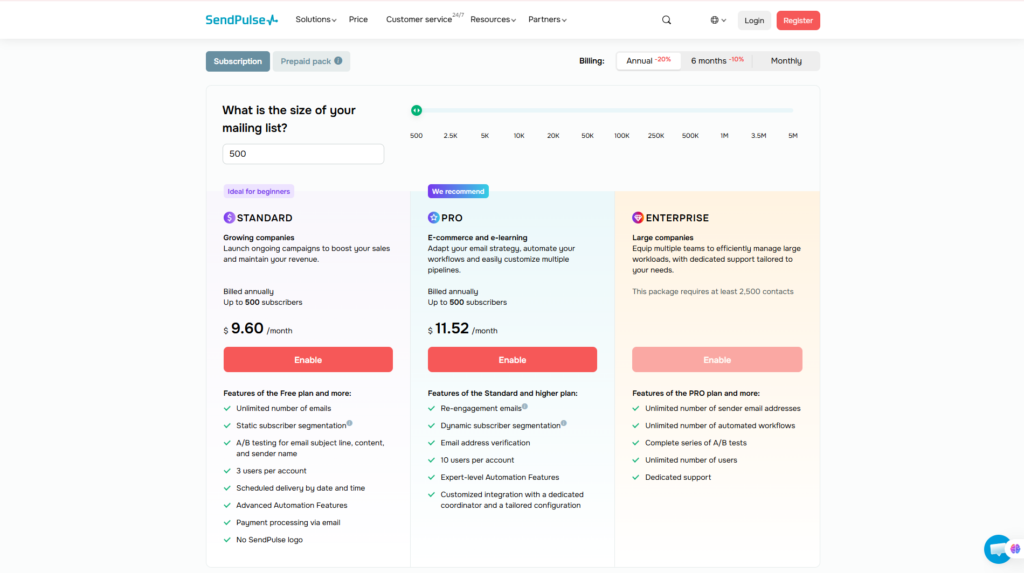
Pricing is one of the most important considerations when choosing a marketing platform. Unlike many email marketing tools that offer one pricing structure covering all features, SendPulse uses a modular pricing model.
This means businesses only pay for the services they actually use, but it also means there is no single “SendPulse price.” Instead, pricing depends on the product, subscriber count, message volume, users, or other usage metrics.
For many small businesses, this pricing structure can actually be an advantage because they can start with only one or two services before expanding into a larger marketing ecosystem.
SendPulse Pricing Overview
| Product | Free Plan | Pricing Based On |
| Email Marketing | ✅ Yes | Number of subscribers & email volume |
| CRM | ✅ Yes | Features & business requirements |
| Chatbots | ✅ Yes | Subscribers & messaging limits |
| Automation 360 | Included with supported plans | Workflow usage |
| Landing Pages & Websites | ✅ Yes | Features & usage |
| Online Courses | ✅ Yes | Students & storage |
| SMTP Service | Limited testing | Email volume |
| SMS Campaigns | Pay as you go | Country & message quantity |
| Web Push Notifications | Included in supported plans | Subscriber limits |
Instead of forcing customers into a large package, SendPulse allows businesses to upgrade individual modules independently. This flexibility helps startups avoid paying for tools they may never use.
Free Plan
One of SendPulse’s biggest strengths is the availability of free entry-level plans across several products.
Depending on the service selected, free users may receive access to:
- Email marketing
- CRM
- Landing page builder
- Website builder
- Chatbots
- Online course builder
- Automation features with certain limitations
The free plans are generally sufficient for:
- Freelancers
- Bloggers
- Small startups
- Content creators
- New ecommerce stores
- Local businesses testing digital marketing
Although free plans include feature limitations, they provide an excellent opportunity to evaluate the platform before making a financial commitment.
Paid Plans
Businesses typically upgrade when they need:
- Larger email lists
- Higher sending limits
- More chatbot subscribers
- Advanced automation
- Additional CRM capabilities
- Multiple team members
- More online courses
- Additional storage
- Advanced integrations
Because each product scales differently, organizations should calculate their expected costs based on actual business needs instead of assuming every feature requires upgrading.
For growing companies, this modular approach often proves more economical than purchasing a large enterprise platform with many unused features.
Is SendPulse Worth the Price?
Overall, SendPulse delivers excellent value for money.
Instead of competing as the cheapest email marketing software, it provides a complete marketing ecosystem that can replace several standalone subscriptions.
For example, replacing separate services for:
- Email marketing
- CRM
- Landing pages
- Chatbots
- Marketing automation
- Online courses
may reduce both software costs and workflow complexity.
The platform becomes increasingly valuable as businesses begin connecting multiple tools together rather than using only one feature.
Best Value For
- Small businesses
- Ecommerce brands
- Marketing agencies
- Course creators
- Digital marketers
- Growing startups
Businesses requiring only occasional newsletters may find a simpler email platform sufficient, while organizations looking for an integrated marketing ecosystem are likely to gain significantly more value from SendPulse.
Visit SendPulse Official Website
Performance Evaluation
Rather than relying on unsupported personal testing, the following scores are based on:
- Official documentation
- Product capabilities
- Market positioning
- Customer review trends
- Feature completeness
- Industry comparisons
Performance Score
| Category | Score |
| Ease of Use | 4.5 / 5 |
| Email Marketing | 4.7 / 5 |
| Automation | 4.7 / 5 |
| Chatbots | 4.8 / 5 |
| CRM | 4.3 / 5 |
| Landing Page Builder | 4.4 / 5 |
| Integrations | 4.4 / 5 |
| AI Capability | 4.3 / 5 |
| Customer Support | 4.5 / 5 |
| Pricing | 4.7 / 5 |
| Overall Rating | 4.6 / 5 |
Evaluation Methodology
This review does not claim hands-on testing of every SendPulse feature.
Instead, the evaluation considers several evidence-based factors:
- Official feature documentation
- Current pricing information
- Knowledge base documentation
- Product maturity
- Available integrations
- Customer review trends
- Overall market positioning
- Comparison with leading competitors
This approach provides a balanced assessment while avoiding unsupported claims.
SendPulse vs Competitors
Although SendPulse offers an impressive all-in-one platform, it is not the ideal solution for every business. Understanding how it compares with competitors helps readers choose the right software for their needs.
Comparison Table
| Platform | Best For | Biggest Strength | Free Plan |
| SendPulse | SMBs & marketers | All-in-one marketing ecosystem | ✅ |
| Mailchimp | Email marketing | Mature email platform | ✅ |
| Brevo | Email + SMS | Transactional messaging | ✅ |
| ActiveCampaign | Automation | Advanced customer journeys | Trial |
| HubSpot | Sales teams | Enterprise CRM | ✅ |
| Manychat | Social messaging | Messenger & Instagram bots | ✅ |
SendPulse vs Mailchimp
Mailchimp remains one of the most recognizable names in email marketing.
Mailchimp is ideal for businesses primarily focused on newsletters, ecommerce email campaigns, and basic customer segmentation.
SendPulse offers a broader platform by combining CRM, websites, landing pages, chatbots, online courses, and automation alongside email marketing.
Choose Mailchimp if:
- Email marketing is your primary need.
- You do not require CRM or chatbot integration.
- Your workflows are relatively simple.
Choose SendPulse if:
- You want one platform for multiple marketing channels.
- You expect your business to grow beyond email marketing.
- You prefer a connected ecosystem.
SendPulse vs Brevo
Brevo (formerly Sendinblue) also provides email marketing, SMS, CRM, and transactional messaging.
Both platforms target small and medium-sized businesses.
Brevo is particularly strong in transactional email and SMS communications.
SendPulse distinguishes itself by offering:
- Course builder
- Website builder
- Chatbots
- Multi-channel automation
- Broader marketing ecosystem
Businesses heavily focused on messaging may prefer Brevo, while organizations wanting a wider feature set may find SendPulse more attractive.
SendPulse vs ActiveCampaign
ActiveCampaign is widely recognized for advanced marketing automation.
Its automation capabilities are deeper and more sophisticated than those of many competitors.
However, ActiveCampaign focuses primarily on:
- Email marketing
- CRM
- Customer automation
SendPulse provides additional services such as:
- Website builder
- Landing pages
- Chatbots
- Online courses
- Web push notifications
Companies needing enterprise-level automation may lean toward ActiveCampaign, while growing businesses seeking broader functionality often benefit from SendPulse’s integrated platform.
SendPulse vs HubSpot
HubSpot is one of the leading CRM ecosystems in the market.
It excels in:
- Sales management
- Marketing automation
- Customer service
- Enterprise reporting
However, HubSpot’s advanced products can become significantly more expensive as businesses scale.
SendPulse offers a more affordable entry point while still covering many essential marketing needs.
For startups and small businesses with limited budgets, SendPulse may provide better overall value.
Which Platform Should You Choose?
Choose SendPulse if you want:
- Email marketing
- CRM
- Chatbots
- Landing pages
- Website builder
- Marketing automation
- Online courses
inside one affordable ecosystem.
Choose competitors when your business requires deep specialization in a single category rather than broad marketing capabilities.
You may also find these reviews helpful:
- Systeme.io Review
- Albato Review
- Make Review
- GoHighLevel Review
- BoldDesk Review
Frequently Asked Questions
Is SendPulse free?
Yes.
SendPulse offers free plans for several products, although each service has its own usage limits and feature restrictions.
Is SendPulse good for beginners?
Yes.
Its drag-and-drop builders and visual editors make it accessible to beginners, although advanced automation features require more learning.
What is SendPulse mainly used for?
Businesses commonly use SendPulse for:
- Email marketing
- CRM
- Marketing automation
- Chatbots
- Landing pages
- Websites
- SMS campaigns
- Online course creation
Does SendPulse include CRM?
Yes.
The platform includes a built-in CRM that manages contacts, deals, pipelines, tasks, and customer communication.
Can SendPulse create WhatsApp chatbots?
Yes.
SendPulse supports chatbot creation for WhatsApp and several other messaging platforms, allowing businesses to automate customer conversations and lead generation.
Can I build websites with SendPulse?
Yes.
SendPulse includes both a website builder and a landing page builder that integrate with CRM, forms, automation, and chatbots.
What are the best SendPulse alternatives?
Popular alternatives include:
- Mailchimp
- Brevo
- ActiveCampaign
- HubSpot
- Manychat
The best choice depends on your business goals and required features.
Is SendPulse safe?
SendPulse is an established cloud-based SaaS platform used by millions of businesses worldwide.
Like any marketing platform, users should still follow best practices such as enabling domain authentication, protecting account access, complying with email consent regulations, and handling customer data responsibly.
Final Verdict: Is SendPulse Worth It?
After examining its features, pricing, usability, and overall value, SendPulse stands out as one of the most complete all-in-one marketing platforms available for small and growing businesses.
Its greatest strength is not a single feature but the way multiple tools work together. Instead of managing separate software for email marketing, CRM, chatbots, landing pages, websites, automation, and online courses, businesses can operate these functions from one connected platform.
This integrated approach can reduce software costs, simplify customer management, and streamline marketing workflows.
The platform is especially attractive for startups, ecommerce businesses, agencies, consultants, coaches, and digital marketers that expect to expand their marketing activities over time.
However, SendPulse is not perfect.
Organizations seeking enterprise-level CRM customization, extremely advanced automation, or highly specialized analytics may still find dedicated platforms better suited to those specific needs.
Similarly, users who only require a simple newsletter tool may not benefit from the platform’s broader ecosystem.
Best For
- Small businesses
- Ecommerce stores
- Digital marketers
- Marketing agencies
- Freelancers
- Course creators
- Coaches
- Consultants
- Growing startups
Not Recommended For
- Large enterprises needing highly customized CRM systems
- Businesses focused exclusively on basic email newsletters
- Organizations requiring advanced enterprise analytics
- Teams seeking the deepest automation capabilities available in the market
Final Recommendation
Overall, SendPulse earns an overall rating of 4.6 out of 5 in this Flowcrai review.
It successfully combines email marketing, CRM, chatbots, landing pages, websites, online courses, and marketing automation into one well-integrated platform while maintaining an attractive free entry point and competitive pricing.
Although some competitors may outperform SendPulse in individual categories, few offer such a comprehensive collection of marketing tools within a single ecosystem.
For most small and medium-sized businesses looking to centralize customer communication and marketing operations, SendPulse represents an excellent long-term investment.
👉 Visit SendPulse Official Website
👉 Explore More AI & SaaS Reviews on Flowcrai