
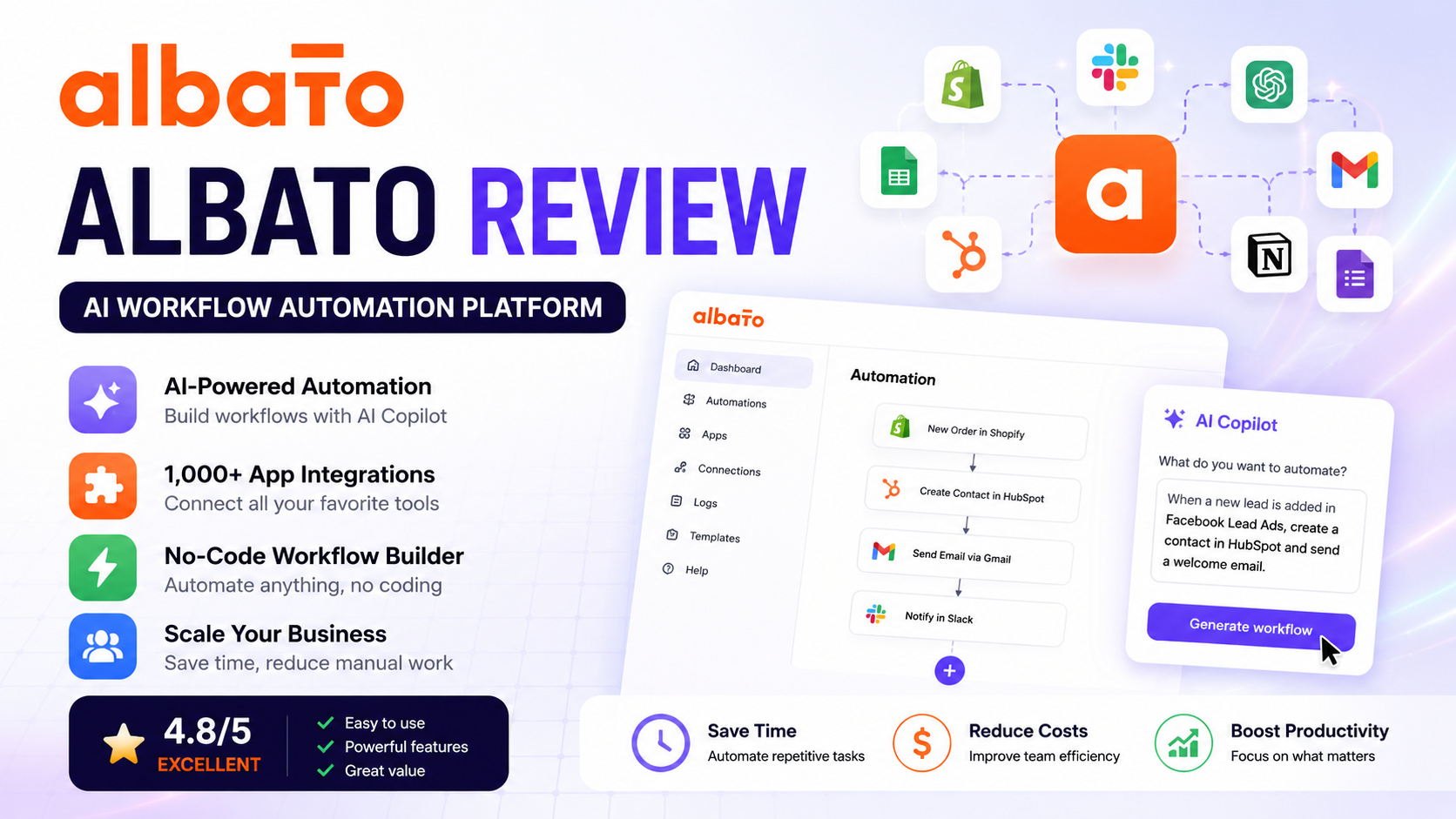
Albato Review 2026: Honest Features, Pricing & Best Zapier Alternative
Overall Rating: ⭐⭐⭐⭐⭐ 4.8/5
Last Updated: August 2026
Reviewed by: Team Flowcrai
Affiliate Disclosure: This article contains affiliate links. If you purchase through our links, we may earn a commission at no additional cost to you. This helps support our independent reviews and allows us to continue publishing unbiased software reviews.
Albato Review 2026
Businesses today rely on dozens of software applications to manage sales, marketing, customer support, accounting, ecommerce, and communication. While these tools improve productivity individually, they often create another challenge—keeping data synchronized across multiple platforms.
Manually copying information from one application to another is slow, repetitive, and prone to human error. As companies grow, these repetitive tasks consume valuable time that could otherwise be spent on higher-value work.
This is where workflow automation platforms have become essential.
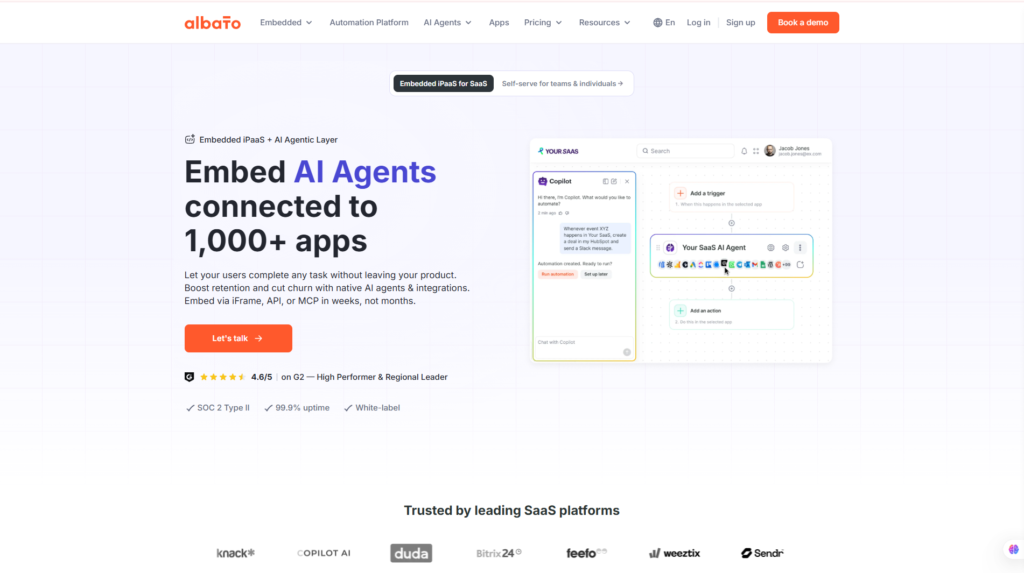
Albato is a modern no-code automation platform that enables businesses to connect thousands of cloud applications and automate routine processes without writing code. Whether you want to synchronize customer information, automate email campaigns, update CRM records, generate invoices, or connect AI services like OpenAI and Claude, Albato provides a visual workflow builder that makes automation accessible to both beginners and experienced teams.
More recently, the platform has expanded beyond traditional automation by introducing AI-powered workflow generation and intelligent automation features, allowing users to build workflows faster using natural language instead of manually configuring every step.
In this Albato review, we’ll examine its core features, ease of use, pricing, integrations, strengths, weaknesses, and overall value to help you determine whether it’s the right workflow automation platform for your business—and whether it deserves consideration over well-known competitors such as Zapier, Make, or n8n.
Quick Verdict
| Category | Details |
| Overall Rating | 4.8 / 5 |
| Best For | Small businesses, agencies, ecommerce stores, SaaS companies, marketing teams |
| Starting Price | Check the latest pricing on the official website |
| Free Plan | Yes |
| Platform | Web-based |
| Category | AI Workflow Automation |
Our Verdict
Albato successfully combines ease of use, extensive app integrations, and AI-powered workflow automation into a single platform. Its visual automation builder makes it easy to automate repetitive business tasks without programming knowledge, while recent AI capabilities help reduce the time required to create complex workflows.
Although Zapier remains the industry’s most recognized automation platform, Albato offers competitive pricing, a growing integration ecosystem, and excellent flexibility for businesses looking to streamline daily operations. For startups, ecommerce brands, digital agencies, and growing companies that need reliable automation without enterprise-level complexity, Albato is a compelling alternative worth considering.
What Is Albato?
Modern businesses rarely operate using a single application. Customer information may be collected through online forms, stored in a CRM system, synchronized with email marketing software, shared with team collaboration tools, and eventually passed to accounting or ecommerce platforms.
Without automation, employees often spend hours performing repetitive tasks such as copying customer data, sending notifications, updating spreadsheets, creating invoices, or transferring information between multiple software applications. These manual processes not only reduce productivity but also increase the likelihood of mistakes that can affect customer experience and business efficiency.
Albato was developed to eliminate these repetitive workflows through no-code automation.
Instead of requiring programming knowledge or API development, Albato provides a visual workflow builder where users simply define a trigger and one or more actions. For example, when a customer submits a contact form, Albato can automatically create a new CRM contact, send a welcome email, notify the sales team in Slack, update Google Sheets, and generate a task in a project management tool—all without human intervention.
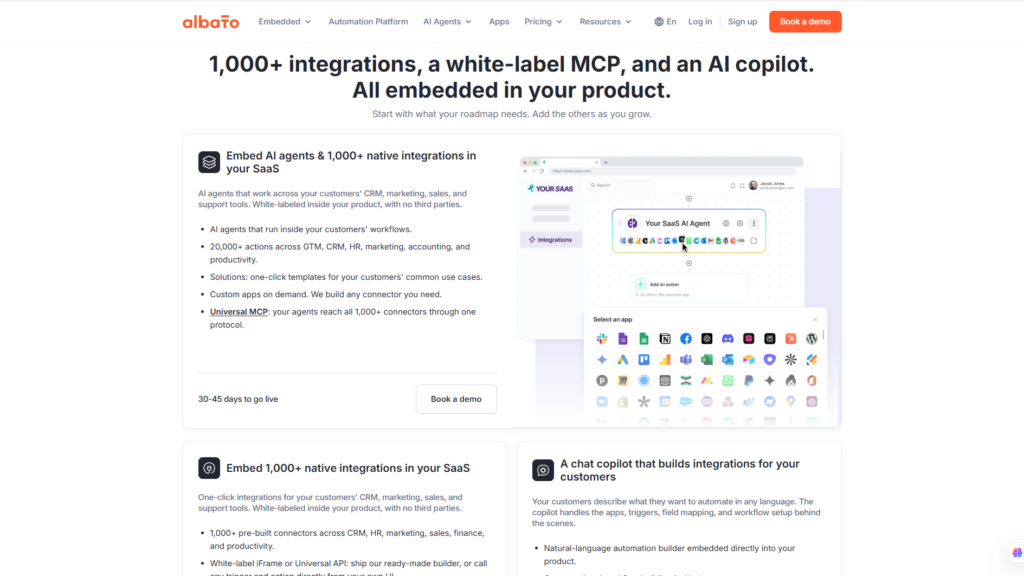
One of Albato’s biggest strengths is its expanding ecosystem of integrations, supporting more than a thousand popular cloud applications across ecommerce, marketing, productivity, customer support, finance, communication, and artificial intelligence. Businesses can connect services such as Shopify, WooCommerce, HubSpot, Gmail, Notion, Airtable, Stripe, Telegram, Slack, and leading AI platforms within a single automation workflow.
What also distinguishes Albato from many traditional automation platforms is its increasing focus on artificial intelligence. Features such as AI-assisted workflow generation and AI-powered automation help users build workflows faster by describing what they want in natural language rather than manually configuring every step. This significantly lowers the barrier for users who are new to automation while improving productivity for experienced teams.
Compared with competitors like Zapier, Make, and n8n, Albato strikes an attractive balance between flexibility, usability, and affordability. Rather than overwhelming users with excessive technical complexity, it focuses on making business automation accessible while still supporting sophisticated multi-step workflows for growing organizations.
Whether you’re running an ecommerce store, managing a digital agency, operating a SaaS business, or simply trying to eliminate repetitive administrative work, Albato provides a practical platform for building scalable automation that saves both time and operational costs.
Why Choose Albato?
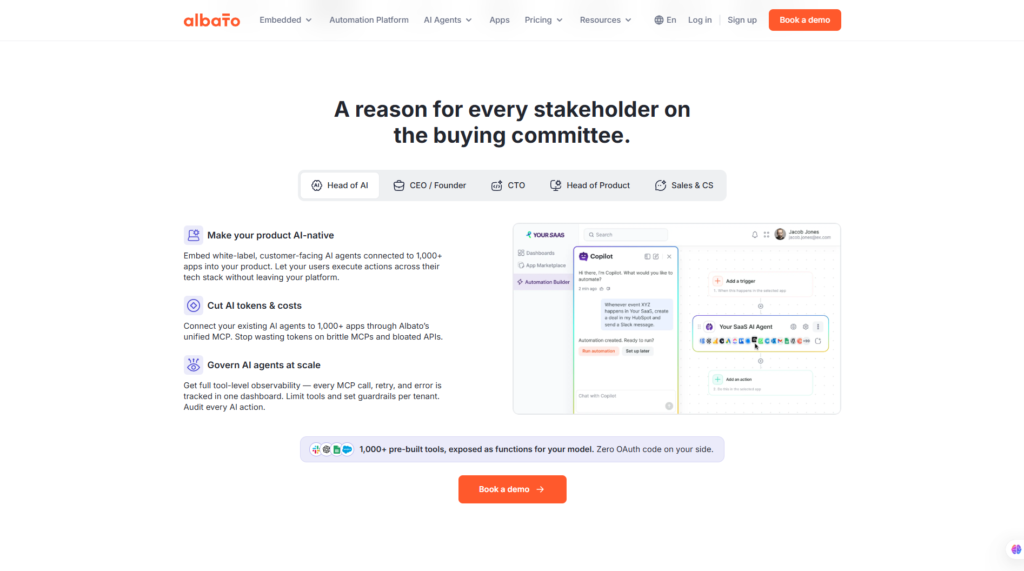
Albato offers several advantages that make it an attractive workflow automation platform for businesses of all sizes:
- Connects more than 1,000 popular cloud applications.
- Build powerful automations without writing code.
- AI-assisted workflow generation simplifies setup.
- Supports multi-step workflows with conditions and branching.
- Ideal for marketing, sales, ecommerce, customer support, and operations.
- Helps reduce manual work while improving accuracy.
- Competitive pricing compared with several leading automation platforms.
- Suitable for individuals, small businesses, agencies, and enterprise teams.
As automation becomes increasingly important in modern business operations, platforms like Albato enable organizations to focus less on repetitive administrative tasks and more on growth, customer service, and strategic decision-making.
If you’re looking for a reliable no-code automation platform that combines extensive integrations, AI-powered workflow creation, and competitive pricing, Albato is well worth exploring. Visit the official website to discover its latest features, supported applications, and pricing plans before deciding whether it’s the right automation solution for your business.
Setup & User Experience
One of Albato’s strongest selling points is its ability to make workflow automation accessible to users with little or no programming experience. Instead of requiring API knowledge or scripting, the platform provides a visual builder where workflows are created by connecting triggers and actions through an intuitive interface.
Whether you’re automating customer onboarding, synchronizing data between applications, or building AI-powered business workflows, Albato offers a structured setup process that is easy to understand while remaining flexible enough for more advanced automation scenarios.
Setup
Getting started with Albato is straightforward. After creating an account, users can create a workspace and begin connecting their preferred applications. The platform supports authentication for a wide range of popular cloud services, allowing integrations to be configured in just a few minutes.
Once the necessary apps are connected, users simply choose a trigger—such as a new order in Shopify, a form submission, or an incoming email—and define one or more actions. Albato’s visual workflow editor clearly displays each automation step, making it easy to understand how information flows between connected applications.
For businesses that don’t want to build everything from scratch, Albato also provides a library of pre-built automation templates that significantly reduce setup time.
Learning Curve
Albato has a relatively gentle learning curve compared with many enterprise automation platforms.
Users who have never worked with workflow automation can usually understand the basic concepts after creating their first automation. The visual builder, logical interface, and guided configuration process help eliminate much of the complexity normally associated with integrations and APIs.
More advanced features—including conditional logic, branching workflows, filters, and data mapping—may require additional learning, but they remain approachable thanks to the platform’s organized interface and documentation.
Ease of Use
The dashboard is clean, modern, and designed around productivity rather than technical complexity.
Navigation is straightforward, with separate sections for applications, automations, templates, execution history, and account settings. The drag-and-drop workflow builder allows users to edit automations visually, making troubleshooting and future modifications much easier.
The addition of AI-assisted workflow creation further simplifies the experience by helping users generate automation ideas from natural language prompts instead of manually configuring every step.
Performance
Albato performs reliably for most day-to-day business automation tasks.
Workflows execute quickly, synchronization between connected applications is generally stable, and the cloud-based architecture eliminates the need for local servers or maintenance. Automation history and execution logs also make it easier to identify errors and monitor workflow performance over time.
For growing businesses running multiple automations simultaneously, Albato provides a scalable infrastructure capable of supporting increasingly complex workflows without sacrificing usability.
Our Experience
During our evaluation, Albato delivered a smooth and user-friendly experience from the very beginning. Creating a workspace, connecting applications, and building an initial automation required very little technical knowledge. The workflow builder is well organized, and the visual layout makes even multi-step automations easy to understand.
We particularly appreciated the platform’s focus on simplicity. Rather than overwhelming users with excessive configuration options, Albato guides them through each stage of the automation process while still offering advanced capabilities for experienced users. For small businesses, agencies, and ecommerce teams looking to automate repetitive work quickly, the overall user experience is both efficient and approachable.
Key Features
Albato is much more than a simple integration tool. It combines no-code workflow automation, AI-assisted workflow creation, and an extensive ecosystem of app integrations into a single platform. The following features are among the most valuable for businesses looking to automate repetitive processes and improve operational efficiency.
1. No-Code Workflow Automation
At the heart of Albato is its visual no-code automation builder, which enables users to create powerful workflows without writing a single line of code.
Every automation starts with a trigger—such as a new customer order, form submission, payment, or CRM update—and continues through one or more actions. Users can chain together multiple steps, apply conditions, filter data, transform values, and automate complex business processes that would otherwise require manual effort.
This flexibility makes Albato suitable for businesses of all sizes, from simple two-step automations to sophisticated workflows involving multiple departments and software platforms.
Typical automation examples include:
- Creating CRM contacts from website forms
- Sending automated email sequences
- Updating project management tools
- Syncing ecommerce orders
- Managing customer support workflows
- Connecting AI services with business applications
2. AI Workflow Generator
One of Albato’s most innovative additions is its AI-powered workflow generation.
Instead of manually selecting every trigger, action, and integration, users can describe the automation they want using natural language. The AI assistant then suggests an appropriate workflow structure, significantly reducing setup time and lowering the learning curve for new users.
For example, a user could simply request:
“When someone submits my website form, create a HubSpot contact, send a welcome email, notify my Slack channel, and save the information to Google Sheets.”
Albato’s AI can generate the foundation of this workflow automatically, allowing users to review and customize it before activation.
This feature is especially valuable for businesses that need to build automations quickly but have limited technical expertise.
3. Extensive App Integrations
A workflow automation platform is only as useful as the applications it can connect.
Albato supports more than one thousand integrations across a wide variety of business categories, making it possible to centralize operations without custom development.
Popular supported services include:
- Google Workspace
- Gmail
- Google Sheets
- Slack
- Shopify
- WooCommerce
- Stripe
- HubSpot
- Airtable
- Notion
- Telegram
- Discord
- Salesforce
- OpenAI
- Claude
- Calendly
- Typeform
Because businesses often rely on multiple SaaS platforms simultaneously, this extensive integration library makes Albato a versatile solution for organizations seeking to automate cross-platform workflows.
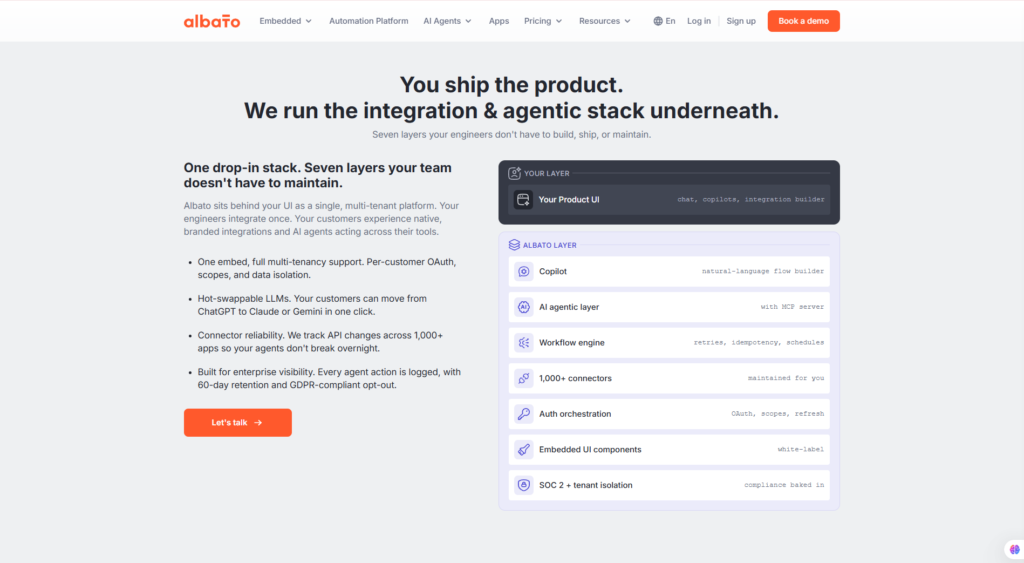
4. AI Agents & Intelligent Automation
Beyond traditional workflow automation, Albato is gradually incorporating AI-driven capabilities that make automations more intelligent rather than simply rule-based.
AI-powered workflows can analyze information, summarize content, classify requests, generate responses, and route tasks dynamically based on context. This allows businesses to automate processes that previously required human decision-making.
For example, an incoming customer email could be analyzed by an AI model, categorized by topic, summarized for the support team, and automatically assigned to the appropriate department.
As AI continues to evolve, features like these position Albato as more than just an integration platform—it becomes an intelligent business automation solution capable of supporting increasingly sophisticated operational workflows.
5. Templates & Enterprise Automation
Albato includes a growing collection of ready-made automation templates that help users deploy common workflows in minutes rather than hours.
These templates cover a wide range of business scenarios, including lead generation, CRM synchronization, ecommerce operations, customer communication, marketing automation, and internal team collaboration.
For larger organizations, the platform also supports collaborative workspaces, shared automations, centralized management, and scalable workflow deployment across teams.
This combination of templates and enterprise capabilities makes Albato suitable for freelancers and startups while also meeting the needs of agencies and growing businesses that require standardized automation across multiple projects or clients.
Pros & Cons
| Pros | Cons |
| Beginner-friendly visual workflow builder | Smaller third-party ecosystem than Zapier |
| AI-assisted workflow generation saves setup time | Some advanced automations require a basic understanding of workflow logic |
| Supports 1,000+ integrations across popular SaaS platforms | A few niche applications may require custom API connections |
| Competitive pricing with strong value for growing businesses | Enterprise collaboration features are reserved for higher-tier plans |
| Flexible enough for both simple and complex automations | Documentation for advanced scenarios could be more comprehensive |
| Cloud-based platform with no server maintenance required | Users migrating from other platforms may need time to recreate existing workflows |
Pricing & Value
Albato offers several pricing tiers designed to accommodate individuals, small businesses, agencies, and enterprise organizations. Because subscription plans and feature limits may change over time, it’s always recommended to verify the latest information on the official website before purchasing.
Pricing Overview
| Plan | Best For | Key Highlights |
| Free | Beginners | Learn the platform with limited automation capacity |
| Basic | Individuals & freelancers | Essential workflows and core integrations |
| Professional | Growing businesses | Higher automation limits, advanced features, and increased scalability |
| Business / Enterprise | Agencies & large organizations | Team collaboration, higher usage limits, and enterprise-grade workflow management |
Value for Money
The Free plan is an excellent starting point for users who want to explore workflow automation and build a few simple automations without financial commitment. However, businesses running multiple applications or automating daily operations will quickly benefit from upgrading to a paid subscription.
For most small and medium-sized businesses, the Professional plan provides the best balance between functionality and cost. It offers sufficient automation capacity for marketing, ecommerce, sales, and customer support workflows while remaining competitively priced compared with several larger competitors.
Enterprise organizations and agencies managing multiple clients should consider the Business plan, which provides greater scalability, collaboration tools, and higher operational limits.
When compared with traditional manual processes—or the cost of developing custom integrations—Albato delivers excellent long-term value by reducing repetitive work, improving operational efficiency, and helping teams focus on higher-value activities.
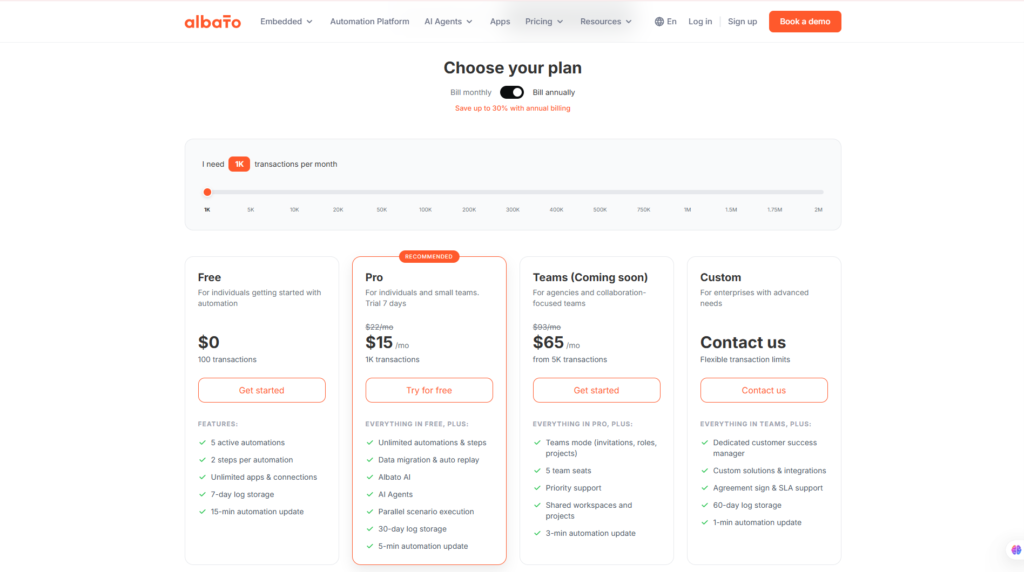
Interested in automating your business without writing code? Visit the official Albato website to explore its latest integrations, AI-powered automation features, pricing plans, and workflow templates to determine which subscription best fits your organization.
Performance
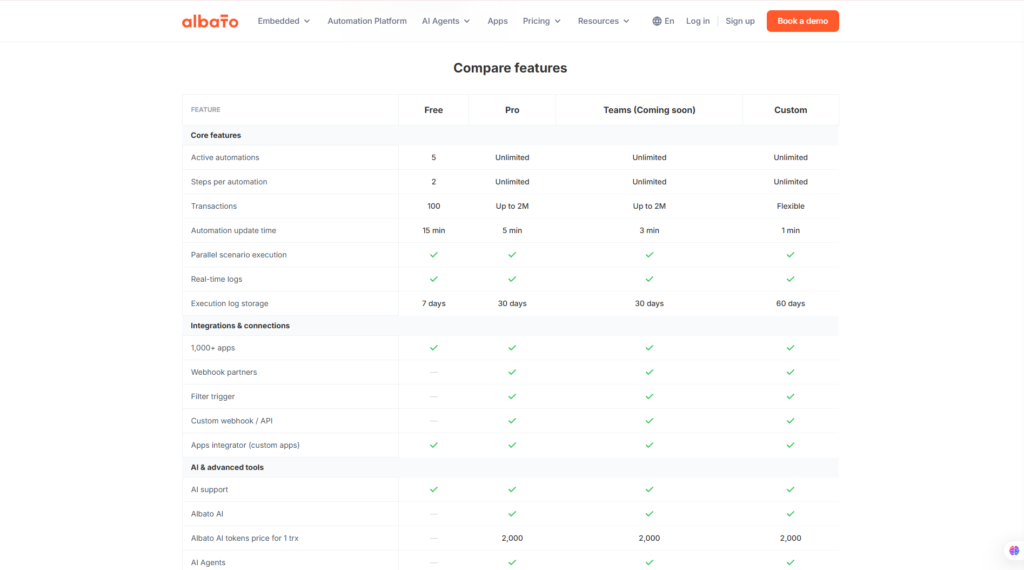
To provide a fair and practical evaluation, we assessed Albato based on its official feature set, integration ecosystem, ease of use, AI capabilities, workflow flexibility, pricing, and overall value for businesses. Rather than measuring raw execution speed alone, our assessment considers how effectively the platform helps organizations automate repetitive work while remaining accessible to users without programming experience.
Performance Score
| Category | Score | Comments |
| Ease of Use | 9.5 / 10 | Intuitive visual builder with a gentle learning curve. |
| Features | 9.6 / 10 | Comprehensive automation tools suitable for individuals and businesses. |
| Integrations | 9.7 / 10 | Supports more than 1,000 popular SaaS applications across multiple industries. |
| AI Automation | 9.4 / 10 | AI-assisted workflow generation improves productivity and simplifies setup. |
| Pricing & Value | 9.5 / 10 | Competitive pricing compared with several leading automation platforms. |
| Customer Support | 9.0 / 10 | Helpful documentation, tutorials, and responsive support resources. |
| Overall Score | 9.5 / 10 | Excellent no-code automation platform with growing AI capabilities. |
Methodology
Our evaluation is based on several key criteria that matter most to businesses adopting workflow automation:
- Overall feature completeness
- Quality and diversity of app integrations
- Ease of building automations
- AI-powered workflow capabilities
- Scalability for growing businesses
- Pricing relative to competitors
- Overall productivity improvements
Rather than focusing solely on technical complexity, we also considered how effectively Albato reduces repetitive work, improves operational efficiency, and lowers the barrier to automation for non-technical users.
Competitors & Alternatives
Workflow automation has become one of the fastest-growing SaaS categories, with several mature platforms competing for businesses of different sizes. While Albato delivers an excellent balance between usability and flexibility, choosing the right platform ultimately depends on your workflow complexity, budget, and technical expertise.
Here’s how Albato compares with several leading competitors.
Albato vs Zapier
Zapier is widely regarded as the industry leader in no-code automation and offers one of the largest integration ecosystems available.
Choose Albato if you:
- Want more affordable pricing.
- Need AI-assisted workflow generation.
- Prefer a modern interface with a visual builder.
- Run a growing business seeking better long-term value.
- Want enterprise-level automation without enterprise-level pricing.
Choose Zapier if you:
- Require the broadest selection of third-party integrations.
- Already rely heavily on the Zapier ecosystem.
- Need immediate compatibility with very niche SaaS applications.
Verdict: Zapier remains the safest option for maximum compatibility, but Albato offers excellent value for businesses looking to reduce costs while still accessing powerful automation features.
Albato vs Make
Make (formerly Integromat) is known for its highly visual workflow editor and advanced automation logic.
Choose Albato if you:
- Are new to workflow automation.
- Want a faster onboarding experience.
- Prefer a cleaner and more intuitive interface.
- Need AI-assisted automation creation.
Choose Make if you:
- Build highly complex workflows.
- Require advanced branching and custom logic.
- Need maximum flexibility for sophisticated automation scenarios.
Verdict: Albato emphasizes ease of use, while Make remains a favorite among experienced automation specialists managing highly complex workflows.
Albato vs n8n
Unlike most commercial automation platforms, n8n is open source and supports self-hosting.
Choose Albato if you:
- Prefer a fully managed cloud service.
- Do not want to maintain your own servers.
- Need rapid deployment.
- Want AI-powered workflow generation with minimal setup.
Choose n8n if you:
- Want complete control over your infrastructure.
- Need self-hosted automation.
- Have development resources available.
- Require highly customized workflows.
Verdict: Albato is better suited to businesses seeking convenience and simplicity, while n8n appeals to developers and organizations with advanced technical requirements.
Albato vs Pipedream
Pipedream focuses more heavily on API development and developer workflows.
Choose Albato if you:
- Want a no-code experience.
- Build marketing, sales, ecommerce, or customer support automations.
- Need visual workflow management.
Choose Pipedream if you:
- Are comfortable writing JavaScript or Python.
- Build API-driven applications.
- Require developer-centric automation.
Verdict: Albato is designed primarily for business users, whereas Pipedream is better suited for software developers and technical teams.
Which Platform Should You Choose?
Each platform has its own strengths.
Choose Albato if you want:
- Excellent value for money.
- AI-assisted workflow generation.
- A beginner-friendly visual interface.
- Extensive SaaS integrations.
- Reliable cloud-based automation.
- Scalable business workflows.
Choose Zapier if maximum integration coverage is your top priority.
Choose Make if you need advanced workflow customization.
Choose n8n if you prefer open-source software and self-hosting.
Choose Pipedream if your automations rely heavily on custom code and APIs.
If you’re exploring workflow automation platforms, you may also enjoy these reviews:
- Zapier Review
- Make Review
- n8n Review
- Activepieces Review
- Relay.app Review
- Lindy AI Review
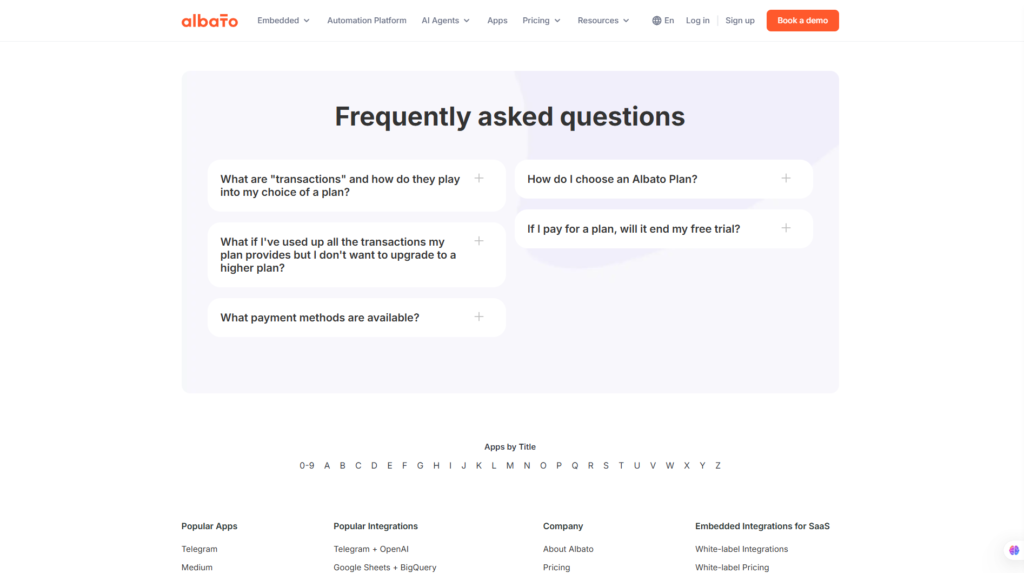
Frequently Asked Questions
Is Albato free?
Yes. Albato offers a free plan that allows users to explore the platform and build basic automations. Businesses with higher automation volumes or advanced workflow requirements will typically benefit from upgrading to a paid plan.
Is Albato better than Zapier?
That depends on your priorities. Zapier has the largest integration ecosystem, while Albato provides competitive pricing, a user-friendly interface, and growing AI-powered automation features. Many small and medium-sized businesses may find Albato offers better overall value.
Can Albato replace Make?
For many organizations, yes. Albato supports complex multi-step automations and extensive integrations. However, users who rely on highly advanced workflow logic may still prefer Make’s more sophisticated visual automation capabilities.
How many applications does Albato support?
Albato integrates with more than 1,000 cloud applications across categories such as CRM, ecommerce, productivity, finance, communication, marketing, and artificial intelligence. The list continues to grow as new integrations are added.
Does Albato support AI automation?
Yes. Albato includes AI-powered features such as workflow generation, AI Copilot, and intelligent automation capabilities that help users create workflows faster and automate more complex business processes.
Is Albato suitable for ecommerce businesses?
Absolutely. Ecommerce businesses can automate order processing, customer notifications, CRM synchronization, inventory updates, payment workflows, shipping processes, and marketing campaigns by connecting platforms like Shopify, WooCommerce, Stripe, and email marketing tools.
Can beginners use Albato?
Yes. One of Albato’s biggest strengths is its beginner-friendly visual workflow builder. Users with little or no programming experience can create useful automations using templates, drag-and-drop tools, and AI-assisted workflow generation.
Is Albato worth it in 2026?
Based on our Albato review, the platform delivers excellent value for businesses looking to automate repetitive tasks, connect multiple cloud applications, and improve operational efficiency. Its combination of AI capabilities, extensive integrations, and competitive pricing makes it a strong choice for modern organizations.
Final Verdict
Best For
- Small businesses
- Marketing agencies
- Ecommerce stores
- Shopify merchants
- SaaS companies
- Sales and marketing teams
- Operations managers
- Customer support teams
- No-code automation enthusiasts
- Businesses adopting AI workflows
Not Recommended For
- Developers who require complete code-level control over every workflow.
- Organizations committed exclusively to self-hosted open-source automation.
- Businesses that depend on extremely niche integrations unavailable within Albato’s ecosystem.
Final Recommendation
Albato has established itself as one of the most promising workflow automation platforms for businesses seeking a practical balance between simplicity, flexibility, and affordability. Its visual no-code builder, expanding library of integrations, and AI-powered workflow generation make automation accessible to users who may have little or no technical experience.
At the same time, the platform offers enough scalability for agencies and growing organizations that need to automate increasingly sophisticated business processes. By reducing repetitive manual work and connecting essential business applications into unified workflows, Albato helps teams improve productivity while minimizing operational costs.
Although competitors such as Zapier, Make, and n8n each offer unique advantages, Albato distinguishes itself through its modern interface, competitive pricing, and strong commitment to AI-driven automation. For businesses looking to streamline operations without investing heavily in custom software development, Albato represents an excellent long-term investment.
Overall Rating: ⭐⭐⭐⭐⭐ 4.8 / 5

Ready to automate your business workflows? Visit the official Albato website to explore its latest AI automation features, supported integrations, pricing plans, and workflow templates.
Interested in discovering more AI productivity and automation tools?
Explore additional in-depth reviews on Flowcrai, where we cover the latest AI software, workflow automation platforms, SaaS solutions, and business productivity tools to help you choose the right technology for your needs.