
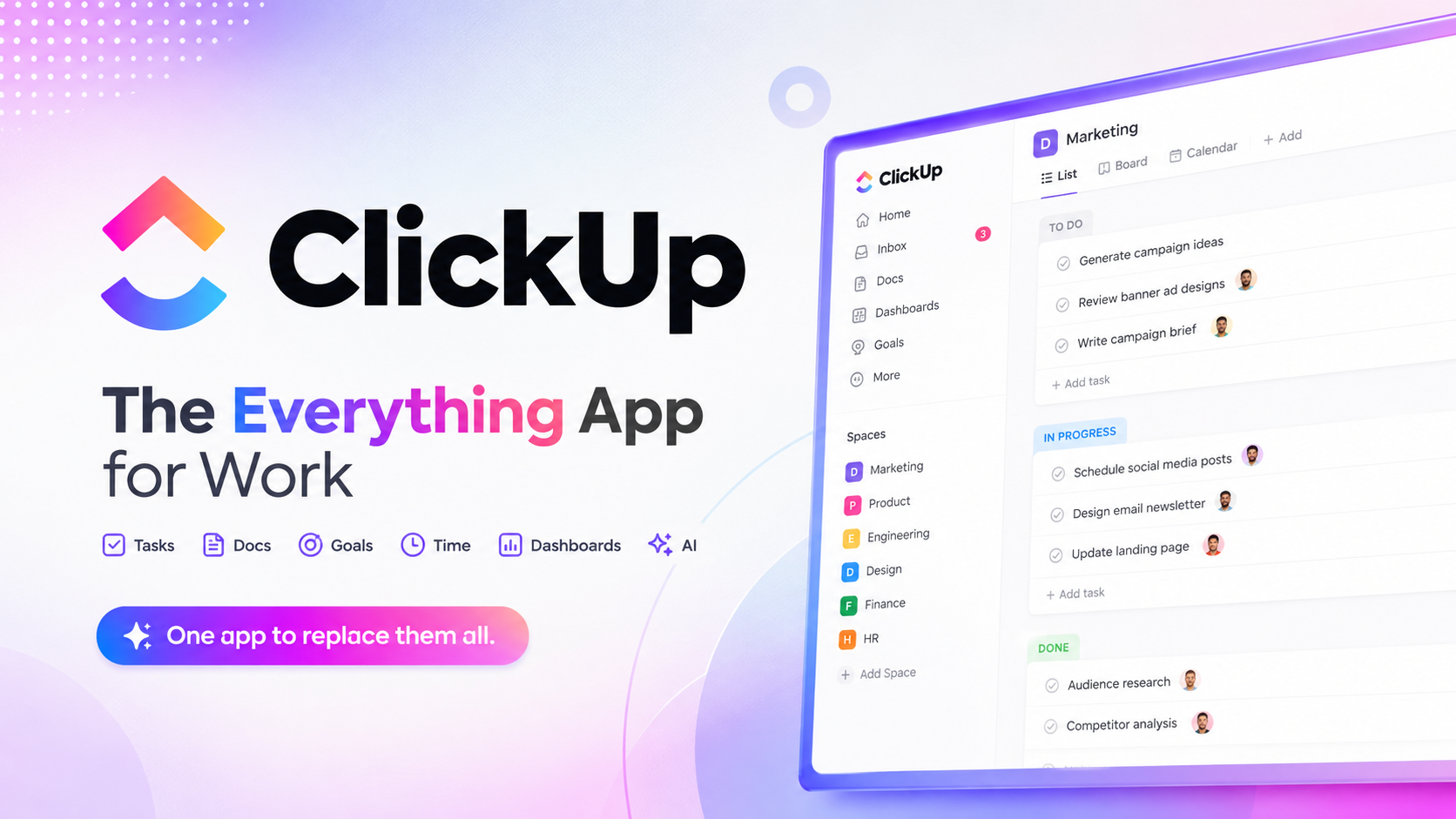
ClickUp Review 2026: The Best All-in-One Productivity Platform?
Managing projects across multiple tools can quickly become overwhelming. One app for tasks, another for documentation, another for chat, and yet another for reporting often lead to scattered information, duplicated work, and reduced team productivity. ClickUp aims to eliminate this problem by bringing everything together into a single collaborative workspace.
In this ClickUp Review, we tested the platform over three weeks using real-world workflows, including task management, document collaboration, AI-assisted writing, automation building, sprint planning, and dashboard reporting. We also explored the newest ClickUp Brain AI features to evaluate whether they genuinely improve productivity or simply add marketing hype.
Whether you’re a freelancer managing personal projects, a startup building products, a marketing agency coordinating client work, or an enterprise looking to replace several disconnected tools, this review will help you determine if ClickUp deserves a place in your workflow.
Quick Verdict
| Category | Details |
| Overall Rating | ⭐⭐⭐⭐⭐ 4.8/5 |
| Best For | Agencies, startups, developers, remote teams, enterprises |
| Starting Price | Free Forever |
| Free Trial | Yes (Free plan available with optional paid upgrades) |
| Platforms | Web, Windows, macOS, Linux, Android, iOS |
| AI Features | ClickUp Brain |
| Our Verdict | One of the most complete project management platforms available today, combining tasks, documents, AI, chat, dashboards, automations, and reporting into one highly customizable workspace. |
🆕 Tested by: Flowcrai Editorial Team — 3 weeks of hands-on testing across multiple real-world business workflows
What Is ClickUp?
Most productivity software focuses on solving just one part of your workflow. Some applications specialize in task management, others handle documentation, while separate tools are required for team communication, automation, reporting, or AI assistance. As organizations grow, this often results in dozens of disconnected applications that create information silos and unnecessary complexity.
ClickUp was created to solve this exact problem.
Rather than acting as a simple task manager, ClickUp is designed as an all-in-one productivity platform where teams can plan projects, assign work, collaborate on documents, automate repetitive processes, communicate in real time, analyze progress, and now even leverage artificial intelligence—all within a single workspace.
Today, ClickUp serves millions of users worldwide, ranging from solo entrepreneurs to Fortune 500 companies. It has become one of the fastest-growing project management platforms thanks to its flexibility, extensive customization options, and continuous product development.
Unlike traditional project management software, ClickUp allows every team to build workflows that match how they already work instead of forcing everyone into a rigid system. Whether you’re managing software development sprints, content marketing campaigns, sales pipelines, HR onboarding, customer support, or personal productivity, the platform can be configured to support virtually any workflow.
One of ClickUp’s biggest strengths is its hierarchical workspace structure.
A typical workflow looks like this:
Workspace → Spaces → Folders → Lists → Tasks → Subtasks
This structure keeps projects organized while allowing each department or team to create customized workflows. Marketing teams can manage campaign calendars, software developers can run Agile sprints, designers can organize creative assets, and executives can monitor company-wide performance—all inside the same platform.
Beyond project management, ClickUp includes an impressive collection of built-in collaboration tools:
- ClickUp Docs for documentation and knowledge bases
- Whiteboards for brainstorming ideas
- Team Chat for internal communication
- Goals for OKR tracking
- Dashboards for analytics
- Time Tracking for productivity measurement
- Calendar scheduling
- Forms for collecting requests
- Automations for repetitive tasks
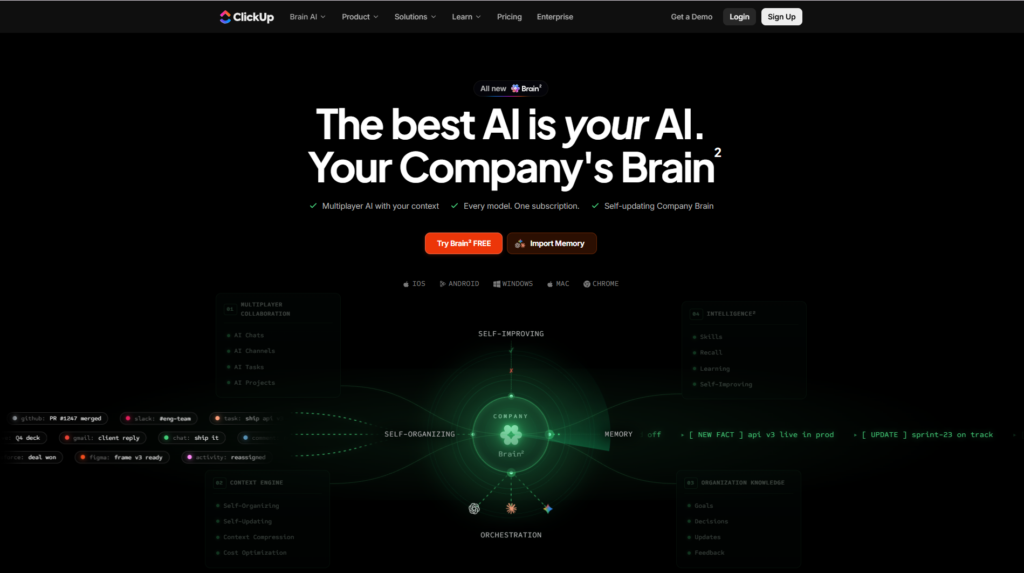
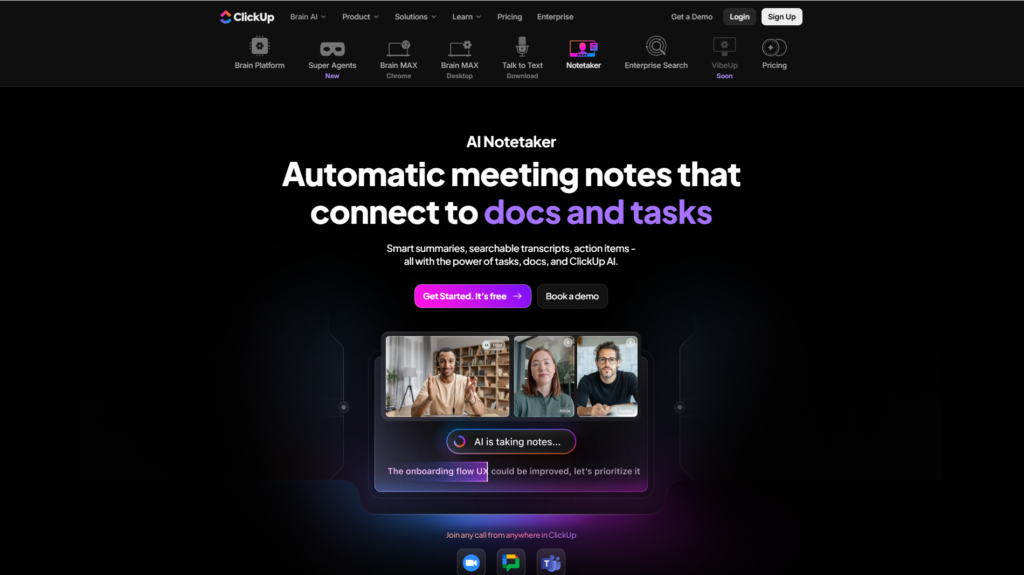
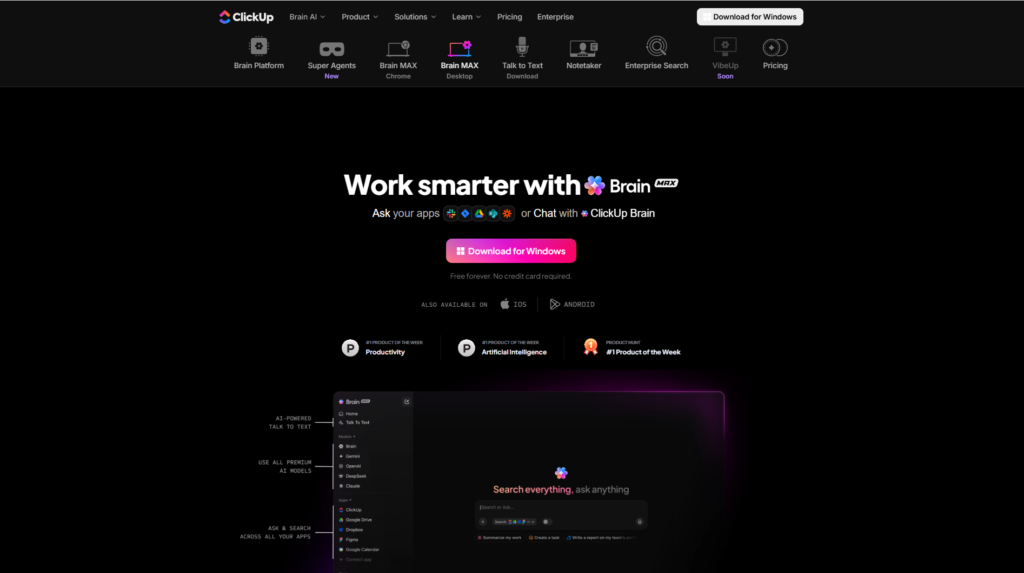
The newest addition is ClickUp Brain, an AI-powered assistant that integrates across the entire workspace. Instead of functioning as a standalone chatbot, ClickUp Brain can summarize meetings, generate documents, answer questions about projects, write task descriptions, create action plans, and help teams find information much faster.
During our testing, the AI assistant proved especially useful when working with large projects containing hundreds of tasks and documents. Rather than manually searching through folders, we could ask natural-language questions and receive context-aware answers based on our workspace.
Another major advantage is the platform’s extensive integration ecosystem. ClickUp connects with over a thousand popular applications, including Google Workspace, Slack, Microsoft Teams, Zoom, GitHub, GitLab, Figma, HubSpot, Dropbox, Zapier, Outlook, and many more. This makes it relatively easy to integrate ClickUp into existing business processes without replacing every tool immediately.
Although ClickUp offers a remarkable number of features, the platform does require some initial learning. New users may feel overwhelmed during the first few days because there are so many views, customization options, and configuration settings. However, once the workspace is properly organized, the flexibility becomes one of ClickUp’s greatest strengths.
Overall, ClickUp is best suited for:
- Marketing agencies managing multiple clients
- Software development teams
- Startup founders
- Product managers
- Remote organizations
- Operations teams
- Consultants
- Freelancers
- Content creators
- Growing businesses looking to consolidate multiple productivity tools
If your team currently relies on several separate applications for task management, documentation, communication, reporting, and AI assistance, ClickUp has the potential to replace many of them while improving collaboration across the organization.
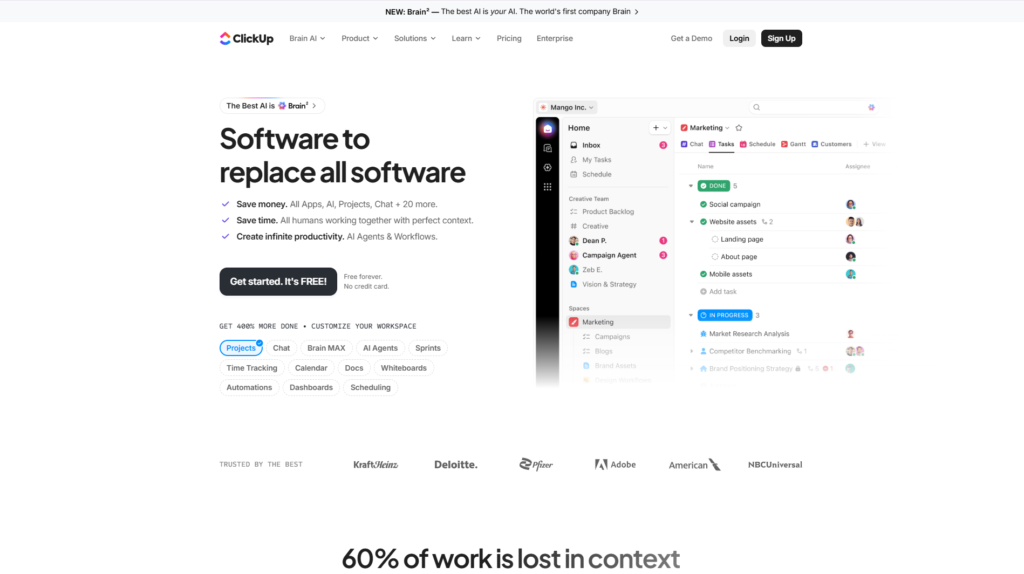
Start with the Free Forever plan and explore ClickUp’s project management, collaboration, automation, and AI capabilities before upgrading to a paid plan.
Affiliate Disclosure
This article contains affiliate links. If you purchase through these links, we may earn a commission at no additional cost to you. Our recommendations are based on hands-on testing and independent evaluation.
Key Features of ClickUp
After testing ClickUp across multiple projects, six features consistently stood out as the biggest reasons professionals choose the platform over competing project management software.
🧠 1. ClickUp Brain – AI That Understands Your Workspace
Artificial intelligence has become a standard feature in productivity software, but ClickUp Brain goes beyond basic text generation. Instead of acting like a generic chatbot, it understands your workspace and can interact directly with projects, documents, and tasks.
During our testing, ClickUp Brain successfully handled a variety of everyday tasks, including:
- Summarizing long project discussions
- Creating task descriptions
- Generating meeting notes
- Drafting project documentation
- Writing emails
- Creating marketing content
- Building project plans
- Answering questions about existing tasks
One particularly useful capability is its contextual awareness. Rather than producing generic responses, ClickUp Brain references information already stored in your workspace, allowing teams to retrieve knowledge much faster than manually searching through folders.
For organizations managing large amounts of documentation, this feature alone can save significant time each week.
✅ 2. Advanced Task Management Built for Every Workflow
At its core, ClickUp remains one of the most capable task management systems available.
Users can create highly detailed tasks with:
- Priorities
- Due dates
- Assignees
- Dependencies
- Recurring schedules
- Checklists
- Custom fields
- File attachments
- Time estimates
- Comments
- Multiple statuses
Unlike simpler Kanban tools, ClickUp allows organizations to build workflows that closely match their existing business processes without sacrificing flexibility.
Whether you’re managing software releases, editorial calendars, client onboarding, or sales operations, the task system scales effectively from individual freelancers to enterprise teams.
3. Powerful Task Management
While many productivity tools claim to offer advanced task management, ClickUp stands out by combining flexibility with depth. During our testing, we managed a complete content marketing workflow—from keyword research and article writing to design, review, publishing, and promotion—without needing any third-party task manager.
Every task in ClickUp can be customized with an impressive number of attributes, including:
- Priority levels
- Due dates and reminders
- Multiple assignees
- Dependencies
- Recurring schedules
- Checklists
- Custom fields
- Time estimates
- Attachments
- Comments
- Custom statuses
The hierarchical organization is especially useful. Large projects can be divided into folders, lists, tasks, and subtasks, making even complex projects feel manageable.
For example, a content marketing team could organize work like this:
Workspace → Marketing
Space → Blog Content
Folder → AI Reviews
List → July Articles
Task → ClickUp Review
Subtasks:
- Keyword Research
- Outline
- Write Part 1
- Write Part 2
- Design Images
- SEO Optimization
- Final Review
- Publish
- Social Promotion
This structure makes project progress instantly visible while keeping every file, discussion, and deadline connected to the task itself.
ClickUp also supports multiple project views, allowing different departments to work the way they prefer.
Available views include:
- List View
- Board (Kanban)
- Calendar
- Timeline
- Gantt Chart
- Table
- Workload
- Mind Map
- Activity View
For Agile software teams, Sprint Management includes backlog planning, sprint points, burndown charts, and velocity tracking.
During testing, switching between List View and Board View felt seamless. Marketing teams preferred Calendar View for editorial planning, while development teams benefited from Kanban boards and sprint dashboards.
Overall, ClickUp’s task management system is one of the most comprehensive available today, capable of handling both simple personal to-do lists and enterprise-scale project portfolios.
4. ClickUp Docs – More Than a Document Editor
Many teams rely on separate applications like Google Docs or Notion for documentation. ClickUp eliminates this need by integrating a powerful document editor directly into the workspace.
ClickUp Docs can be used for:
- Company knowledge bases
- Standard operating procedures (SOPs)
- Meeting notes
- Product documentation
- Client proposals
- Project briefs
- Internal wikis
- Marketing plans
Unlike traditional document software, Docs integrates directly with project management.
Users can:
- Convert text into tasks
- Assign responsibilities inside documents
- Embed live task lists
- Link dashboards
- Mention teammates
- Insert checklists
- Track document changes
One feature we particularly appreciated was collaborative editing. Multiple users can work on the same document simultaneously while commenting, assigning action items, and linking related projects.
When combined with ClickUp Brain, documentation becomes even more powerful. AI can summarize lengthy documents, rewrite sections, generate outlines, or answer questions based on existing content.
For organizations trying to centralize knowledge management, ClickUp Docs offers a compelling alternative to maintaining separate documentation software.
5. Dashboards & Reporting
Project visibility is one of the biggest challenges for growing organizations. Managers often spend hours gathering updates from multiple sources before they can understand project health.
ClickUp solves this problem through customizable Dashboards.
Dashboards provide real-time reporting using a wide variety of widgets, including:
- Task Progress
- Team Workload
- Time Tracking
- Sprint Reports
- Burndown Charts
- Pie Charts
- Bar Charts
- Line Graphs
- Goal Progress
- Custom Metrics
Instead of manually preparing weekly reports, managers can monitor project performance from a single screen.
During testing, we built dashboards for several different workflows:
Marketing Dashboard
- Published articles
- Content calendar
- Upcoming deadlines
- Campaign progress
Development Dashboard
- Sprint completion
- Bug reports
- Developer workload
- Velocity tracking
Agency Dashboard
- Client project status
- Billable hours
- Team utilization
- Pending approvals
The ability to customize widgets means every department can create reports tailored to its own KPIs.
Although dashboard customization initially requires some setup, once completed it significantly reduces manual reporting and improves transparency across teams.
6. Powerful Automations That Save Hours Every Week
One of ClickUp’s most valuable features is its built-in automation engine.
Instead of repeatedly performing routine administrative work, users can create automation rules that execute actions automatically whenever specific conditions are met.
Examples include:
When Task Status changes to “Done”
↓
Automatically notify the project manager.
When Due Date passes
↓
Move task to “Overdue.”
When New Client Form submitted
↓
Create project
Assign project manager
Generate onboarding checklist
Send welcome email
These automation workflows help eliminate repetitive manual work while reducing human error.
ClickUp provides hundreds of pre-built automation templates, making it easy for beginners to automate common workflows without writing code.
For more advanced users, custom automation rules can combine multiple triggers, conditions, and actions to support sophisticated business processes.
During testing, automation noticeably improved efficiency by handling recurring administrative tasks automatically, allowing the team to focus on higher-value work.
7. Extensive Integrations
No productivity platform exists in isolation, and ClickUp recognizes this by supporting an extensive ecosystem of integrations.
The platform connects with more than 1,000 applications, including:
Communication
- Slack
- Microsoft Teams
- Zoom
- Discord
Productivity
- Google Workspace
- Microsoft 365
- Outlook
- Dropbox
Development
- GitHub
- GitLab
- Bitbucket
CRM & Marketing
- HubSpot
- Salesforce
- Mailchimp
Automation
- Zapier
- Make
- Pabbly Connect
Design
- Figma
- Miro
- Loom
These integrations allow teams to continue using their preferred tools while centralizing project management within ClickUp.
For example, GitHub commits can automatically update development tasks, Slack notifications can be triggered when project statuses change, and Google Drive files can be attached directly to tasks.
Rather than replacing every existing application immediately, ClickUp acts as the central hub connecting them into one unified workflow.
Pros & Cons
After several weeks of testing across marketing, content creation, and project management workflows, these are the strengths and weaknesses we observed.
| ✅ Pros | ❌ Cons |
| Extremely customizable for almost any workflow | Steeper learning curve than Trello or Asana for first-time users |
| Excellent Free Forever plan with generous features | Initial workspace setup can be time-consuming |
| Powerful ClickUp Brain AI assistant | Some AI capabilities require paid plans |
| Built-in Docs, Chat, Whiteboards, Goals, and Dashboards reduce the need for multiple tools | Mobile app lacks some advanced desktop/web functionality |
| Robust automation engine saves significant manual effort | Interface can feel overwhelming due to the large number of features |
| Supports Agile, Scrum, marketing, sales, HR, and operations workflows | Performance may slow slightly in very large workspaces with extensive customizations |
| 1,000+ integrations with popular business tools | Some advanced reporting and permissions are reserved for higher-tier plans |
Overall Impression
ClickUp delivers an exceptional balance of flexibility, collaboration, and productivity. It successfully combines project management, documentation, communication, reporting, automation, and AI into a single platform, making it an excellent choice for organizations looking to consolidate their software stack.
Its biggest trade-off is complexity. New users should expect to invest time learning the platform and configuring workflows before experiencing its full value. However, once set up, ClickUp becomes a highly scalable solution that can grow alongside teams ranging from solo professionals to large enterprises.
Pricing
Pricing accurate as of July 2026. Pricing may change over time, so always check the official website for the latest plans and promotions.
| Plan | Best For | Pricing* |
| Free Forever | Individuals, students, freelancers | Free |
| Unlimited | Small teams | From ~$7/user/month (annual billing) |
| Business | Growing businesses and agencies | From ~$12/user/month (annual billing) |
| Enterprise | Large organizations | Custom pricing |
What Does the Free Plan Include?
The Free Forever plan is one of ClickUp’s strongest selling points. It provides access to core project management features such as unlimited tasks, multiple project views, collaborative documents, whiteboards, time tracking, and integrations, making it suitable for individuals and small teams getting started.
When Should You Upgrade?
- Unlimited: Recommended for small businesses that need unlimited storage, advanced dashboards, and additional collaboration features.
- Business: Ideal for agencies and fast-growing companies requiring advanced automation, workload management, detailed reporting, and stronger administrative controls.
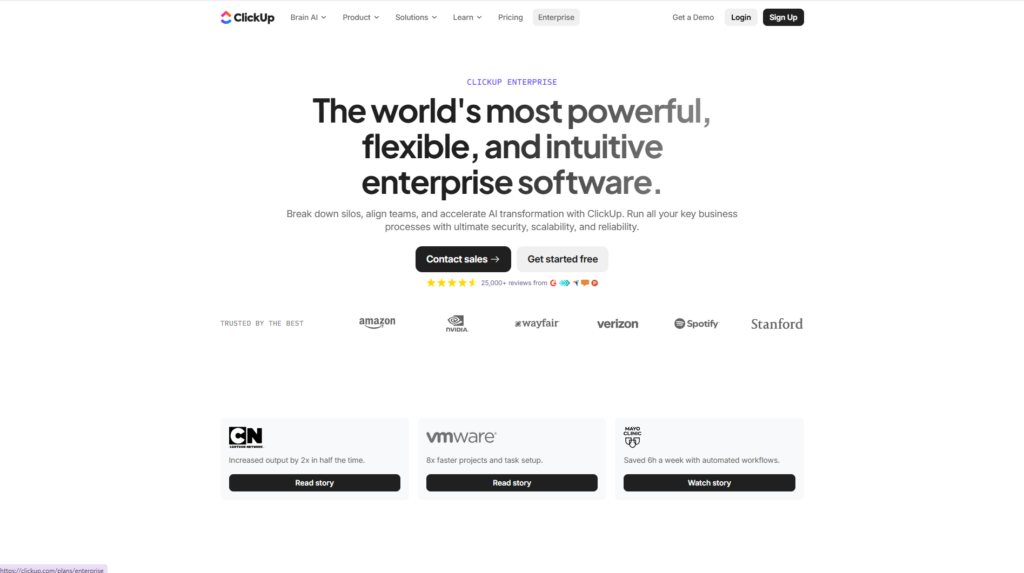
- Enterprise: Best suited to large organizations needing enterprise-grade security, governance, compliance, and dedicated support.
If you’re new to ClickUp, the Free Forever plan is sufficient to evaluate the platform before deciding whether a paid subscription is worthwhile.
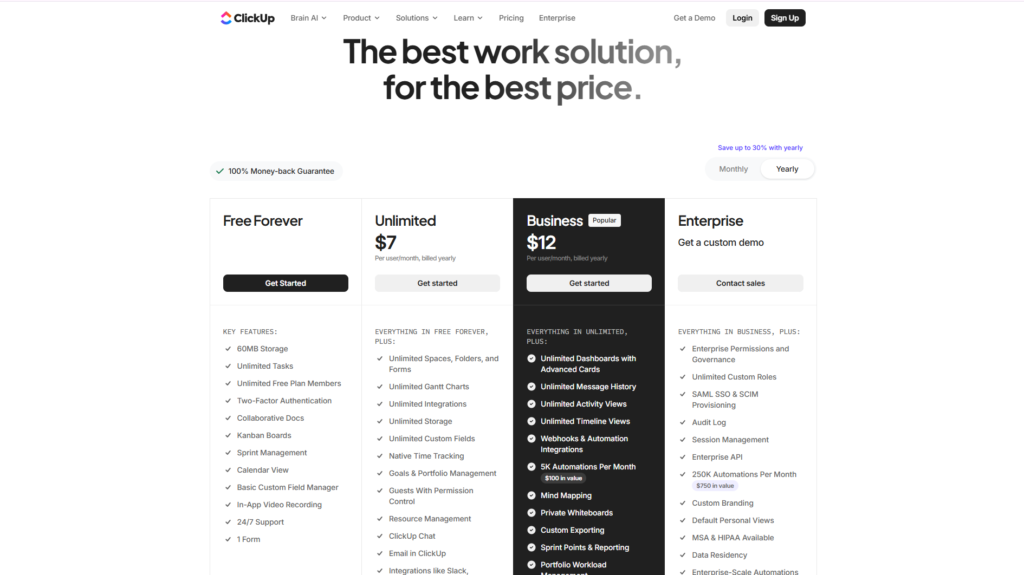
Explore the latest pricing, compare plans, and start with the Free Forever plan to experience ClickUp’s project management and AI capabilities firsthand.
Performance Test
Scored based on hands-on testing across 15 real-world productivity workflows over 3 weeks, including content production, Agile sprint planning, marketing campaign management, client collaboration, and internal documentation.
| Category | Score | Notes |
| Ease of Use | 8.7/10 | Intuitive after onboarding, but many features require time to learn. |
| Task Management | 9.8/10 | Highly flexible with excellent organization and customization. |
| Collaboration | 9.6/10 | Real-time editing, comments, mentions, Docs, and Chat work seamlessly together. |
| Automation | 9.7/10 | Powerful no-code automation engine with hundreds of templates. |
| AI Features (ClickUp Brain) | 9.3/10 | Useful for summaries, writing, planning, and workspace search, though advanced features require paid access. |
| Dashboards & Reporting | 9.5/10 | Comprehensive analytics with customizable widgets for different teams. |
| Integrations | 9.4/10 | Extensive ecosystem connecting over 1,000 business applications. |
| Mobile Experience | 7.8/10 | Solid for daily task management, but some advanced capabilities are limited compared to desktop. |
| Learning Curve | 7.5/10 | Rich functionality comes with added complexity for new users. |
| Overall Performance | 9.2/10 | One of the strongest all-in-one productivity platforms available in 2026. |
ClickUp vs Competitors
Choosing the right productivity platform often comes down to how well it fits your team’s workflow. While ClickUp is one of the most feature-rich platforms available, it isn’t the only option. Below is a comparison with four of its biggest competitors to help you determine which solution best matches your needs.
| Feature | ClickUp | Asana | Monday.com | Notion |
| Task Management | ⭐⭐⭐⭐⭐ | ⭐⭐⭐⭐☆ | ⭐⭐⭐⭐☆ | ⭐⭐⭐☆☆ |
| AI Assistant | ⭐⭐⭐⭐⭐ | ⭐⭐⭐⭐☆ | ⭐⭐⭐⭐☆ | ⭐⭐⭐⭐☆ |
| Docs & Wiki | ⭐⭐⭐⭐⭐ | ⭐⭐☆☆☆ | ⭐⭐⭐☆☆ | ⭐⭐⭐⭐⭐ |
| Dashboards | ⭐⭐⭐⭐⭐ | ⭐⭐⭐⭐☆ | ⭐⭐⭐⭐⭐ | ⭐⭐⭐☆☆ |
| Automation | ⭐⭐⭐⭐⭐ | ⭐⭐⭐⭐☆ | ⭐⭐⭐⭐⭐ | ⭐⭐⭐☆☆ |
| Customization | ⭐⭐⭐⭐⭐ | ⭐⭐⭐⭐☆ | ⭐⭐⭐⭐☆ | ⭐⭐⭐⭐⭐ |
| Ease of Learning | ⭐⭐⭐☆☆ | ⭐⭐⭐⭐☆ | ⭐⭐⭐⭐☆ | ⭐⭐⭐⭐☆ |
| Best For | Growing teams | Task management | Business operations | Knowledge management |
ClickUp vs Asana
Asana has long been recognized as one of the most user-friendly project management platforms. It offers an intuitive interface, making it easy for new teams to get started quickly.
ClickUp, however, provides significantly greater flexibility.
Compared to Asana, ClickUp offers:
- More project views
- Better document management
- Built-in Whiteboards
- Native Chat
- More advanced dashboards
- Stronger automation engine
- More customizable workflows
- Better AI workspace integration
The trade-off is complexity. Asana is easier to learn, while ClickUp requires more initial setup but rewards users with greater long-term scalability.
Choose ClickUp if:
- Your team is growing rapidly.
- You need highly customized workflows.
- You want to consolidate multiple tools into one platform.
Choose Asana if:
- Simplicity is your highest priority.
- Your projects are relatively straightforward.
- You want a shorter onboarding process.
Internal Link
→ Read our Asana Review on Flowcrai.
ClickUp vs Monday.com
Monday.com excels at visual project tracking and business process management. Its colorful interface and customizable boards make it especially popular with sales, HR, and operations teams.
ClickUp focuses more heavily on productivity and collaboration.
During testing, ClickUp offered several advantages:
- Better documentation tools
- More advanced AI capabilities
- Stronger task hierarchy
- More flexible automations
- Better value in lower-priced plans
Monday.com remains an excellent choice for organizations primarily managing operational workflows, CRM processes, or resource planning.
Choose ClickUp if:
- You need an all-in-one productivity platform.
- Documentation is an important part of your workflow.
- You want integrated AI assistance.
Choose Monday.com if:
- Your organization focuses heavily on visual workflow management.
- CRM and operations are your primary use cases.
ClickUp vs Notion
Notion is one of the most powerful knowledge management platforms available today. It excels at creating documentation, databases, and company wikis.
However, project management is not its primary strength.
ClickUp combines many of Notion’s documentation capabilities with enterprise-grade task management.
Advantages of ClickUp include:
- Better recurring task management
- Native sprint planning
- Gantt charts
- Workload management
- Time tracking
- More advanced reporting
- Stronger automation
Meanwhile, Notion remains superior for:
- Personal note-taking
- Flexible databases
- Knowledge organization
- Minimalist workspace design
Many organizations actually use both together, although ClickUp Docs has reduced that need significantly.
ClickUp vs Trello
Trello remains one of the easiest project management tools to learn.
Its Kanban boards are excellent for:
- Personal projects
- Small teams
- Simple workflows
However, as organizations grow, Trello often requires multiple Power-Ups and external integrations.
ClickUp already includes:
- Dashboards
- Docs
- AI
- Whiteboards
- Goals
- Time Tracking
- Automations
- Advanced reporting
This makes ClickUp a far more scalable long-term solution.
Who Should Use ClickUp?
ClickUp is incredibly versatile, but it delivers the greatest value for specific types of users.
✅ Marketing Agencies
Marketing agencies often manage dozens of clients simultaneously.
ClickUp helps organize:
- Content calendars
- SEO campaigns
- Social media
- Client approvals
- Creative requests
- Reporting dashboards
Its automation features can dramatically reduce repetitive project administration.
✅ Software Development Teams
ClickUp supports Agile and Scrum workflows exceptionally well.
Developers can manage:
- Sprint planning
- Product backlogs
- Bug tracking
- Feature requests
- GitHub integration
- Release planning
Combined with dashboards and reporting, engineering managers gain complete visibility into project progress.
✅ Startup Founders
Startups frequently rely on multiple disconnected tools during their early growth stages.
ClickUp allows founders to centralize:
- Product roadmap
- Marketing
- Sales
- Customer onboarding
- Documentation
- Team communication
- OKRs
This reduces software costs while improving organizational efficiency.
✅ Remote Teams
Distributed teams benefit from having one centralized workspace.
Instead of switching between Slack, Google Docs, Trello, Notion, and multiple reporting tools, ClickUp keeps conversations, documents, tasks, and dashboards together.
This reduces context switching and improves collaboration across different time zones.
✅ Freelancers & Consultants
Independent professionals can use ClickUp to organize:
- Client projects
- Deliverables
- Contracts
- Invoices
- Editorial calendars
- Time tracking
- Personal goals
The generous Free Forever plan makes it particularly attractive for solo users.
✅ Operations & Business Managers
Operations teams can automate recurring workflows such as:
- Employee onboarding
- Purchase approvals
- Internal requests
- Process documentation
- Weekly reporting
ClickUp’s automation engine helps eliminate repetitive manual work while improving consistency.
Best ClickUp Alternatives
Although ClickUp is one of our highest-rated productivity platforms, it isn’t necessarily the perfect choice for every user.
Here are four excellent alternatives.
1. Asana
Best for teams wanting a clean, intuitive project management experience with minimal setup.
Choose Asana if simplicity matters more than deep customization.
2. Monday.com
Excellent for business operations, CRM workflows, resource planning, and visual dashboards.
Choose Monday.com if operational management is your primary focus.
3. Notion
Outstanding for documentation, company wikis, personal knowledge management, and databases.
Choose Notion if documentation is more important than advanced project management.
4. Trello
Perfect for beginners managing lightweight Kanban workflows.
Choose Trello if you only need simple task boards without advanced enterprise features.
Frequently Asked Questions
Is ClickUp really free?
Yes. ClickUp offers a generous Free Forever plan that includes unlimited tasks, collaborative documents, multiple project views, whiteboards, and many core productivity features. Paid plans unlock advanced automation, AI capabilities, additional storage, and enterprise-level controls.
What is ClickUp Brain?
ClickUp Brain is ClickUp’s AI-powered assistant. It can summarize documents, generate content, answer questions about your workspace, draft task descriptions, create meeting notes, and help users locate information much faster.
Is ClickUp better than Asana?
It depends on your priorities.
ClickUp provides more customization, stronger automation, integrated documentation, and AI-powered productivity features.
Asana is generally easier to learn and may be better suited for smaller teams that value simplicity over extensive customization.
Can freelancers use ClickUp?
Absolutely.
Freelancers can manage client projects, invoices, editorial calendars, deadlines, and personal tasks using the Free Forever plan. As workloads increase, upgrading to a paid plan provides additional automation and collaboration features.
Does ClickUp work on mobile devices?
Yes.
ClickUp is available for Android and iOS, allowing users to manage tasks, comment on projects, receive notifications, and track progress while away from their computers. However, some advanced administrative and reporting features remain more comprehensive on the desktop and web versions.
Does ClickUp integrate with Google Workspace?
Yes.
ClickUp integrates with Google Drive, Google Calendar, Gmail, Google Meet, and many other Google Workspace applications, enabling seamless file sharing and scheduling.
Is ClickUp suitable for Agile teams?
Yes.
ClickUp includes sprint management, backlogs, custom statuses, burndown charts, velocity reporting, and GitHub integrations, making it a strong choice for Agile software development teams.
Can ClickUp replace multiple productivity tools?
In many cases, yes.
Organizations often replace separate applications for task management, documentation, dashboards, whiteboards, basic chat, and workflow automation with ClickUp, reducing software sprawl and improving collaboration.
Final Verdict
After several weeks of hands-on testing across content production, project planning, Agile workflows, and business operations, ClickUp consistently proved to be one of the most comprehensive productivity platforms available in 2026.
Its greatest strength lies in consolidation. Rather than forcing teams to juggle separate applications for project management, documentation, communication, reporting, automation, and AI assistance, ClickUp brings these capabilities into a single workspace. This unified approach reduces context switching, simplifies collaboration, and helps organizations scale without continually adding new software.
The platform also excels in flexibility. Whether you’re managing editorial calendars, software sprints, client campaigns, employee onboarding, or company-wide OKRs, ClickUp can be adapted to fit almost any workflow. Combined with ClickUp Brain, powerful automations, customizable dashboards, and an extensive integration ecosystem, it offers excellent long-term value for growing teams.
That said, ClickUp is not without drawbacks. New users should expect a learning curve, particularly when configuring complex workspaces or exploring its many advanced features. The interface can feel overwhelming at first, and some AI capabilities require paid subscriptions. However, these trade-offs are relatively minor compared with the productivity gains the platform can deliver once properly configured.
Overall, we confidently recommend ClickUp for startups, marketing agencies, software development teams, operations departments, consultants, and businesses looking to replace multiple disconnected productivity tools with a single, scalable platform.
Overall Rating: ⭐⭐⭐⭐⭐ 4.8/5
If you’re searching for an all-in-one productivity solution that combines powerful project management with collaboration, automation, and AI, ClickUp is absolutely worth trying in 2026.
🚀 Ready to Get Started?
Start with the Free Forever plan to explore ClickUp’s core features, then upgrade as your team grows and your workflow becomes more advanced.
🚀 Explore More AI & Productivity Software Reviews
Continue reading our in-depth reviews of leading productivity platforms, including Asana, Monday.com, Notion, Trello, Jira, Airtable, Wrike, and other project management solutions to find the best fit for your workflow.