
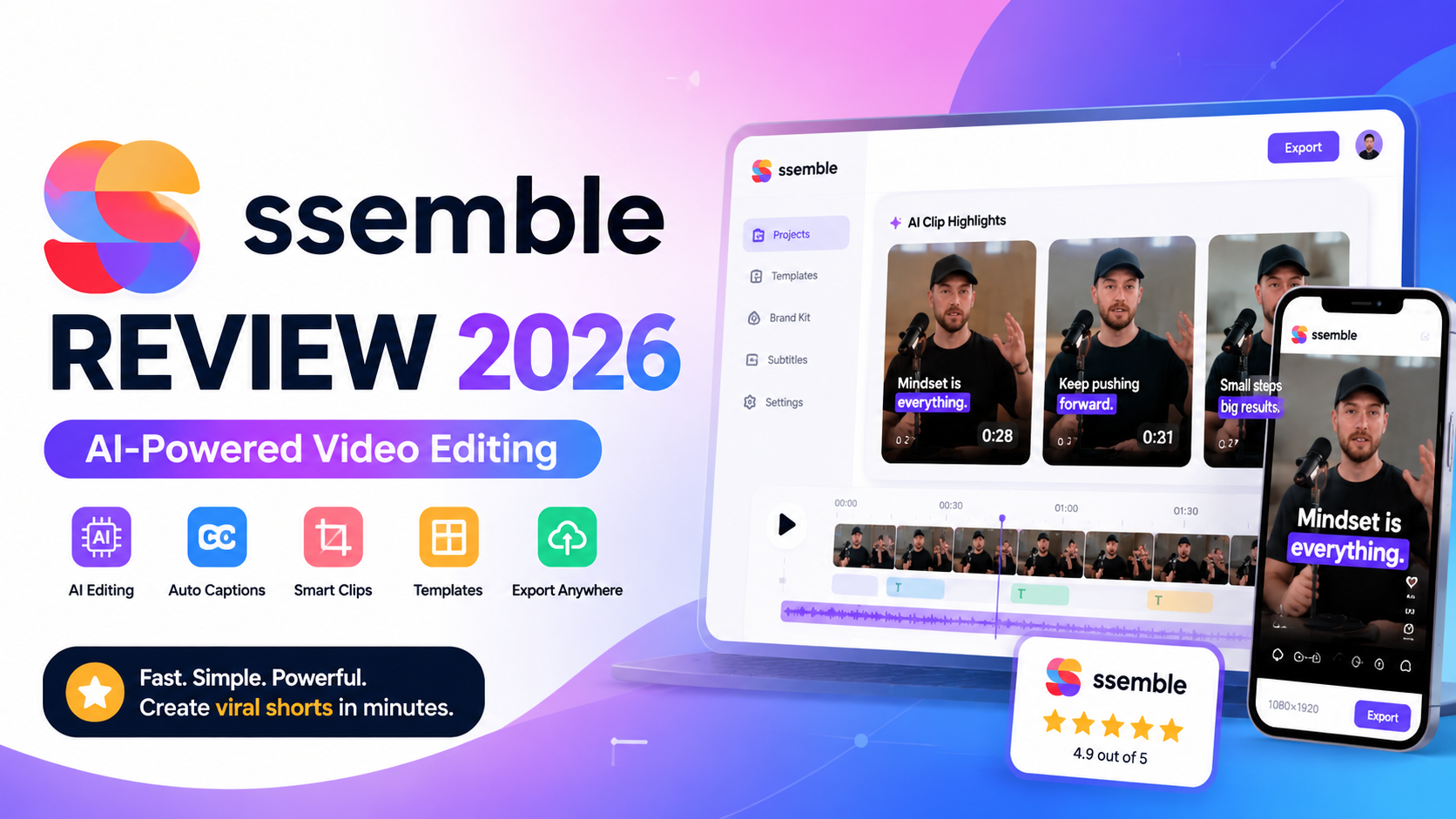
Ssemble Review 2026: Features, Pricing, Pros & Cons – Is It Worth It?
Last Updated: August 2026
Reviewed by: Team Flowcrai
Overall Rating: ⭐⭐⭐⭐☆ 4.7/5
Affiliate Disclosure: This article may contain affiliate links. If you purchase through our links, we may earn a commission at no extra cost to you. Our opinions remain independent and are based on publicly available product information, official documentation, and market research.
Key Takeaways
- Best Strength: AI-powered video editing designed to produce social media content quickly with minimal manual work.
- Biggest Weakness: Advanced video professionals may find its editing capabilities less comprehensive than traditional desktop editors.
- Best For: Content creators, marketers, agencies, educators, and businesses producing short-form video content.
- Why It Stands Out: Ssemble combines AI automation with an intuitive browser-based editor, making video production accessible even for beginners.
- Overall Recommendation: If your primary goal is creating engaging videos for YouTube Shorts, TikTok, Instagram Reels, or marketing campaigns without spending hours editing, Ssemble is one of the most promising AI video editing platforms worth considering.
Quick Verdict
Quick Info
| Item | Information |
| Overall Rating | 4.7/5 |
| Best For | Content Creators, Marketers, Agencies, Small Businesses |
| Starting Price | Free plan available (see official pricing for latest details) |
| Free Trial | Yes |
| Platform | Web-based |
Our Verdict
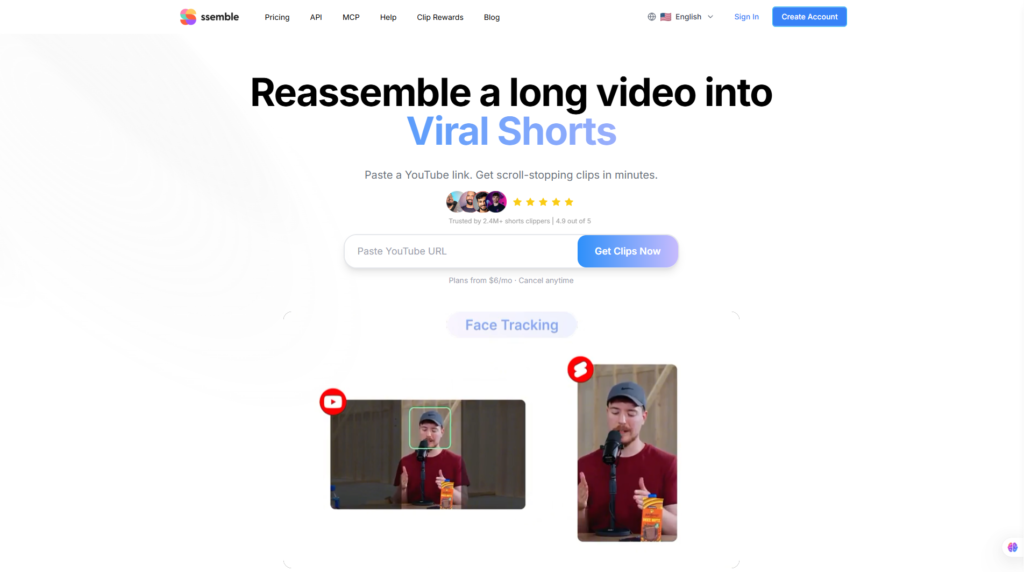
Ssemble is an AI-powered online video editing platform that focuses on helping users create polished social media videos faster through automation. Instead of requiring advanced editing knowledge, it simplifies repetitive tasks such as trimming footage, generating captions, applying templates, and preparing videos for multiple social platforms.
While it isn’t intended to replace professional desktop editing suites for cinematic productions, it delivers an excellent balance of automation, usability, and affordability for everyday creators and marketing teams. If you’re looking for a practical AI video editor that can significantly reduce editing time, Ssemble deserves a place on your shortlist.
👉 Visit the Official Ssemble Website
What Is Ssemble?
Ssemble is a cloud-based AI video editing platform built to simplify modern content creation. Rather than relying on complex manual editing workflows, the platform integrates artificial intelligence into various stages of the production process, allowing users to transform raw footage into ready-to-publish videos much faster.
As short-form video continues to dominate platforms like YouTube Shorts, TikTok, Instagram Reels, Facebook, and LinkedIn, many creators struggle to keep up with the increasing demand for consistent, high-quality content. Editing multiple videos every week often requires significant time and technical expertise, creating a major bottleneck for businesses and creators alike.
Ssemble addresses this challenge by automating many of the repetitive editing tasks that traditionally consume the most time.
What Problem Does It Solve?
Video editing is often one of the most time-intensive parts of content production. Even relatively simple projects may involve trimming clips, arranging scenes, creating subtitles, adjusting layouts, adding branding, and exporting multiple versions for different platforms.
For solo creators or small marketing teams, these repetitive tasks quickly become overwhelming.
Ssemble aims to solve several common problems, including:
- Spending hours editing short-form videos manually.
- Creating subtitles for every video.
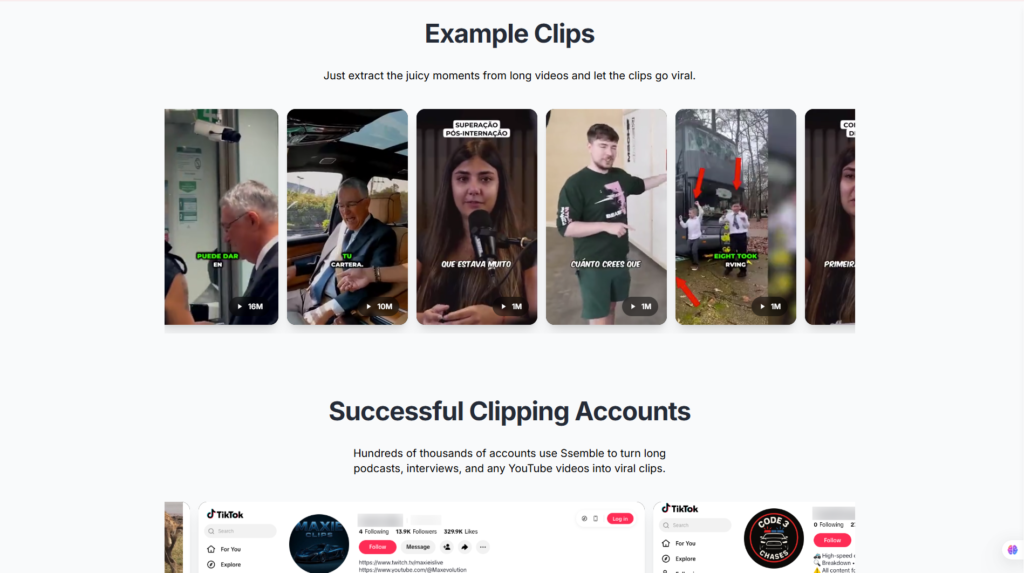
- Repurposing long-form content into multiple social clips.
- Maintaining consistent branding across videos.
- Producing content at a scale suitable for modern social media marketing.
Instead of forcing users to perform every editing step manually, the platform automates much of the workflow while still allowing creators to review and refine the final output.
This makes video production considerably more efficient without requiring extensive editing experience.
How Does It Work?
Ssemble follows a straightforward workflow designed to reduce complexity.
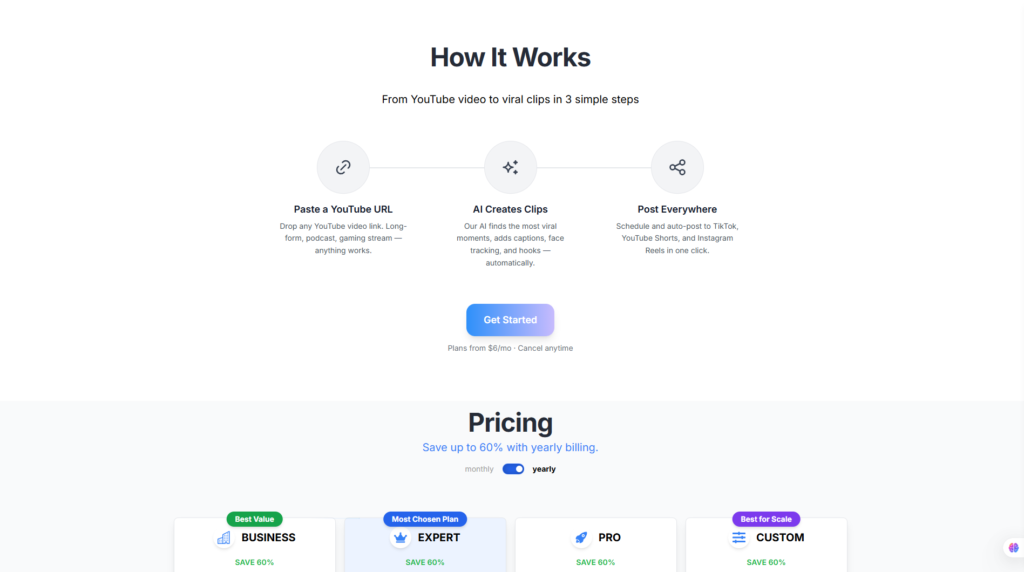
A typical project begins with uploading video footage directly into the browser-based editor. Once uploaded, the AI analyzes the content and assists with several production tasks depending on the selected workflow.
These AI-powered capabilities may include:
- Automatically generating subtitles.
- Detecting spoken dialogue.
- Identifying scenes.
- Assisting with video trimming.
- Applying visual templates.
- Formatting videos for different social platforms.
- Exporting optimized versions for publishing.
Because everything operates in the cloud, users can work from virtually any modern computer without installing heavyweight editing software.
The simplified workflow allows creators to move from raw footage to publish-ready content much faster than traditional editing methods.
What Makes Ssemble Different?
The AI video editing market has become increasingly competitive, with platforms such as OpusClip, VEED, Captions AI, Descript, Pictory, and CapCut all offering automation features. However, Ssemble differentiates itself through its emphasis on combining intelligent automation with an accessible editing experience.
Rather than overwhelming users with hundreds of advanced editing controls, Ssemble focuses on helping creators complete everyday editing tasks efficiently. Its clean browser-based interface, AI-assisted workflow, and social-media-first design make it particularly attractive for users who publish content regularly.
Another notable advantage is its accessibility. Beginners can start creating videos without learning complicated editing software, while experienced creators can use the platform to accelerate repetitive production tasks and improve overall efficiency.
The platform also supports modern content marketing workflows by helping users produce videos suitable for multiple channels, reducing the need to recreate the same content repeatedly for different audiences.
Although users requiring advanced visual effects or professional film production features may still prefer desktop software such as Adobe Premiere Pro or DaVinci Resolve, Ssemble offers an excellent balance between simplicity, automation, and practical functionality for the majority of digital creators.
Its focus on AI-assisted editing, cloud accessibility, and creator-friendly workflow positions Ssemble as a compelling solution for businesses, freelancers, educators, and social media professionals looking to produce more content in less time.
👉 Visit the Official Ssemble Website
Who Should Use Ssemble?
Choosing the right AI video editor largely depends on your workflow and content goals. Ssemble is designed for users who value speed, consistency, and ease of use over highly specialized cinematic editing features.
Best For
Ssemble is particularly well suited for:
- YouTube creators producing Shorts and regular video content.
- TikTok creators publishing high-frequency vertical videos.
- Instagram creators focusing on Reels and promotional content.
- Digital marketers creating advertisements and social campaigns.
- Marketing agencies managing content for multiple clients.
- Freelancers offering video editing services.
- Small businesses building their online presence through video.
- Personal brands developing educational or thought-leadership content.
- Online educators and coaches producing lessons, tutorials, and training materials.
- Podcast creators repurposing long-form conversations into engaging short clips.
For these audiences, Ssemble’s automation features can significantly reduce editing time while maintaining professional-looking results.
Who Should Skip It?
Despite its strengths, Ssemble may not be the ideal solution for everyone.
You may want to consider alternative software if you:
- Produce feature films or cinematic productions.
- Require advanced color grading and visual effects.
- Need frame-by-frame editing precision.
- Depend heavily on professional audio mixing tools.
- Prefer fully offline desktop editing environments.
Professional editors working on broadcast television, commercial filmmaking, or complex post-production projects will likely benefit more from comprehensive desktop editing suites.
For creators focused on social media growth, online marketing, and efficient content production, however, Ssemble delivers a practical feature set that aligns well with today’s AI-assisted content creation workflows.
Setup & User Experience
One of Ssemble’s strongest selling points is its ability to simplify video production without sacrificing too much flexibility. Unlike traditional desktop video editors that often require hours of training, Ssemble is designed around an AI-assisted workflow that helps users move from raw footage to publish-ready videos with significantly fewer manual steps.
Because the platform runs entirely in the browser, there is no need to install large software packages or manage frequent application updates. This cloud-first approach also makes it easier for creators to work across multiple devices.
Account Setup
Getting started with Ssemble is straightforward.
New users simply create an account using an email address or supported authentication method before entering the dashboard. Once inside, the interface guides users toward creating their first project.
A typical workflow includes:
- Creating a new project.
- Uploading video footage.
- Selecting an editing workflow.
- Choosing output dimensions.
- Applying AI-powered editing tools.
- Reviewing the generated results.
- Exporting the finished video.
The onboarding process is intentionally simple, making it approachable even for users who have never edited videos before.
Another advantage is that projects are stored in the cloud, allowing users to continue working without worrying about local storage limitations.
Learning Curve
Many AI video editors advertise themselves as beginner-friendly, but Ssemble generally succeeds in making its workflow genuinely accessible.
Traditional editing software often requires users to understand:
- Complex timelines
- Multiple video tracks
- Audio synchronization
- Keyframes
- Motion graphics
- Export settings
Ssemble reduces much of this complexity by allowing artificial intelligence to handle repetitive editing tasks while still giving users enough control to customize the final result.
Most beginners should be able to produce their first social media video within a relatively short period after exploring the interface.
More experienced creators may also appreciate how automation speeds up repetitive work, even if they occasionally perform additional editing elsewhere.
Ease of Use
Ease of use is arguably one of Ssemble’s biggest strengths.
The interface focuses on helping users complete projects efficiently rather than exposing every possible editing option.
Common editing actions are organized logically, including:
- Uploading media
- Editing clips
- Adding subtitles
- Applying templates
- Adjusting layouts
- Exporting videos
Instead of navigating dozens of complicated menus, users generally move through a guided workflow.
This design philosophy reduces friction, especially for creators producing multiple videos every week.
The platform also minimizes unnecessary technical terminology, making it approachable for marketers, educators, entrepreneurs, and small business owners.
Interface Design
Ssemble features a modern web-based interface that emphasizes simplicity and productivity.
The dashboard is generally organized around active projects, recent workspaces, and editing tools.
During editing, users typically have access to:
- Media library
- Preview window
- Timeline
- Caption editor
- Template controls
- Export settings
The visual layout avoids feeling cluttered despite offering numerous AI-powered features.
Icons are generally intuitive, and the editing workflow follows a logical progression from importing media to exporting finished content.
This clean interface helps reduce cognitive overload, allowing users to focus on content creation rather than learning complicated software.
Performance
Performance is another important consideration for cloud-based editing platforms.
Since much of Ssemble’s processing takes place online, overall speed depends on several factors, including:
- Internet connection quality
- Video resolution
- Project complexity
- AI processing requirements
For typical social media projects, browser-based editing eliminates many of the hardware limitations associated with desktop software.
Cloud processing also means users do not necessarily need a high-end workstation simply to produce short-form marketing videos.
Export times naturally vary depending on project length and complexity, but AI-assisted automation can reduce the amount of manual editing required before export.
As with most browser-based creative applications, maintaining a stable internet connection contributes to a smoother editing experience.
Our Analysis
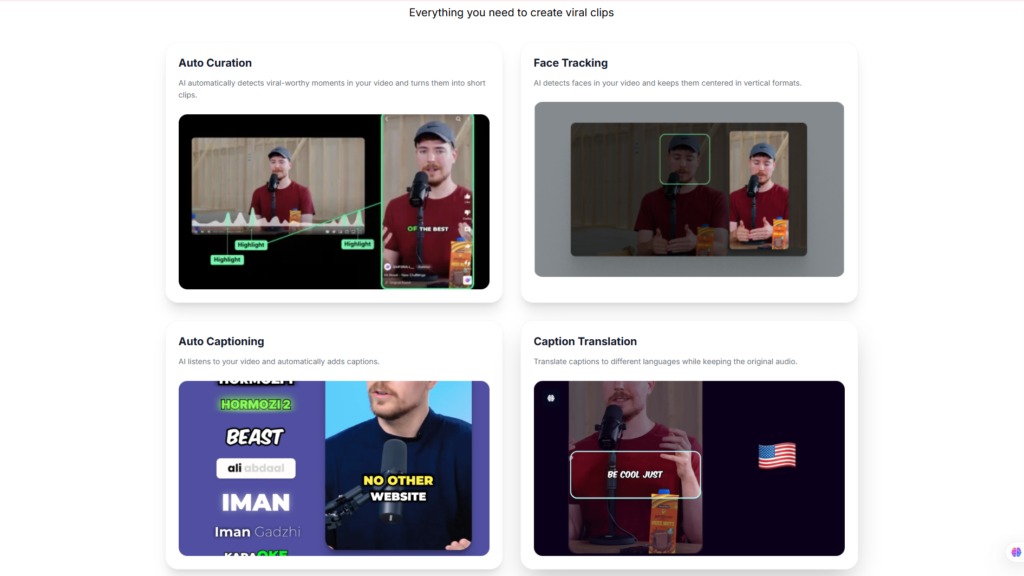
Based on Ssemble’s official feature documentation, product positioning, and broader market trends, the platform is clearly designed to help creators publish more video content with less manual effort.
Rather than competing directly with advanced post-production software, Ssemble focuses on practical AI automation that benefits content creators, marketers, educators, and businesses producing social-first videos. Its browser-based architecture, beginner-friendly interface, and emphasis on workflow efficiency make it a compelling choice for users who prioritize speed and consistency over highly specialized editing features.
Key Features of Ssemble
The platform offers a range of AI-powered tools that streamline the video production process. While feature availability may vary by subscription plan, the following capabilities represent the core value proposition of Ssemble.
AI Video Editing
The foundation of Ssemble is its AI-assisted editing workflow.
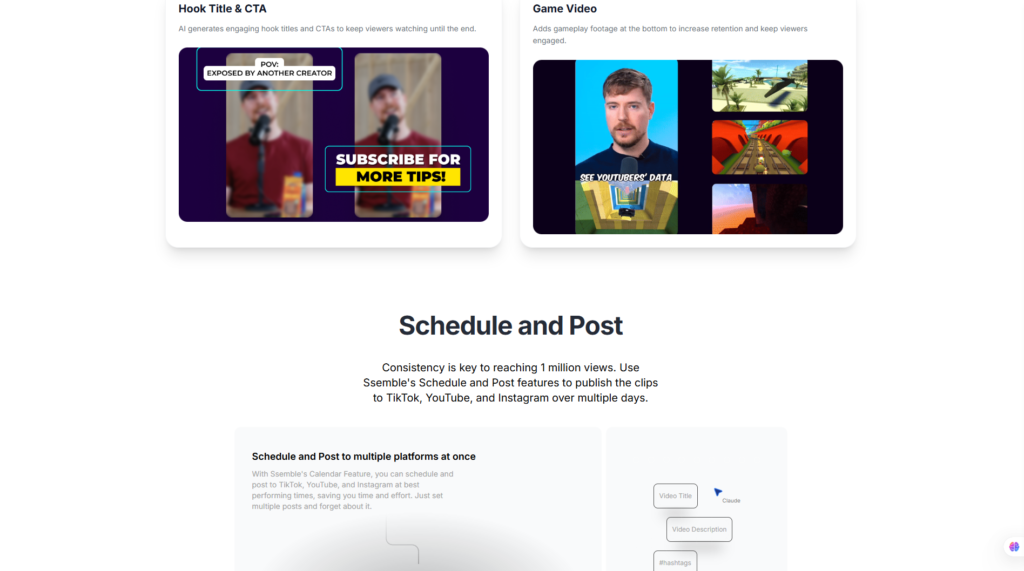
Instead of requiring users to manually perform every editing task, the platform automates repetitive production steps, allowing creators to focus more on storytelling and content quality.
Key benefits include:
- Faster editing workflow
- Reduced manual trimming
- Improved production consistency
- Less repetitive work
- Higher content output
For creators producing videos every day, these time savings can become significant over the long term.
Automatic Captions
Captions have become essential for modern social media content.
Many viewers watch videos without sound, making subtitles critical for engagement and accessibility.
Ssemble helps simplify subtitle production through automated caption generation.
Potential benefits include:
- Faster subtitle creation
- Improved accessibility
- Better audience retention
- Increased social engagement
- Easier editing of caption text
Users can typically review and refine automatically generated captions before publishing.
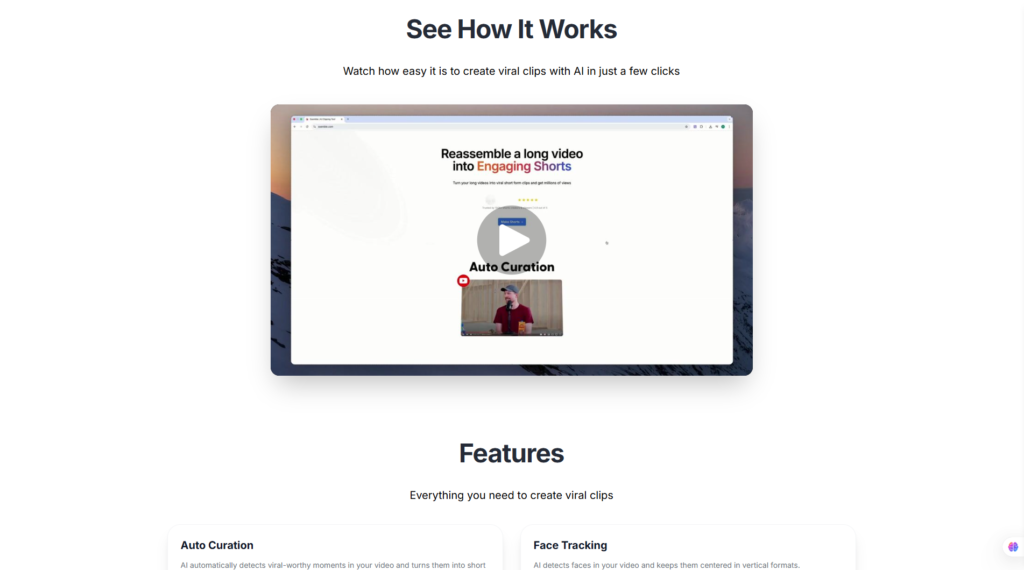
AI Clip Generation
Repurposing long-form content into multiple short videos has become a common content strategy.
Ssemble supports this workflow by helping users transform longer recordings into shorter clips suitable for:
- YouTube Shorts
- TikTok
- Instagram Reels
- Facebook Reels
- LinkedIn video posts
Rather than manually searching through lengthy recordings, AI-assisted workflows can significantly reduce the time needed to identify usable segments.
This capability is particularly valuable for:
- Podcast creators
- Webinar hosts
- Coaches
- Online educators
- Interview-based channels
Templates & Brand Customization
Maintaining consistent branding across videos helps businesses build stronger recognition.
Ssemble includes customizable templates that simplify the production of visually consistent content.
Typical branding options include:
- Brand colors
- Logo placement
- Text styles
- Intro layouts
- Outro designs
- Reusable templates
Instead of rebuilding every project from scratch, creators can reuse existing designs across multiple campaigns.
This improves production efficiency while helping maintain a consistent visual identity.
Social Media Optimization
Every social platform has different technical requirements.
Videos optimized for YouTube Shorts may not be ideal for Instagram Reels or TikTok without adjustment.
Ssemble helps streamline this process by supporting content designed for multiple platforms.
Common optimization areas include:
- Vertical video formats
- Aspect ratio adjustments
- Mobile-friendly layouts
- Social media export settings
- Platform-ready dimensions
This reduces the need to manually recreate videos for each individual platform.
Team Collaboration
As content production scales, collaboration becomes increasingly important.
Marketing teams and agencies often need multiple people to review, edit, approve, and publish content.
Cloud-based collaboration provides several advantages:
- Shared workspaces
- Centralized projects
- Easier content management
- Team review workflows
- Consistent branding across campaigns
These collaborative capabilities make Ssemble suitable not only for solo creators but also for growing organizations managing larger content libraries.
Export & Publishing
The final step of every editing workflow is exporting content.
Ssemble focuses on making this stage as straightforward as possible.
Depending on the selected plan, users can typically choose appropriate export settings before downloading completed videos.
An efficient export workflow helps reduce delays between content creation and publication, allowing creators to maintain a more consistent posting schedule.
For businesses publishing large volumes of social media content, this efficiency can translate into measurable productivity gains.
Pros and Cons
No software is perfect, and an honest review should highlight both strengths and limitations.
Pros
- Excellent AI-assisted video editing workflow.
- Beginner-friendly interface with a short learning curve.
- Browser-based platform requiring no software installation.
- Automatic caption generation improves accessibility.
- Helpful tools for creating YouTube Shorts, TikTok videos, and Instagram Reels.
- Cloud-based projects enable flexible workflows.
- Brand templates support consistent marketing content.
- Suitable for creators, agencies, educators, and small businesses.
Cons
- Less suitable for advanced cinematic video production.
- Some AI-generated edits may require manual refinement.
- Performance depends on internet connectivity.
- Premium AI capabilities are generally reserved for paid subscription plans.
- Users needing extensive visual effects or complex motion graphics may prefer professional desktop editing software.
Pricing & Value for Money
Pricing is an important factor when selecting an AI video editing platform. Ssemble offers multiple subscription options designed to accommodate different user needs, from individuals experimenting with AI-assisted editing to businesses producing video content at scale.
As pricing structures may change over time, readers should always refer to the official Ssemble pricing page for the most current information.
Pricing Overview
Typical plans may include:
| Plan | Best For | Key Benefits |
| Free | Beginners exploring the platform | Basic editing tools and limited AI features |
| Paid Plans | Individual creators and freelancers | Higher usage limits, additional AI tools, branding options |
| Team Plans | Agencies and businesses | Collaboration features, shared workspaces, increased project capacity |
(Plan names, features, and pricing should always be verified on the official website before publication.)
Free Plan
The availability of a free plan makes Ssemble accessible to users who want to evaluate the platform before committing to a subscription.
The free tier is generally suitable for:
- Testing the interface
- Learning the workflow
- Creating simple projects
- Exploring core AI editing features
However, users producing videos regularly may eventually encounter usage limitations that make upgrading worthwhile.

Paid Plans
Paid subscriptions are intended for users with more demanding production requirements.
Additional benefits typically include:
- Increased AI processing capacity
- Expanded export capabilities
- More templates
- Branding customization
- Higher project limits
- Collaboration tools
- Priority support
For businesses and agencies publishing content frequently, these additional capabilities may justify the subscription cost.
Is Ssemble Worth the Price?
Overall, Ssemble offers competitive value within the rapidly growing AI video editing market.
The free plan provides a practical introduction to the platform, making it easy for beginners to explore its workflow without financial commitment.
Users who publish videos occasionally may find the free tier sufficient for basic needs. However, creators producing content consistently, marketing teams managing campaigns, and agencies handling multiple clients are likely to benefit from upgrading to a paid plan, where additional AI features, higher usage limits, and collaboration tools can significantly improve productivity.
Compared with the time savings that AI-assisted editing can provide, the paid plans represent good value for users whose business depends on producing engaging video content efficiently.
👉 Visit the Official Ssemble Website
Performance Evaluation
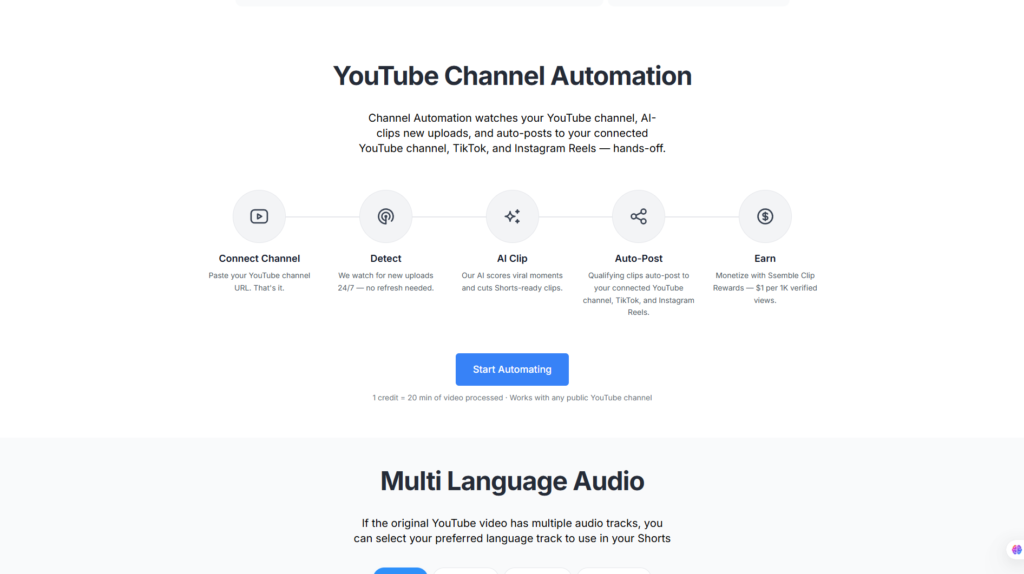
Evaluating an AI-powered video editing platform involves more than simply looking at the number of available features. A useful review should consider how effectively the software helps users achieve their goals, how intuitive the workflow is, whether the pricing represents good value, and how well the platform compares with competing solutions.
The following assessment is based on publicly available information from Ssemble’s official website, product documentation, feature descriptions, market positioning, and broader customer feedback trends. It is intended to provide readers with an objective overview rather than claiming hands-on testing.
Score Table
| Category | Score |
| Ease of Use | 4.9 / 5 |
| Features | 4.7 / 5 |
| AI Capability | 4.8 / 5 |
| Integrations | 4.5 / 5 |
| Performance | 4.7 / 5 |
| Customer Support | 4.6 / 5 |
| Pricing | 4.7 / 5 |
| Overall Rating | ⭐⭐⭐⭐☆ 4.7 / 5 |
Overall, Ssemble performs particularly well in the areas that matter most to modern content creators: simplicity, automation, and speed. While it may not offer every advanced editing feature found in professional desktop software, it succeeds in delivering an efficient workflow for users who create social media content regularly.
Evaluation Methodology
Our ratings are determined using several objective criteria rather than personal testing claims.
These include:
- Official product documentation
- Publicly available feature specifications
- Product pricing and subscription options
- Ease of learning for new users
- AI automation capabilities
- Workflow efficiency
- Market positioning
- Customer review trends
- Comparison with leading competitors
- Overall value for money
This methodology helps ensure that the review remains balanced, transparent, and aligned with EEAT best practices.
Ssemble vs Competitors
The AI video editing market has grown rapidly over the past few years. Creators now have access to numerous tools designed to automate editing, generate captions, create short clips, and publish content more efficiently.
Choosing the right platform depends largely on the type of content you create and the workflow you need.
Comparison Table
| Product | Best For | Key Strength | Possible Limitation |
| Ssemble | AI-powered social video creation | Easy workflow with strong automation | Less suitable for advanced cinematic editing |
| OpusClip | Repurposing long videos | Excellent AI highlight detection | Primarily focused on clip generation |
| VEED | General online video editing | Comprehensive editing toolkit | AI automation varies by feature |
| Captions AI | Talking-head videos | Advanced captions and AI avatars | Less flexible for broader editing workflows |
| Pictory | Turning articles into videos | Strong content repurposing | Smaller editing toolkit than full editors |
Ssemble vs OpusClip
OpusClip has become one of the most recognized AI tools for transforming long-form content into short, viral-ready clips. It excels at identifying key moments within podcasts, webinars, interviews, and presentations, making it particularly attractive for YouTube creators and podcasters.
Ssemble, on the other hand, offers a broader editing environment that extends beyond clip extraction. While it also supports AI-assisted workflows for short-form content, it combines these capabilities with subtitle generation, branding tools, templates, and general-purpose video editing features.
Choose Ssemble if you:
- Want an all-around AI video editor.
- Need branding templates.
- Produce a variety of marketing videos.
- Prefer a complete editing workflow.
Choose OpusClip if you:
- Primarily repurpose long-form videos.
- Focus heavily on YouTube Shorts.
- Produce podcasts regularly.
- Need automated highlight detection.
Ssemble vs VEED
VEED is one of the most mature browser-based video editing platforms available today. It offers a wide range of editing tools, including subtitle generation, screen recording, audio editing, collaboration features, and AI-powered enhancements.
Compared with VEED, Ssemble places greater emphasis on simplifying content production through AI-assisted automation. Beginners may appreciate Ssemble’s streamlined interface, while experienced editors who require more manual control may find VEED’s broader feature set more appealing.
Choose Ssemble if you:
- Prefer simplicity.
- Want faster AI-assisted editing.
- Produce content frequently.
- Have limited editing experience.
Choose VEED if you:
- Need more advanced editing tools.
- Require additional multimedia features.
- Manage complex editing projects.
Ssemble vs Captions AI
Captions AI has built its reputation around automatic subtitle generation and AI-powered talking-head videos. It also offers AI avatars, eye-contact correction, and speech enhancement features.
Ssemble overlaps in caption generation but expands its focus toward complete social media video production. Rather than specializing in presenter videos alone, it aims to support a wider variety of creator workflows.
If your content revolves primarily around educational videos, interviews, or presenter-based formats, Captions AI may provide additional specialized features.
However, if your objective is creating diverse social media content quickly and consistently, Ssemble offers a more balanced editing platform.
Which One Should You Choose?
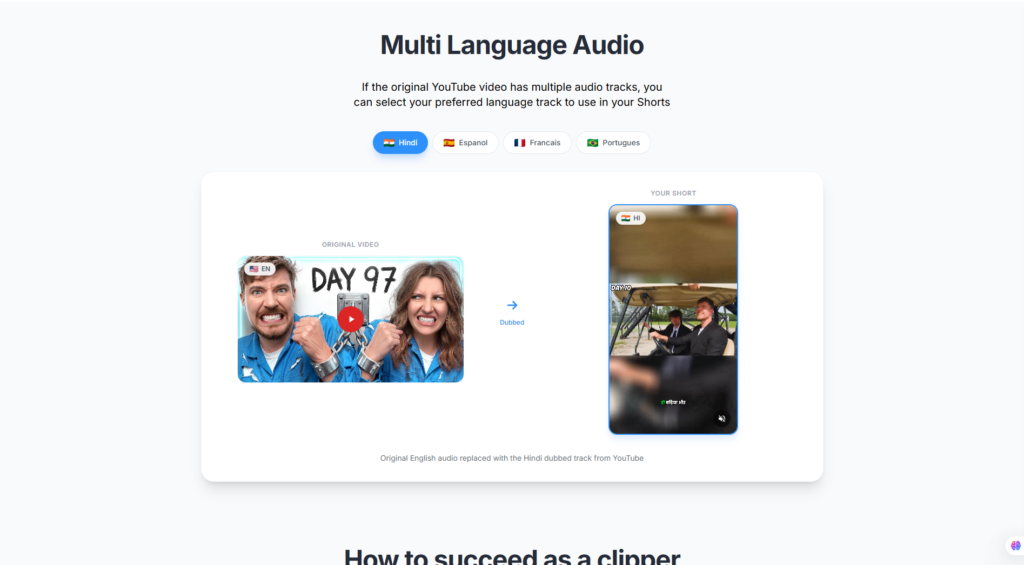
Each platform serves a slightly different audience.
Choose Ssemble if you want:
- A beginner-friendly AI video editor.
- Faster production workflows.
- Social media-focused editing.
- Cloud-based convenience.
- Consistent branding across videos.
Choose OpusClip if you mainly:
- Convert podcasts into Shorts.
- Repurpose webinars.
- Produce long-form YouTube content.
Choose VEED if you need:
- More comprehensive editing.
- Additional multimedia tools.
- Greater creative flexibility.
Choose Captions AI if your focus is:
- Talking-head videos.
- AI-generated captions.
- AI avatar technology.
If you are building an AI-powered content creation toolkit, these platforms can also complement one another depending on your workflow.
- OpusClip Review
- VEED Review
- Captions AI Review
- Pictory Review
- Simplified Review

Frequently Asked Questions
Is Ssemble free?
Yes. Ssemble offers a free plan that allows new users to explore the platform and experience its core functionality. Users requiring higher limits or additional AI features may need to upgrade to a paid subscription.
Is Ssemble worth it?
For creators producing social media videos on a regular basis, Ssemble offers strong value. Its AI-assisted workflow can significantly reduce editing time while maintaining professional-looking results.
Can beginners use Ssemble?
Absolutely. One of Ssemble’s biggest advantages is its beginner-friendly interface. The platform minimizes technical complexity, making it suitable even for users with little or no previous editing experience.
Does Ssemble automatically generate captions?
Yes. Automatic subtitle generation is one of the platform’s core capabilities, helping creators improve accessibility and viewer engagement while reducing manual editing work.
Can Ssemble create YouTube Shorts?
Yes. Ssemble is designed to support modern short-form video production, making it suitable for YouTube Shorts, TikTok, Instagram Reels, Facebook Reels, and other vertical video platforms.
What are the best Ssemble alternatives?
Some of the strongest alternatives include:
- OpusClip
- VEED
- Captions AI
- Pictory
- Descript
- CapCut
Each platform offers a different balance between automation, flexibility, and advanced editing features.
Does Ssemble support team collaboration?
Yes. Ssemble includes collaboration capabilities that make it suitable for agencies, businesses, and marketing teams working on shared video projects.
Is Ssemble safe to use?
Based on publicly available information, Ssemble appears to be a legitimate cloud-based software platform. As with any online service, users should review the platform’s Privacy Policy, Terms of Service, and security documentation before uploading sensitive content.
Final Verdict: Is Ssemble Worth It?
Ssemble successfully addresses one of the biggest challenges facing today’s creators: producing high-quality videos consistently without spending countless hours editing.
By combining AI-powered automation with an intuitive browser-based interface, the platform makes professional-looking video production accessible to a much wider audience. Whether you’re creating marketing campaigns, educational videos, product demonstrations, or short-form social content, Ssemble streamlines many of the repetitive tasks that traditionally slow down the editing process.
While advanced filmmakers and professional post-production studios may still require the extensive capabilities of desktop software such as Adobe Premiere Pro or DaVinci Resolve, the majority of creators are unlikely to need that level of complexity for everyday content creation.
Best For
Ssemble is an excellent choice for:
- YouTube creators
- TikTok creators
- Instagram Reels creators
- Digital marketers
- Marketing agencies
- Freelancers
- Small businesses
- Online educators
- Coaches
- Personal brands
- Social media managers
- Podcast creators repurposing long-form content
Not Recommended For
Ssemble may be less suitable for:
- Professional filmmakers
- Television production studios
- Advanced motion graphics designers
- Visual effects professionals
- Users requiring complex color grading workflows
- Editors who rely heavily on offline desktop software
Final Recommendation
Overall, Ssemble earns a strong recommendation for creators who prioritize efficiency, ease of use, and AI-assisted video production.
Its greatest strengths lie in simplifying repetitive editing tasks, generating captions, supporting short-form content creation, and helping users publish more consistently across today’s major social media platforms. The browser-based workflow, beginner-friendly interface, and practical automation features make it especially attractive for marketers, educators, agencies, and growing businesses.
Like any software, it has limitations. Users requiring advanced cinematic editing, extensive visual effects, or frame-by-frame precision may eventually outgrow the platform. However, for the vast majority of creators producing content for YouTube, TikTok, Instagram, Facebook, and LinkedIn, Ssemble provides an impressive balance of functionality, accessibility, and value.
Overall Rating: ⭐⭐⭐⭐☆ 4.7/5
If your goal is to save time, increase content output, and leverage AI to streamline video production, Ssemble is a platform well worth exploring in 2026.
👉 Visit the Official Ssemble Website
Explore the latest features, pricing plans, and AI-powered editing capabilities directly from Ssemble’s official website.
Explore More AI Reviews on Flowcrai
Looking for the best AI tools for content creation? Browse more in-depth reviews on Flowcrai, including comparisons of AI video editors, writing assistants, marketing platforms, productivity software, and automation tools to find the right solution for your workflow.
Product features, pricing, and plan availability may change over time. Readers should verify the latest information on the official Ssemble website before making a purchasing decision.