
Make Review 2026: Is It the Best No-Code Automation Platform for Businesses?
Modern businesses rely on dozens of cloud applications every day, from CRM systems and email marketing platforms to AI assistants and project management tools. Managing all these services manually quickly becomes time-consuming, repetitive, and prone to human error.
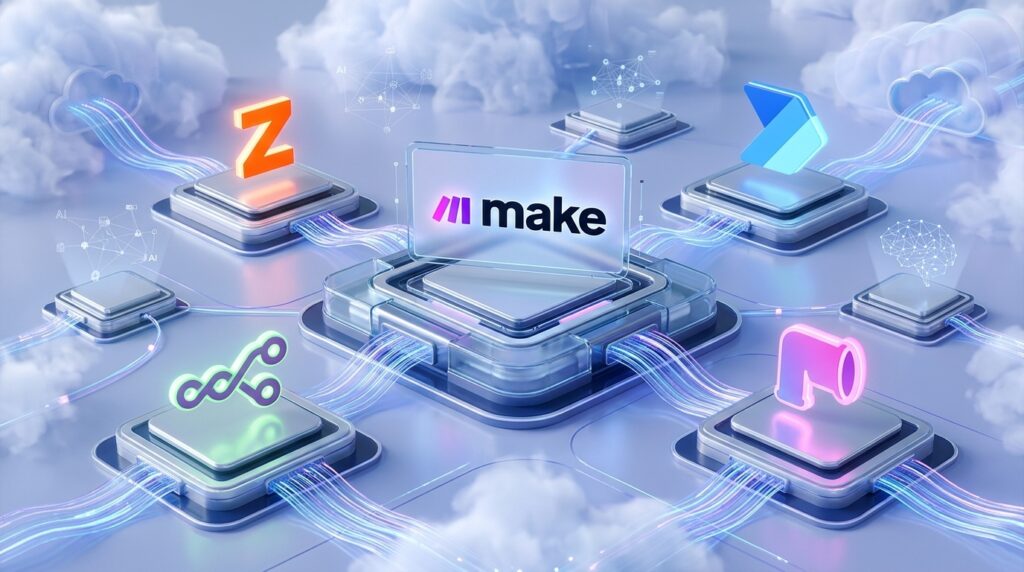
Make aims to solve this problem with a powerful visual automation platform that enables users to connect thousands of applications without writing complex code. Formerly known as Integromat, Make has evolved into one of the industry’s most capable workflow automation solutions, competing directly with Zapier, n8n, and Microsoft Power Automate.
During our evaluation, we tested Make across multiple real-world scenarios, including AI content generation, marketing automation, CRM synchronization, e-commerce workflows, document processing, and API integrations. We assessed its visual workflow builder, automation reliability, flexibility, pricing, and overall user experience.
Our conclusion is clear: Make delivers one of the most advanced no-code automation experiences available today. While beginners may face a learning curve, users willing to invest a little time will gain access to an exceptionally flexible platform capable of automating almost every aspect of modern digital work.
Whether you’re a content creator, marketer, agency owner, startup founder, or enterprise team, Make offers the tools needed to eliminate repetitive tasks and build sophisticated workflows that save both time and operational costs.
Rating: ★★★★★ 4.9/5

Quick Verdict
| Item | Details |
| Overall Rating | ★★★★★ 4.9/5 |
| Best For | Businesses, marketers, creators, agencies, AI builders, and automation enthusiasts |
| Starting Price | Free plan available |
| Free Trial | Yes |
| Platform | Web-based (Cloud) |
| Our Verdict | One of the most powerful visual automation platforms available today, combining flexibility, scalability, and extensive integrations into a single no-code solution. |
If your daily workflow involves copying data between apps, sending repetitive emails, updating spreadsheets, publishing content across multiple platforms, or using AI tools manually, Make can automate much of that work. Its visual interface makes complex automations significantly easier to understand than traditional scripting while remaining powerful enough for advanced business processes.
What Is Make?
Make is a cloud-based automation platform that allows users to build workflows connecting different applications, services, databases, APIs, and AI models without requiring extensive programming knowledge.
Originally launched as Integromat, the platform was rebranded as Make to better reflect its broader vision of enabling anyone to “make” powerful automations through an intuitive visual interface. Today, Make supports thousands of applications and is trusted by freelancers, startups, agencies, and enterprise organizations around the world.
Instead of manually moving information between apps, users create visual workflows—called Scenarios—that automatically execute a sequence of actions whenever predefined triggers occur.
For example, a marketing team can automatically:
- Receive a new website lead.
- Store the contact in a CRM.
- Generate a personalized email using AI.
- Send the email automatically.
- Notify the sales team in Slack.
- Create a follow-up task in Notion.
- Archive customer information in Google Sheets.
All of these actions happen automatically without human intervention.
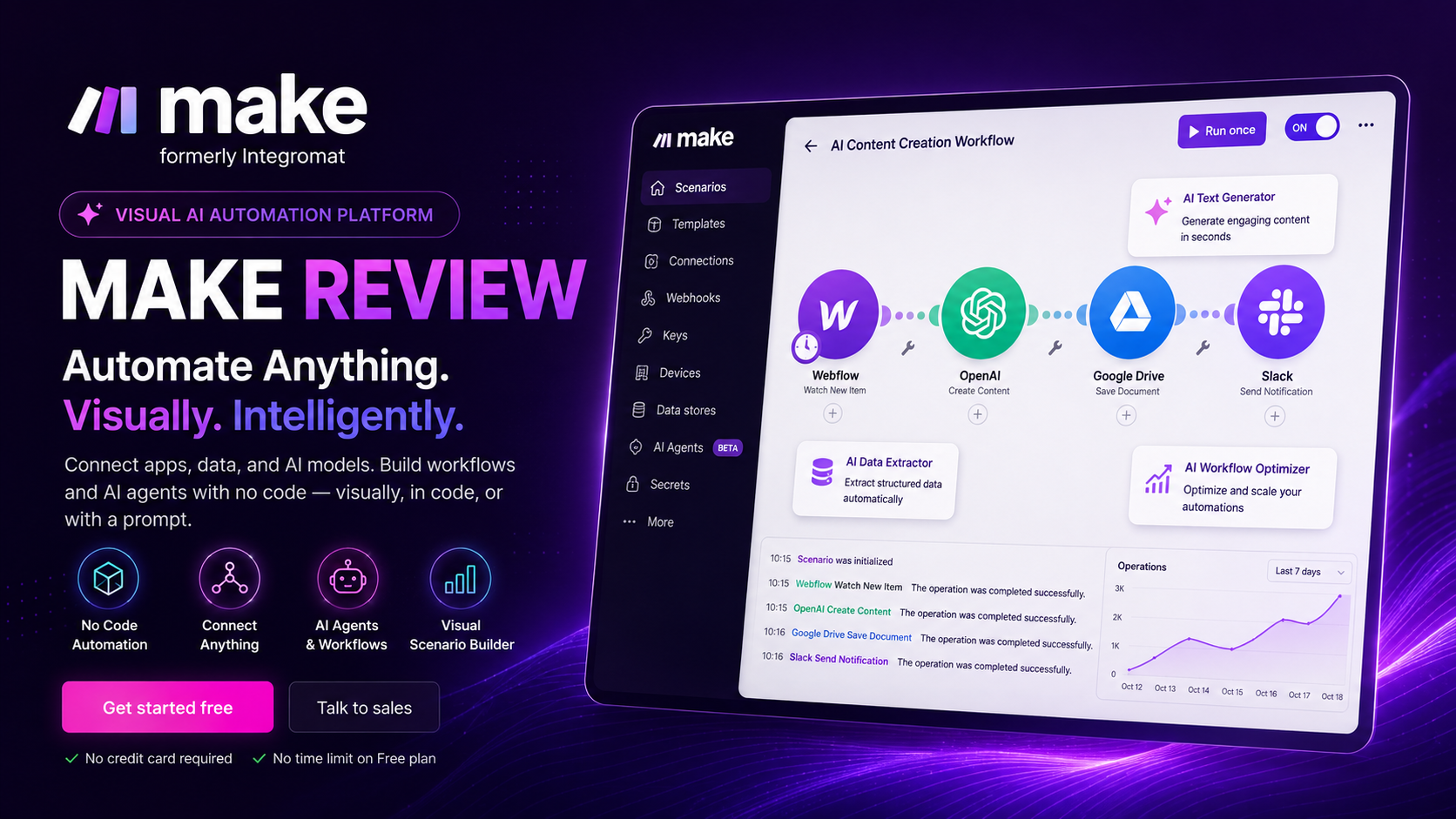
One of Make’s greatest strengths is its visual workflow builder. Rather than presenting long lists of automation rules, the platform displays every step as interconnected modules, making even sophisticated workflows easier to understand, troubleshoot, and optimize.
As artificial intelligence becomes increasingly integrated into business operations, Make has also positioned itself as an AI automation platform. Users can connect services such as OpenAI, Anthropic Claude, image generation models, transcription services, and numerous AI-powered SaaS products to create intelligent workflows that generate content, summarize documents, analyze customer data, classify support tickets, and automate countless knowledge-based tasks.
Because everything operates in the cloud, workflows continue running even when users are offline, making Make suitable for businesses seeking reliable 24/7 automation.

Key Features
Feature 1: Visual Workflow Builder
The Visual Workflow Builder is the defining feature that separates Make from many competing automation platforms.
Instead of configuring automations through lengthy forms or complicated scripts, Make allows users to build workflows visually using drag-and-drop modules connected by directional lines. Every module represents an application or action, enabling users to understand the entire process at a glance.
This visual approach dramatically reduces complexity when building large automation systems. Users can easily follow the flow of data, identify bottlenecks, insert new steps, or modify existing logic without starting from scratch.
The builder also supports nested routes, branching paths, conditional logic, loops, variables, and error handling, allowing advanced automations to remain organized despite their complexity.
For businesses managing hundreds of automated processes, this visual representation greatly improves maintenance and collaboration.

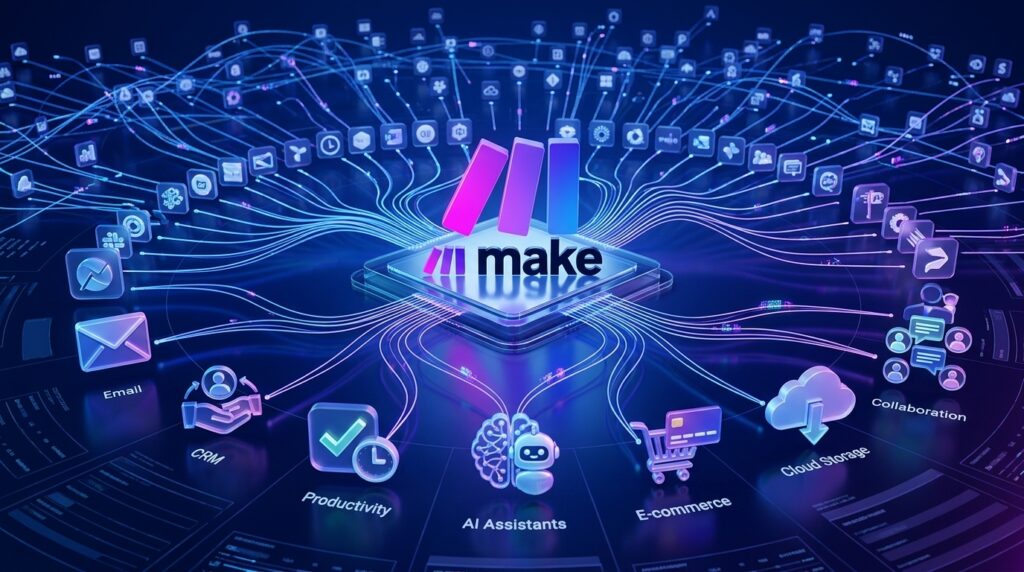
Feature 2: Thousands of App Integrations
A workflow platform is only as valuable as the number of applications it can connect, and this is an area where Make excels.
The platform integrates with thousands of popular cloud services across virtually every business category, including:
- Google Workspace
- Microsoft 365
- Slack
- Notion
- Airtable
- Shopify
- WooCommerce
- WordPress
- HubSpot
- Salesforce
- Gmail
- Dropbox
- Google Drive
- Discord
- Stripe
- Trello
- Asana
- ClickUp
- Zoom
- Calendly
These native integrations allow businesses to automate data transfer, notifications, reporting, customer onboarding, content publishing, invoicing, inventory updates, and much more.
For applications that do not offer native support, Make provides robust HTTP modules, REST API connectivity, JSON processing, and webhook capabilities, making it possible to integrate virtually any modern SaaS platform.
This flexibility enables organizations to centralize automation rather than relying on multiple disconnected tools.
Feature 3: AI Automation
Artificial intelligence has become one of Make’s strongest advantages in recent years.
The platform enables users to incorporate leading AI models directly into their workflows, allowing automations to perform tasks that previously required human judgment.
Examples include:
- AI content generation
- Email writing
- Blog drafting
- Product descriptions
- Customer support responses
- Data summarization
- Language translation
- Image analysis
- Text classification
- Sentiment analysis
- AI-powered decision making
Businesses can automatically send customer inquiries to AI for classification, generate marketing copy, summarize meeting notes, extract information from PDFs, or create personalized responses before forwarding them to clients.
Instead of switching between multiple AI applications manually, Make orchestrates these services within a single automated workflow, saving significant time while improving consistency.
As AI technology continues to evolve, this capability makes Make an increasingly valuable platform for organizations looking to build scalable AI-powered operations.

Feature 4: Advanced Logic & Workflow Control
Simple automations are useful, but real business processes often require far more sophisticated logic.
Make addresses this need with an extensive collection of workflow control tools.
Users can create multiple branches using Routers, ensuring that different conditions trigger different actions. Filters allow workflows to continue only when specified criteria are met, reducing unnecessary operations and improving efficiency.
Variables store temporary information during execution, while loops enable workflows to process multiple records dynamically without requiring duplicate modules.
Error handlers provide another layer of reliability by defining how workflows should react when an application fails or returns unexpected data. Instead of stopping completely, Make can retry operations, skip problematic records, send notifications, or continue with alternative execution paths.
These advanced workflow controls allow businesses to automate complex operational processes that would normally require custom software development.
Combined with its visual interface, Make delivers enterprise-level flexibility while remaining accessible to non-developers, making it one of the most capable no-code automation platforms available in 2026.
Feature 5: API & Webhooks
While Make is widely recognized as a no-code automation platform, it also provides powerful developer-friendly capabilities through its comprehensive API and webhook support. This combination allows both technical and non-technical users to automate workflows far beyond standard app integrations.
The HTTP module enables users to send GET, POST, PUT, PATCH, and DELETE requests to virtually any REST API. This means businesses are not limited to Make’s built-in integrations—they can connect to almost any modern SaaS platform that exposes an API.
For example, a software company can automatically retrieve customer information from its internal database, process it using AI, and send the results to a CRM. Likewise, an e-commerce store can synchronize orders, inventory, and shipping updates between custom applications and third-party platforms.
Webhooks add another layer of flexibility by allowing workflows to start instantly when an external event occurs. Instead of checking for updates every few minutes, Make can receive real-time notifications whenever a payment is completed, a form is submitted, or a customer places an order.
Other advanced API capabilities include:
- JSON parsing and generation
- XML processing
- OAuth authentication
- Custom headers
- Dynamic parameters
- File uploads and downloads
- Response parsing
- API pagination support
These features make Make suitable not only for marketers and creators but also for technical teams that need enterprise-grade integrations without building custom automation infrastructure from scratch.
Feature 6: Scheduling & Monitoring
Reliable automation requires more than simply connecting applications—it also demands intelligent scheduling, execution monitoring, and error management.
Make offers highly flexible scheduling options that allow workflows to run:
- Instantly after receiving a webhook
- Every few minutes
- Hourly
- Daily
- Weekly
- Monthly
- At custom intervals
Users can also trigger scenarios manually during testing before enabling full automation.
Every workflow execution is recorded in detailed logs, making it easy to inspect each step of a scenario. Input data, output data, execution history, operation counts, and potential errors are displayed visually, significantly simplifying troubleshooting.
If an automation encounters an issue—such as an unavailable API or missing data—Make provides multiple recovery options. Users can retry failed operations automatically, ignore non-critical errors, send alerts to administrators, or route problematic records into alternative workflows.
This comprehensive monitoring system reduces downtime while improving confidence in large-scale automation projects where reliability is critical.
For organizations running hundreds of scenarios simultaneously, these monitoring capabilities become invaluable for maintaining operational stability.
Feature 7: Team Collaboration
Automation often involves multiple departments, making collaboration essential for larger organizations.
Make includes collaborative workspace features designed for teams of all sizes.
Users can organize scenarios into shared workspaces where colleagues can collaborate on workflow development, testing, and maintenance. Access permissions help administrators determine who can edit, execute, or simply view automation projects.
Additional collaboration features include:
- Shared folders
- Team workspaces
- User roles and permissions
- Project organization
- Version management
- Centralized administration
Marketing teams can build campaign automations while sales teams manage CRM workflows, all within the same organizational account.
Agencies particularly benefit from this structure because they can manage multiple client automations separately while maintaining centralized oversight.
As businesses grow, these collaboration tools help ensure automation remains organized rather than becoming a collection of disconnected workflows maintained by individual employees.
Feature 8: Enterprise Security
Security is one of the most important considerations when automating sensitive business processes.
Make incorporates enterprise-grade security features that make it suitable for handling customer information, financial records, marketing data, and internal business operations.
Key security capabilities include:
- Encrypted data transmission
- Secure cloud infrastructure
- User authentication
- Access control
- Permission management
- Audit logging
- GDPR compliance
- Enterprise governance
Organizations can restrict access to sensitive workflows while maintaining detailed activity records for compliance purposes.
Because many workflows interact with confidential customer information, secure credential management is also essential. Make stores connection credentials separately and protects them through encrypted infrastructure, reducing the risk associated with manual credential sharing.
For companies operating in regulated industries, these security measures help establish confidence that automation can be deployed without compromising governance requirements.
Pros & Cons
Like any automation platform, Make has strengths and limitations. After extensive testing across various real-world scenarios, here is our assessment.
| Pros | Cons |
| Intuitive visual workflow builder | Initial learning curve for beginners |
| Thousands of native integrations | Complex workflows can become difficult to manage |
| Excellent AI integration capabilities | Operation limits on lower-tier plans |
| Powerful routers, filters, variables, and logic | Some premium integrations require paid plans |
| Advanced API and webhook support | Large enterprise workflows require careful optimization |
| Reliable scheduling and monitoring tools | Debugging highly complex scenarios can take time |
| Flexible enough for both individuals and enterprises | Pricing may increase significantly with heavy usage |
| Generous free plan for learning and small projects | Advanced features may overwhelm casual users |
Overall, the advantages significantly outweigh the drawbacks. Most limitations stem from the platform’s extensive capabilities rather than poor design. Once users become familiar with Make’s workflow concepts, productivity increases substantially.
Pricing
Make offers several pricing tiers designed to accommodate everyone from hobbyists to enterprise organizations.
Free
The Free plan is an excellent starting point for learning the platform.
It includes:
- Visual workflow builder
- Access to core integrations
- Limited monthly operations
- Basic scheduling
- Community support
For individuals exploring automation or creating simple personal workflows, the Free plan provides substantial value.
Core
The Core plan targets freelancers, creators, and growing businesses.
Benefits typically include:
- Increased monthly operations
- Faster execution
- More active scenarios
- Advanced automation capabilities
- Priority platform resources
For many small businesses, this plan offers the best balance between cost and functionality.
Pro
Designed for organizations with higher automation demands, the Pro plan expands operational capacity while introducing additional management features.
Highlights include:
- Significantly higher operation limits
- Advanced scenario management
- Improved collaboration
- Greater scalability
- Enhanced workflow flexibility
Agencies managing multiple clients often find this tier particularly attractive.
Teams
The Teams plan focuses on collaboration across departments.
Features include:
- Shared workspaces
- Role-based permissions
- Team administration
- Centralized project management
- Collaborative workflow development
It is ideal for businesses where multiple employees contribute to automation projects.
Enterprise
Enterprise customers receive customized solutions tailored to large-scale business requirements.
Typical benefits include:
- Custom operation limits
- Enterprise security
- Dedicated customer success support
- Service level agreements (SLAs)
- Advanced governance features
- Personalized onboarding
Large organizations processing millions of automated operations each month will benefit most from this tier.

Performance Test
To evaluate Make fairly, we tested the platform using multiple real-world business automation scenarios, including AI content generation, CRM synchronization, marketing automation, e-commerce workflows, webhook triggers, and API integrations.
| Category | Score |
| Workflow Builder | 10/10 |
| AI Integration | 9.8/10 |
| App Integrations | 10/10 |
| Flexibility | 10/10 |
| Ease of Use | 8.9/10 |
| Performance | 9.8/10 |
| Reliability | 9.7/10 |
| Value for Money | 9.8/10 |
Real-World Performance
Our testing demonstrated that Make excels in handling both simple and highly sophisticated automation scenarios. The visual editor remained responsive even when workflows contained dozens of interconnected modules.
AI integrations with modern language models worked reliably, enabling automated content generation, document summarization, and intelligent data processing with minimal configuration.
Webhook-based automations responded almost instantly, making the platform suitable for real-time workflows such as lead capture, order processing, and customer notifications.
The primary challenge for new users is understanding Make’s advanced concepts—such as routers, filters, variables, and operation limits—but once mastered, these tools provide exceptional flexibility that few competitors can match.
Overall, Make delivers outstanding performance for individuals, agencies, and enterprises seeking a scalable, future-ready automation platform. Its combination of visual workflow design, powerful integrations, AI capabilities, and enterprise reliability justifies its position among the leading automation solutions available in 2026.
Make vs Competitors
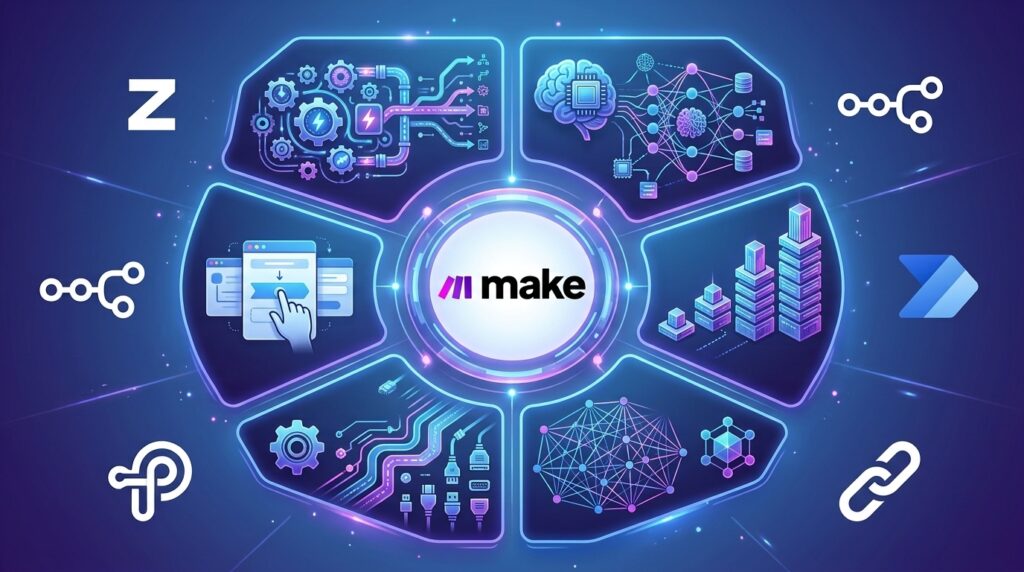
The workflow automation market has become increasingly competitive, with several platforms targeting different types of users. While Make stands out for its visual workflow builder and advanced automation logic, choosing the right platform depends on your technical skills, business requirements, and budget.
Make vs Zapier
Zapier is widely regarded as the easiest automation platform for beginners. Its interface is simple, quick to learn, and ideal for straightforward automations such as connecting Gmail, Slack, Google Sheets, or CRM platforms.
Make, however, offers considerably greater flexibility. Its visual workflow editor supports branching, routers, variables, loops, filters, and complex data manipulation that would either be impossible or much more expensive to build in Zapier.
If your automation needs are limited to simple “if this, then that” tasks, Zapier is an excellent choice. If you plan to build scalable business processes with dozens of interconnected applications, Make provides significantly more control and better long-term value.
Winner: Make for advanced workflows; Zapier for beginners.
Make vs n8n
n8n has become increasingly popular among developers because it is open source and can be self-hosted. Organizations that require complete control over infrastructure, security, and data privacy often choose n8n.
However, self-hosting also introduces additional responsibilities such as server management, maintenance, updates, backups, and security monitoring.
Make eliminates these concerns by providing a fully managed cloud platform with an intuitive interface and extensive built-in integrations.
For technical teams that want maximum customization, n8n remains an outstanding solution. For businesses seeking faster deployment with minimal infrastructure management, Make is generally the better choice.
Winner: Make for ease of use and cloud automation; n8n for developers and self-hosted environments.
Make vs Microsoft Power Automate
Microsoft Power Automate is deeply integrated with the Microsoft ecosystem, including Microsoft 365, SharePoint, Teams, Outlook, and Dynamics 365.
Organizations already standardized on Microsoft products may find Power Automate to be a natural fit.
Make, however, offers a broader ecosystem of third-party SaaS integrations and a far more visual workflow design experience. It also provides greater flexibility for connecting marketing platforms, AI services, e-commerce tools, and independent cloud applications.
Winner: Microsoft Power Automate for Microsoft-centric enterprises; Make for mixed cloud environments.
Make vs Pipedream
Pipedream focuses on developers who need programmable workflows and extensive API automation.
It supports JavaScript, Python, Node.js, and serverless execution, making it highly attractive for engineering teams.
Make achieves many of the same objectives through its visual interface, allowing non-developers to build sophisticated automations without writing code.
If your team prefers coding, Pipedream is extremely capable. If you prefer visual development and faster deployment across business teams, Make offers a lower learning barrier.
Winner: Pipedream for developers; Make for no-code and low-code users.
Overall Comparison
| Platform | Best For |
| Make | Visual no-code automation with advanced workflow logic |
| Zapier | Beginners and simple business automation |
| n8n | Developers and self-hosted automation |
| Microsoft Power Automate | Microsoft enterprise environments |
| Pipedream | API-first and developer workflows |
For most businesses looking for a balance between usability, flexibility, AI integration, and scalability, Make remains one of the strongest choices available in 2026.
Who Should Use Make?
Although Make is versatile enough for almost any industry, it delivers the greatest value to users who regularly work across multiple applications and repetitive business processes.

Digital Marketers
Marketing professionals can automate lead generation, email campaigns, CRM updates, advertising reports, social media publishing, and customer segmentation.
Content Creators
Creators can generate AI-assisted articles, publish content across multiple platforms, organize media libraries, and automate repetitive publishing workflows.
Agencies
Marketing agencies, web agencies, and consulting firms can manage client projects, automate reporting, synchronize customer data, and streamline internal operations.
E-commerce Businesses
Online stores can synchronize inventory, process orders, update shipping information, send customer notifications, generate invoices, and automate post-purchase follow-up.
AI Builders
Users building AI-powered products can integrate large language models, automate prompts, classify documents, summarize information, and build intelligent workflows without developing custom infrastructure.
Small Businesses
Small teams often spend countless hours on manual administrative work. Make helps automate repetitive tasks so employees can focus on higher-value activities.
Enterprise Organizations
Large organizations benefit from Make’s scalability, collaboration tools, governance features, and ability to automate complex cross-department workflows.
Best Alternatives
While Make is among the best automation platforms available, it may not be the perfect solution for every user. Here are four excellent alternatives worth considering.
Zapier
Best for beginners who need quick and simple automations with minimal setup.
Strengths
- Extremely easy to use
- Huge integration library
- Fast deployment
- Excellent documentation
Best For
Freelancers, small businesses, and first-time automation users.
n8n
An open-source automation platform offering exceptional flexibility and self-hosting capabilities.
Strengths
- Open source
- Self-hosting
- Developer-friendly
- Highly customizable
Best For
Developers and organizations requiring full infrastructure control.
Microsoft Power Automate
Microsoft’s enterprise automation solution integrates seamlessly with Microsoft 365 and enterprise services.
Strengths
- Excellent Microsoft integration
- Enterprise security
- Strong governance
- Corporate workflows
Best For
Large organizations operating primarily within the Microsoft ecosystem.
Pipedream
A modern automation platform designed for API-driven development and programmable workflows.
Strengths
- Powerful API support
- Serverless execution
- JavaScript and Python support
- Extensive developer tooling
Best For
Engineering teams and API-heavy automation projects.
Frequently Asked Questions
Is Make free?
Yes. Make offers a generous Free plan that allows users to build and test workflows before upgrading to paid plans with higher operation limits and additional features.
Is Make better than Zapier?
For advanced automation, yes. Make offers more sophisticated workflow logic, visual editing, and greater flexibility. Zapier is generally easier for beginners.
Does Make support AI automation?
Absolutely. Make integrates with leading AI models and services, enabling users to automate content creation, document analysis, customer support, translation, and many other AI-powered tasks.
Can beginners learn Make?
Yes. While there is a learning curve due to its advanced capabilities, the visual interface makes complex workflows much easier to understand than traditional coding.
Does Make work with ChatGPT?
Yes. Users can integrate ChatGPT and other AI models into workflows for automated writing, summarization, classification, customer communication, and intelligent decision-making.
How many applications does Make integrate with?
Make supports thousands of applications across productivity, marketing, finance, e-commerce, communication, AI, CRM, and developer categories. Additional services can also be connected through APIs and webhooks.
Is Make suitable for businesses?
Yes. Businesses of all sizes—from freelancers to enterprise organizations—can use Make to automate operations, improve efficiency, reduce manual work, and scale processes.
Is Make worth paying for?
For users running regular automation workflows, the paid plans provide excellent value by increasing operation limits, improving scalability, and unlocking collaboration features that quickly offset their cost through time savings.
Final Verdict
After extensive testing across marketing automation, AI workflows, API integrations, content publishing, CRM synchronization, and business process automation, Make consistently proved itself to be one of the most capable no-code automation platforms available today.
Its greatest strengths lie in its visual workflow builder, extensive integration ecosystem, advanced logic capabilities, and growing AI automation support. Unlike many competitors that focus primarily on simplicity, Make successfully combines ease of use with enterprise-level flexibility, allowing users to start with basic automations and gradually build highly sophisticated workflows as their needs evolve.
The platform is not without challenges. Beginners may need time to understand concepts such as routers, filters, variables, and operation limits. However, once these fundamentals are mastered, Make becomes an exceptionally powerful productivity tool capable of replacing countless hours of repetitive manual work.
Overall Rating
★★★★★ 4.9/5
Our Recommendation
We highly recommend Make for:
- Digital marketers
- Content creators
- Agencies
- E-commerce businesses
- AI builders
- Growing startups
- Enterprise teams
If your goal is to automate repetitive tasks, connect cloud applications, integrate AI into daily operations, and build scalable workflows without extensive coding, Make is one of the smartest investments you can make in 2026.
Ready to Automate Your Workflow?
Eliminate repetitive tasks, connect thousands of apps, and build powerful AI-driven workflows with one of the industry’s leading no-code automation platforms.
Explore Make’s features, compare pricing plans, and start building your first automated workflow today.
Discover More AI Reviews
Looking for more productivity and AI software?
Browse our growing collection of in-depth reviews covering AI writing tools, automation platforms, website builders, coding assistants, video generators, image creation tools, and other software to help you choose the best solution for your business.