
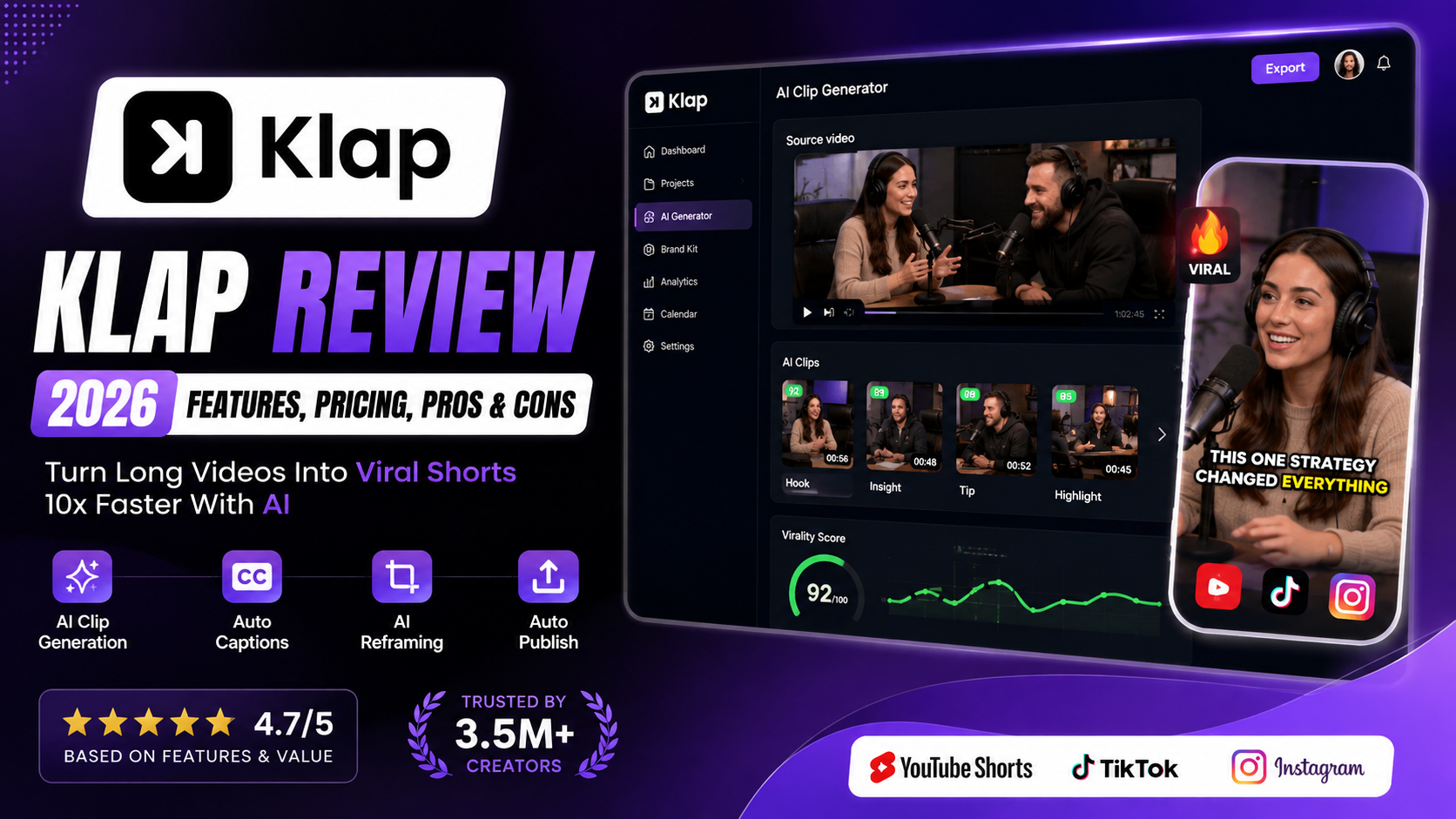
Klap Review 2026: Is This AI Video Clipper Worth It?
Overall Rating: 4.7/5
Best For: YouTubers, podcasters, content creators, marketers, educators, and agencies
Last Updated: August 2026
Reviewed by: Team Flowcrai
Affiliate Disclosure: Flowcrai may earn a commission if you purchase through links on this page, at no additional cost to you.
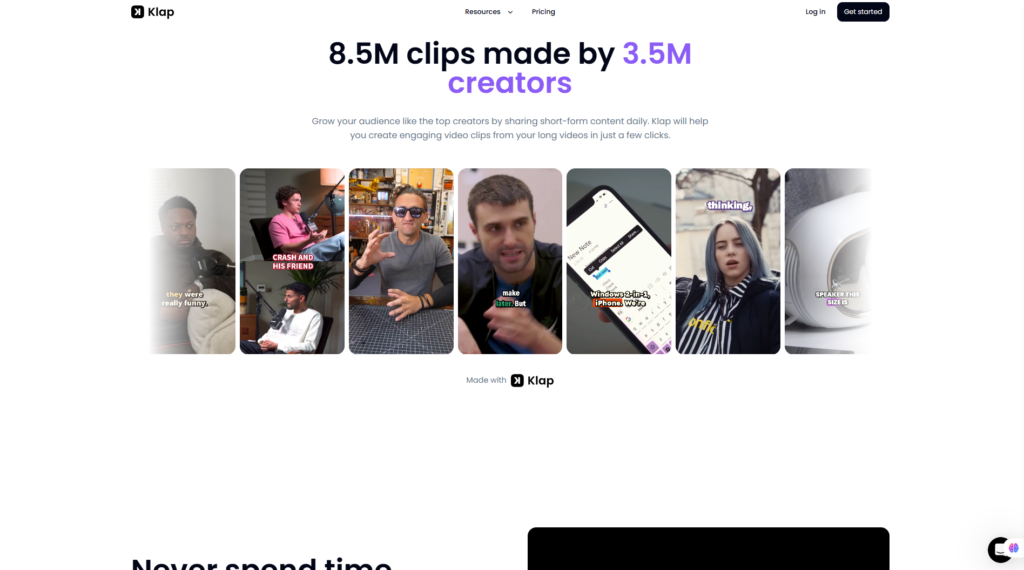
Klap is an AI-powered video repurposing platform designed to turn long-form content into short, vertical clips for YouTube Shorts, TikTok, and Instagram Reels. Instead of manually watching hours of footage, cutting highlights, reframing videos, and adding subtitles, creators can use Klap to automate much of that workflow.
This Klap review looks at how the platform works, who it is best suited for, its main strengths and limitations, and whether it is worth considering in 2026.
Key Takeaways
- Klap is built specifically for converting existing long-form videos into short-form social clips.
- Its strongest features include AI clip selection, automatic vertical reframing, subtitles, and social-ready editing.
- It is particularly useful for podcasters, YouTubers, educators, marketers, and agencies that already produce long-form video content.
- Klap can save substantial editing time, but AI-generated clips should still be reviewed before publishing.
- A free first-video option makes it relatively easy to test the workflow before committing to a paid plan.
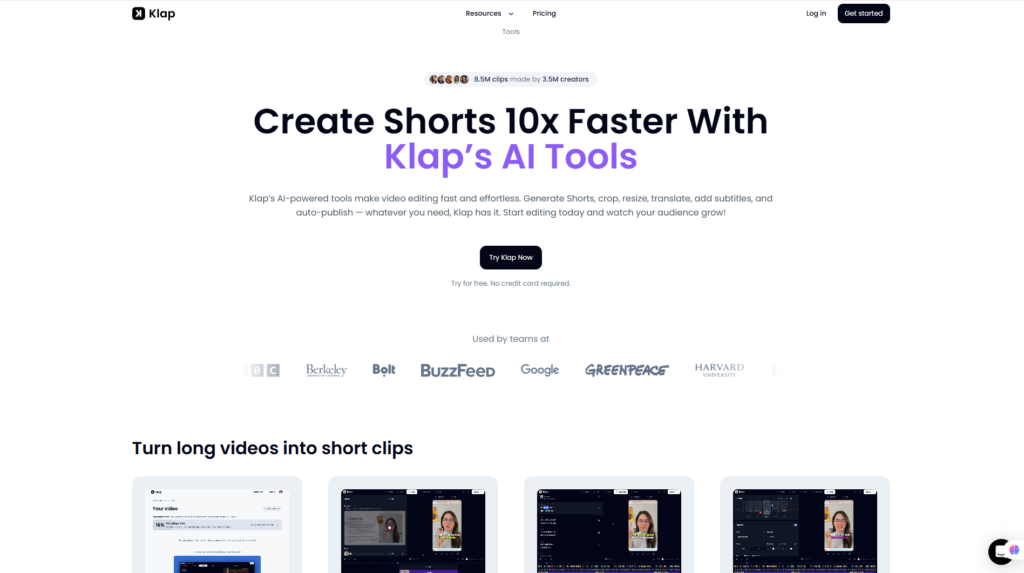
Klap Review: Quick Verdict
Quick Info Table
| Item | Information |
| Overall Rating | 4.7/5 |
| Best For | Content creators, podcasters, marketers, agencies |
| Main Use | Turning long videos into Shorts, Reels, and TikToks |
| Starting Price | Around $14/month with annual billing |
| Free Trial | 1 video free |
| Platform | Web-based |
| Languages | 52 |
| Export Quality | Up to 4K on eligible plans |
| Main Strength | Fast AI-powered video repurposing |
| Best Alternatives | OpusClip, Vizard, VEED |
Our Verdict
Klap is a strong option for creators who already produce long-form videos and want to repurpose them into short-form content without spending hours inside a traditional video editor. Its AI-assisted clipping, reframing, captions, and publishing workflow make it especially useful for podcasts, interviews, tutorials, webinars, and talking-head videos.
The main limitation is that Klap is not a full professional editing suite, and its AI-generated clip choices still benefit from human review. However, for creators who value speed and content repurposing efficiency, Klap offers a practical and well-focused workflow.
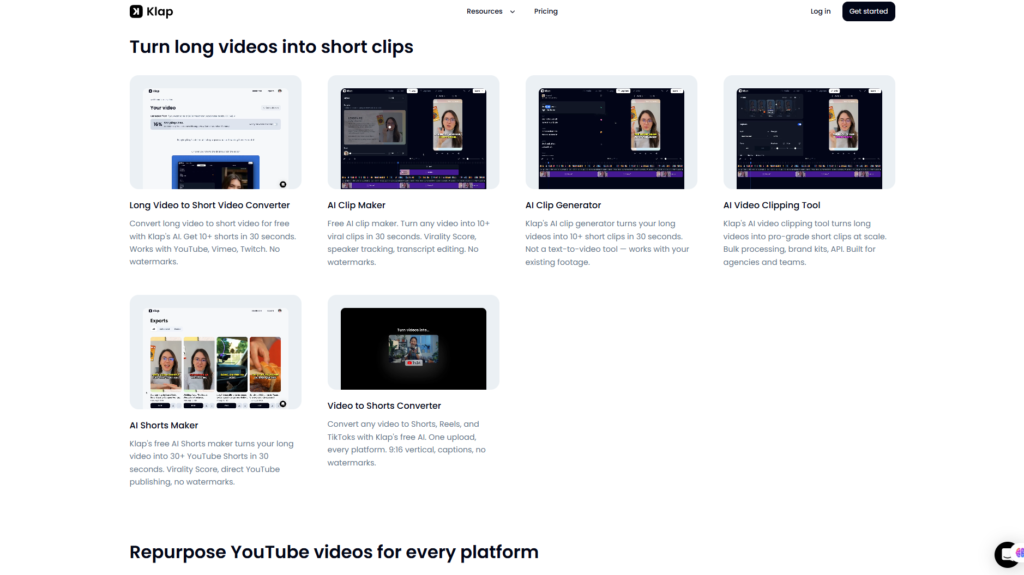
What Is Klap?
Klap is a browser-based AI video clipping and repurposing platform that helps users convert long-form videos into multiple short-form clips.
Its main purpose is simple: take content you have already created and help you turn it into additional social media assets.
For example, a creator could upload a 45-minute podcast episode and use Klap to identify several short segments that may work well as YouTube Shorts, Instagram Reels, or TikTok videos. Instead of manually searching for interesting moments, cropping the video to a vertical layout, generating subtitles, and exporting each clip separately, much of the process can be handled automatically.
Klap is particularly suited to content that includes spoken dialogue, such as:
- Podcasts
- Interviews
- YouTube videos
- Webinars
- Educational videos
- Livestreams
- Tutorials
- Talking-head content
- Marketing videos
The platform can work with uploaded video files as well as supported video links, making it easy for creators to repurpose content they have already published elsewhere.
Klap is not primarily a text-to-video generator. It does not focus on creating new videos from prompts in the same way as tools designed for AI avatars or generative video. Its core value is video repurposing.
What Problem Does Klap Solve?
Creating short-form content from long-form videos is usually time-consuming.
A typical manual workflow may look like this:
Watch the full video
→ identify strong moments
→ cut clips
→ resize from 16:9 to 9:16
→ keep the speaker in frame
→ add subtitles
→ style the captions
→ export
→ publish to multiple platforms.
For creators who publish content regularly, this process can quickly become repetitive.
Klap reduces that workload by using AI to analyze the video, identify potentially useful segments, create short clips, reframe them vertically, and add captions.
The main benefit is not simply faster editing. It is the ability to get more value from content that already exists.
A single podcast, interview, tutorial, or webinar can potentially become several additional pieces of content for social platforms.
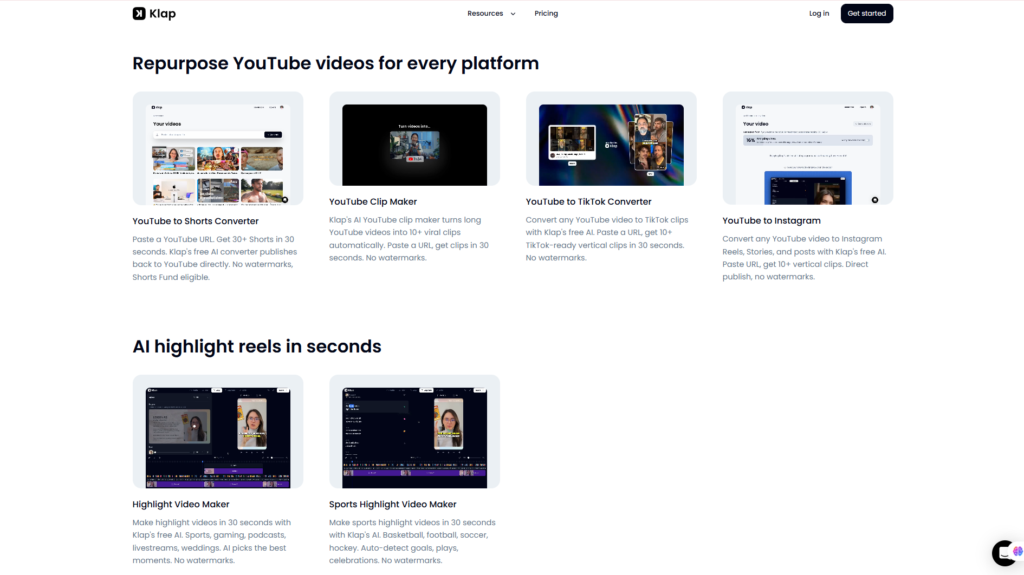
How Does Klap Work?
The workflow is relatively straightforward.
Step 1: Upload a video or paste a supported video link
Users can start with existing long-form content rather than creating a new project from scratch.
Step 2: Klap analyzes the video
The platform uses AI to evaluate the spoken content and identify moments that may work as short clips.
Step 3: Klap generates short-form videos
The selected segments are converted into vertical clips and can include automatic captions and AI reframing.
Step 4: Review and customize
Users can check the generated clips, adjust the content, modify subtitles, change styling, and refine the output.
Step 5: Export or publish
Once the clips are ready, they can be downloaded or prepared for distribution on social media platforms.
This workflow is designed for speed rather than detailed frame-by-frame editing.
What Makes Klap Different?
Klap stands out because it is focused on one specific problem: turning long-form video into short-form social content.
Instead of trying to be a complete video production suite, the platform concentrates on features that matter most for repurposing.
These include:
- AI-powered clip selection
- Vertical video reframing
- Speaker tracking
- Automatic animated captions
- Virality scoring
- Brand customization
- Built-in editing
- Social publishing and scheduling
- Support for multiple languages
- API access for higher-volume workflows
One of the more interesting features is Klap’s virality score, which can help users prioritize generated clips. However, it is important to treat this as a prediction rather than a guarantee. No AI system can reliably predict whether a video will actually go viral.
Klap also supports 52 languages, which makes it more useful for international creators and businesses serving multiple markets.
For users who regularly publish long-form videos, Klap’s biggest advantage is that it combines several repetitive tasks into one workflow.
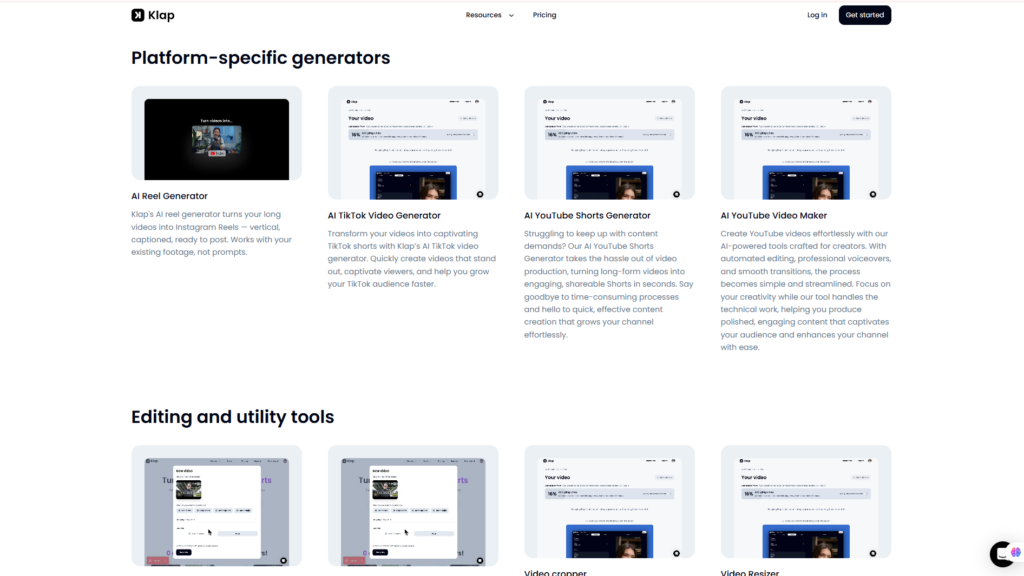
Turn Your Long Videos Into Shorts
Who Should Use Klap?
Klap is most useful for people and teams that already create long-form video content and want to increase their short-form output.
Klap Is Best For
YouTubers
Creators with long videos can use Klap to repurpose highlights into YouTube Shorts and potentially attract additional views from short-form audiences.
Podcasters
Podcast episodes often contain multiple short moments that can be used as promotional clips. Klap can help identify and extract those segments more efficiently.
Content Creators
Creators who publish on TikTok, Instagram, and YouTube can use Klap to maintain a more consistent posting schedule without manually editing every clip.
Coaches and Educators
Webinars, lessons, tutorials, and training videos can be turned into shorter educational clips that are easier to distribute on social platforms.
Social Media Marketers
Marketing teams can repurpose interviews, product discussions, thought-leadership videos, and webinars into smaller pieces of content for campaign distribution.
Agencies
Agencies working with multiple clients may benefit from faster content repurposing, brand customization, and scalable video workflows.
SaaS and Business Teams
Companies producing product demos, customer interviews, webinars, or expert content can use Klap to generate additional marketing assets from the same source material.
Who Should Skip Klap?
Klap is not the right choice for every video workflow.
You may want to consider another tool if:
- You need advanced timeline editing with precise frame-level control.
- You primarily create videos from text prompts rather than existing footage.
- You rarely produce long-form content.
- You need advanced motion graphics, compositing, or cinematic effects.
- You prefer professional desktop editors such as Adobe Premiere Pro or DaVinci Resolve.
- Your videos depend heavily on complex visual storytelling rather than spoken content.
Klap is best understood as a specialized AI repurposing tool rather than a replacement for every type of video editor.
For creators whose main goal is to turn existing videos into Shorts, Reels, and TikToks faster, that specialization is exactly where Klap provides the most value.
Klap Setup & User Experience
One of Klap’s biggest advantages is that it removes much of the complexity traditionally associated with editing short-form videos.
Rather than opening a timeline, manually searching through a long recording, cropping the frame, generating captions, and exporting several versions, users can start with an existing video and let Klap automate much of the process.
The platform runs in a web browser, so there is no desktop software to install.
Account Setup
Getting started with Klap is relatively straightforward.
Users can paste a video URL or upload an existing video directly into the platform. Klap currently supports multiple common sources, including YouTube, Vimeo, Twitch, Google Drive, and direct uploads.
According to Klap, supported videos can be up to four hours long, which makes the platform suitable for longer podcasts, webinars, interviews, livestreams, and educational videos.
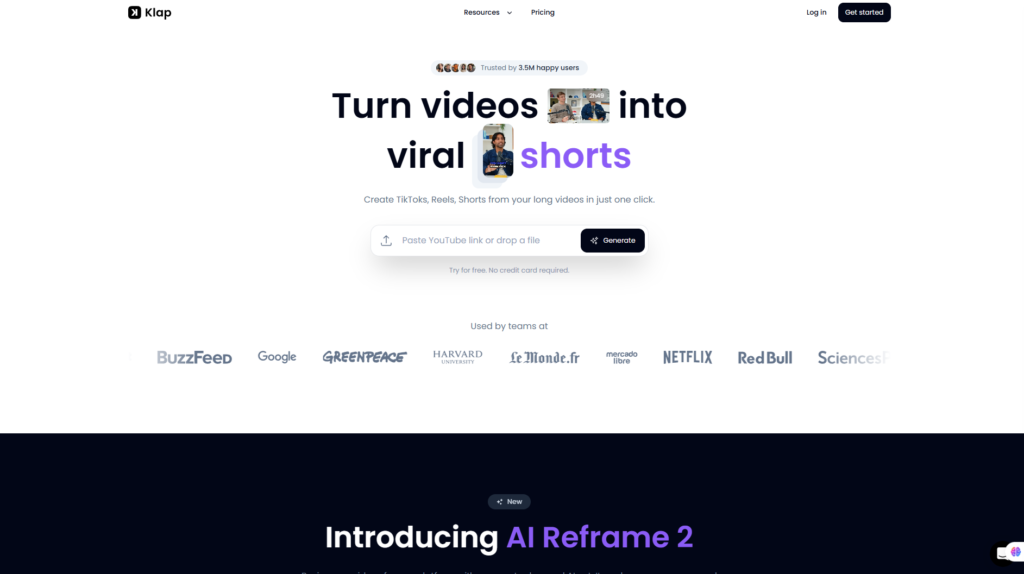
The first video can currently be generated for free without requiring a credit card.
This is particularly useful for new users because it provides an opportunity to evaluate how Klap handles their own content before committing to a paid subscription.
Learning Curve
Klap is designed to be beginner-friendly.
Users do not need to understand traditional video-editing concepts such as keyframes, advanced timelines, masking, or manual motion tracking to produce short-form clips.
The basic workflow is:
Upload a video
→ let Klap analyze the content
→ review the generated clips
→ adjust the preferred clips
→ export or publish.
For users already familiar with YouTube Shorts, TikTok, or Instagram Reels, the interface should feel relatively intuitive.
However, beginners should still spend some time learning how to evaluate AI-selected clips instead of automatically publishing everything Klap generates.
AI can significantly reduce editing work, but editorial judgment remains important.
Ease of Use
Ease of Use Score: 4.8/5
Klap simplifies several repetitive steps into a single workflow.
The platform can automatically identify potential short-form moments, convert horizontal footage into vertical video, add subtitles, and generate multiple clips from the same source.
This makes it particularly attractive to creators who care more about speed and consistency than detailed frame-by-frame editing.
Klap also includes a transcript-based editor. Instead of navigating a traditional video timeline, users can adjust a clip by editing its text transcript. Klap states that users can highlight sentences they want to keep or remove text they do not need, with the video updating accordingly.
For many content creators, this approach can be considerably easier than traditional video editing.
Interface Design
Klap’s workflow is centered around generated clips rather than a complex editing timeline.
After the AI analyzes a video, users can review multiple clip suggestions, see their vertical previews, check their captions, and decide which versions deserve further editing.
The interface is therefore more focused than a general-purpose video editor.
This specialization is both a strength and a limitation.
Creators looking for fast social media content may appreciate the simplicity.
Professional editors who want complete control over transitions, audio layers, visual effects, animations, and frame-level adjustments may still prefer software such as Adobe Premiere Pro, Final Cut Pro, or DaVinci Resolve.
Performance
Klap is designed around automation and speed.
The company states that its AI clip generator can produce more than 10 candidate clips from a long-form video in roughly 30 seconds, depending on the source material.
Klap also estimates that a 20-minute video may generate approximately 8–15 usable clip candidates, while significantly longer podcast episodes can produce substantially more.
These figures should be viewed as platform estimates rather than guaranteed outcomes. The number and quality of clips will depend heavily on the structure, pacing, topic density, and spoken content of the original video.
Our Analysis
From a workflow perspective, Klap is strongest when users already have long-form content and want to extract more value from it.
Its advantage is not that it replaces professional editing software. Instead, it automates a narrow but repetitive workflow: finding interesting moments, reframing them for vertical platforms, adding captions, ranking potential clips, and preparing them for publishing.
Flowcrai’s evaluation is based on Klap’s current official product information, documented capabilities, pricing, workflow design, and competitive positioning. We do not claim undocumented hands-on testing.
For creators whose biggest problem is editing time rather than creative control, Klap’s approach is highly practical.
Key Features of Klap
Klap combines several AI-powered video tools into one short-form content workflow.
The following features are the most important for users deciding whether the platform is worth paying for.
1. AI-Powered Clip Generation
Klap’s core feature is its ability to analyze a long video and automatically identify sections that could work as standalone short-form clips.
Instead of simply dividing a video into equal sections, the AI attempts to identify hooks, interesting statements, emotional moments, strong talking points, and segments that may retain viewer attention.
Klap says its AI analyzes factors including audio, visuals, pacing, and topic density when selecting clips.
This is particularly valuable for podcasts and interviews because a one-hour conversation may contain multiple short segments suitable for different audiences.
For example, a 60-minute podcast might contain:
- A controversial opinion
- A practical tip
- A memorable quote
- A short story
- An industry prediction
- A question-and-answer segment
Manually locating those moments can take considerable time.
Klap attempts to automate that discovery process.
However, users should still review every generated clip before publishing. AI may identify an interesting moment without fully understanding context, tone, brand positioning, or whether the clip works well on its own.
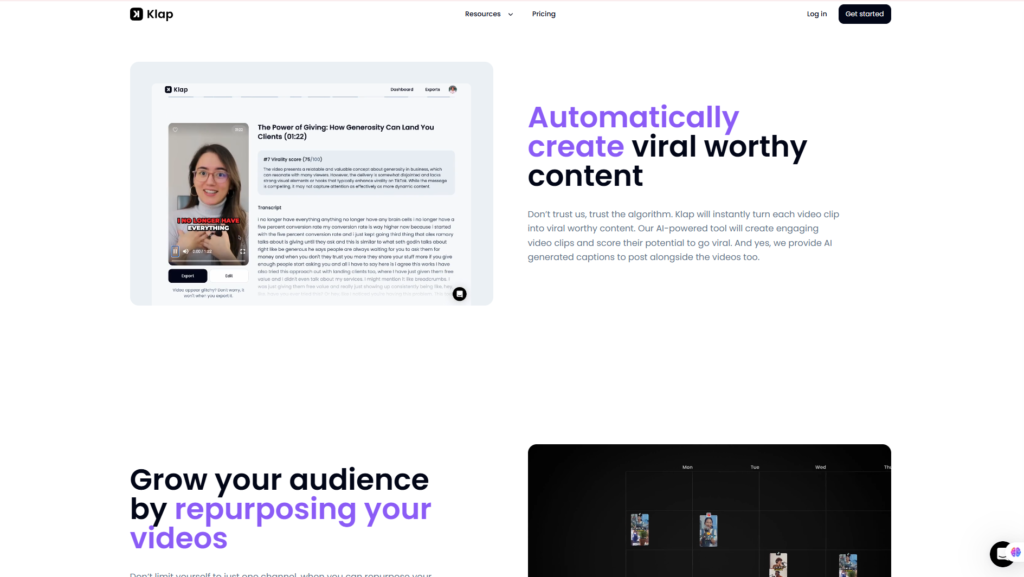
2. Virality Score
Each generated Klap clip can receive a Virality Score from 0 to 100.
According to Klap, the score considers factors such as hook quality, pacing, topic relevance, and caption keyword density.
The purpose is to help users prioritize clips rather than manually evaluating dozens of outputs from scratch.
For example, if Klap generates 15 clips, a creator might initially review those with scores above 85 before spending time on lower-ranked suggestions.
This is useful as a filtering mechanism.
However, users should not interpret the Virality Score as a prediction that a video will actually go viral.
Social media performance also depends on:
- Audience relevance
- Account authority
- Thumbnail or opening frame
- Posting timing
- Distribution
- Competition
- Retention
- Topic demand
- Platform algorithms
The Virality Score is therefore best used as a decision-support tool, not as a guarantee of views.
3. AI Reframing and Speaker Tracking
One of the biggest challenges when repurposing YouTube videos or podcasts into Shorts is the change in aspect ratio.
Traditional YouTube content is commonly produced in 16:9 landscape format.
TikTok, Instagram Reels, and YouTube Shorts typically use 9:16 vertical video.
Simply cropping the center of a horizontal video can cut out speakers, products, screen recordings, or important visual elements.
Klap uses AI-powered reframing to address this problem.
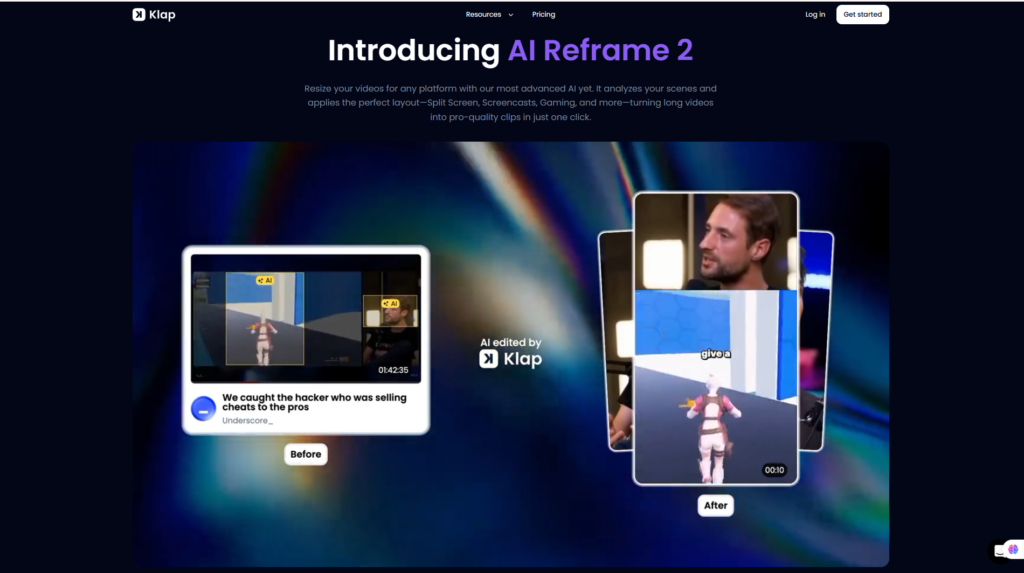
Its current AI Reframe system analyzes the frame and attempts to identify the active speaker or another visually important area of the video.
Klap also says its reframing technology can work with more than just faces. It can recognize content zones such as gameplay footage, product shots, webcam overlays, and screen recordings.
This makes the feature useful for:
- Video podcasts
- Interviews
- Tutorials
- Product demonstrations
- Gameplay
- Screen recordings
- Talking-head videos
Automatic reframing is one of Klap’s most valuable time-saving features because manually keyframing subjects across dozens of short clips can become extremely repetitive.
4. Automatic Animated Captions
Captions have become an important part of short-form video.
Many viewers initially watch social media videos without sound, so subtitles can help communicate the message before audio is enabled.
Klap automatically transcribes speech and adds animated captions to generated clips.
Users can customize caption presentation, including styling and highlighted words.
Klap’s consumer clipping tools currently advertise caption support in 52 languages.
This is especially useful for creators serving international audiences or producing multilingual content.
Automatic transcription can eliminate a considerable amount of manual subtitle work, although users should still check names, technical terminology, accents, and unusual vocabulary before publishing.
No automatic transcription system is perfect.
5. Transcript-Based Video Editor
Klap includes a built-in editor that allows creators to refine AI-generated results after clips have been created.
One particularly useful feature is transcript-based editing.
Instead of navigating through a complicated timeline, users can edit video content by working with the spoken text.
For example, they can remove an unnecessary sentence or shorten an introduction directly from the transcript.
Klap then adjusts the corresponding video section.
This approach is especially suitable for:
- Podcasts
- Interviews
- Educational videos
- Webinars
- Talking-head content
It lowers the editing barrier for users who are comfortable working with text but do not have advanced video-editing skills.
The trade-off is that creators requiring sophisticated visual edits will still find a full professional timeline editor more powerful.
6. Custom AI Prompts
Klap can also allow users to provide more specific instructions about the type of moments they want the AI to identify.
For example:
“Find the best Q&A moments.”
“Find every product mention.”
“Find clips discussing AI marketing.”
“Find the strongest controversial opinions.”
Klap currently promotes custom AI prompting as part of its clip-generation workflow.
This is a useful development because generic AI clipping does not always understand a creator’s specific content goals.
Custom prompting gives users more influence over what the AI searches for inside the source video.
7. Brand Kits and Visual Consistency
For individual creators, basic caption customization may be enough.
For businesses and agencies, consistency becomes more important.
Klap supports brand-oriented workflows that can apply elements such as:
- Logos
- Fonts
- Brand colors
- Caption styles
- Workspace-specific visual assets
Klap particularly promotes these capabilities for agencies, podcast networks, and creator teams handling content at scale.
A brand kit reduces the need to manually restyle every generated clip.
This becomes increasingly valuable when producing dozens or hundreds of social videos per month.
8. Social Publishing and Scheduling
Klap is not limited to generating downloadable video files.
Users can also connect social platforms and move generated clips closer to publication.
Current Klap documentation describes direct publishing and scheduling workflows for platforms including TikTok, Instagram, and YouTube.
This changes Klap from a simple AI clipping tool into a more complete content-repurposing workflow.
Instead of:
Generate → download → upload elsewhere → schedule manually
the workflow can become:
Generate → review → schedule.
For creators publishing frequently, removing these small repetitive steps can save meaningful time over the course of a month.
9. Klap API for Teams and Automation
Klap also provides a REST API for developers, agencies, SaaS platforms, and organizations that need to process video programmatically.
The API can be used to:
- Turn long videos into short clips
- Add dynamic captions
- Reframe videos automatically
- Retrieve transcripts
- Build automated video workflows
- Create managed users
- Embed Klap editing functionality into other products
The official API documentation currently uses a usage-based billing model.
This makes the API more relevant to high-volume operations than to the average individual creator.
For example, a podcast network could automatically send every new episode through Klap and create short-form assets without requiring someone to manually upload every file.
Klap Pros and Cons
No AI video tool is perfect, and Klap’s value depends heavily on the type of content you produce.
Pros
- Strong long-to-short specialization: Klap focuses specifically on repurposing existing video rather than trying to be every type of AI video tool.
- Beginner-friendly workflow: Users do not need advanced video-editing experience.
- AI-powered clip discovery: The platform reduces the time required to search long videos for useful moments.
- Virality Score: Helps prioritize generated clips before manual review.
- Smart vertical reframing: Useful for converting horizontal videos into Shorts, Reels, and TikToks.
- Automatic animated captions: Reduces repetitive subtitle work.
- 52-language support: Useful for international creators and businesses.
- Transcript-based editing: Easier than traditional timeline editing for speech-heavy content.
- Built-in publishing and scheduling: Helps streamline content distribution.
- No-watermark free first video: Makes it easier to evaluate the platform before paying.
- API and team capabilities: Useful for agencies and high-volume workflows.
Cons
- AI still requires human judgment: Klap may identify technically usable clips that are not the best fit for your audience or brand.
- Not a full professional video editor: Advanced timeline editing, motion graphics, compositing, and cinematic workflows require other software.
- Best suited to existing video: Users primarily looking for text-to-video generation should consider another category of AI tool.
- Paid plans become necessary for consistent production: The free option is primarily useful for testing Klap.
- High-volume users may need expensive plans: Agencies generating hundreds of clips per month will move quickly into Pro or Pro+.
- Virality cannot be guaranteed: A high AI score does not mean a clip will automatically perform well on social media.
Klap Pricing 2026
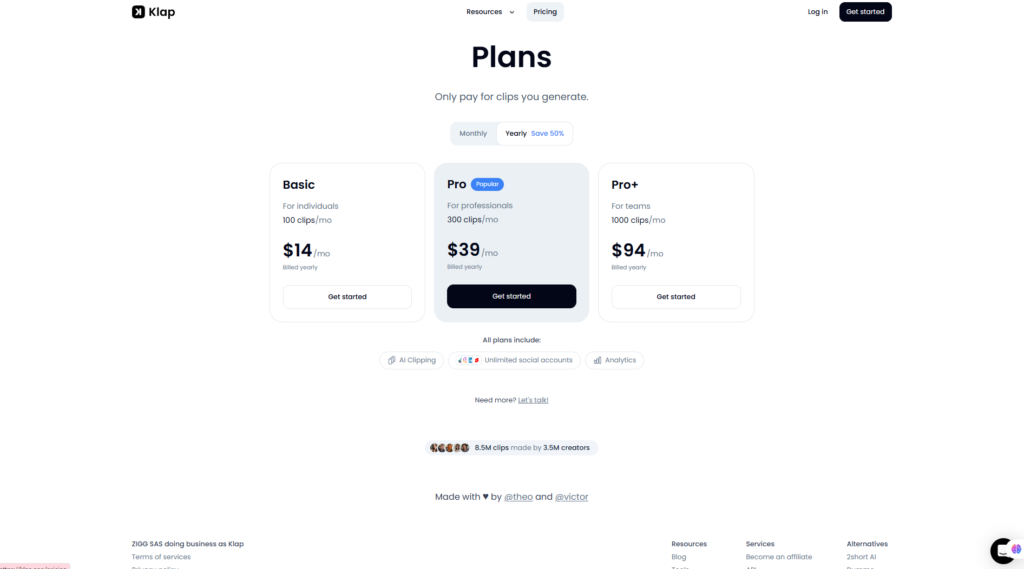
Klap currently offers three primary paid plans: Basic, Pro, and Pro+.
Annual billing provides a substantial discount compared with monthly billing.
Klap Pricing Table
| Plan | Clips per Month | Annual-Billing Price | Best For |
| Free First Video | Limited trial | Free | Testing Klap |
| Basic | 100 clips/month | $14/month | Individual creators |
| Pro | 300 clips/month | $39/month | Professionals and frequent creators |
| Pro+ | 1,000 clips/month | $94/month | Teams and agencies |
Klap currently states that yearly billing saves 50% compared with monthly billing. All listed paid plans include AI clipping, unlimited connected social accounts, and analytics.
Because SaaS pricing can change, always check Klap’s official pricing page before subscribing.
Klap Free Option
Klap currently allows users to generate their first video for free without providing a credit card.
The free experience is particularly useful because AI video clipping quality is difficult to judge based only on a feature list.
Your own content is the best test.
A podcast creator, for example, can upload a real episode and evaluate:
- Which moments Klap selects
- Caption accuracy
- Reframing quality
- Clip pacing
- Editing workflow
- Overall time saved
This makes the free first video one of Klap’s strongest advantages for new users.
Klap Basic Plan
Price: $14/month when billed yearly
Includes: 100 clips per month
The Basic plan is aimed primarily at individual creators.
It should be sufficient for users who produce a moderate amount of long-form content and need a consistent stream of Shorts, Reels, or TikToks.
For example, a YouTuber publishing four long videos per month could potentially generate several clips from each upload without needing an agency-level subscription.
Basic is likely the most appropriate starting point for:
- Individual YouTubers
- Small podcasters
- Coaches
- Educators
- Solo creators
- Freelancers
Klap Pro Plan
Price: $39/month when billed yearly
Includes: 300 clips per month
The Pro plan targets professionals who create and repurpose video more frequently.
The jump from 100 to 300 monthly clips provides significantly more capacity for users publishing short-form content almost every day.
Pro makes more sense for:
- Established creators
- Frequent podcasters
- Social media managers
- Marketing teams
- Professional content operations
For many serious creators, Pro may offer the best balance between capacity and cost.
Klap Pro+ Plan
Price: $94/month when billed yearly
Includes: 1,000 clips per month
Pro+ is designed for teams and high-volume workflows.
A solo creator probably does not need 1,000 clips per month.
However, that capacity becomes more reasonable for:
- Agencies
- Podcast networks
- Media companies
- Multi-brand teams
- Businesses managing several social accounts
- High-volume content repurposing operations
At this level, the key question is not whether $94 per month sounds expensive.
The better question is whether Klap can replace enough manual editing time to justify the subscription.
Is Klap Worth the Price?
For the right type of user, Klap’s pricing is reasonable because the product is selling time savings, not simply video exports.
Consider a creator who publishes four long-form videos every month.
If manually finding, cropping, captioning, and formatting short clips takes several hours per video, even the Basic or Pro subscription may cost substantially less than the creator’s editing time—or the cost of outsourcing those tasks.
However, the value equation changes if you only create one or two long videos every few months.
In that situation, an ongoing subscription may not make financial sense.
Our recommendation is:
Choose Basic if you are an individual creator producing short-form clips consistently but at moderate volume.
Choose Pro if content repurposing is an important part of your weekly marketing strategy.
Choose Pro+ only when you manage multiple channels, clients, or high-volume video workflows.
For most serious solo creators, Pro is likely to offer the strongest balance between monthly capacity and price.
The smartest approach is to use Klap’s free first video with real content before choosing any paid plan.
Try Klap Free – No Credit Card Required
Klap Performance Evaluation
Klap performs best when evaluated for what it is specifically designed to do: turn existing long-form videos into short-form social content with less manual editing.
It should not be compared directly with a professional desktop editor based on advanced timeline control, visual effects, or cinematic production. Instead, the most relevant criteria are AI clip selection, reframing, captions, ease of use, editing efficiency, and the overall content-repurposing workflow.
Performance Score
| Category | Score |
| Ease of Use | 4.8/5 |
| AI Clip Generation | 4.7/5 |
| AI Reframing | 4.8/5 |
| Automatic Captions | 4.7/5 |
| Editing Tools | 4.5/5 |
| Publishing Workflow | 4.7/5 |
| Pricing & Value | 4.6/5 |
| Scalability | 4.7/5 |
| Overall Rating | 4.7/5 |
Klap scores particularly well for ease of use and AI reframing. These are important advantages for creators who want to move quickly from a long horizontal video to multiple vertical clips without manually editing every output.
Its editing capabilities receive a slightly lower score because Klap prioritizes automation and simplicity over the advanced creative control available in professional video editors.
Evaluation Methodology
Flowcrai’s Klap review evaluates the platform using several criteria relevant to AI video repurposing software:
- Official product specifications
- Current feature documentation
- Pricing and plan limits
- AI clipping capabilities
- Reframing and caption tools
- Publishing workflow
- Market positioning
- Comparison with competing AI video clipping platforms
The evaluation does not assume that every AI-generated clip will perform equally well.
AI can help identify promising moments and reduce repetitive editing, but creators should still review the context, accuracy, pacing, captions, and visual framing before publishing.
That distinction is important when evaluating any AI video clipping platform.
Klap vs Competitors
Klap operates in an increasingly competitive AI video repurposing market.
Several platforms can now turn long-form content into short videos, including OpusClip, Vizard, Ssemble, and VEED.
The best option therefore depends less on which platform has the longest feature list and more on the workflow you actually need.
Klap Competitor Comparison
| Tool | Best For | AI Clipping | Auto Captions | AI Reframing | Social Workflow | Main Strength |
| Klap | Fast long-to-short repurposing | Yes | Yes | Yes | Yes | Focused AI clipping workflow |
| OpusClip | Creators and social teams | Yes | Yes | Yes | Yes | Mature AI clipping ecosystem |
| Vizard | Creators and collaborative teams | Yes | Yes | Yes | Yes | Repurposing and team workflows |
| Ssemble | Accessible AI video creation | Yes | Yes | Yes | Varies | Simple AI-assisted workflow |
| VEED | Broader online video editing | Yes | Yes | Yes | Yes | Full-featured browser editor |
Features and pricing change frequently in the AI video market, so users should verify the latest plan details before subscribing.
Klap vs OpusClip
OpusClip is probably the most important direct competitor to Klap.
Both platforms address essentially the same core problem:
Long-form video → AI analysis → short-form clips → captions → vertical formatting → social distribution.
Klap currently emphasizes features such as AI-powered clipping, content-aware reframing, animated captions, custom prompts, social scheduling, 52-language support, up to 4K exports on eligible plans, and API access.
OpusClip also offers a mature AI clipping environment and is widely positioned around converting long videos into social-ready short clips.
So which should you choose?
Choose Klap if:
- You want a focused and relatively straightforward clipping workflow.
- AI reframing is particularly important to you.
- You want to experiment with prompt-based clip discovery.
- You value integrated scheduling and content repurposing.
- Klap’s current pricing and usage limits better match your publishing volume.
Consider OpusClip if:
- You prefer another established specialist in AI video clipping.
- Its workflow or specific feature set better matches your production process.
- You are already using OpusClip successfully and have no compelling reason to migrate.
Neither platform is automatically better for every creator.
The most practical approach is to test the tools with the same type of source content and compare the quality of the generated clips, captions, reframing, editing workflow, and final output.
Related Review: OpusClip Review 2026
Klap vs Vizard
Vizard is another strong alternative for creators and teams that want to repurpose long-form content.
Both tools can reduce the manual effort required to identify clips, generate subtitles, and prepare videos for vertical social platforms.
Klap is particularly attractive if your primary objective is a streamlined long-video-to-short-video workflow.
Vizard may deserve stronger consideration when its broader collaborative or content workflow features align better with your team.
For individual creators, the decision may ultimately come down to three factors:
Output quality, workflow preference, and price.
Because AI clipping is highly dependent on source material, testing your own podcast, interview, or YouTube video is more useful than choosing solely from a feature comparison table.
Klap vs Ssemble
Klap and Ssemble overlap in AI-assisted short-form video creation, but their positioning is not identical.
Klap is the more obvious choice when your main problem is:
“I already have long videos and want AI to turn them into multiple short clips.”
Its workflow is centered around identifying moments from existing footage and repurposing them efficiently.
Ssemble can be considered by users looking for a broader, accessible AI-assisted video workflow.
For creators primarily focused on long-to-short repurposing, Klap’s specialization is a meaningful advantage.
Related Review: Ssemble Review 2026
Klap vs VEED
VEED is a broader browser-based video editing platform.
It offers considerably more than AI clipping and is designed for users who may need editing, recording, subtitles, collaboration, AI tools, and other video-production capabilities within the same ecosystem.
The distinction is therefore relatively simple.
Choose Klap if: your priority is quickly turning existing long videos into multiple short-form clips.
Choose VEED if: you need a more general-purpose online video editing environment.
A creator who spends most of their time repurposing podcasts may prefer Klap’s focused workflow.
A marketing team producing many different types of video may prefer the broader editing environment available from VEED.
Related Review: VEED Review 2026
Which Klap Alternative Should You Choose?
There is no single winner for every user.
If your priority is fast AI-powered long-to-short repurposing, Klap is one of the strongest options to consider.
If you want a close direct competitor, compare Klap with OpusClip.
If team-oriented repurposing workflows are particularly important, investigate Vizard.
If you want accessible AI-assisted video creation beyond one specific clipping workflow, consider Ssemble.
If you need a broader online video editor, VEED may be the better fit.
The important point is to choose according to your workflow rather than simply selecting the platform with the largest feature list.
Frequently Asked Questions About Klap
What Is Klap AI?
Klap is an AI-powered video repurposing platform that converts long-form videos into shorter clips designed for platforms such as YouTube Shorts, TikTok, and Instagram Reels. It automates tasks including clip selection, vertical reframing, captions, and parts of the publishing workflow.
Is Klap Free?
Klap currently allows new users to generate their first video for free without entering a credit card.
This makes it possible to evaluate the AI clip selection, captions, reframing, and editing workflow before choosing a paid subscription.
The free option should primarily be viewed as a way to test Klap rather than as a long-term plan for regular content production.
Is Klap Worth It?
Klap can be worth paying for if you regularly produce long-form videos and spend significant time turning them into short-form content.
YouTubers, podcasters, marketers, coaches, educators, and agencies are likely to see the most value.
If you rarely create long videos, however, an ongoing Klap subscription may be difficult to justify.
The value of the platform depends largely on how much editing time it saves compared with its subscription cost.
Can Klap Turn YouTube Videos Into Shorts?
Yes.
Turning existing YouTube videos into short vertical clips is one of Klap’s core use cases.
Users can provide compatible source content, allow the AI to identify potential short clips, and then customize the results for vertical platforms.
This can be particularly useful for creators with an existing library of long-form YouTube content that has never been repurposed into Shorts.
Does Klap Automatically Add Captions?
Yes.
Klap can automatically transcribe spoken content and generate animated captions for short-form clips.
Users can customize the visual presentation of the captions, while the automated transcription removes much of the repetitive work associated with creating subtitles manually.
However, captions should still be reviewed before publishing, especially when videos contain names, technical terms, unusual vocabulary, or strong accents.
How Many Languages Does Klap Support?
Klap currently advertises support for 52 languages across its video clipping and captioning workflow.
This makes the platform relevant not only to English-speaking creators but also to international businesses, educators, agencies, and multilingual content producers.
Is Klap Better Than OpusClip?
Klap is not automatically better than OpusClip, and OpusClip is not automatically better than Klap.
Both are specialist AI video clipping platforms.
Klap may be preferable for creators who like its reframing, prompt-based clipping, pricing, editor, and overall workflow.
OpusClip may be preferable if its particular AI clipping ecosystem and workflow better suit your needs.
If possible, test both using comparable source footage before making a long-term decision.
What Are the Best Klap Alternatives?
Some of the most relevant Klap alternatives include:
- OpusClip
- Vizard
- Ssemble
- VEED
- Pictory
The best alternative depends on whether your priority is automatic clipping, broader video editing, collaboration, AI video creation, or content repurposing.
Final Verdict: Is Klap Worth It in 2026?
After evaluating its features, pricing, workflow, strengths, limitations, and competitive position, our Klap review finds that Klap is a strong option for creators who regularly need to transform long-form video into short-form social content.
Its biggest advantage is specialization.
Klap is not trying to replace every video editor.
Instead, it focuses on a very specific workflow:
Long-form video → identify strong moments → generate clips → reframe vertically → add captions → edit → publish.
For the right user, automating those steps can save considerable time.
Klap Is Best For
Klap is particularly well suited to:
- YouTubers repurposing videos into Shorts
- Podcasters creating promotional clips
- Coaches and educators repurposing lessons and webinars
- Content creators publishing across multiple social platforms
- Social media marketers
- Agencies handling client video content
- SaaS companies repurposing webinars and interviews
- Teams producing short-form video at scale
Klap Is Not Recommended For
You should probably consider another solution if:
- You rarely produce long-form video.
- Your primary goal is text-to-video generation.
- You need professional frame-level timeline control.
- Your workflow depends heavily on advanced motion graphics or visual effects.
- You want a complete replacement for professional editing software.
- You do not produce enough short-form content to justify an ongoing subscription.
Final Recommendation
Overall Rating: 4.7/5 — Recommended
Klap’s biggest strength is its ability to remove repetitive work from the short-form video creation process.
For a YouTuber, podcaster, educator, marketer, or agency already sitting on hours of long-form content, that can be extremely valuable. Instead of allowing each podcast or YouTube video to exist as a single content asset, Klap makes it easier to repurpose the same recording into multiple Shorts, Reels, and TikToks.
Its biggest limitation is also important to understand: AI automation does not replace editorial judgment.
Not every automatically selected clip will be worth publishing. Captions may require corrections, context may need checking, and a high Virality Score does not guarantee views.
But that is not necessarily a reason to avoid Klap.
The real value is that AI handles much of the repetitive first pass while the creator retains responsibility for the final decision.
For creators who publish long-form content consistently, Klap offers a compelling balance of automation, simplicity, scalability, and price.
The free first-video option also lowers the risk of trying the platform. Rather than deciding based solely on reviews or feature lists, you can upload your own content and see whether Klap produces clips that match your expectations.
Try Klap Free – No Credit Card Required
References
This review was developed using current product information and documentation available from Klap, including:
- Klap Official Website
- Klap Pricing
- Klap AI Clip Generator
- Klap AI Clip Maker
- Klap AI Video Clipping Tool
- Klap YouTube Clip Maker
- Klap API Documentation
- Klap comparison information for competing AI clipping platforms
Product features, usage limits, and subscription pricing can change over time. Always check Klap’s official website for the latest information before purchasing a paid plan.