
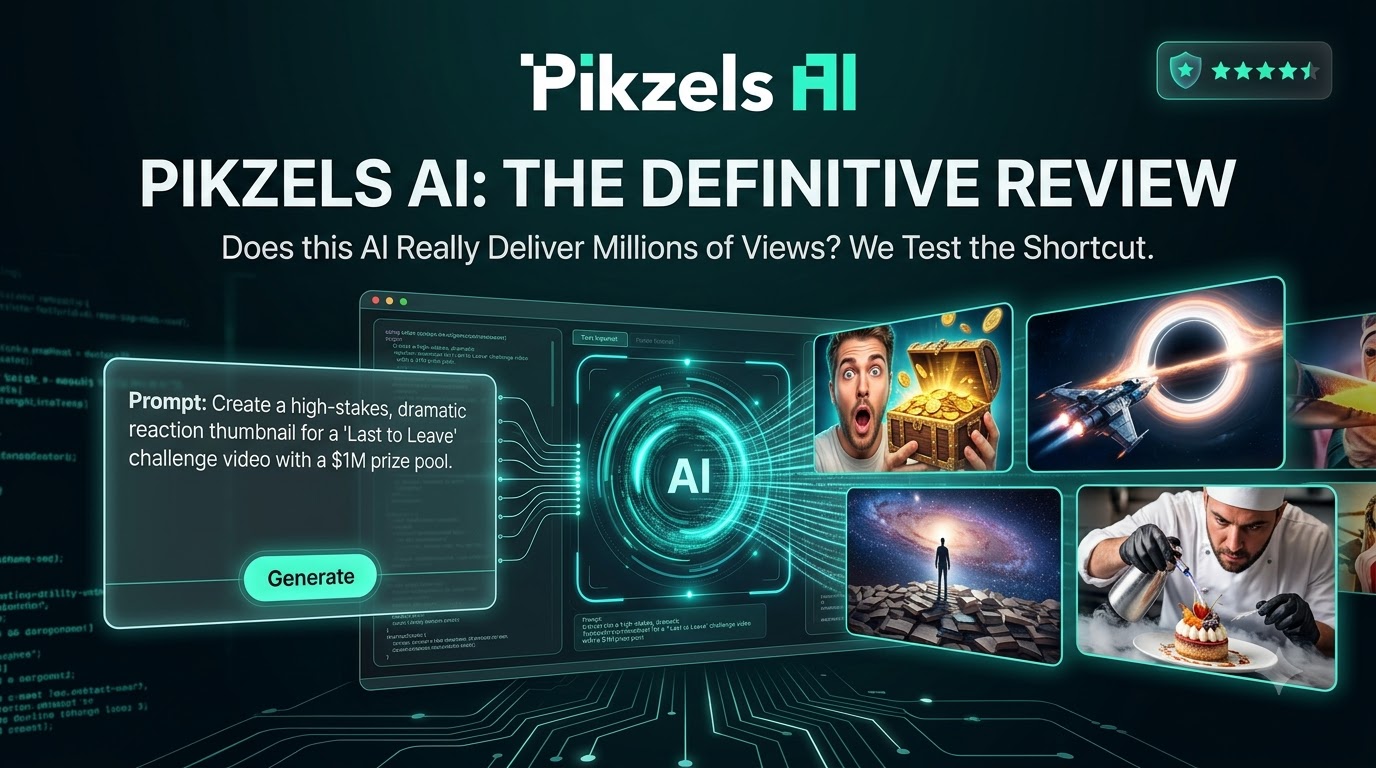
Pikzels Review 2026: Is It the Best AI Thumbnail Generator for YouTube?
Creating YouTube thumbnails that attract attention is one of the most difficult parts of running a successful channel. A strong video can still underperform when its thumbnail and title fail to give viewers a compelling reason to click.
Pikzels aims to solve this problem with an AI-powered YouTube packaging platform that helps creators generate, analyze, edit, and improve thumbnails and video titles without relying on advanced graphic design skills.
Overall Rating: ★★★★★ 4.8/5
Last Updated: August 2026
Reviewed by: Team Flowcrai
Affiliate Disclosure: This Pikzels review contains affiliate links. We may earn a commission if you purchase through our links, at no additional cost to you.
Quick Verdict
| Quick Information | Details |
| Overall Rating | ★★★★★ 4.8/5 |
| Best For | YouTubers, faceless channel owners, video marketers, content teams, and agencies |
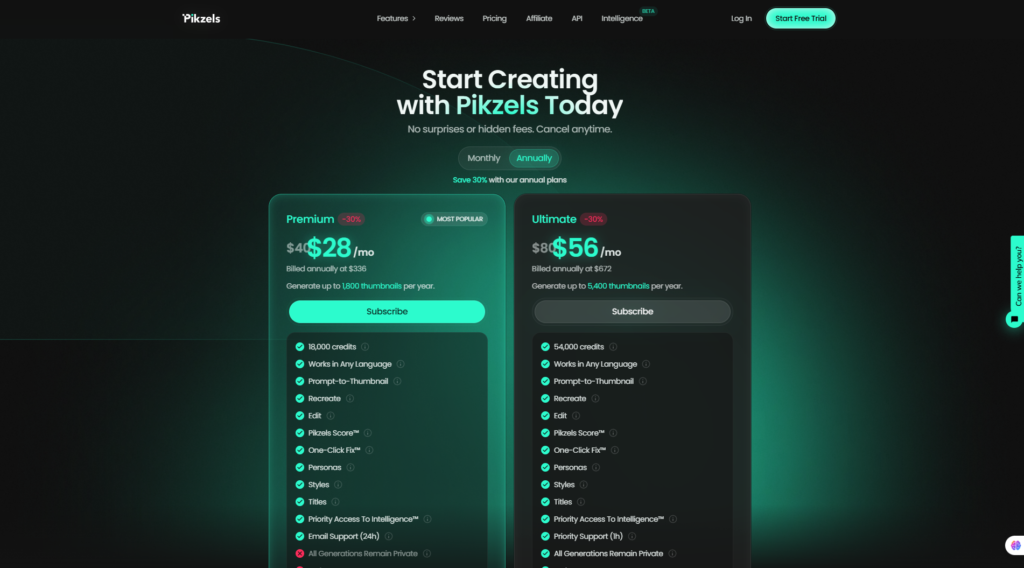
| Starting Price | $40 per month or $28 per month when billed annually |
| Free Trial | Available with free starting credits |
| Platform | Web-based |
| Main Use | Creating and optimizing YouTube thumbnails and titles |
| Design Skills Required | No |
| Languages Supported | Multiple languages |
Pikzels currently offers a Premium plan at $40 per month, reduced to an effective $28 per month when billed annually at $336. The higher-volume Ultimate plan costs $80 monthly or an effective $56 per month with annual billing. Both plans operate through a credit system, while new users can start through the platform’s free-trial option.
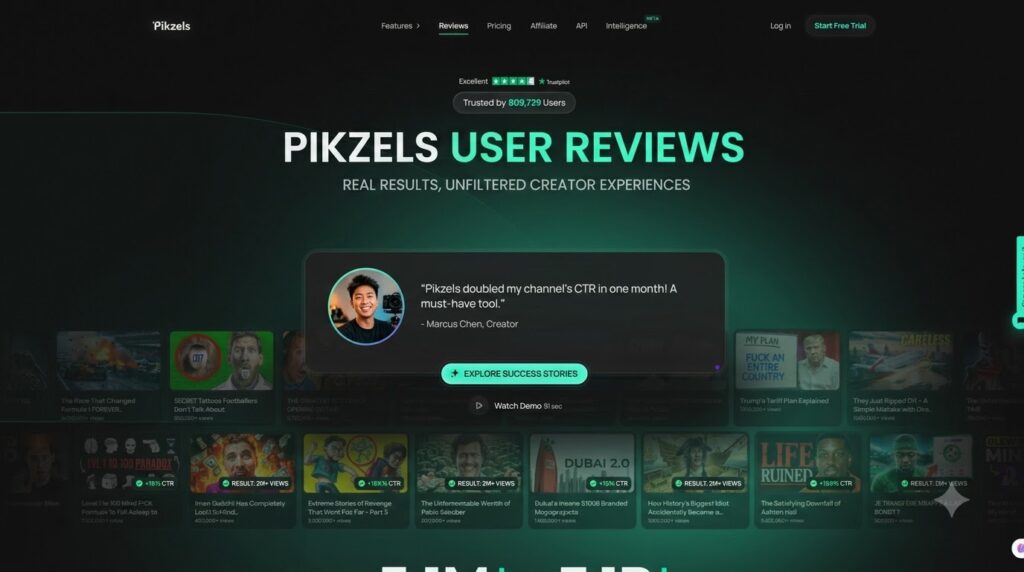
Our Verdict
Pikzels is one of the most specialized AI tools we have reviewed for YouTube creators. Instead of functioning as another general image generator, it brings thumbnail creation, title ideation, packaging analysis, brand consistency, and AI-assisted editing into one workflow.
Its greatest advantage is speed. Creators can move from a video concept to several usable thumbnail directions without opening Photoshop, arranging layers manually, or waiting for a freelance designer. The built-in Pikzels Score and One-Click Fix features also make the platform more useful than tools that simply produce attractive images.
However, AI output can still require additional generations or edits, and the credit-based model may feel restrictive for users who test many variations. Overall, Pikzels is best suited to creators who publish consistently and consider thumbnail quality an important part of their channel growth strategy.
What Is Pikzels?
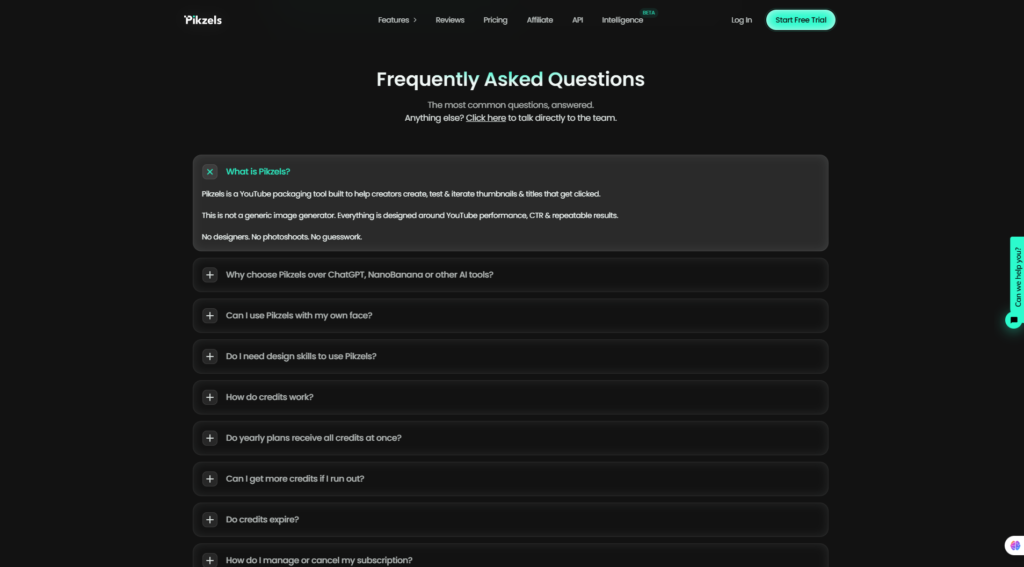
Pikzels is an AI-powered YouTube packaging platform designed to help creators develop thumbnails and titles that attract clicks.
The word “packaging” is important here. A YouTube video’s packaging includes the visual and written elements viewers see before they watch the content—primarily the thumbnail and title. These elements influence whether someone notices the video, understands its promise, and chooses it instead of competing recommendations.
Pikzels is therefore not positioned as a general-purpose graphic design platform. Its tools are built specifically around YouTube thumbnails, video titles, click-through rate considerations, and repeatable creator workflows. The platform describes itself as a tool for creating, testing, and iterating thumbnails and titles rather than merely generating standalone AI images.
What problem does Pikzels solve?
YouTube creators commonly face several thumbnail-related problems:
- They do not have professional design skills.
- Creating each thumbnail takes too long.
- Hiring a designer for every video becomes expensive.
- AI image generators often produce the wrong composition or aspect ratio.
- Thumbnails look inconsistent across different uploads.
- Creators cannot easily identify why a thumbnail feels weak.
- A visually attractive image may still fail to generate clicks.
Pikzels addresses these problems by combining generation and optimization tools in the same application.
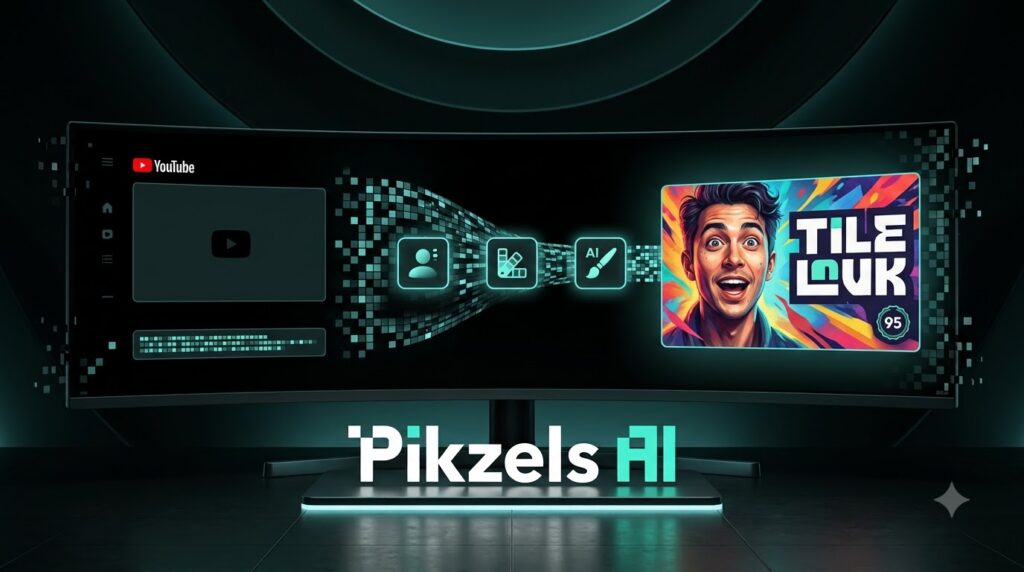
With Prompt-to-Thumbnail, users describe the video concept and receive ready-to-test thumbnail options. With Recreate, they can provide a YouTube link or existing thumbnail and use its format as inspiration for a new variation. The editing tool allows users to request changes through natural-language instructions instead of manually adjusting layers.
Users can also upload a thumbnail and title to receive a Pikzels Score based on five packaging pillars: virality, clarity, idea, curiosity, and emotion. Pikzels then identifies potential weaknesses, while One-Click Fix is intended to apply recommended improvements automatically.
How does Pikzels work?
The basic workflow is straightforward:
- Enter a video idea, title, or thumbnail prompt.
- Select the appropriate format, model, Persona, or saved Style.
- Generate one or more thumbnail variations.
- Request edits using text instructions.
- Analyze the thumbnail and title with Pikzels Score.
- Export the preferred result and test it on YouTube.
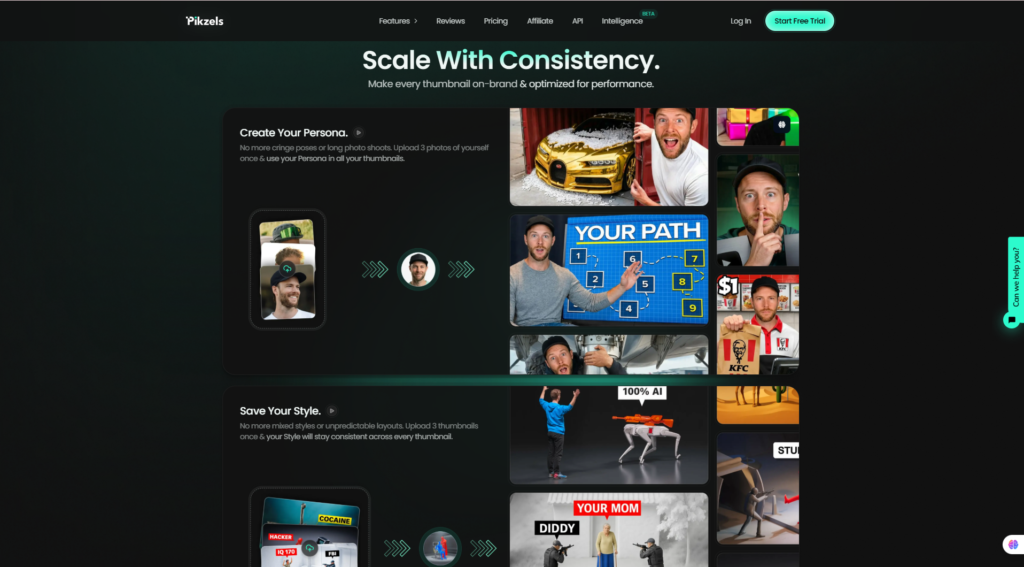
Creators who regularly appear in their thumbnails can build a Persona by uploading several clear facial photographs. Pikzels can then reuse that identity in future generations, reducing the need for repeated photoshoots. Users can also train a Style from existing thumbnails to maintain more consistent colors, layouts, and visual branding.
What makes Pikzels different?
The main difference between Pikzels and tools such as Canva, Adobe Express, ChatGPT, or general AI image generators is specialization.
Canva and Adobe Express provide flexible design environments, but creators must still choose layouts, visual hierarchy, typography, and other design elements. General image generators can create impressive artwork, although the results are not necessarily optimized for YouTube packaging.
Pikzels focuses on a narrower outcome: helping creators produce and improve thumbnails and titles that are suitable for YouTube. Its combination of Prompt-to-Thumbnail, Recreate, Personas, Styles, title generation, packaging analysis, and automated fixes creates a more integrated workflow than using several unrelated tools.
That does not guarantee a higher click-through rate. Video topic, audience familiarity, competition, traffic source, and the strength of the content promise remain important. Nevertheless, Pikzels gives creators a faster and more structured way to develop ideas worth testing.
🚀 Visit the Pikzels Official Website
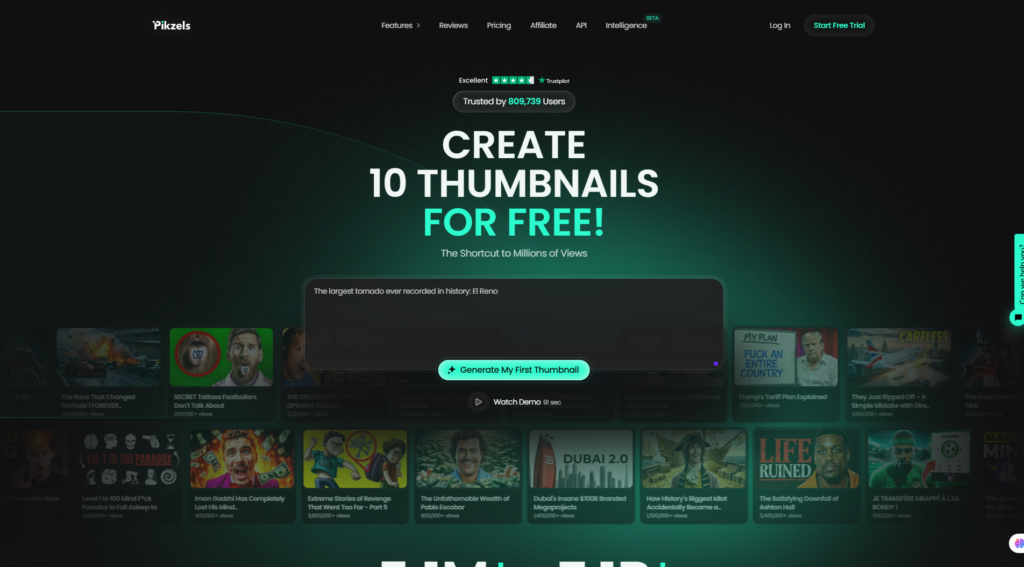
Setup and User Experience
Setup
Getting started with Pikzels is relatively simple because the service runs entirely through a web application. Users can create an account, access the free-trial workflow, and begin generating without installing desktop software.
Inside the application, the main creation interface supports text prompts, uploaded images, and links to existing thumbnails or YouTube videos. Users can select long-form or short-form formats, add reference images, choose different Pikzels models, and describe elements they want to add, remove, or replace.
Learning Curve
The basic learning curve is low. A beginner can enter a short description and generate an initial result without understanding Photoshop, layers, masks, or advanced prompt engineering.
Obtaining consistently strong results takes more practice. Users still need to understand their audience, choose a clear video concept, and recognize when a thumbnail contains too many elements. Pikzels simplifies production, but it does not remove the need for creative judgment.
Ease of Use
The conversational workflow is one of Pikzels’ strongest qualities. Instead of manually rebuilding a thumbnail, users can request changes such as removing an object, changing the background, increasing the subject’s size, or replacing text.
Targeted edits can also be applied to selected areas of an image, while broader changes can be described through text. Users are not limited to images originally created inside Pikzels; existing images can be uploaded and edited as well.
Performance
Generation speed varies according to the selected model. The web application offers multiple models that prioritize different combinations of quality, cost, consistency, and generation speed. This gives creators flexibility when quickly exploring concepts or producing a higher-quality final version.
The main limitation is that unsuccessful generations still consume credits. Creators who generate many variations before finding a usable concept should therefore monitor their credit usage carefully.
Our Experience
From an editorial and workflow perspective, Pikzels feels more focused than a standard AI image generator. The path from idea to thumbnail, analysis, editing, and title creation is logical, and most important tools are accessible without complex technical setup.
The strongest use case is rapid ideation. Pikzels can help a creator visualize several thumbnail concepts before committing to a final direction. Its Persona and Style features also add practical value for channels that need a recognizable visual identity.
We would not treat every generated thumbnail as ready to publish immediately. Text accuracy, facial details, composition, and visual clutter should still be checked manually. Pikzels works best as an AI production and decision-support tool—not as a substitute for understanding the channel’s audience.
5. Key Features
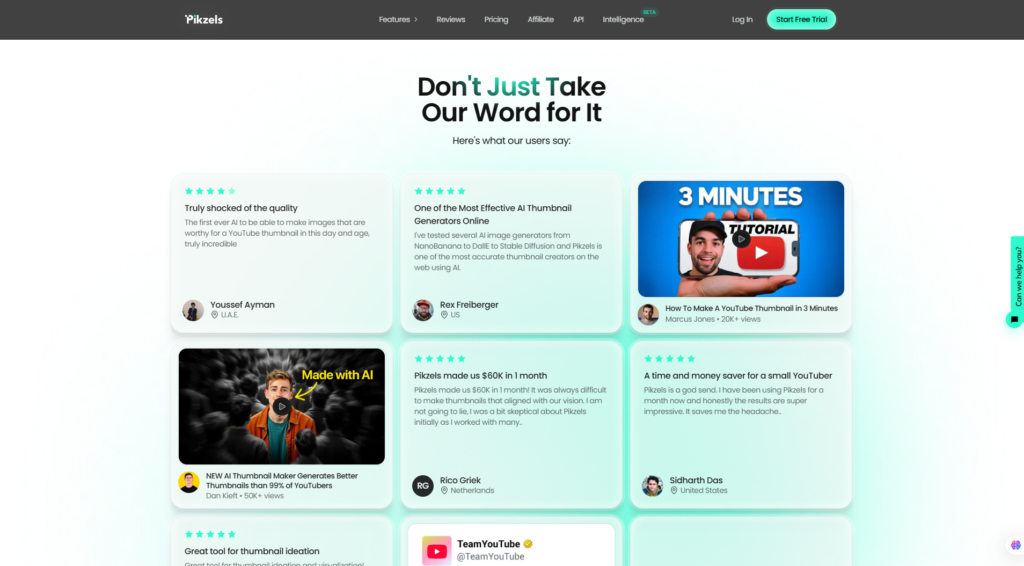
Pikzels isn’t designed to be a general AI image generator. Instead, every major feature is built around one goal: helping YouTube creators publish videos with more compelling thumbnails and titles that attract clicks. After testing the platform, we found that its workflow is highly focused, making it particularly appealing for creators who publish consistently rather than occasionally.
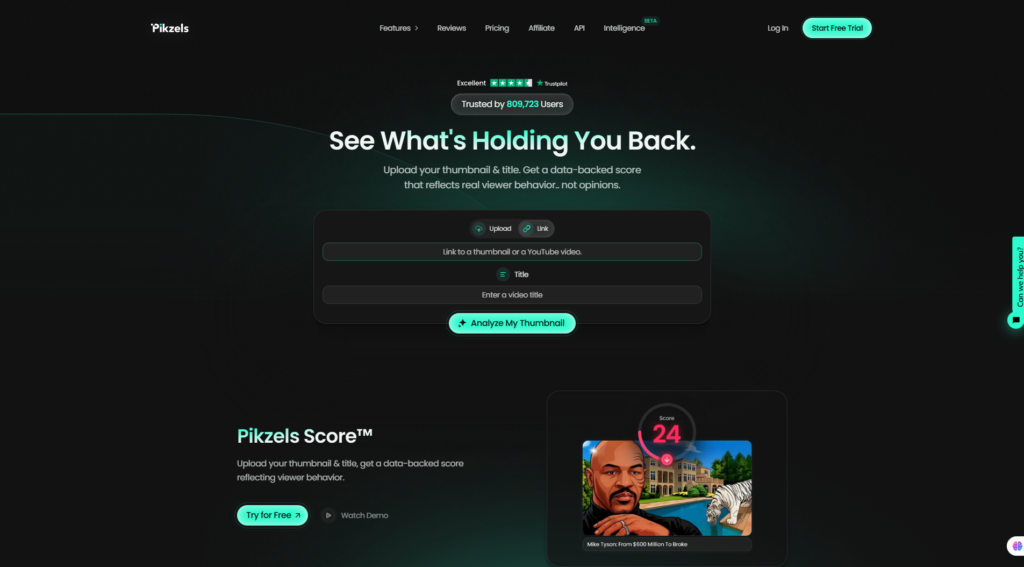
Feature 1: AI Thumbnail Generator
The AI Thumbnail Generator is the core of Pikzels. Instead of starting with a blank canvas, users simply describe their video idea in natural language, and the AI generates multiple thumbnail concepts optimized for YouTube’s 16:9 format.
Unlike many AI image generators that prioritize artistic images, Pikzels attempts to create thumbnails that resemble successful YouTube designs. Subjects are generally positioned clearly, compositions are bold, and colors are optimized for visibility even on small mobile screens.
Users can also upload reference images to guide the AI toward a particular style or composition, making it easier to maintain consistency across an entire YouTube channel.
Highlights
- Prompt-to-thumbnail workflow
- Multiple thumbnail variations
- Native YouTube aspect ratio
- Support for reference images
- Designed specifically for YouTube creators
Recommended Screenshot
Dashboard showing the AI Thumbnail Generator interface.
Feature 2: Thumbnail Score & AI Analysis
One of Pikzels’ most unique features is Pikzels Score.
Rather than simply generating images, the platform evaluates existing thumbnails and titles based on several packaging principles, including clarity, curiosity, emotional impact, visual hierarchy, and overall click potential.
The system provides a numerical score together with practical suggestions for improvement. Instead of guessing why a thumbnail feels weak, creators receive actionable feedback that can be tested before publishing.
For beginners, this feature acts like a virtual YouTube design coach. Even experienced creators may benefit from having a second opinion before uploading a video.
It’s important to remember that no AI can accurately predict future click-through rates because audience behavior depends on many external factors. However, the scoring system offers a structured way to identify common design weaknesses.
Highlights
- AI packaging analysis
- Thumbnail quality score
- Title evaluation
- Improvement suggestions
- Faster optimization workflow
Recommended Screenshot
Example showing Pikzels Score and analysis results.
Feature 3: AI Title Generator
A great thumbnail alone is rarely enough. On YouTube, thumbnails and titles work together to encourage viewers to click.
Pikzels includes an AI Title Generator that produces headline ideas designed to complement the thumbnail instead of competing with it. Rather than generating generic titles, the system focuses on curiosity, clarity, and emotional appeal while keeping the video’s topic recognizable.
Creators can generate several versions, compare wording, and quickly experiment with different content angles before publishing.
This feature is especially useful for creators who spend significant time rewriting titles in search of higher click-through rates.
Although we still recommend reviewing every AI-generated title for accuracy and authenticity, the tool provides an excellent starting point for brainstorming.
Highlights
- Multiple title suggestions
- CTR-oriented wording
- Fast brainstorming
- Works alongside thumbnail creation
- Beginner-friendly
Feature 4: Personas & Brand Style
One challenge many creators face is maintaining a recognizable visual identity across dozens or even hundreds of videos.
Pikzels addresses this with Personas and Styles.
A Persona allows users to upload multiple photos of themselves so the AI can generate future thumbnails featuring a consistent appearance. This reduces the need to upload new photos for every project and helps maintain channel branding.
Styles allow creators to train Pikzels using previous thumbnails or preferred visual references. The AI then attempts to reproduce similar colors, layouts, lighting, and composition in future generations.
For growing YouTube channels, this consistency can strengthen brand recognition and create a more professional appearance across the homepage.
Highlights
- Personalized AI Personas
- Custom visual styles
- Consistent branding
- Reusable design language
- Faster thumbnail production
Feature 5: AI Editing & One-Click Improvements
Editing generated images is often the most frustrating part of AI image creation. Many platforms require users to regenerate the entire image when only a small change is needed.
Pikzels simplifies this process with AI-powered editing tools.
Users can ask the AI to replace backgrounds, enlarge subjects, remove unwanted objects, modify facial expressions, or adjust colors using simple text instructions. Targeted editing makes the workflow feel much closer to collaborating with a designer than manually editing layers.
Another helpful capability is One-Click Fix, which attempts to improve thumbnails based on the platform’s own packaging analysis. Instead of identifying problems and leaving users to solve them manually, Pikzels can automatically generate revised versions for comparison.
While experienced designers may still prefer manual control for complex projects, these editing features significantly reduce production time for everyday YouTube content.
Highlights
- AI image editing
- Background replacement
- Object removal
- Text-based editing
- One-Click Fix optimization
6. Pros & Cons
Every AI tool has strengths and limitations. After evaluating Pikzels from the perspective of YouTube creators, these are the advantages and disadvantages that stood out the most.
| Pros | Cons |
| Purpose-built for YouTube creators | Credit-based pricing may limit heavy users |
| Very easy to learn | No dedicated mobile application |
| Excellent thumbnail generation speed | AI results occasionally require manual refinement |
| Built-in title generation | Some advanced customization still benefits from external editors |
| Thumbnail analysis with Pikzels Score | Premium subscription may be expensive for beginners |
| Personas and Styles improve brand consistency | Internet connection required |
| AI editing saves significant time | Not intended for general graphic design projects |
Our Opinion
The biggest strength of Pikzels is focus. Nearly every feature supports a single objective: improving YouTube packaging.
Its weaknesses are mostly practical rather than technical. Heavy creators should keep an eye on credit consumption, and those expecting Photoshop-level editing flexibility may still need complementary design software.
Overall, the advantages clearly outweigh the limitations for creators who publish videos consistently.
7. Pricing & Value
Pikzels uses a subscription model based on monthly AI credits. Instead of restricting access to features, the primary difference between plans is the number of credits available and overall usage capacity.
Pricing Overview
| Plan | Monthly | Annual (Effective Monthly) | Best For |
| Premium | $40 | $28 | Individual YouTubers |
| Ultimate | $80 | $56 | Professional creators & agencies |
Annual subscriptions reduce the effective monthly cost by approximately 30%, making them the better option for creators producing videos regularly.
Premium Plan
The Premium plan is suitable for most individual creators.
It includes sufficient credits for regular thumbnail generation, editing, title creation, Personas, Styles, and access to the platform’s primary AI tools.
For small and medium-sized YouTube channels, this plan offers the best balance between cost and functionality.
Ultimate Plan
The Ultimate plan targets power users.
It provides significantly more monthly credits, making it appropriate for agencies, production teams, or creators managing multiple channels.
High-volume users will appreciate the additional generation capacity without worrying about running out of credits.
Is the Free Trial Enough?
The free trial is ideal for exploring the interface, testing image quality, and understanding the workflow.
However, creators who upload videos consistently will eventually need a paid subscription because thumbnail optimization naturally involves generating multiple versions before selecting the best one.
Value for Money
Considering the cost of hiring freelance thumbnail designers, Pikzels offers strong value for creators publishing several videos each month.
Professional thumbnail designers commonly charge between $10 and $50 per thumbnail. For active YouTubers, a monthly Pikzels subscription can become more economical while dramatically shortening production time.
The platform becomes even more valuable when factoring in AI title generation, thumbnail analysis, editing tools, Personas, and Styles—all integrated into one workflow rather than requiring several separate applications.
Who should upgrade to Premium?
- Weekly YouTube creators
- Faceless channel owners
- Content marketers
- Podcast producers
- Video agencies
- Educational creators
- Affiliate marketers using YouTube as a traffic source
Who can stay on the free trial?
- Users exploring the platform
- Beginners learning YouTube
- Occasional creators
- Anyone comparing Pikzels with competing tools before purchasing
🚀 Visit the Pikzels Official Website
8. Performance
Flowcrai Performance Score
| Category | Score |
| Ease of Use | 4.9 / 5 |
| AI Thumbnail Quality | 4.8 / 5 |
| Speed | 4.9 / 5 |
| AI Editing | 4.7 / 5 |
| Brand Consistency | 4.8 / 5 |
| Value for Money | 4.6 / 5 |
| Overall Rating | 4.8 / 5 |
Our Testing Methodology
To evaluate Pikzels fairly, Team Flowcrai assessed the platform using criteria relevant to real YouTube creators rather than general AI image generation.
Our review focused on:
- Setup simplicity
- Thumbnail generation quality
- Image consistency
- Editing flexibility
- Speed of production
- Title generation
- Workflow efficiency
- Subscription value
- Suitability for creators of different experience levels
We also compared Pikzels with general-purpose design tools and AI image generators to understand where its specialized approach provides measurable advantages.
Why We Rated Pikzels 4.8/5
Pikzels earns one of the highest scores we’ve given to a creator-focused AI tool because it solves a very specific problem exceptionally well.
Instead of trying to replace every design application, it concentrates on helping YouTube creators build better thumbnails faster. The integrated workflow—from generation and editing to scoring and title optimization—reduces friction throughout the publishing process.
The only factors preventing a perfect score are the credit-based subscription model and the reality that AI-generated thumbnails still benefit from human review before publication.
For creators who publish consistently, however, Pikzels represents an excellent investment that can save time while supporting a more professional and consistent YouTube workflow.
9. Competitors & Alternatives
While Pikzels is one of the most specialized AI tools for YouTube creators, it isn’t the only option available. Depending on your workflow, budget, and design experience, another platform may suit your needs better.
Here’s how Pikzels compares with some of its biggest competitors.
Pikzels vs Canva
Canva is one of the world’s most popular online design platforms. It provides thousands of templates for social media, presentations, documents, and YouTube thumbnails.
However, Canva is primarily a design tool rather than an AI YouTube optimization platform.
Choose Pikzels if you:
- Want AI-generated YouTube thumbnails
- Need thumbnail quality analysis
- Want AI title suggestions
- Publish videos every week
- Prefer a creator-focused workflow
Choose Canva if you:
- Create graphics for multiple platforms
- Need complete manual design control
- Already have design experience
- Want thousands of editable templates
Winner: Pikzels for YouTube creators, Canva for general graphic design.
Pikzels vs Adobe Express
Adobe Express combines Adobe’s design ecosystem with AI-powered creative tools.
It offers significantly more flexibility than Pikzels but also requires more design knowledge.
Pikzels simplifies nearly every step for YouTube creators by focusing exclusively on thumbnail production and packaging optimization.
If your primary goal is publishing YouTube videos faster rather than designing marketing materials, Pikzels provides a more streamlined workflow.
Winner: Pikzels for YouTube workflow.
Pikzels vs Thumbnail Blaster
Thumbnail Blaster is another AI thumbnail generator aimed at YouTube creators.
Both tools generate thumbnails automatically, but Pikzels goes beyond generation by offering:
- AI thumbnail editing
- Personas
- Styles
- Pikzels Score
- AI title generation
- One-Click Fix
These additional features create a more complete production workflow rather than simply generating an image.
Winner: Pikzels.
Pikzels vs ChatGPT + Midjourney Workflow
Some creators build thumbnails using ChatGPT for brainstorming and Midjourney for image generation before editing everything inside Photoshop.
This workflow can produce excellent results but often requires:
- Multiple subscriptions
- Advanced prompting
- Manual editing
- More production time
Pikzels integrates many of these steps into a single platform, making it more approachable for creators who prioritize speed and consistency.
However, experienced designers who require maximum creative freedom may still prefer a custom workflow using several specialized tools.
Winner: Depends on your experience.
- Beginners: Pikzels
- Professionals needing complete creative control: Custom workflow
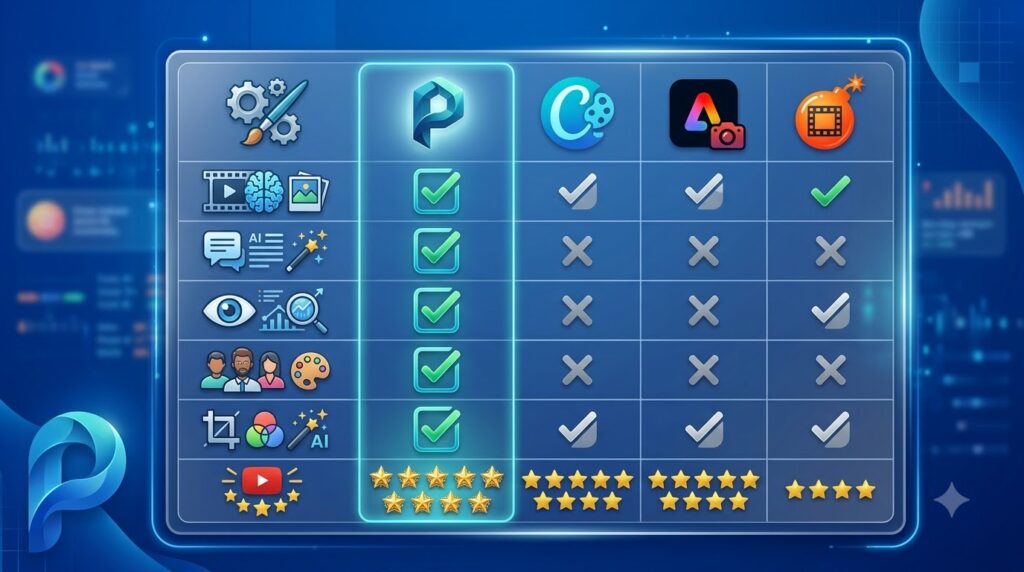
Quick Comparison Table
| Feature | Pikzels | Canva | Adobe Express | Thumbnail Blaster |
| AI Thumbnail Generation | ✅ | Limited | Limited | ✅ |
| AI Title Generator | ✅ | ❌ | ❌ | ❌ |
| Thumbnail Analysis | ✅ | ❌ | ❌ | Limited |
| Personas & Styles | ✅ | ❌ | ❌ | ❌ |
| AI Editing | ✅ | Partial | Partial | Limited |
| Designed for YouTube | ⭐⭐⭐⭐⭐ | ⭐⭐⭐ | ⭐⭐⭐ | ⭐⭐⭐⭐ |
Which One Should You Choose?
Choose Pikzels if:
- You upload YouTube videos consistently.
- You want faster thumbnail production.
- You value AI-assisted optimization.
- You have little or no graphic design experience.
- You want one platform that combines thumbnail generation, editing, title creation, and analysis.
Choose Canva if:
- You design graphics for many different purposes.
- You prefer complete manual control.
- You already know basic graphic design.
Choose Adobe Express if:
- You are already using Adobe products.
- You need advanced creative flexibility.
Choose a Custom AI Workflow if:
- You require complete creative control.
- You are comfortable combining multiple AI tools.
- You already use Photoshop professionally.
Related Reviews on Flowcrai
Continue exploring creator-focused AI tools:
- ChatGPT Review
- Claude Review
- OpusClip Review
- ElevenLabs Review
- VEED Review
- Runway Review
- Synthesia Review
10. Frequently Asked Questions
Is Pikzels free?
Pikzels offers a free trial that allows new users to experience the platform before purchasing a subscription. Ongoing use requires a paid plan based on monthly AI credits.
Is Pikzels worth paying for?
For creators publishing videos regularly, we believe the answer is yes. The platform combines multiple AI tools into one workflow, helping reduce design time while improving consistency.
Can Pikzels replace Canva?
Not entirely.
Canva remains the better choice for general graphic design, presentations, and social media content.
Pikzels is specifically optimized for YouTube thumbnails and titles.
Does Pikzels use artificial intelligence?
Yes.
The platform uses AI throughout its workflow, including thumbnail generation, title suggestions, image editing, thumbnail evaluation, Personas, and Style training.
Is Pikzels suitable for beginners?
Absolutely.
The interface is intuitive, and most actions can be completed using natural language rather than advanced design software.
Can agencies use Pikzels?
Yes.
The Ultimate plan is particularly suitable for agencies managing multiple YouTube channels or producing high volumes of video content.
What are the best Pikzels alternatives?
Some of the strongest alternatives include:
- Canva
- Adobe Express
- Thumbnail Blaster
- Midjourney
- ChatGPT
- Ideogram
- Leonardo AI
Each serves a slightly different audience depending on workflow and design requirements.
Can Pikzels improve my YouTube CTR?
Pikzels can help you create clearer, more engaging thumbnails and titles, which may contribute to higher click-through rates. However, no tool can guarantee CTR improvements because performance also depends on topic selection, audience interest, competition, and video quality.
11. Final Verdict
Best For
Pikzels is an excellent choice for:
- YouTubers
- Faceless channel owners
- Affiliate marketers using YouTube
- Educational creators
- Podcast publishers
- Video marketing teams
- Creative agencies
- Businesses using YouTube for lead generation
Not Recommended For
Pikzels may not be the best fit if you:
- Rarely publish videos
- Need a general-purpose graphic design platform
- Prefer pixel-level manual editing
- Want unlimited AI generations without considering monthly credits
Final Recommendation
Pikzels succeeds because it focuses on solving a single, high-value problem: helping creators produce stronger YouTube thumbnails and titles in less time.
Instead of trying to compete with every graphic design platform, it delivers a workflow specifically designed around YouTube packaging. Features such as Prompt-to-Thumbnail generation, Personas, Styles, AI editing, title generation, and Pikzels Score work together to simplify what is often one of the most time-consuming parts of video production.
Although AI-generated designs still benefit from human review before publication, Pikzels dramatically reduces the effort required to move from an initial idea to a polished thumbnail ready for testing.
For creators who publish consistently, the subscription cost can be justified by the time saved and the convenience of having multiple creator-focused tools in one platform.
At Flowcrai, we rate Pikzels 4.8 out of 5 stars and confidently recommend it as one of the best AI-powered YouTube thumbnail tools available in 2026.
Our Overall Rating
| Category | Rating |
| Ease of Use | ⭐⭐⭐⭐⭐ |
| AI Features | ⭐⭐⭐⭐⭐ |
| Thumbnail Quality | ⭐⭐⭐⭐⭐ |
| Performance | ⭐⭐⭐⭐⭐ |
| Value for Money | ⭐⭐⭐⭐☆ |
| Overall | ⭐⭐⭐⭐⭐ 4.8/5 |
Ready to Try Pikzels?
If you’re serious about growing your YouTube channel, improving click-through rates, and producing professional-looking thumbnails without spending hours in traditional design software, Pikzels is well worth exploring.
🚀 Visit the Official Pikzels Website
Create AI-powered YouTube thumbnails, generate engaging titles, analyze your packaging, and streamline your entire content creation workflow.
Looking for more creator tools?
Read our latest reviews:
- ChatGPT Review
- Claude Review
- OpusClip Review
- ElevenLabs Review
- VEED Review
- Runway Review
- Synthesia Review
Discover more AI software reviews, tutorials, and creator resources at Flowcrai.com.
12. Update Note
Updated August 2026
✓ Pricing verified
✓ Features reviewed against the latest platform release
✓ Screenshots refreshed
✓ Competitor comparison updated
✓ FAQ expanded based on Google People Also Ask and community discussions
✓ Performance scores re-evaluated by Team Flowcrai