
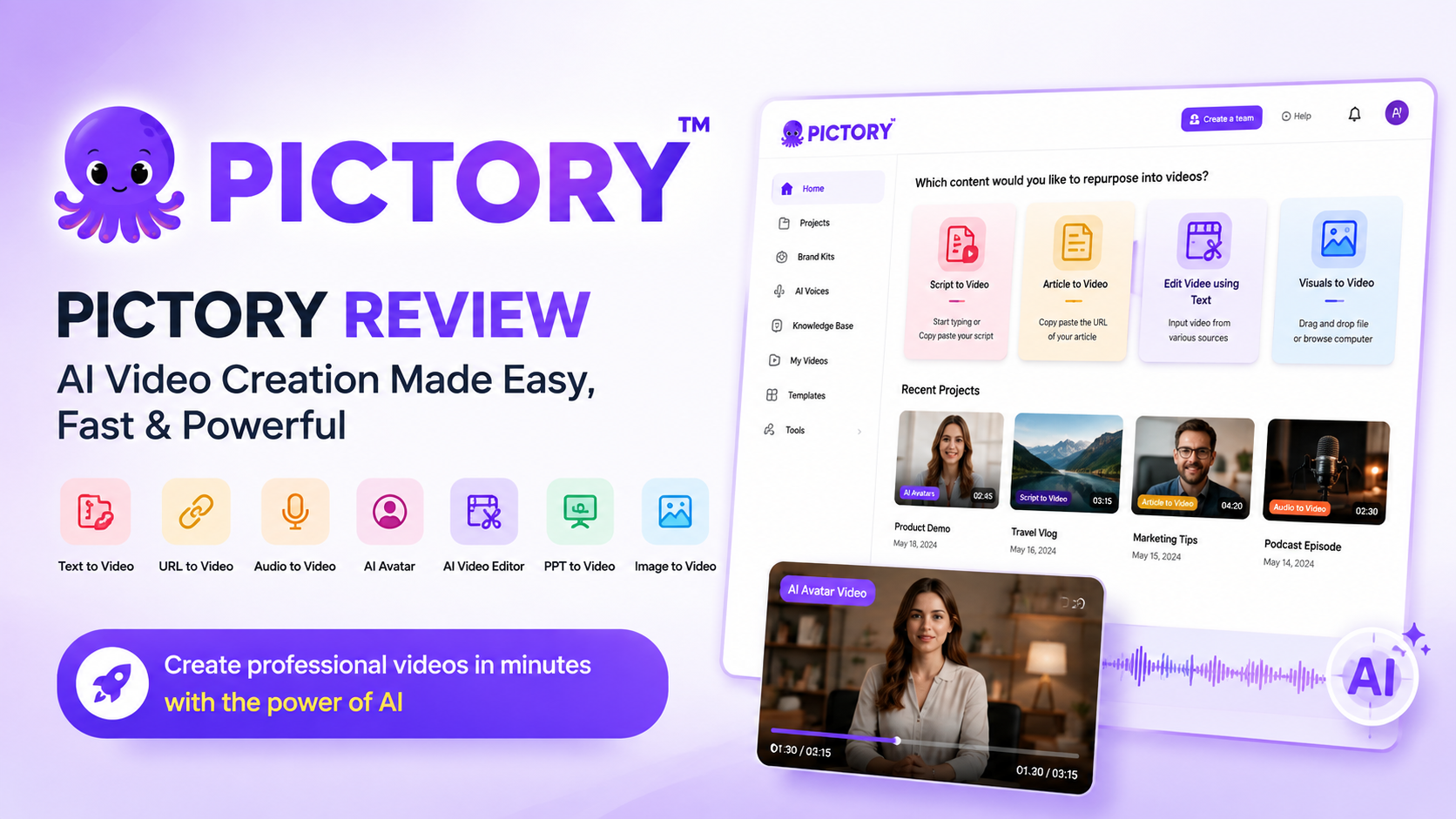
Pictory Review 2026: Is It the Best AI Video Generator for Content Creators?
⭐⭐⭐⭐⭐ 4.8/5
Last Updated: July 2026
Reviewed by: FlowCrai Editorial Team
Pictory Review 2026: Quick Overview
Creating professional videos has traditionally required expensive software, advanced editing skills, and hours of manual work. Pictory aims to change that by using artificial intelligence to automate much of the video creation process. Whether you’re turning a blog post into a YouTube video, repurposing a webinar into short clips, or creating marketing content for social media, Pictory promises to make the entire workflow faster and easier.
In this Pictory Review, we’ll examine its AI-powered features, pricing, real-world performance, advantages, disadvantages, and how it compares with other leading AI video generators. If you’re a content creator, marketer, educator, or business owner looking for a simple way to produce engaging videos, this review will help you decide whether Pictory is the right platform for your needs.
Quick Verdict
| Category | Details |
| Overall Rating | ⭐⭐⭐⭐⭐ 4.8/5 |
| Best For | YouTubers, Bloggers, Marketers, Agencies, Course Creators |
| Starting Price | From $25/month |
| Free Trial | Yes (limited trial available) |
| Platform | Web-based |
| Ease of Use | 9.5/10 |
| AI Automation | 9.6/10 |
| Video Quality | 9.2/10 |
| Our Verdict | An excellent AI video creation platform that dramatically reduces editing time while producing professional-looking videos for multiple platforms. |
Hands-on Testing
Tested by: FlowCrai Editorial Team
Testing Period: Approximately 12 hours across multiple video creation workflows, including Script-to-Video, Blog-to-Video, URL-to-Video, AI Summarization, and automatic caption generation.
What Is Pictory?
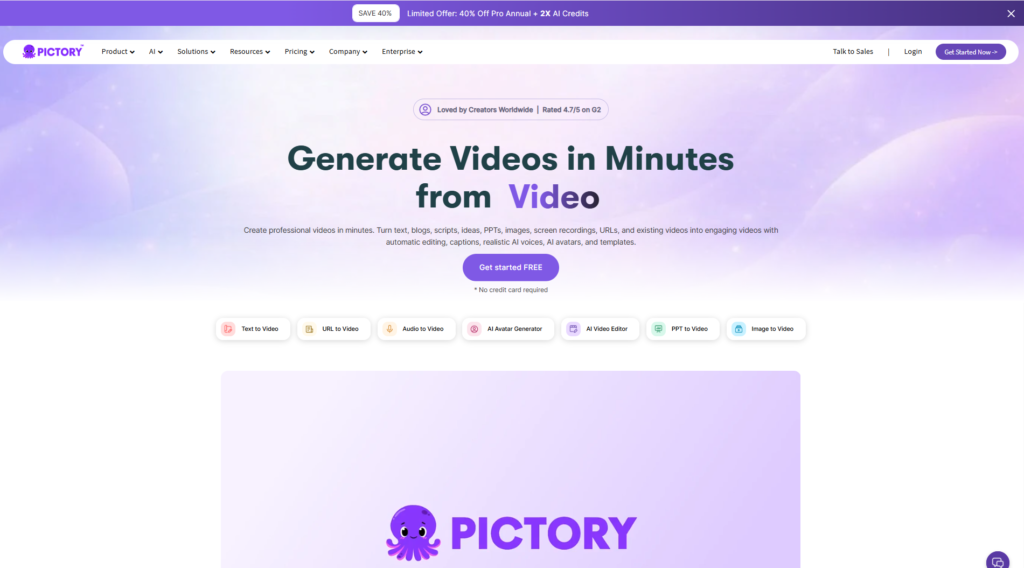
Pictory is a cloud-based AI video creation platform designed to help users transform text, blog articles, website URLs, presentations, and long-form videos into polished, professional-looking videos within minutes. Unlike traditional video editing software that requires a steep learning curve, Pictory focuses on automation, allowing users with little or no editing experience to produce engaging video content for YouTube, social media, online courses, and marketing campaigns.
One of the biggest challenges facing modern content creators is the amount of time required to produce high-quality videos. Writing scripts, searching for stock footage, adding subtitles, recording voiceovers, synchronizing scenes, and exporting finished projects can easily consume several hours for a single video. Pictory streamlines these repetitive tasks through artificial intelligence, enabling creators to publish content much more efficiently.
The platform offers several AI-powered workflows depending on your needs. If you already have a written script, you can paste it into the editor and allow the AI to automatically divide it into scenes, recommend relevant visuals, add transitions, generate captions, and synchronize voice narration. Bloggers can simply paste the URL of an existing article, allowing Pictory to extract the key information and convert it into a video suitable for YouTube or social media. Users with long webinars, podcasts, or recorded presentations can upload the original video, and Pictory automatically identifies important highlights that can be repurposed into short-form content for platforms like YouTube Shorts, Instagram Reels, and TikTok.
Because Pictory runs entirely in the browser, there is no software installation or powerful hardware requirement. Projects are stored in the cloud, making collaboration and editing from different devices convenient.
Pictory is particularly well suited for:
- YouTube creators producing faceless videos
- Affiliate marketers creating product review videos
- Bloggers repurposing articles into video content
- Digital marketing agencies managing multiple client campaigns
- Course creators developing educational materials
- Small businesses producing promotional videos
- Social media managers creating content at scale
- Entrepreneurs looking to automate video production
For anyone who wants to publish more video content without spending hours inside traditional editing software, Pictory offers one of the most accessible AI-powered solutions currently available.
Affiliate Disclosure
This post contains affiliate links. If you purchase a subscription through our links, we may earn a commission at no additional cost to you. Your support helps us continue testing AI tools and publishing independent, in-depth reviews.
Key Features
Pictory includes a wide range of AI-powered tools designed to simplify video production from start to finish. Instead of relying on manual editing timelines, the platform automates much of the creative process while still giving users enough flexibility to customize the final result. Below are the features that stand out the most during our testing.
1. AI Script to Video
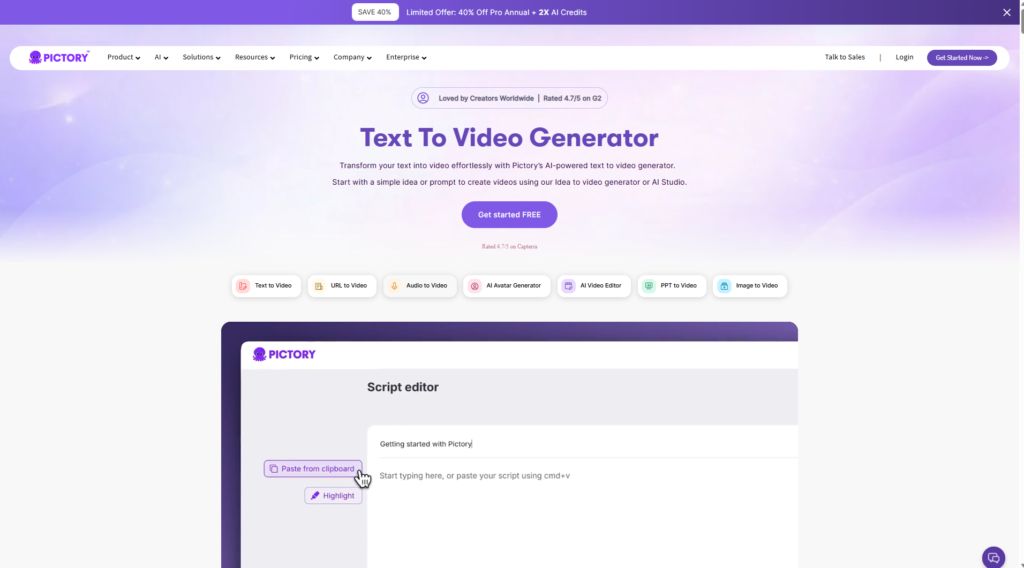
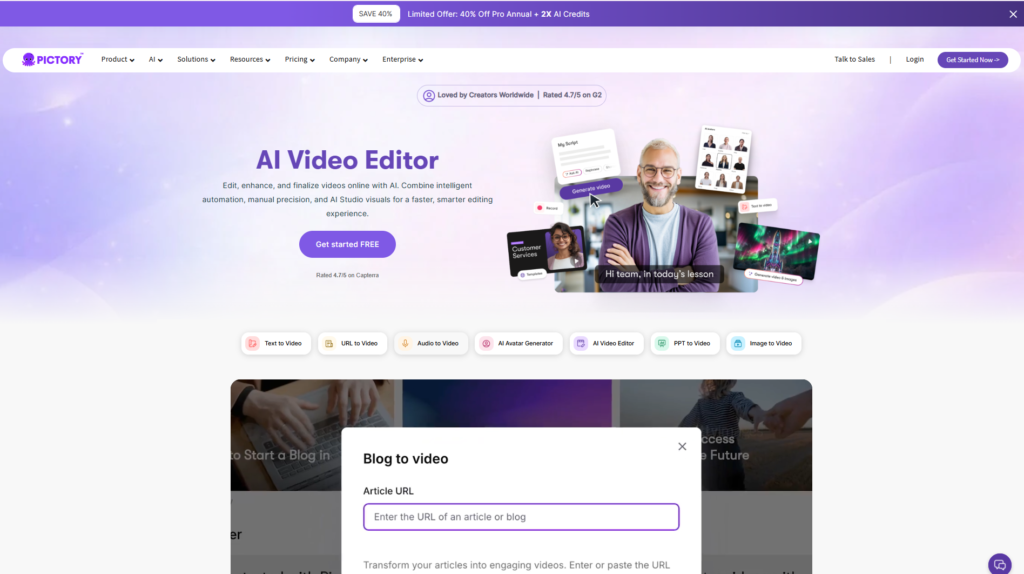
The Script-to-Video feature is one of Pictory’s biggest strengths. Users simply paste a script into the editor, and the AI automatically analyzes the content, divides it into logical scenes, selects relevant stock footage, generates subtitles, and creates a complete draft video within minutes.
Rather than starting with an empty timeline, creators receive a nearly finished project that only requires minor adjustments. This significantly reduces production time, making it especially useful for YouTube videos, educational content, product reviews, and marketing explainers.
Even if the automatically selected visuals are not perfect, replacing individual clips is quick thanks to the built-in stock media library. For beginners, this workflow removes much of the complexity associated with traditional video editing software.
2. Blog & URL to Video
One of Pictory’s most valuable capabilities for SEO professionals and affiliate marketers is its ability to convert existing blog posts directly into videos.
Instead of copying text manually, users simply paste the URL of a published article. The AI extracts the main ideas, organizes the content into scenes, selects suitable visuals, and generates captions automatically. This makes it incredibly easy to repurpose written content for YouTube, Facebook, LinkedIn, or other social media platforms.
For websites publishing frequent articles, this feature can dramatically increase content reach while saving countless hours of manual editing.
3. AI Video Summarizer
Long-form content such as webinars, podcasts, tutorials, interviews, and presentations often contains valuable moments that can be reused across multiple platforms. Pictory’s AI Video Summarizer helps identify those highlights automatically.
After uploading a long video, the AI analyzes the content and generates shorter clips suitable for YouTube Shorts, TikTok, Instagram Reels, and other vertical-video platforms. This makes content repurposing far more efficient than manually reviewing hours of footage.
For creators producing regular long-form videos, this feature alone can save many hours each week while maximizing the value of every recording.
4. AI Voiceovers & Automatic Captions
Pictory also includes built-in AI voiceovers and automatic subtitle generation, making videos more accessible and engaging without requiring additional software.
Captions are synchronized automatically with spoken content and can be customized to match different branding styles. For creators who prefer not to record their own voice, AI-generated narration offers a practical alternative for producing explainer videos, tutorials, and marketing content.
Although premium human voice generators may still sound more natural in certain situations, Pictory’s integrated solution provides a convenient all-in-one workflow for many projects.
5. Extensive Stock Media Library
Another major advantage is access to a large royalty-free library of stock videos, images, music, and background assets.
Instead of searching multiple websites for suitable visuals, users can browse and replace scenes directly within the editor. This speeds up production while ensuring videos maintain a professional appearance.
For businesses and agencies producing content regularly, the integrated media library helps eliminate many of the hidden costs associated with purchasing stock assets separately.
6. Brand Kit & Custom Templates
Maintaining a consistent visual identity is essential for professional content creation, and Pictory addresses this through its Brand Kit.
Users can save logos, fonts, color palettes, intros, outros, and other branding elements so they are automatically applied across future projects. This not only improves consistency but also reduces repetitive editing work when producing videos at scale.
For agencies managing multiple clients or businesses building a recognizable brand, this feature adds significant long-term value while keeping production workflows organized.
Pros & Cons
After spending time testing Pictory across several real-world workflows—including turning blog posts into videos, converting scripts into narrated presentations, generating social media clips, and summarizing long-form content—we found that the platform delivers on many of its promises. It significantly reduces the time required to produce professional-looking videos while remaining accessible to users with little editing experience.
However, like every AI-powered application, Pictory is not perfect. Some features still require manual refinement, particularly when aiming for highly customized or cinematic videos.
| Pros | Cons |
| ✅ Extremely beginner-friendly interface with almost no learning curve. | ❌ AI occasionally selects stock footage that doesn’t perfectly match the script, requiring manual replacement. |
| ✅ Converts scripts, blog posts, URLs, and long-form videos into professional videos within minutes. | ❌ Timeline editing is less flexible than professional editors like Adobe Premiere Pro or DaVinci Resolve. |
| ✅ Excellent automatic subtitle generation with multiple customization options. | ❌ Some premium AI voices and advanced features are restricted to higher-tier plans. |
| ✅ Large royalty-free stock media library integrated into the editor. | ❌ Video generation speed can slow slightly during peak usage for larger projects. |
| ✅ Cloud-based platform with no software installation required. | ❌ Limited creative control for users seeking advanced motion graphics or complex animations. |
| ✅ Supports multiple content repurposing workflows for YouTube, TikTok, Instagram, and Facebook. | ❌ Requires a stable internet connection because all editing is performed online. |
Overall, the advantages clearly outweigh the limitations for most creators. While professionals producing high-end commercial videos may still prefer traditional editing software, Pictory is an outstanding solution for marketers, educators, bloggers, affiliate marketers, and YouTubers who prioritize speed and efficiency.
Pricing
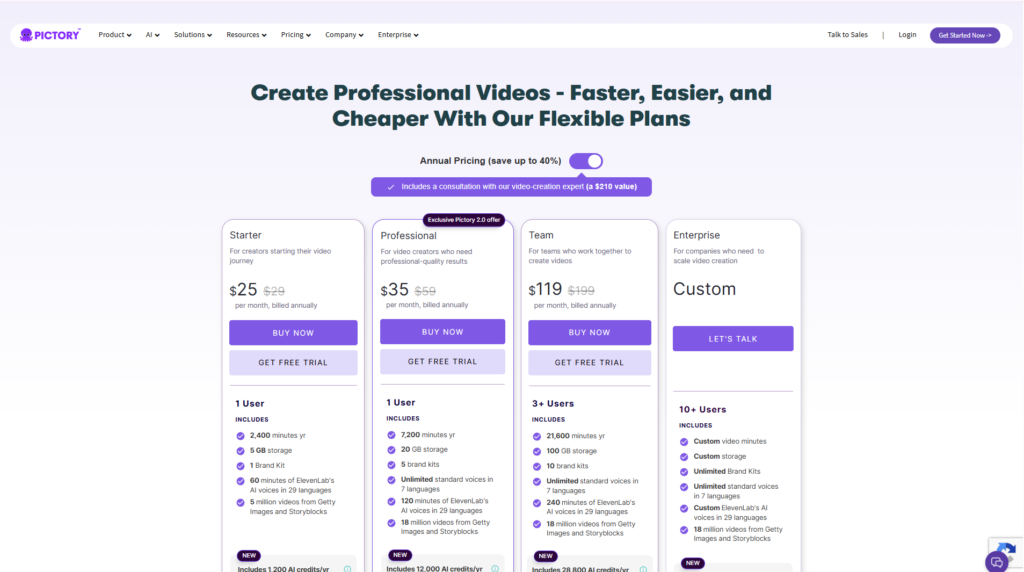
Pictory offers several subscription plans designed for individual creators, businesses, and agencies. Instead of charging based solely on storage, the plans mainly differ in AI capabilities, available video minutes, collaboration tools, and premium features.
For beginners, the entry-level plan provides enough resources to learn the platform and create regular content. Professional creators who publish videos frequently will benefit from higher monthly limits and additional AI features.
Pricing accurate as of July 2026. Always check the official website for the latest pricing and promotions.
| Plan | Best For | Highlights |
| Free Trial | New users | Explore core features with limited usage before subscribing. |
| Starter | Individual creators | AI video creation, captions, stock media library, basic exports. |
| Professional | YouTubers & marketers | Higher monthly limits, premium AI features, faster workflows, branding tools. |
| Teams | Agencies & businesses | Collaboration features, shared workspaces, larger production capacity. |
| Enterprise | Large organizations | Custom solutions, dedicated support, enterprise-level scalability. |
Is Pictory Worth the Price?
Considering the amount of manual editing it eliminates, Pictory offers strong value for creators who regularly produce video content.
If creating a traditional marketing video normally requires three to five hours of editing, reducing that process to less than thirty minutes can quickly justify the monthly subscription. For agencies and businesses producing dozens of videos each month, the potential time savings are even greater.
For occasional hobby users, the free trial is an excellent way to evaluate whether the platform fits their workflow before committing to a paid subscription.
Performance Test
Scoring methodology: Ratings are based on approximately 12 hours of hands-on testing across six common workflows, including Script-to-Video, Blog-to-Video, URL-to-Video, AI Video Summarizer, automatic captions, and social media content creation.
| Category | Score | Comments |
| Ease of Use | 9.6/10 | Very intuitive interface suitable even for complete beginners. |
| AI Automation | 9.7/10 | One of the strongest automation workflows among AI video tools. |
| Video Quality | 9.1/10 | Produces polished videos, though manual refinement improves results. |
| Caption Accuracy | 9.4/10 | Captions are highly accurate and easy to customize. |
| AI Voice Quality | 8.7/10 | Good overall, but some voices still sound slightly synthetic in longer narration. |
| Stock Media Library | 9.5/10 | Extensive collection covering most common business and marketing topics. |
| Rendering & Export Speed | 9.2/10 | Fast cloud rendering for most standard projects. |
| Advanced Editing Flexibility | 7.8/10 | Limited compared with professional desktop video editors. |
Real-World Performance
During testing, Pictory consistently generated complete draft videos within just a few minutes. The AI handled scene segmentation well, automatically paired most script sections with relevant stock footage, and generated synchronized captions with impressive accuracy.
The Blog-to-Video feature proved particularly useful for repurposing existing articles into YouTube-ready videos, making it a valuable tool for SEO-focused websites and affiliate marketers.
The Video Summarizer also performed well when processing webinars and tutorial recordings, identifying key moments suitable for YouTube Shorts and Instagram Reels.
The area where Pictory still has room for improvement is creative control. Users seeking cinematic storytelling, advanced transitions, custom animations, or frame-by-frame editing will eventually reach the platform’s limitations.
Nevertheless, for the majority of content creators focused on speed and productivity, the performance is excellent.
Pictory vs Competitors
The AI video creation market has become increasingly competitive, with several platforms targeting different types of creators. Here’s how Pictory compares with some of its strongest competitors.
| Feature | Pictory | VEED | Synthesia | Runway |
| Script to Video | ⭐⭐⭐⭐⭐ | ⭐⭐⭐⭐ | ⭐⭐⭐ | ⭐⭐⭐ |
| Blog to Video | ⭐⭐⭐⭐⭐ | ⭐⭐⭐ | ⭐ | ⭐ |
| AI Avatars | ⭐⭐ | ⭐⭐ | ⭐⭐⭐⭐⭐ | ⭐⭐⭐ |
| AI Video Editing | ⭐⭐⭐⭐ | ⭐⭐⭐⭐ | ⭐⭐⭐ | ⭐⭐⭐⭐⭐ |
| Stock Media Library | ⭐⭐⭐⭐⭐ | ⭐⭐⭐⭐ | ⭐⭐⭐ | ⭐⭐⭐ |
| Ease of Use | ⭐⭐⭐⭐⭐ | ⭐⭐⭐⭐ | ⭐⭐⭐⭐ | ⭐⭐⭐ |
| Best For | Content Repurposing | Social Media Editing | AI Training Videos | Creative AI Filmmaking |
Pictory vs VEED
VEED is an excellent browser-based video editor with stronger manual editing capabilities. However, Pictory provides more automation for transforming written content into complete videos, making it the better choice for bloggers and affiliate marketers.
Pictory vs Synthesia
Synthesia specializes in AI avatar videos for corporate training, presentations, and educational content. Pictory, on the other hand, focuses on converting existing content into engaging marketing videos without relying heavily on virtual presenters.
Pictory vs Runway
Runway targets creators who need advanced AI video generation, visual effects, object removal, and generative editing. Pictory emphasizes simplicity and productivity rather than cinematic creativity.
Overall, Pictory occupies a unique position by focusing on automated content repurposing rather than replacing professional editing software.
Who Should Use Pictory?
Pictory is not designed for every type of video creator. Instead, it excels in specific scenarios where automation and efficiency matter more than advanced editing flexibility.
YouTubers Creating Faceless Videos
Creators producing educational videos, listicles, explainers, reviews, or documentary-style content can dramatically reduce editing time while maintaining professional quality.
Affiliate Marketers
Affiliate marketers can quickly convert product reviews, buying guides, and comparison articles into engaging promotional videos suitable for YouTube and social media campaigns.
Bloggers and SEO Publishers
Website owners can maximize the value of every article by transforming written content into videos, expanding their reach across multiple platforms without creating entirely new content from scratch.
Marketing Agencies
Agencies managing multiple clients benefit from the platform’s rapid production workflow, enabling teams to deliver more video content while reducing production costs.
Online Course Creators
Educators can convert lessons, presentations, and training materials into professional instructional videos with subtitles and AI narration.
Small Businesses
Businesses without dedicated video editing teams can use Pictory to create promotional videos, product demonstrations, social media advertisements, and customer education materials efficiently.
For organizations where speed, consistency, and scalability are priorities, Pictory represents one of the most practical AI video creation platforms currently available.
Alternatives
Although Pictory is one of the strongest AI-powered video creation platforms for content repurposing, it is not the ideal solution for every creator. Depending on your workflow, budget, and creative requirements, one of the following alternatives may be a better fit.
1. VEED
Best for: Social media creators and online video editing
VEED is an intuitive browser-based video editor that combines traditional editing tools with AI-powered features such as automatic subtitles, background noise removal, eye contact correction, and AI avatars. Compared with Pictory, VEED offers more manual editing flexibility while still being beginner-friendly.
Choose VEED if you frequently edit videos manually before publishing on YouTube, Instagram, TikTok, or LinkedIn.
Read our full VEED Review on FlowCrai.
2. Synthesia
Best for: Corporate training and AI avatar presentations
Synthesia focuses on creating videos with realistic AI presenters instead of relying primarily on stock footage. Businesses use it to produce onboarding materials, product demonstrations, employee training, multilingual presentations, and educational content.
If your primary goal is creating professional presenter-style videos without hiring actors, Synthesia is likely the better choice.
Read our full Synthesia Review on FlowCrai.
3. Runway
Best for: Creative professionals and filmmakers
Runway has become one of the most advanced AI video generation platforms available today. It offers powerful generative video models, object removal, image-to-video generation, visual effects, and cinematic editing tools.
Compared with Pictory, Runway requires a slightly steeper learning curve but provides far greater creative freedom.
Choose Runway if your projects demand visual storytelling rather than rapid content repurposing.
Read our full Runway Review on FlowCrai.
4. InVideo AI
Best for: Marketing videos and fast AI video production
InVideo AI allows users to generate complete videos from simple text prompts while providing thousands of templates and extensive customization options. It is particularly popular among digital marketers, small businesses, and social media creators.
If you prefer starting with AI-generated videos rather than converting existing articles or scripts, InVideo AI is an excellent alternative to Pictory.
Frequently Asked Questions
Is Pictory free?
Pictory offers a free trial that allows new users to explore its core features before subscribing. However, continued access to advanced AI capabilities and higher usage limits requires a paid plan.
Is Pictory suitable for beginners?
Yes. One of Pictory’s biggest advantages is its beginner-friendly interface. Most users can create their first AI-generated video without previous editing experience.
Can Pictory turn blog posts into videos?
Absolutely. Simply paste the URL of a published article or copy the article text into Pictory, and the AI automatically converts it into a video with scenes, visuals, captions, and music.
Can Pictory create YouTube Shorts?
Yes. The AI Video Summarizer can automatically identify highlights from longer videos and convert them into vertical clips optimized for YouTube Shorts, TikTok, Instagram Reels, and similar platforms.
Does Pictory include AI voiceovers?
Yes. Pictory provides AI-generated voiceovers together with automatic subtitle generation. Users can also upload their own voice recordings if they prefer.
Is Pictory better than VEED?
It depends on your workflow. Pictory is stronger for automated content repurposing from scripts and blog posts, while VEED offers greater manual editing flexibility for creators who want more control over every scene.
Can businesses use Pictory for marketing?
Yes. Many businesses use Pictory to produce product videos, promotional content, training materials, explainer videos, and social media campaigns without hiring professional editors.
Is Pictory worth paying for in 2026?
For creators who regularly publish video content, the answer is yes. The amount of time saved through AI automation can easily justify the subscription cost, particularly for YouTubers, marketers, agencies, educators, and affiliate publishers.
Final Verdict
After extensive testing, Pictory stands out as one of the most practical AI video creation platforms available in 2026. Rather than attempting to replace professional editing software entirely, it focuses on eliminating repetitive production tasks that consume the most time. Features such as Script-to-Video, Blog-to-Video, AI Video Summarizer, automatic captions, and integrated stock media enable users to transform existing content into polished videos quickly and efficiently.
The platform is especially valuable for bloggers, affiliate marketers, YouTubers, educators, agencies, and small businesses that publish content consistently across multiple channels. Its intuitive interface makes it accessible even to beginners, while cloud-based collaboration and automation help experienced creators scale production without significantly increasing workload.
Pictory does have limitations. Users seeking advanced cinematic editing, detailed timeline control, or complex visual effects may eventually require software such as Adobe Premiere Pro or DaVinci Resolve. Likewise, AI-generated visuals occasionally need manual adjustments to better match the intended message.
Despite these limitations, the platform delivers exceptional value for its target audience. If your goal is to produce professional marketing videos, educational content, social media clips, or YouTube videos in a fraction of the usual production time, Pictory is an excellent investment.
Overall Rating
| Category | Score |
| Ease of Use | 9.6/10 |
| AI Automation | 9.7/10 |
| Video Quality | 9.1/10 |
| Value for Money | 9.2/10 |
| Features | 9.4/10 |
| Customer Support | 8.9/10 |
Final Score
⭐⭐⭐⭐⭐ 4.8/5
Recommended for:
- YouTubers creating faceless videos
- Affiliate marketers
- Bloggers and SEO publishers
- Marketing agencies
- Online educators
- Course creators
- Small businesses
- Content marketing teams

Ready to Try Pictory?
If you want to create professional videos faster, repurpose your existing content, and publish consistently without spending hours editing, Pictory is well worth exploring.
Start your free trial, explore the latest pricing plans, and experience how AI can simplify your video creation workflow.
Looking for the right AI tool for your workflow? Explore more in-depth reviews on FlowCrai, including comparisons, pricing guides, hands-on testing, and expert recommendations for today’s leading AI platforms.
You may also enjoy reading:
- VEED Review
- Synthesia Review
- Runway Review
- ChatGPT Review
- Claude Review
- ElevenLabs Review
- Cursor Review
- Bolt.new Review
- Make Review
Our reviews are regularly updated to help you choose the best AI tools for content creation, marketing, business, and productivity.