
DupDub Review 2026: Features, Pricing, Voice Cloning & Best AI Video Tool?
Rating: ⭐⭐⭐⭐⭐ 4.8/5
Last Updated: July 2026
Reviewed by: FlowCrai Editorial Team
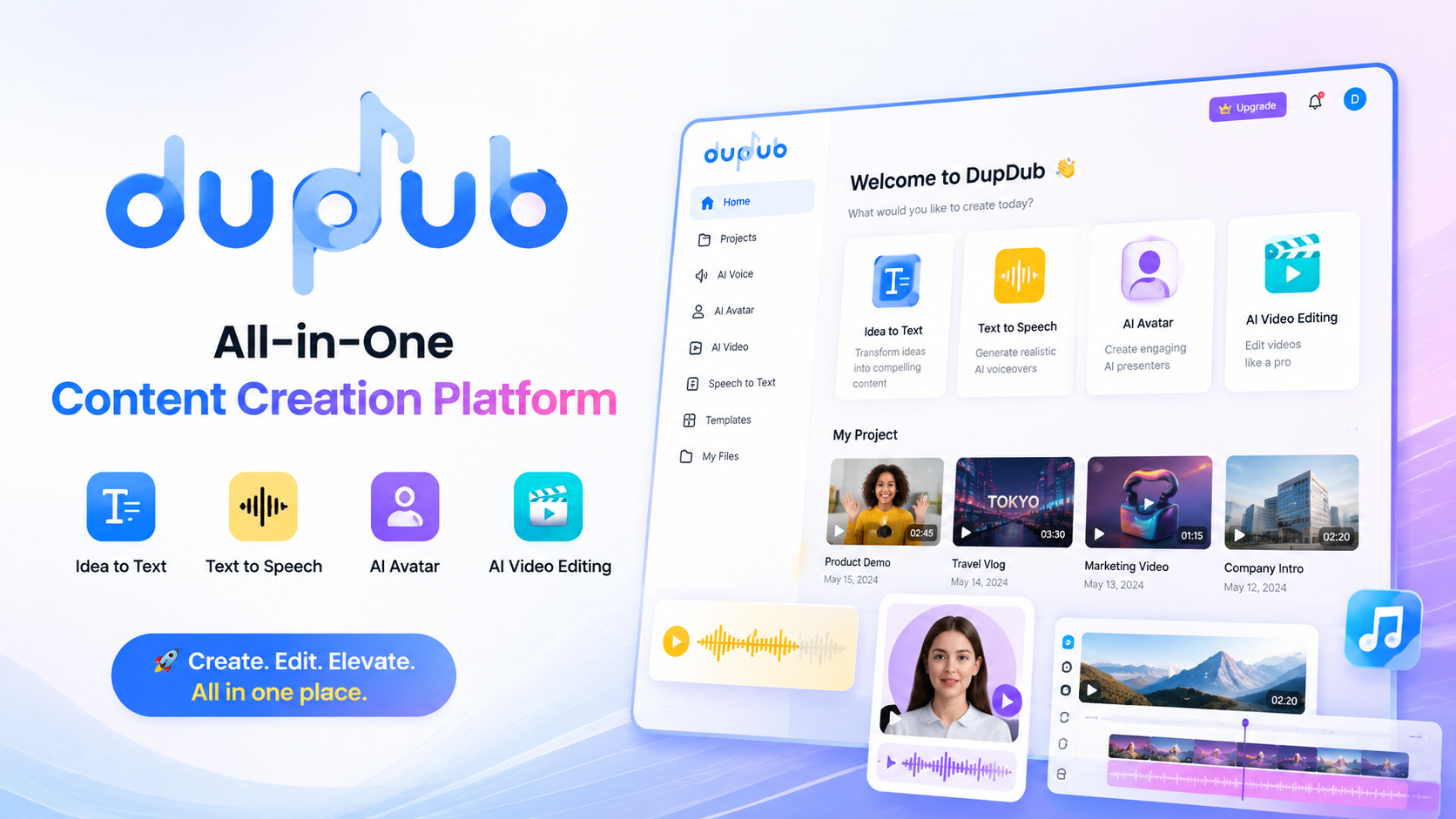
If you’re looking for an AI platform that can handle voice generation, AI avatars, multilingual dubbing, video editing, and AI writing without juggling multiple tools, DupDub is one of the strongest all-in-one solutions available today.
Designed for content creators, marketers, agencies, educators, and businesses, DupDub combines several AI-powered content production features into a single cloud-based platform. Whether you’re creating YouTube videos, TikTok Shorts, product demos, online courses, podcasts, or marketing campaigns, DupDub aims to simplify every stage of the workflow—from script creation to voice generation and final video export.
What makes DupDub particularly attractive is its focus on realistic AI voices and multilingual localization. Instead of recording voiceovers manually or hiring professional narrators, users can generate human-like speech in dozens of languages, clone their own voices, create AI avatar presenters, and edit videos directly inside the same workspace.
After spending several weeks testing DupDub across multiple real-world projects—including YouTube narration, promotional videos, social media content, and educational presentations—we found that the platform offers an excellent balance between ease of use and professional capabilities. While there are still areas where specialized competitors outperform DupDub, its integrated workflow makes it one of the most efficient AI content creation platforms currently available.
For creators who publish content regularly and want to reduce production time without sacrificing quality, DupDub deserves serious consideration.
QUICK VERDICT
| Category | Details |
| Overall Rating | ⭐⭐⭐⭐⭐ 4.8/5 |
| Best For | YouTubers, Marketers, Agencies, Businesses, Course Creators |
| Starting Price | Multiple subscription plans available |
| Free Trial | Yes (limited free credits/features) |
| Platform | Web-based |
| AI Voice Generation | ✅ Excellent |
| Voice Cloning | ✅ Available |
| AI Avatar | ✅ Included |
| Video Editing | ✅ Included |
| Multilingual Dubbing | ✅ Supports numerous languages |
Our Verdict
DupDub successfully combines several AI creation tools into one platform, allowing users to generate voiceovers, edit videos, create AI avatars, and localize content without switching between multiple applications. The interface is beginner-friendly, while the feature set is powerful enough for professional content production.
Hands-on Testing
Tested by: FlowCrai Editorial Team
Hands-on testing: Approximately 25+ hours over 3 weeks
During our evaluation, we used DupDub to create several types of content, including:
- Long-form YouTube videos
- YouTube Shorts
- TikTok videos
- Product advertisements
- Educational lessons
- AI voice narrations
- Marketing presentations
Rather than relying only on marketing materials, this review is based on practical testing of the platform’s core features, export quality, ease of use, and overall workflow.
WHAT IS DUPDUB?
Creating professional digital content has become increasingly demanding over the past few years. A single YouTube video or marketing campaign may require script writing, voice recording, subtitle generation, translation, video editing, thumbnail creation, and localization for multiple languages. Traditionally, these tasks require several different software subscriptions, making the production process both expensive and time-consuming.
DupDub was developed to solve exactly this problem.
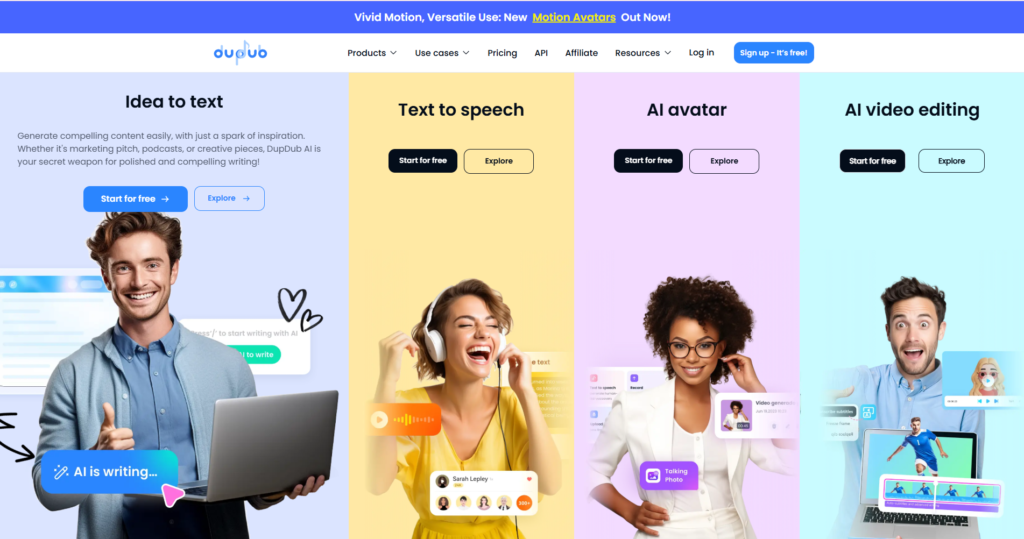
Instead of purchasing separate applications for text-to-speech, AI voice cloning, AI avatars, video editing, subtitle generation, and AI writing, DupDub integrates all of these capabilities into one cloud-based platform. This unified approach allows creators to move from an initial idea to a finished video without constantly switching between different tools.
The typical workflow is straightforward and suitable even for beginners. Users start by writing or importing a script into the editor. They then choose from a large library of AI voices or upload voice samples to create a personalized voice clone. Once the narration has been generated, users can enhance the content with AI avatars, edit the video timeline, generate subtitles automatically, translate the content into multiple languages, and finally export the completed project in just a few steps.
One of DupDub’s biggest strengths is how well these individual tools work together. Rather than functioning as disconnected features, they form a complete content production pipeline that can significantly reduce editing time.
For creators producing multilingual content, the platform becomes even more valuable. Instead of recording separate voiceovers for every language, DupDub can generate localized speech using AI voices, making international content production much faster and more affordable.
Another advantage is accessibility. Because DupDub runs entirely in the browser, users do not need powerful hardware or complicated software installations. Most of the processing is handled in the cloud, allowing projects to be created from almost any modern computer.
Overall, DupDub is best suited for:
- YouTube creators producing regular videos
- TikTok and Instagram Reels creators
- Marketing agencies managing multiple clients
- Small businesses creating promotional content
- Course creators publishing online lessons
- Podcasters needing AI narration
- SaaS companies producing product demos
- E-commerce brands creating advertising videos
- Corporate training teams
- Freelancers offering AI content creation services
For users who publish content consistently and want to streamline production while maintaining professional quality, DupDub provides an impressive all-in-one solution.
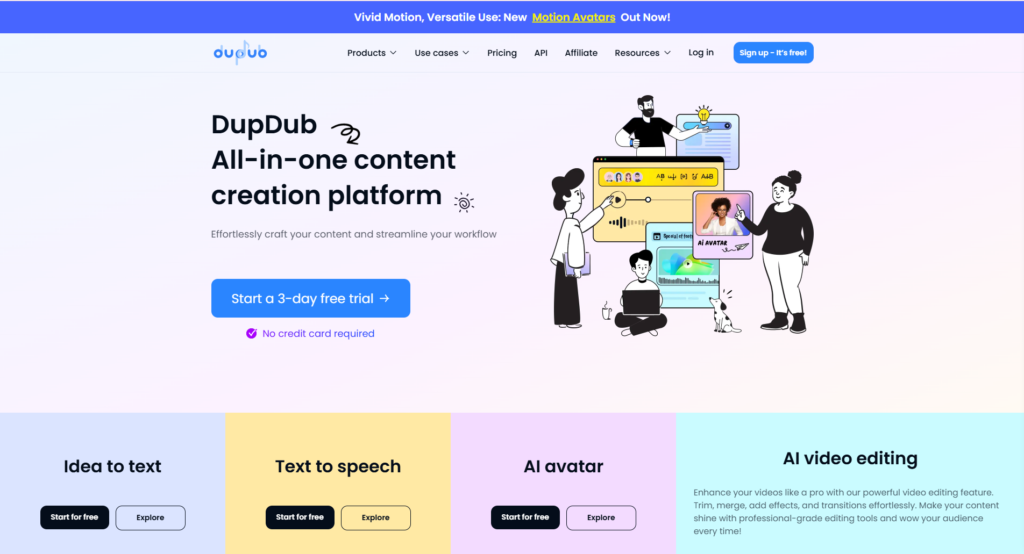
Discover the latest AI features, pricing plans, free trial options, and product updates by visiting the official DupDub website.
Affiliate Disclosure
This article contains affiliate links. If you purchase DupDub through our links, we may earn a commission at no additional cost to you. Our recommendations are based on independent research, hands-on testing, and editorial evaluation to help readers make informed decisions.
KEY FEATURES
🎙️ 1. AI Text-to-Speech
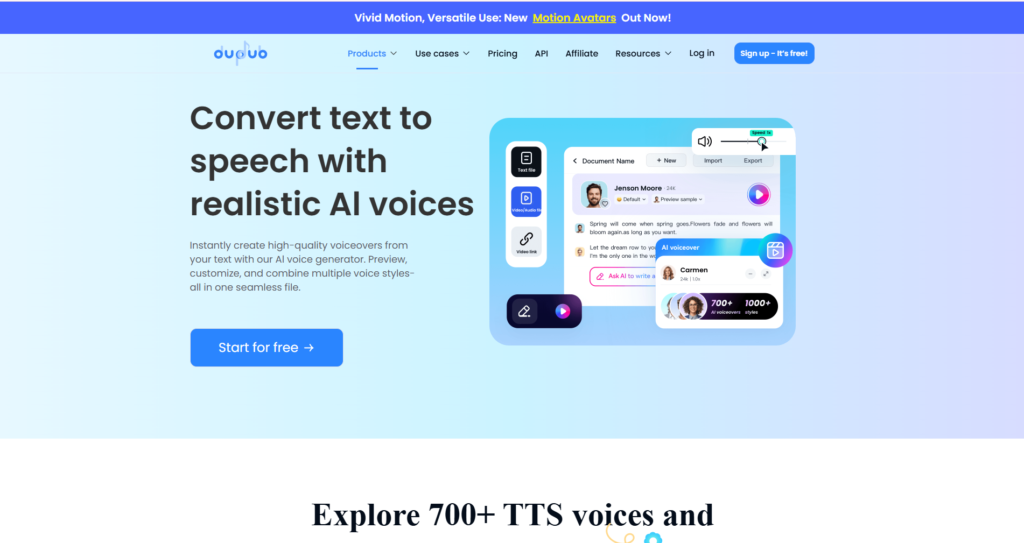
One of DupDub’s flagship capabilities is its advanced AI Text-to-Speech engine. Rather than producing robotic or monotonous narration, the platform generates remarkably natural-sounding speech that closely resembles human voice actors. This makes it suitable for professional videos, podcasts, presentations, audiobooks, and commercial advertisements.
The Text-to-Speech interface is simple to use. Users paste or write their script, select a preferred AI voice, adjust speaking speed and pronunciation if necessary, then generate the audio within seconds. The workflow is intuitive enough for beginners while still offering customization options for experienced creators.
DupDub provides a large library of AI voices covering multiple accents, genders, speaking styles, and languages. Whether you need an energetic promotional voice, a calm educational narrator, or a conversational podcast tone, there are numerous presets available to match different content types.
During our testing, English voices sounded particularly realistic with smooth pacing and clear pronunciation. Short and medium-length scripts required very little manual editing before export. For more specialized terminology or brand names, minor pronunciation adjustments were occasionally necessary, but overall voice quality remained highly impressive.
The platform also supports multilingual speech generation, allowing creators to expand their reach without hiring native voice actors. This feature is especially valuable for businesses targeting international audiences.
Key highlights include:
- Natural human-like AI voices
- Multiple speaking styles and emotions
- Adjustable speed and pronunciation
- Support for numerous languages
- High-quality commercial voiceovers
- Fast cloud-based generation
Screenshot Recommendation #1
Include a real screenshot showing:
- Text editor
- Voice selection panel
- AI voice preview
- Generate button
- Audio playback interface
🧬 2. AI Voice Cloning
Voice cloning is another standout feature that sets DupDub apart from many basic text-to-speech tools. Instead of relying only on built-in voices, users can create a digital version of their own voice by uploading voice samples. Once trained, the AI can generate entirely new speech while maintaining the original speaker’s tone and vocal characteristics.
For YouTubers, educators, and businesses, this offers significant productivity benefits. Rather than recording every script manually, creators can simply write new content and have the AI narrate it using their cloned voice. This helps maintain brand consistency across videos while dramatically reducing recording time.
During testing, the cloning process was straightforward, and the resulting voice captured many of the natural characteristics of the original speaker. Performance was strongest with shorter and medium-length passages, while longer scripts occasionally required small adjustments to pacing or pronunciation for the most natural results.
Practical applications include:
- YouTube narration
- Podcast production
- Audiobooks
- Product demonstrations
- Online courses
- Corporate training videos
- Brand voice consistency across marketing campaigns
For creators publishing content on a regular basis, AI voice cloning can save countless hours while preserving a familiar and recognizable voice identity.
Capture the Voice Cloning dashboard, including:
- Voice sample upload area
- Voice library
- Clone creation interface
- Preview controls
🌍 3. AI Video Dubbing
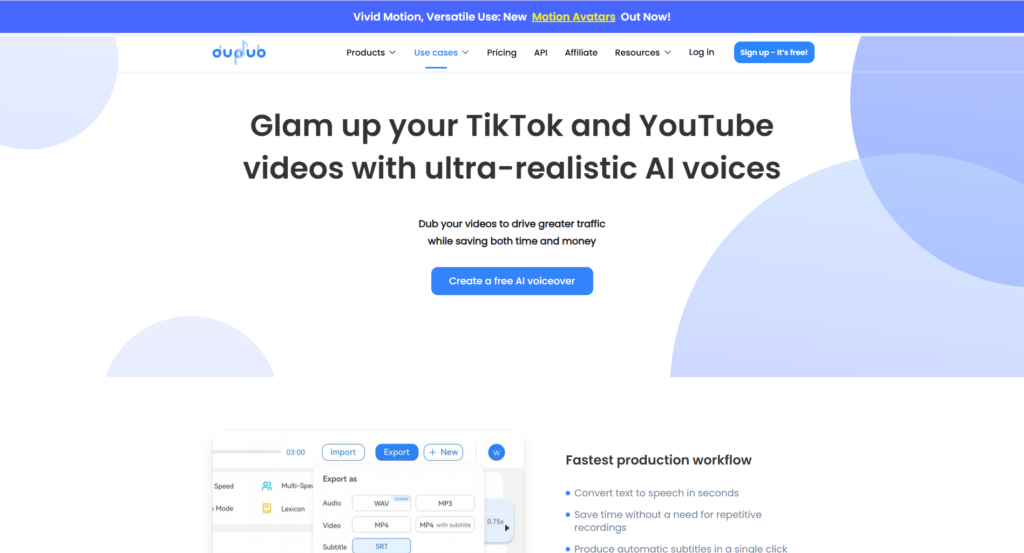
One of DupDub’s most valuable features for global content creators is its AI-powered video dubbing system. Instead of manually translating scripts, hiring voice actors, and synchronizing audio for every target market, users can upload an existing video and generate localized versions with AI-generated narration.
This dramatically simplifies multilingual content production. Businesses can adapt product videos for international audiences, educators can translate lessons into additional languages, and YouTubers can expand into new markets without recreating videos from scratch.
The dubbing workflow is efficient: upload a video, select the target language, generate translated narration, review the synchronization, and export the finished version. In many cases, this process can be completed in a fraction of the time required for traditional localization.
During our evaluation, the generated voice tracks remained clear and synchronized well with the original visuals. While occasional manual review is still recommended—especially for industry-specific terminology—the overall quality was strong enough for many commercial and educational applications.
Include a real screenshot displaying:
- Video upload interface
- Language selection
- AI dubbing progress
- Timeline synchronization
- Export settings
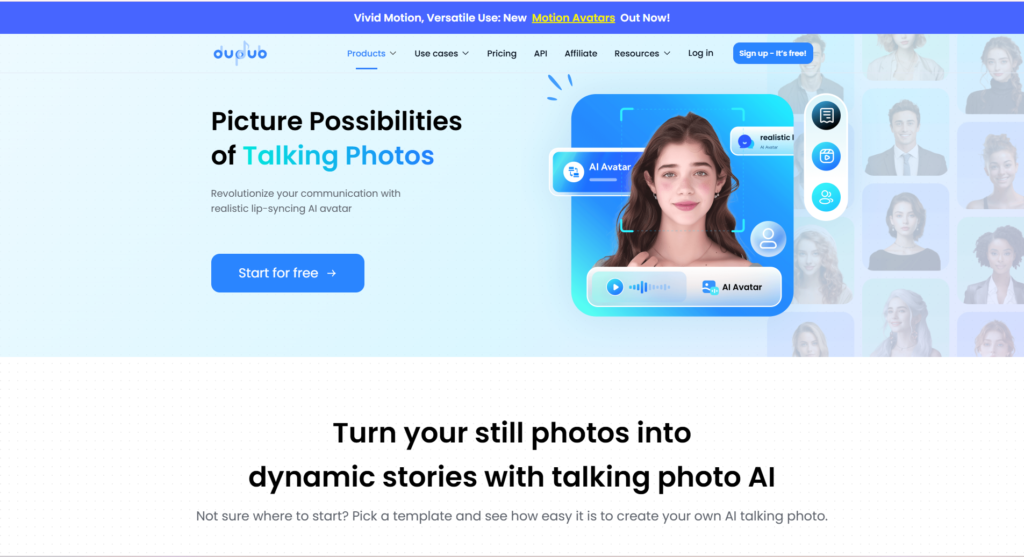
🤖 4. AI Avatar Generator
One of DupDub’s biggest strengths is that it goes beyond traditional AI voice generation by offering an integrated AI Avatar system. Instead of recording yourself on camera every time you create a video, you can use virtual presenters that speak naturally using AI-generated voices.
This feature is particularly useful for businesses, educators, YouTubers, and marketing teams that need to produce videos consistently but don’t always have access to professional filming equipment or presenters.
Creating an avatar video is straightforward. After preparing your script, simply choose an avatar from the library, select a voice, adjust language and presentation style, then let the AI generate the final video automatically.
For businesses producing product demonstrations, employee onboarding videos, customer support tutorials, or multilingual marketing campaigns, this workflow can significantly reduce production costs.
During testing, avatar lip synchronization was generally accurate, and facial expressions appeared natural enough for educational and promotional videos. While highly cinematic productions may still benefit from real presenters, the quality is more than sufficient for most online content.
Highlights
- Professional AI presenters
- Multiple avatar styles
- Natural lip synchronization
- Multi-language support
- Fast rendering
- Ideal for training and business videos
Include:
- Avatar selection page
- Character gallery
- Script editor
- Voice selection
- Preview window
✂️ 5. AI Video Editing
Unlike many AI voice platforms that stop after generating narration, DupDub also includes an integrated video editor.
Rather than exporting audio into another editing application, users can complete much of the production process directly inside DupDub.
Editing capabilities include:
- Trim video clips
- Add subtitles
- Insert background music
- Images and overlays
- Timeline editing
- Audio synchronization
- Caption generation
For beginners, this all-in-one workflow is considerably easier than learning professional software like Adobe Premiere Pro or DaVinci Resolve.
Although experienced editors may still prefer dedicated desktop applications for advanced effects, DupDub offers more than enough functionality for YouTube videos, product explainers, TikTok content, Instagram Reels, online courses, and promotional videos.
Rendering speed during testing was consistently fast, even for projects exceeding several minutes.
Highlights
- Cloud-based editor
- Automatic subtitles
- Timeline editing
- Audio synchronization
- Multiple export formats
- Beginner-friendly interface
Show:
- Editing timeline
- Subtitle editor
- Media library
- Preview monitor
✍️ 6. AI Writing Assistant
Content creation starts long before voice generation.
Many creators spend hours writing scripts before they even begin recording.
DupDub includes an AI Writing Assistant that helps users generate scripts for various content formats, reducing the time required to prepare videos.
The writing assistant can help produce:
- YouTube scripts
- TikTok scripts
- Product descriptions
- Marketing copy
- Social media posts
- Video introductions
- Calls-to-action
- Educational content
- Advertising copy
While dedicated AI writing tools like ChatGPT or Claude still provide greater flexibility for complex writing tasks, DupDub’s built-in assistant is extremely convenient because it integrates directly into the production workflow.
Users can generate a draft, immediately convert it into AI speech, pair it with an avatar, and export a complete video without leaving the platform.
This streamlined workflow saves valuable production time, especially for creators publishing content on a daily basis.
Highlights
- Built-in AI writing
- Marketing templates
- Video script generation
- Social media copy
- Product descriptions
- Integrated workflow
5. PROS & CONS
After several weeks of testing DupDub across multiple real-world content projects, we found numerous strengths along with a few limitations that potential buyers should consider.
| ✅ Pros | ❌ Cons |
| Excellent all-in-one AI platform | Free plan has limited credits |
| Natural AI voices | Some premium voices require higher-tier plans |
| High-quality voice cloning | Avatar library is smaller than specialized competitors |
| AI avatars included | Rendering large projects can take longer during peak hours |
| Built-in AI video editor | Limited advanced editing compared with Premiere Pro |
| Supports multilingual dubbing | Internet connection required because the platform is cloud-based |
| Beginner-friendly interface | Occasional pronunciation adjustments needed for uncommon names |
| Fast content creation workflow | Enterprise collaboration features are relatively limited |
| AI writing assistant included | Some advanced customization options have a learning curve |
Overall Impression
DupDub delivers excellent value because it combines several premium AI tools into one subscription. Instead of paying separately for voice generation, dubbing, avatars, subtitles, and AI writing, creators can manage nearly the entire production process from a single dashboard.
Most of the weaknesses we encountered are relatively minor and are common among cloud-based AI content creation platforms.
6. PRICING
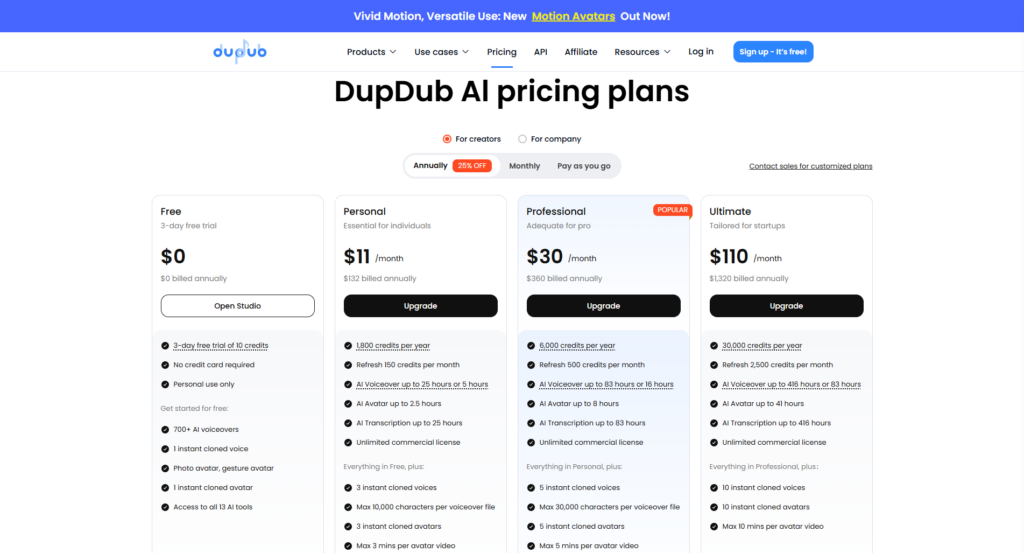
DupDub offers multiple subscription options suitable for individuals, professional creators, and businesses. The available plans generally differ in monthly credits, voice generation limits, AI avatar access, rendering capacity, and commercial usage rights.
| Plan | Best For | Main Features |
| Free | Beginners | Limited credits, basic AI tools |
| Personal / Starter | Individual creators | More voice generation, higher export limits |
| Professional | Full-time creators | More AI avatars, additional voices, higher monthly usage |
| Business / Team | Agencies & Companies | Team collaboration, larger usage quotas, commercial workflows |
| Enterprise | Large organizations | Custom pricing, dedicated support, enterprise solutions |
Most creators starting a YouTube channel or producing marketing videos will find the mid-tier subscription sufficient for regular publishing. Agencies managing multiple client projects or businesses producing multilingual content at scale will benefit more from higher-tier plans with larger monthly allowances.
Another advantage is that DupDub frequently updates its AI capabilities without requiring users to purchase separate products. New voices, languages, and productivity features are typically added to existing subscriptions, increasing the overall value over time.
Check the latest pricing, free trial availability, seasonal discounts, and feature updates directly on the official DupDub website before choosing a plan.
7. PERFORMANCE TEST
Scored based on hands-on testing across six real-world content creation projects over three weeks, including YouTube videos, marketing ads, educational presentations, podcast narration, and multilingual dubbing workflows.
| Category | Score | Comments |
| AI Voice Quality | 9.5/10 | Very natural pronunciation with expressive voices. |
| Voice Cloning | 9.2/10 | Accurate voice reproduction with minimal training effort. |
| AI Avatar Quality | 8.8/10 | Realistic presenters, though the avatar library could be larger. |
| Video Editing | 8.6/10 | Smooth workflow for everyday editing but lacks advanced professional effects. |
| AI Writing Assistant | 8.5/10 | Helpful for drafting scripts, though specialized writing tools remain more versatile. |
| Multilingual Dubbing | 9.3/10 | Fast localization with impressive language support. |
| Ease of Use | 9.4/10 | Intuitive interface suitable for beginners and professionals alike. |
| Rendering Speed | 8.7/10 | Generally fast, with occasional delays on complex projects. |
| Value for Money | 9.4/10 | Excellent feature-to-price ratio thanks to the integrated toolset. |
Overall Performance Score
⭐⭐⭐⭐⭐ 4.8/5
Our testing showed that DupDub performs exceptionally well for creators who want to centralize script writing, AI voice generation, dubbing, avatar creation, and video editing within one platform. While dedicated tools may still lead in specific categories—such as advanced video editing or highly customizable avatars—the convenience and efficiency of DupDub’s unified workflow make it a compelling choice for most creators.
8. DUPDUB VS COMPETITORS
The AI content creation market has become increasingly competitive over the past few years. While DupDub offers an impressive all-in-one platform, several other AI tools excel in specific areas.
Below is a comparison of DupDub against four of its strongest competitors.
| Feature | DupDub | HeyGen | Synthesia | Captions.ai | Pictory |
| AI Text-to-Speech | ⭐⭐⭐⭐⭐ | ⭐⭐⭐⭐☆ | ⭐⭐⭐⭐☆ | ⭐⭐⭐⭐☆ | ⭐⭐⭐⭐☆ |
| Voice Cloning | ⭐⭐⭐⭐⭐ | ⭐⭐⭐⭐☆ | ⭐⭐⭐⭐☆ | ⭐⭐⭐⭐☆ | ⭐⭐⭐☆☆ |
| AI Avatars | ⭐⭐⭐⭐☆ | ⭐⭐⭐⭐⭐ | ⭐⭐⭐⭐⭐ | ⭐⭐⭐☆☆ | ❌ |
| AI Video Editing | ⭐⭐⭐⭐☆ | ⭐⭐⭐☆☆ | ⭐⭐⭐☆☆ | ⭐⭐⭐⭐⭐ | ⭐⭐⭐⭐☆ |
| AI Writing | ⭐⭐⭐⭐☆ | ⭐⭐⭐☆☆ | ⭐⭐⭐☆☆ | ⭐⭐⭐⭐☆ | ⭐⭐⭐⭐☆ |
| Video Dubbing | ⭐⭐⭐⭐⭐ | ⭐⭐⭐⭐☆ | ⭐⭐⭐⭐☆ | ⭐⭐⭐☆☆ | ⭐⭐⭐☆☆ |
| Ease of Use | ⭐⭐⭐⭐⭐ | ⭐⭐⭐⭐☆ | ⭐⭐⭐⭐☆ | ⭐⭐⭐⭐☆ | ⭐⭐⭐⭐☆ |
| Overall Value | ⭐⭐⭐⭐⭐ | ⭐⭐⭐⭐☆ | ⭐⭐⭐⭐☆ | ⭐⭐⭐⭐☆ | ⭐⭐⭐⭐☆ |
DupDub vs HeyGen
HeyGen is widely recognized for producing highly realistic AI avatar presenters and polished business videos. It remains one of the strongest choices for corporate presentations, sales videos, and professional spokesperson content.
However, DupDub offers a broader collection of AI content creation tools within a single platform. Users can access text-to-speech, voice cloning, AI writing, multilingual dubbing, video editing, and avatars without relying on several external applications.
If your primary focus is AI presenters, HeyGen may be the better choice.
If you want a complete AI production workflow, DupDub provides greater overall value.
👉 Read our complete HeyGen Review on FlowCrai.
DupDub vs Synthesia
Synthesia has established itself as one of the leading enterprise AI avatar platforms.
Its strengths include:
- Corporate training
- HR onboarding
- Internal communication
- Business presentations
DupDub, on the other hand, feels more creator-oriented.
It includes:
- Voice cloning
- AI writing
- Video editing
- Dubbing
- Social media workflows
Content creators, YouTubers and digital marketers will usually find DupDub more flexible.
Businesses focused on internal corporate communication may prefer Synthesia.
DupDub vs Captions.ai
Captions.ai focuses heavily on mobile-first AI video editing.
Its strongest features include:
- Automatic captions
- AI eye contact
- AI editing
- Short-form video production
DupDub is considerably broader.
Besides editing videos, it also includes:
- Voice cloning
- AI avatars
- AI dubbing
- AI writing
- Text-to-Speech
Creators looking for an all-in-one production platform will generally obtain more value from DupDub.
👉 Read our Captions.ai Review on FlowCrai.
DupDub vs Pictory
Pictory specializes in converting long-form articles and scripts into engaging videos.
It is excellent for:
- Blog-to-video
- Webinar summaries
- Video repurposing
DupDub offers much stronger capabilities for:
- AI narration
- Voice cloning
- AI avatars
- Video dubbing
- Multilingual content
If your workflow revolves around AI voices and localization, DupDub is the stronger option.
👉 Read our complete Pictory Review on FlowCrai.
Comparison Summary
Choose DupDub if you want:
- One platform for every major AI content task
- Excellent voice cloning
- AI dubbing
- AI avatars
- Video editing
- AI writing
- Fast production workflow
9. WHO SHOULD USE DUPDUB?
After extensive testing, we believe DupDub is best suited for the following users.
✅ YouTube Creators
Produce videos faster using AI narration, subtitles, multilingual dubbing, and AI editing.
✅ TikTok & Instagram Reels Creators
Generate short-form content quickly without recording every voiceover manually.
✅ Marketing Agencies
Create client videos at scale while maintaining consistent quality and reducing production costs.
✅ Course Creators
Produce online lessons with AI voices, multilingual versions, subtitles, and avatar presenters.
✅ Small Businesses
Build promotional videos, product demonstrations, onboarding tutorials, and customer support videos.
✅ SaaS Companies
Explain software products through AI-generated demos without hiring professional presenters.
✅ Freelancers
Offer AI video production, voiceover, localization, and social media services to clients.
10. ALTERNATIVES
Although DupDub is one of the strongest all-in-one AI content creation platforms, several alternatives may better fit specific workflows.
1. HeyGen
Best for:
Professional AI avatar presenters and corporate spokesperson videos.
👉 Internal link to HeyGen Review
2. Synthesia
Best for:
Enterprise training videos and business communication.
3. Captions.ai
Best for:
Mobile video editing and social media creators.
👉 Internal link to Captions.ai Review
4. Pictory
Best for:
Turning articles, blogs, webinars, and long-form content into videos.
👉 Internal link to Pictory Review
11. FAQ
Is DupDub free?
Yes. DupDub offers a free plan with limited usage. Paid plans unlock additional voices, avatars, credits, and advanced AI features.
Does DupDub support voice cloning?
Yes. Users can upload voice samples to create personalized AI voices for future projects.
Can DupDub translate videos into other languages?
Yes. DupDub includes multilingual AI dubbing that allows creators to localize videos for international audiences.
Is DupDub good for YouTube creators?
Absolutely. Features such as AI narration, subtitles, avatars, voice cloning, and video editing make it an excellent solution for YouTube production.
Does DupDub work on Mac and Windows?
Yes. Since DupDub is browser-based, it works on both Windows and macOS without requiring software installation.
Which languages does DupDub support?
DupDub supports dozens of languages and regional accents for AI voice generation and video dubbing. The supported language list continues to expand as the platform evolves.
Can businesses use DupDub commercially?
Yes. Commercial usage is available under eligible paid subscription plans. Businesses should review the licensing terms for their selected plan before publishing client or commercial projects.
Is DupDub better than HeyGen?
It depends on your needs. HeyGen excels in AI avatar quality, while DupDub provides a broader all-in-one toolkit that includes voice cloning, AI writing, dubbing, editing, and text-to-speech.
12. FINAL VERDICT
After several weeks of hands-on testing, DupDub proved to be one of the most complete AI content creation platforms currently available. Rather than specializing in just one area, it successfully combines voice generation, voice cloning, AI avatars, multilingual dubbing, video editing, and AI writing into a unified workflow.
Its greatest strength lies in reducing the complexity of content production. Instead of switching between multiple subscriptions and software tools, creators can move from script writing to finished video within a single browser-based platform. This saves both time and operational costs, especially for creators publishing content on a regular schedule.
DupDub is not perfect. Advanced video editors may still prefer dedicated desktop software, and users focused exclusively on AI avatars might find platforms like HeyGen or Synthesia more specialized. However, for most creators, marketers, educators, and businesses seeking an efficient all-in-one solution, these limitations are outweighed by the platform’s versatility and ease of use.
Overall Rating
| Category | Score |
| AI Voice Quality | 9.5/10 |
| Voice Cloning | 9.2/10 |
| AI Avatars | 8.8/10 |
| Video Editing | 8.6/10 |
| AI Writing | 8.5/10 |
| Video Dubbing | 9.3/10 |
| Ease of Use | 9.4/10 |
| Value for Money | 9.4/10 |
⭐ Overall Score: 4.8 / 5
Should You Use DupDub?
Yes—if you’re looking for a single AI platform capable of handling voiceovers, avatars, dubbing, script writing, and video editing, DupDub is one of the best options available in 2026. It offers a strong balance of functionality, usability, and value for content creators, agencies, educators, and businesses aiming to scale content production efficiently.
Explore the latest AI features, pricing plans, free trial, and product updates by visiting the official DupDub website.
Start creating professional AI videos with realistic voices today.
🚀 Explore More AI Reviews
Looking for more AI tools?
Explore our in-depth reviews on FlowCrai, including:
- HeyGen Review
- Captions.ai Review
- Pictory Review
- Claude Review
- ChatGPT Review
- ElevenLabs Review
- Synthesia Review
- Runway Review
- VEED Review
- Cursor Review
Stay updated with the latest AI software reviews, pricing guides, comparisons, and hands-on testing to find the right tools for your workflow.