
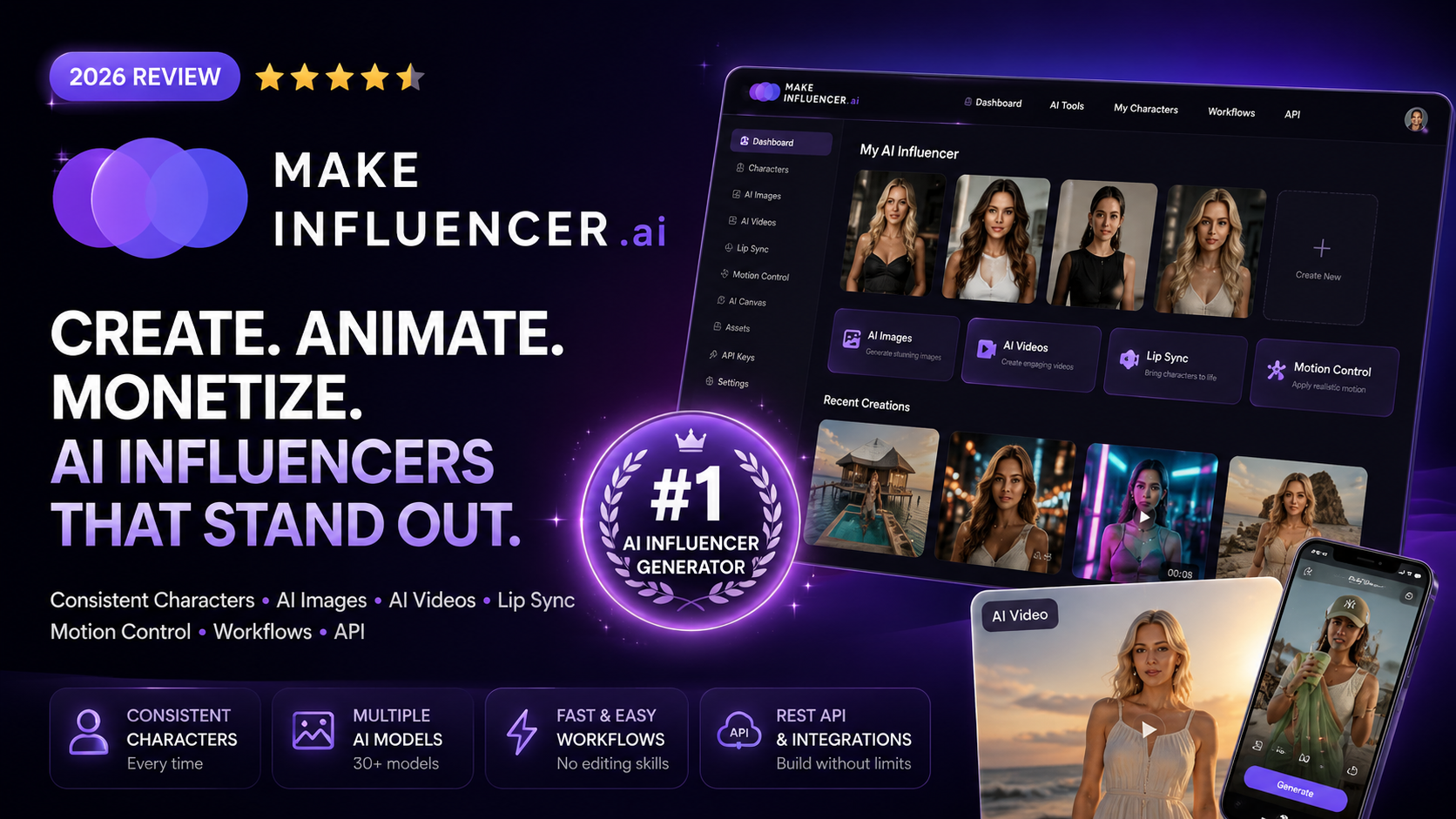
MakeInfluencer Review 2026: Features, Pricing, Pros & Cons
Meta Description: Read our MakeInfluencer review covering AI influencer creation, image and video tools, pricing, features, pros, cons, and whether it is worth using.
Overall Rating: ★★★★☆ 4.6/5
Best For: AI influencers, UGC creators, social media marketers, affiliate marketers, agencies, and virtual character projects
Last Updated: August 2026
Reviewed by: Team Flowcrai
Affiliate Disclosure: This MakeInfluencer review may contain affiliate links. If you purchase through one of our links, Flowcrai may earn a commission at no additional cost to you. Our editorial opinions remain independent.
Key Takeaways
- MakeInfluencer is an all-in-one AI influencer platform built around creating reusable AI characters rather than one-off AI images.
- Its strongest advantage is combining AI persona creation, image generation, video generation, motion control, lip sync, and workflow automation within one subscription.
- The platform currently provides access to numerous image and video models, including models from OpenAI, Google, ByteDance, Alibaba, xAI, Kuaishou, and others.
- MakeInfluencer is especially relevant for social media creators, AI UGC marketers, affiliate marketers, agencies, and developers who need recurring character-based content.
- The main consideration is cost efficiency: video generation can consume credits much faster than still-image creation, so frequent creators need to choose their plan carefully.
Quick Verdict
MakeInfluencer Quick Info
| Item | Information |
| Overall Rating | 4.6/5 |
| Best For | AI influencers, UGC, social content, agencies |
| Main Use | Creating consistent AI characters and image/video content |
| AI Image Generation | Yes |
| AI Video Generation | Yes |
| Motion Control | Yes |
| Lip Sync | Yes, on eligible plans |
| AI Persona Builder | Yes |
| Custom Character Training | Available on Pro and above |
| AI Canvas | Yes |
| REST API | Yes |
| Claude Connector | Yes |
| Platform | Web-based |
| Skill Level | Beginner to Intermediate |
| Starting Monthly Price | $39/month for Creator when billed monthly |
Our Verdict
MakeInfluencer is a compelling option for creators who want to build a recognizable virtual personality instead of generating unrelated AI images every time they need new content.
Its biggest advantage is the breadth of its creator workflow. Users can build an AI persona, generate images, create short videos, control motion, edit characters, and access several advanced generative models from the same platform. MakeInfluencer also includes AI Canvas workflows, a public REST API, and a Claude connector, giving it more flexibility than many basic AI influencer generators.
It is particularly suitable for creators publishing regularly on TikTok, Instagram, YouTube Shorts, or advertising platforms.
However, high-volume video production can become credit-intensive, so MakeInfluencer offers the strongest value to users who actually plan to use its broader image-and-video ecosystem rather than those who only need occasional AI portraits.
What Is MakeInfluencer?
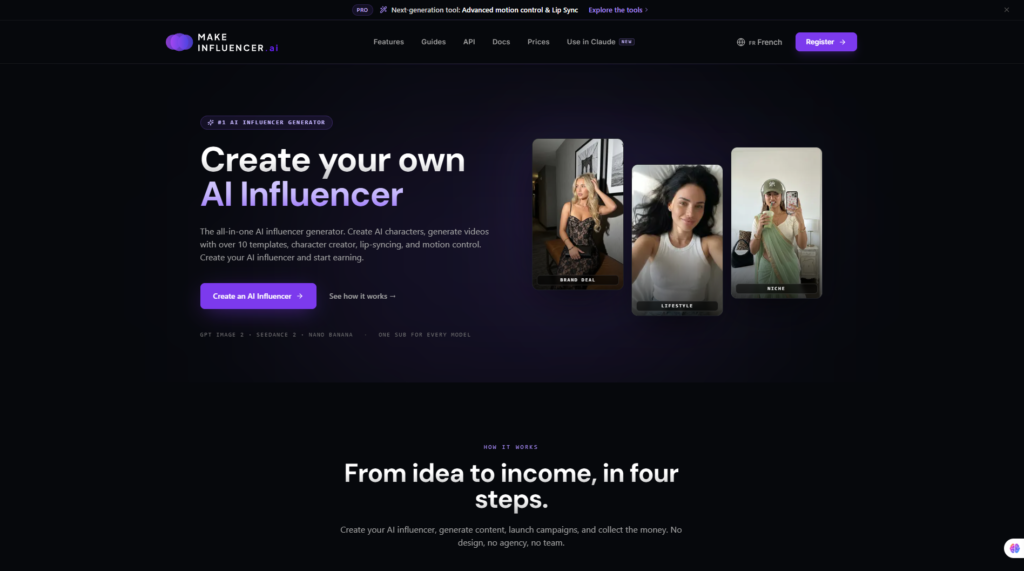
MakeInfluencer is an AI content creation platform designed specifically around AI influencers, virtual characters, social media content, and AI-generated image and video production.
Instead of focusing only on text-to-image generation, MakeInfluencer attempts to provide the complete workflow required to create and maintain a digital personality.
According to the official platform, MakeInfluencer combines an AI persona builder with image generation, video generation, motion control, character editing, AI workflows, API access, and integrations. The platform currently promotes access to more than 30 image and video models under a single subscription.
This matters because creating a believable AI influencer is more complicated than generating one attractive portrait.
A successful virtual character normally needs:
- A recognizable face
- Consistent visual identity
- Repeatable clothing and styling
- Different locations and poses
- Image and video content
- A distinctive personality
- Regular publishing
- A consistent visual brand
Traditional image generators can produce visually impressive people, but maintaining the exact same identity across dozens or hundreds of images can be challenging.
MakeInfluencer is designed to address that workflow.
Rather than creating a completely new person every time, creators can build an AI persona and continue generating content around that identity.
What Problem Does MakeInfluencer Solve?
The biggest problem in AI influencer creation is not producing a single good-looking AI image.
It is consistency at scale.
Imagine creating a virtual fitness influencer.
You may need one image at a gym, another running outdoors, another wearing a different outfit, several product photos, and dozens of short-form videos.
If the character’s face, body style, or overall appearance changes noticeably between posts, the account can quickly lose credibility.
MakeInfluencer is designed around maintaining a recognizable character while allowing creators to change the surrounding content.
This can be useful for several types of projects.
An Instagram creator could build a virtual lifestyle personality and publish recurring photo content.
A TikTok creator could turn that same AI character into short vertical videos.
An e-commerce brand could potentially use an AI persona for UGC-style promotional content.
An affiliate marketer could create product explainers or short videos featuring a consistent digital presenter.
A marketing agency could manage multiple virtual characters for different campaigns.
There is also a workflow problem that MakeInfluencer attempts to solve.
Without an integrated platform, creators may need separate subscriptions for:
- AI image generation
- AI video generation
- Character consistency
- Lip sync
- Background removal
- Upscaling
- Motion generation
- Workflow automation
- API access
MakeInfluencer bundles many of these capabilities into one environment.
The official pricing page currently states that every plan includes AI Canvas workflows, motion control, a prompt and asset library, public REST API access, and a Claude connector.
That makes MakeInfluencer more comparable to an AI media production environment than a simple avatar generator.
How Does MakeInfluencer Work?
The MakeInfluencer workflow can be understood in several basic stages.
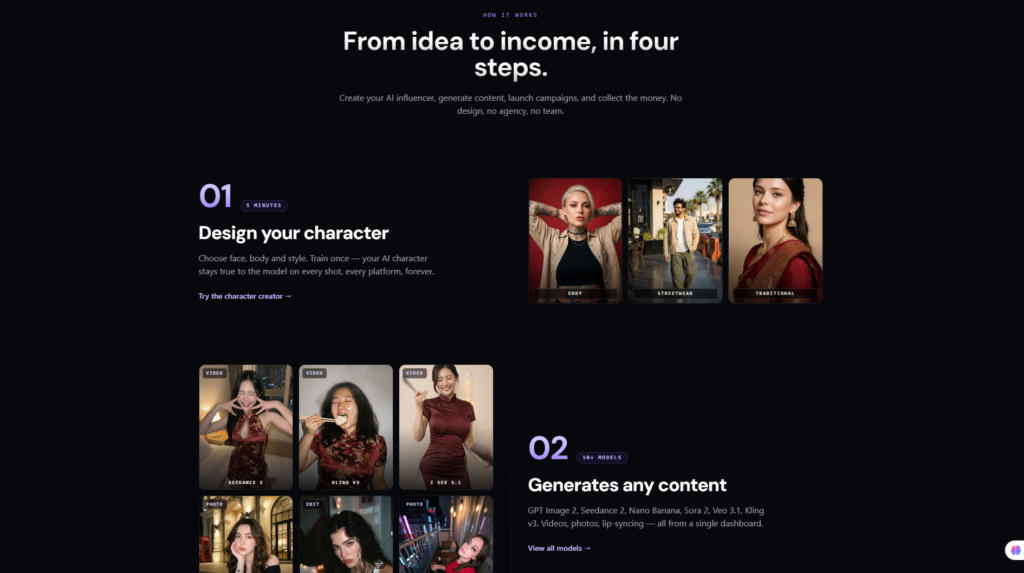
Step 1: Create Your AI Persona
Users begin by developing the digital character they want to use.
The Creator plan currently includes an AI persona builder covering elements such as:
- Style
- Wardrobe
- Voice
The goal is to establish the visual identity of the AI influencer before generating large amounts of content.
For professional workflows, MakeInfluencer’s Pro plan adds custom AI character training, which is designed to help users maintain their own trained character across content generation.
Step 2: Generate AI Images
Once the persona has been established, creators can generate images for different situations.
These could include:
- Lifestyle photographs
- Product placements
- Fashion content
- Fitness content
- Travel scenes
- Social media posts
- Advertising creatives
MakeInfluencer provides access to image-generation technologies from companies including Google, OpenAI, ByteDance, Alibaba, and xAI, according to its current pricing information.
The platform also provides tools such as character editing, background removal, and image upscaling.
Step 3: Create Videos
Creators can then move from static images to AI-generated videos.
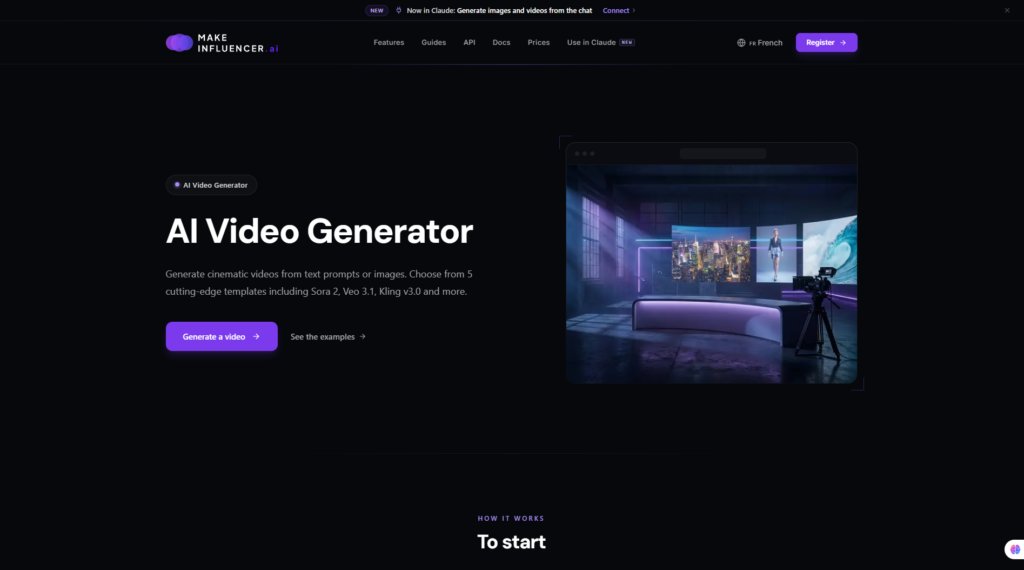
MakeInfluencer currently lists video models including Seedance 2.0, Kling v3.0, Sora 2, Veo 3.1, and WAN 2.6 among its available video-generation ecosystem.
This makes the platform potentially useful for vertical short-form content such as:
- TikTok videos
- Instagram Reels
- YouTube Shorts
- Product advertisements
- AI UGC
- Promotional clips
Step 4: Add Motion or Speech
MakeInfluencer also includes motion-control functionality.
Its API documentation describes workflows where a reference frame can be driven by a motion clip, allowing a creator to apply movement to a generated character. The platform also supports lip-sync workflows using audio.
On the current Pro plan, users receive access to talking videos using voice and lip sync.
This can turn a static virtual character into a digital spokesperson capable of presenting information or promoting products.
Step 5: Build Repeatable Workflows
Creators who produce content regularly can use the platform’s AI Canvas.
MakeInfluencer describes AI Canvas as a node-based workflow builder available across all plans.
This is particularly relevant for agencies and high-volume creators because successful social media projects rarely involve creating only one image.
Content needs to be produced repeatedly.
A reusable workflow can therefore reduce the amount of manual setup required each time new assets are created.
Step 6: Automate With the API or Claude
More technical users can connect MakeInfluencer to their own applications using its public REST API.
The API uses one credit balance across image generation, video generation, motion control, and lip sync. MakeInfluencer states that developers can obtain the expected generation cost before submitting jobs and then poll jobs until completion.
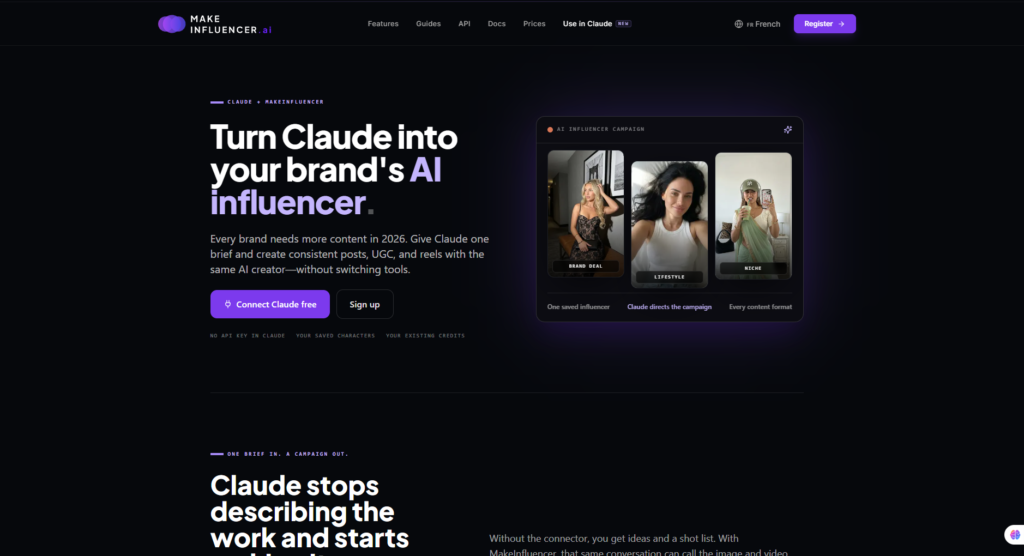
There is also an MCP connector for Claude.
Once connected, users can generate images and videos, work with references, and check their credits directly from a Claude conversation.
This is a particularly interesting feature for creators who already use conversational AI as part of their content workflow.
What Makes MakeInfluencer Different?
The AI creator market is increasingly crowded.
There are excellent tools for image generation, avatar videos, AI UGC, talking avatars, and generative video.
MakeInfluencer’s differentiation is that it attempts to combine several of these categories around one core concept:
a reusable AI character.
Instead of starting from the question:
“How can I generate an AI image?”
MakeInfluencer is closer to:
“How can I build a digital character and continuously create content around that identity?”
That difference matters.
The platform currently combines:
- AI persona creation
- Character consistency
- AI image generation
- AI video generation
- Motion control
- Character editing
- Background removal
- Image and video upscaling
- Lip sync
- Talking videos
- AI Canvas workflows
- Custom character training
- REST API access
- Claude/MCP integration
The breadth of this stack means a creator could theoretically move from persona development to finished social media content without constantly switching between several unrelated platforms.
That is probably MakeInfluencer’s strongest value proposition.
Visit MakeInfluencer Official Website
Who Should Use MakeInfluencer?
MakeInfluencer is not equally useful for every AI creator.
Its value increases significantly when the user needs consistent characters and recurring content.
Best For
AI Influencer Creators
This is the platform’s most obvious audience.
Creators building virtual personalities for Instagram, TikTok, YouTube Shorts, or other social platforms need characters that remain recognizable over time.
MakeInfluencer’s persona creation and character-focused workflow directly target this use case.
UGC Creators
AI-generated UGC is increasingly being used for short-form marketing content.
MakeInfluencer can potentially help produce character-based:
- Product demonstrations
- Promotional videos
- Testimonial-style creatives
- Social media advertisements
- Talking presenter videos
It should not be assumed that AI UGC automatically performs better than human-generated content, but the approach may reduce production complexity and allow marketers to test more creative variations.
Affiliate Marketers
Affiliate marketers can potentially use MakeInfluencer for:
- Product explainer videos
- Social media content
- Short product introductions
- Faceless video channels
- Promotional creatives
- AI presenters
The important point is to use the AI influencer as a content-delivery mechanism rather than relying on the character alone to generate sales.
Traffic, product selection, trust, offer quality, and conversion strategy remain critical.
Social Media Marketers
Creators who need frequent visual content can benefit from a persistent character.
Instead of hiring different models or shooting new content every week, an AI persona can potentially appear repeatedly across campaign assets.
This could be useful for social accounts built around a specific theme or niche.
E-commerce Brands
For e-commerce teams, an AI character may be useful for experimenting with product advertising and social content.
Potential examples include:
- Beauty
- Fashion
- Fitness
- Consumer electronics
- Home products
- Mobile accessories
Brands should still review platform policies and advertising disclosure requirements before using synthetic characters in commercial campaigns.
Agencies
Agencies are another logical audience because they may need multiple characters and higher production volume.
MakeInfluencer’s Studio plan is specifically positioned for agencies and power users and currently includes 1.5 million credits per month under annual pricing terms displayed by the company.
The combination of AI Canvas and API access could also make it easier to build repeatable production systems.
Developers
MakeInfluencer is unusual among influencer-focused AI platforms because its REST API is included across plans.
Developers can use image, video, lip-sync, and motion-control capabilities programmatically rather than relying entirely on the web interface.
This opens possibilities for:
- Automated content pipelines
- Custom creator applications
- Internal marketing tools
- AI content SaaS products
- CMS integrations
Who Should Skip It?
Despite its broad feature set, MakeInfluencer will not be the best option for everyone.
You may want to consider another platform if you only generate a few AI images each month.
A simpler image generator could be cheaper and easier.
It may also be unnecessary if your main objective is creating landscapes, illustrations, logos, abstract artwork, or graphic-design assets rather than human characters.
Similarly, users who already subscribe to several specialist platforms for image generation, AI video, lip sync, and automation may not gain enough value from consolidating those tools.
Creators working with extremely limited budgets should also pay attention to credit consumption.
The Creator plan currently includes 180,000 credits per month, which MakeInfluencer estimates as roughly 89 Seedream 4.5 images or eight Kling v3 Standard clips. Pro includes 600,000 credits, while Studio includes 1.5 million. Actual usage varies by model and generation settings.
That illustrates an important point:
AI video is considerably more resource-intensive than AI images.
Someone producing several videos every day may therefore need Pro or Studio rather than the entry-level plan.
Finally, MakeInfluencer is explicitly a safe-for-work platform. Its official pricing page states that explicit, sexual, and NSFW content is blocked.
Setup & User Experience
Account Setup
MakeInfluencer is a web-based service, so users do not need to install professional video-editing software before getting started.
The basic workflow is centered around accessing the platform, selecting a subscription level, creating or configuring an AI persona, and choosing the appropriate generation tools.
Beginners can begin with the character and image-generation functions before moving into more advanced workflows such as motion control, custom character training, AI Canvas, and API integrations.
Creating Your First AI Persona
The persona builder is one of MakeInfluencer’s most important components.
Rather than repeatedly starting with a generic text prompt, creators can define a more persistent identity around elements including:
- Visual style
- Wardrobe
- Voice
- Character concept
This makes more sense for long-term social media projects because audiences usually respond to recognizable personalities rather than unrelated AI-generated faces.
A fitness influencer, for example, should remain recognizable whether they appear in a gym, outdoors, demonstrating a product, or speaking in a video.
The same principle applies to fashion, technology, travel, beauty, and lifestyle accounts.
Learning Curve
MakeInfluencer appears relatively approachable at the basic level, but the overall learning curve depends heavily on how deeply you use the platform.
Creating an AI persona or generating an image should be easier for most beginners than building complex multi-step automation.
However, advanced functions introduce additional concepts such as:
- Model selection
- Credit optimization
- Reference assets
- Motion transfer
- Video generation settings
- Canvas nodes
- Character training
- API workflows
As a result, we would classify MakeInfluencer as beginner-friendly for basic creation but intermediate for advanced production workflows.
This is not necessarily a disadvantage.
A broader platform naturally requires more learning than a one-purpose image generator.
Interface Design and Workflow
One potential advantage of MakeInfluencer’s structure is consolidation.
Instead of requiring users to move between several unrelated products, the platform brings image, video, character, and workflow tools under one account.
The same credit ecosystem can also be used across the web application, API, and MCP connection. The Studio plan specifically describes its credit ceiling as shared across the app, REST API, and MCP.
For professional creators, this can simplify workflow management.
However, users should avoid assuming that having access to many AI models automatically guarantees better results.
Different models can perform better for different tasks, and learning which model works best for portraits, animation, realistic motion, editing, or short-form video will still require experimentation.
Our UX Analysis
Based on MakeInfluencer’s official product structure and documentation, the platform appears strongest when treated as a creator production system rather than a single-purpose AI generator.
The entry-level workflow is relatively straightforward: create a persona, generate images, and begin producing social content.
More advanced users can then add motion control, video generation, AI Canvas workflows, API automation, or the Claude connector.
This scalable structure is attractive because users do not necessarily need to understand every feature on day one.
At the same time, the large number of models and credit-based generation system introduces another layer of decision-making.
Creators will need to learn which models deliver the best balance of quality, speed, and credit consumption for their particular content strategy.
Overall, MakeInfluencer appears well suited to users who want to move beyond occasional AI experimentation and build an ongoing content-production workflow.
Key Features of MakeInfluencer
The most important question in any MakeInfluencer review is whether the platform offers enough practical capability to justify using it instead of combining several separate AI tools.
MakeInfluencer’s feature set extends beyond basic AI portrait generation. Its current platform brings together AI personas, image generation, video generation, character editing, lip sync, motion control, AI Canvas workflows, API access, and multiple generative models.
Here are the features that matter most.
1. AI Influencer & Persona Builder
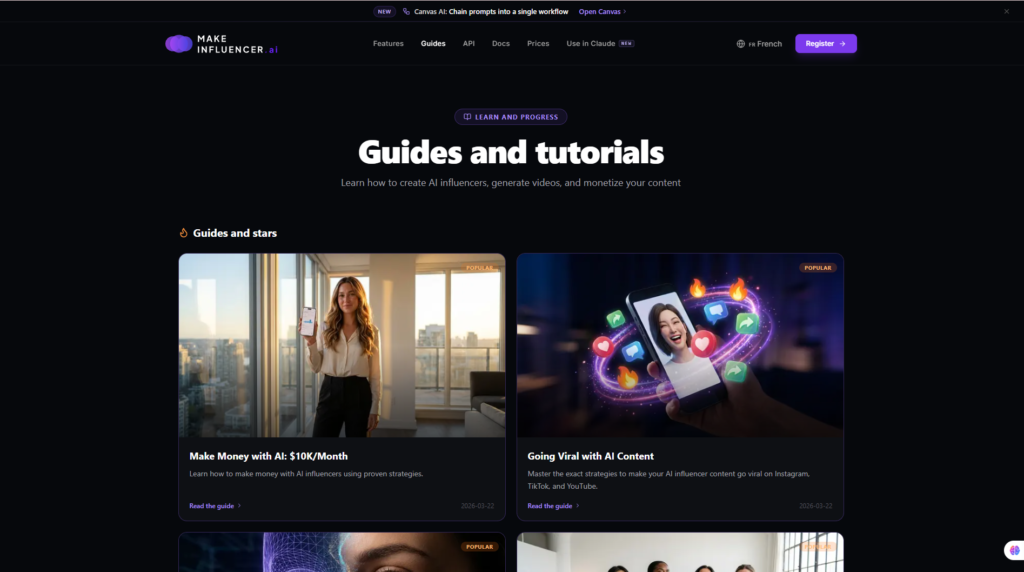
The AI Persona Builder sits at the center of MakeInfluencer.
Instead of creating an unrelated character for every prompt, users can develop a virtual personality designed to appear repeatedly across their content.
The current Creator plan includes persona controls around elements such as style, wardrobe, and voice, while higher-tier plans add custom AI character training.
This makes the platform particularly relevant for creators who want to build a recognizable digital identity.
Potential use cases include:
- Virtual Instagram influencers
- TikTok personalities
- AI UGC creators
- Fashion influencers
- Fitness characters
- Travel personalities
- Brand ambassadors
- AI product presenters
For example, a fitness brand could create a virtual fitness personality and place that character in different environments, outfits, and campaigns rather than generating a completely different person for each creative.
This distinction is important.
A visually impressive AI portrait may be enough for a single advertisement, but a long-term influencer account requires identity consistency.
2. Consistent AI Character Generation
Character consistency is arguably one of MakeInfluencer’s most valuable capabilities.
Traditional text-to-image generation can create impressive people, but repeating the same identity across many scenes can be difficult without character references, training, or other consistency techniques.
MakeInfluencer approaches the problem from a character-first perspective.
Creators can potentially maintain the same virtual identity while changing:
- Clothing
- Poses
- Locations
- Backgrounds
- Camera angles
- Activities
- Campaign concepts
This is particularly useful for social media.
Imagine building a virtual travel influencer. The character might appear in New York in one post, on a beach in another, inside a hotel in a third, and promoting travel accessories later.
The audience should still recognize the same persona.
MakeInfluencer’s Pro and Studio tiers also include custom AI character training, extending the workflow for creators who need a more persistent identity.
For anyone planning to build an AI influencer as a long-term media asset, this feature may matter more than simply having access to the newest image model.
3. Multiple AI Image Models
Another major MakeInfluencer feature is access to multiple image-generation models from within one ecosystem.
The platform currently advertises image technologies from providers including OpenAI, Google, ByteDance, Alibaba, and xAI, among others.
This multi-model approach has an important advantage: no single generative model is necessarily best at every task.
One model may perform particularly well for photorealistic portraits, while another may be preferable for editing, creative composition, or specific visual styles.
Creators can therefore select tools based on the task rather than being locked into one underlying model.
MakeInfluencer also provides supporting image functionality such as:
- Character editing
- Background removal
- Image upscaling
- Reference-based generation
- Asset management
For creators producing dozens of posts every month, having these functions inside one environment can reduce the friction of constantly exporting and importing assets between separate services.
4. AI Video Generation
Still images are useful, but short-form video is increasingly central to modern creator workflows.
MakeInfluencer therefore extends its AI personas into video generation.
The platform currently lists access to video technologies including models such as:
- Seedance 2.0
- Kling v3.0
- Sora 2
- Veo 3.1
- WAN 2.6
Available models can change over time, so creators should verify the current model library before subscribing.
The potential use cases are broad:
- TikTok videos
- Instagram Reels
- YouTube Shorts
- Product promotions
- AI UGC advertisements
- Fashion clips
- Lifestyle content
- Affiliate product videos
- Social media campaigns
This makes MakeInfluencer more interesting than a platform that stops at character portraits.
A creator could theoretically establish a virtual identity, create promotional photographs, and then turn the same character concept into short-form video content.
However, there is an important trade-off.
AI video generation consumes significantly more credits than image generation.
Creators planning to publish video frequently should therefore calculate their expected output before selecting a subscription.
5. Lip Sync & Talking Videos
A virtual influencer becomes much more useful when the character can speak.
MakeInfluencer’s higher-tier plans include talking-video functionality with voice and lip sync, enabling creators to transform an AI character into a digital presenter.
Possible applications include:
- Product introductions
- Short tutorials
- Affiliate product explainers
- Brand announcements
- Educational videos
- Social media commentary
- UGC-style advertisements
For example, an affiliate marketer could create a short video in which an AI presenter introduces a product, explains its main benefits, and directs viewers to a review or offer page.
That does not mean AI-generated spokesperson content will automatically convert.
The script, offer, audience targeting, authenticity, and creative quality still matter.
But integrating talking-character functionality into the same environment can reduce the need for a separate lip-sync or avatar subscription.
6. Motion Control
Motion Control is another feature that differentiates MakeInfluencer from simple AI image generators.
The platform’s workflow can use motion information to animate or drive a character from a reference, allowing creators to produce more controlled character movement.
This can be particularly useful for niches where body movement matters.
Examples include:
- Fitness demonstrations
- Fashion content
- Dance videos
- Lifestyle scenes
- Product demonstrations
- Short-form entertainment
For AI influencers, motion consistency can be important because unnatural movement can quickly reduce the credibility of generated video.
Motion Control does not eliminate the limitations inherent in generative video, but it gives creators another layer of direction beyond simply entering a text prompt and accepting whatever movement the model produces.
7. AI Canvas Workflows
MakeInfluencer also includes AI Canvas, a node-based workflow environment available across its subscription tiers.
This feature becomes more important as production volume increases.
Creating one AI image manually is simple.
Creating dozens of related assets every week is a workflow problem.
AI Canvas can help creators structure repeatable processes involving different generation and editing steps.
Potential workflows could include:
AI Persona → Image Generation → Character Edit → Upscale → Final Creative
or
AI Character → Video Generation → Voice/Lip Sync → Final Social Video
This type of repeatable production environment can be especially useful for:
- Agencies
- Social media teams
- E-commerce brands
- High-volume creators
- AI UGC producers
Rather than treating every piece of content as a completely new project, creators can develop workflows around recurring production needs.
8. REST API & Claude Integration
One of MakeInfluencer’s less obvious but potentially powerful advantages is its developer access.
The platform offers a public REST API, allowing developers to integrate MakeInfluencer capabilities into custom applications and automated systems.
Depending on the supported endpoint and model, workflows can include operations such as:
- Image generation
- Video generation
- Motion control
- Lip sync
- Job management
- Credit-cost estimation
This opens up use cases beyond manually operating the website.
For example, a developer could potentially build an internal marketing tool that automatically creates campaign assets based on structured inputs.
An agency could connect MakeInfluencer to a larger content-production pipeline.
MakeInfluencer also provides an MCP connector for Claude, allowing compatible MakeInfluencer capabilities to be accessed from a Claude conversation.
For AI power users, this is particularly interesting.
Instead of constantly switching between a conversational AI assistant and a media-generation dashboard, parts of the creation process can be brought closer together.
Overall, the API and MCP capabilities make MakeInfluencer more extensible than many basic consumer-focused AI influencer generators.
MakeInfluencer Pros and Cons
No AI platform is perfect, and MakeInfluencer should be evaluated based on the workflow you actually need.
Pros
- Strong AI influencer focus: The platform is built around reusable virtual characters rather than isolated AI images.
- Character consistency: Particularly valuable for long-term social media identities.
- Image and video in one ecosystem: Reduces reliance on multiple separate subscriptions.
- Multiple AI models: Users are not restricted to a single image or video model.
- AI Persona Builder: Helps creators define a more consistent digital identity.
- Lip sync and talking videos: Useful for AI presenters, UGC, and short-form marketing.
- Motion Control: Adds another layer of control for character-based video.
- AI Canvas: Supports more structured and repeatable production workflows.
- REST API: Useful for developers, agencies, and automated content systems.
- Claude/MCP integration: An interesting addition for users building AI-assisted workflows.
Cons
- Video can consume credits quickly: High-volume video creators may need a more expensive plan.
- Potentially excessive for casual users: Someone needing a few AI images per month may not use enough of the platform to justify the subscription.
- Advanced workflows require learning: Canvas, character training, motion control, and model selection add complexity.
- Generation quality depends partly on the underlying model: Access to many models does not guarantee every generation will be perfect.
- Credits require management: Users need to balance output quality against generation cost.
- AI influencer success is not automatic: MakeInfluencer can produce content, but creators still need a niche, strategy, distribution, audience, and monetization model.
MakeInfluencer Pricing & Value for Money
MakeInfluencer uses a subscription-and-credit model.
At the time of this review, its official pricing structure includes Creator, Pro, and Studio plans.
Because AI SaaS pricing can change frequently, always check the official MakeInfluencer pricing page before purchasing.
MakeInfluencer Pricing Table
| Plan | Monthly Billing | Monthly Credits | Best For |
| Creator | $39/month | 180,000 | Beginners and solo creators |
| Pro | $89/month | 600,000 | Professional AI creators |
| Studio | $199/month | 1,500,000 | Agencies and high-volume users |
Annual billing may reduce the effective monthly cost, so users planning to keep the platform long term should compare both billing options before subscribing.
Creator Plan
The Creator plan is the logical starting point for individuals experimenting seriously with AI influencer creation.
At the time of writing, it costs $39 per month when billed monthly and includes 180,000 monthly credits.
The plan includes core capabilities such as:
- AI Persona Builder
- Image generation
- Video generation
- Motion Control
- AI Canvas
- Prompt and asset library
- Public REST API
- Claude connector
This plan is best suited to someone who wants to create AI images regularly while experimenting with occasional video.
The limitation becomes more obvious if video is your primary content format.
MakeInfluencer’s own pricing examples illustrate that video generations can use substantially more credits than still images.
Pro Plan
For creators building an AI influencer as a serious content project, Pro is likely to be the more relevant tier.
The current monthly price is $89, with 600,000 credits per month.
In addition to a significantly larger credit allocation, Pro adds capabilities such as:
- Custom AI character training
- Talking videos
- Voice and lip sync
- Higher-resolution output options
- More capacity for advanced video workflows
This makes Pro more suitable for creators who plan to publish regularly across TikTok, Instagram Reels, YouTube Shorts, or advertising campaigns.
It is also the tier that makes more sense if maintaining a trained character is central to your project.
Studio Plan
The Studio plan is positioned for agencies, power users, and high-volume production.
At the time of writing, it costs $199 per month when billed monthly and includes 1.5 million credits.
The main advantage here is production capacity.
A marketing agency handling multiple clients or an AI media business producing large volumes of image and video content will naturally consume far more credits than an individual creator.
Studio is therefore less about unlocking the basic concept of MakeInfluencer and more about supporting scale.
For most beginners, it would be unnecessary.
Is MakeInfluencer Worth the Price?
The answer depends heavily on how you intend to use it.
If you only want to generate a handful of AI portraits, probably not. There are cheaper and simpler image-generation tools.
If your goal is to build a recurring AI character and publish both images and videos, MakeInfluencer becomes much more compelling.
A useful way to choose is:
Choose Creator if:
You are testing the AI influencer concept and mainly create images with occasional video.
Choose Pro if:
You are building a serious AI influencer, need custom character training, or plan to create talking videos regularly.
Choose Studio if:
You operate an agency, manage several characters, or need substantially higher production volume.
The key value proposition is not simply the number of credits.
It is the possibility of replacing several separate tools with one creator ecosystem.
MakeInfluencer Performance Evaluation
Because Flowcrai does not claim independent hands-on testing unless such testing has actually been performed, the following scores are based on MakeInfluencer’s documented capabilities, current feature set, market positioning, workflow design, and comparison with competing AI creation platforms.
Performance Score
| Category | Score |
| Ease of Use | 4.5/5 |
| AI Influencer Features | 4.8/5 |
| Image Generation | 4.7/5 |
| Video Generation | 4.7/5 |
| Character Consistency | 4.8/5 |
| Workflow & Automation | 4.6/5 |
| API & Integrations | 4.6/5 |
| Pricing & Value | 4.3/5 |
| Overall Rating | 4.6/5 |
Evaluation Methodology
Our MakeInfluencer evaluation considers five main factors.
First, we examine the officially documented capabilities rather than assuming features based on marketing language alone.
Second, we evaluate the breadth of the platform, including image generation, video, character consistency, motion, lip sync, workflow tools, and developer access.
Third, we consider its market positioning. MakeInfluencer is not competing only with generic AI image generators; it also overlaps with AI avatar, AI UGC, generative video, and virtual influencer platforms.
Fourth, we consider value relative to the credit-based pricing structure.
Finally, we evaluate who benefits most from the platform.
MakeInfluencer earns its strongest scores in AI influencer features and character consistency because those capabilities are central to its product positioning.
Pricing receives a slightly lower score because high-volume generative video can require substantial credits, potentially pushing professional creators toward higher-priced plans.
Overall, MakeInfluencer presents a strong feature-to-workflow proposition for creators who genuinely need an AI character across multiple content formats.
MakeInfluencer vs Competitors
MakeInfluencer is not the only platform targeting AI creators, virtual influencers, AI UGC, and synthetic video.
Several competing tools are already strong in specific parts of this market, including HeyGen, Synthesia, Arcads, Creatify, and Captions.
The right platform therefore depends on what you actually want to produce.
MakeInfluencer is strongest when the goal is to build a persistent AI character and then create multiple forms of content around that identity. Other tools may be better if your priority is corporate video, direct-response advertising, or fast social video editing.
MakeInfluencer Comparison Table
| Tool | Best For | AI Characters | Video | UGC Focus | Main Strength |
| MakeInfluencer | Virtual influencers and recurring AI characters | Strong | Yes | Strong | Character consistency + multi-model ecosystem |
| HeyGen | Talking avatars and presenter videos | Strong | Yes | Moderate | Realistic avatar video |
| Synthesia | Business and training video | Strong | Yes | Low | Corporate and educational video |
| Arcads | AI UGC advertising | Yes | Yes | Very Strong | Performance ad creatives |
| Creatify | E-commerce product ads | Yes | Yes | Strong | Fast product-to-video workflows |
| Captions | Social video creators | Yes | Yes | Strong | Creator-focused video editing |
MakeInfluencer vs HeyGen
HeyGen is one of the most established AI avatar video platforms and is particularly strong for talking presenters, translated videos, and business communication.
MakeInfluencer takes a different approach.
Its central idea is not simply creating a digital presenter. It is building a reusable AI persona that can appear in both still images and video content.
Choose MakeInfluencer if you want:
- A recurring virtual influencer
- Social media image content
- Character-based video
- AI UGC
- Motion control
- More flexibility across image and video models
Choose HeyGen if you primarily need:
- Talking-head avatar videos
- Corporate presentations
- Product explainers
- Multilingual presenter content
- Video localization
For a social-first AI influencer project, MakeInfluencer may provide a broader creative workflow.
For professional presenter-style videos, HeyGen may be more specialized.
Related Review: Read our full HeyGen Review on Flowcrai.
MakeInfluencer vs Synthesia
Synthesia is primarily positioned toward business video production.
Its typical use cases include:
- Employee training
- Internal communications
- Tutorials
- Corporate presentations
- Learning and development
MakeInfluencer is much more creator-oriented.
It is better aligned with:
- TikTok
- YouTube Shorts
- Virtual personalities
- AI UGC
- Lifestyle content
- Creator marketing
Choose Synthesia if your goal is structured corporate or educational video.
Choose MakeInfluencer if you want to build a social-media-ready AI persona and publish a wider mix of images and videos.
Related Review: Read our Synthesia Review on Flowcrai.
MakeInfluencer vs Arcads
Arcads focuses heavily on AI-generated UGC advertising.
This makes it particularly attractive to marketers who want to produce large numbers of performance creatives for paid social campaigns.
MakeInfluencer overlaps with that use case, but its positioning is broader.
The main distinction is:
Arcads → ad-first
MakeInfluencer → character-first
Choose Arcads if your primary objective is rapidly producing direct-response UGC ads.
Choose MakeInfluencer if you want to build a more persistent AI identity that can be used across:
- Organic social media
- Product content
- Affiliate marketing
- UGC
- Brand campaigns
- Video and image posts
For long-term virtual influencer projects, MakeInfluencer may offer more strategic flexibility.
MakeInfluencer vs Creatify
Creatify is primarily designed to make product advertising faster.
A typical workflow starts with a product page or product information and turns it into an AI-powered ad.
That makes Creatify especially relevant to:
- E-commerce businesses
- Dropshippers
- Paid media teams
- Performance marketers
MakeInfluencer can also support promotional content, but it is not limited to product advertising.
If your goal is to create an AI lifestyle personality that posts repeatedly and occasionally promotes products, MakeInfluencer is likely the better fit.
If your goal is to generate dozens of product ads quickly, Creatify may offer a more focused workflow.
MakeInfluencer vs Captions
Captions has become popular among creators who want fast AI-assisted video production.
Its strength lies in editing, talking videos, captions, social media workflows, and creator-focused automation.
MakeInfluencer is less focused on editing existing creator footage and more focused on generating the AI character and the content itself.
Choose Captions if you already appear on camera and want AI to improve, edit, or transform your videos.
Choose MakeInfluencer if you want the character itself to be synthetic.
Which AI Influencer Tool Should You Choose?
There is no single best platform for every creator.
Your decision should start with the output you need.
Choose MakeInfluencer if:
- You want to build a persistent virtual influencer
- You need both AI images and videos
- Character consistency is important
- You want motion control and lip sync
- You may eventually use APIs or automated workflows
- You want to manage multiple creative models in one ecosystem
Choose HeyGen if:
- Your priority is talking-avatar video
- You need professional presenter-style content
- Translation and localization are major requirements
Choose Synthesia if:
- You create corporate training or internal business videos
Choose Arcads if:
- Your main goal is high-volume AI UGC advertising
Choose Creatify if:
- You want rapid product-to-ad video production
Choose Captions if:
- You are primarily a human creator who wants faster AI-assisted social video editing
Can You Make Money With MakeInfluencer?
MakeInfluencer is a production tool, not a guaranteed income platform.
However, it can support several legitimate online business models if the creator also has a clear niche, distribution strategy, and monetization plan.
Build a Virtual Influencer
One of the most obvious approaches is creating a niche AI personality.
Possible niches include:
- Fitness
- Fashion
- Beauty
- Travel
- Technology
- Gaming
- Personal finance
- Lifestyle
- Home products
The character can publish recurring content across Instagram, TikTok, Pinterest, YouTube Shorts, or other platforms.
Monetization could later come from:
- Affiliate links
- Sponsorships
- Digital products
- Brand partnerships
- Paid communities
The difficult part is not generating the character.
The difficult part is building an audience that cares about the content.
Offer AI UGC Services
Businesses increasingly need short-form creative assets.
Instead of building a consumer audience first, creators can use MakeInfluencer to offer content-production services.
Potential services include:
- Product explainers
- AI spokesperson clips
- Social media creatives
- Short advertising videos
- Product showcase content
This can be sold directly to small businesses, e-commerce stores, agencies, or affiliate publishers.
The opportunity here is closer to a service business than passive income.
Use MakeInfluencer for Affiliate Marketing
Affiliate marketers can also use AI personas as content presenters.
For example, a creator could publish:
- Product comparison videos
- SaaS explainers
- Short reviews
- Product tutorials
- “Best tools” content
- UGC-style promotions
The viewer can then be directed toward:
- A review article
- A comparison page
- A landing page
- An affiliate offer
This approach may be especially useful for faceless marketers who do not want to appear personally in every video.
However, transparency is important.
Creators should follow applicable platform and advertising disclosure rules when synthetic characters or affiliate links are involved.
Create Content for Clients
MakeInfluencer could also support freelance or agency-style services.
For example:
- Creating AI influencer content for brands
- Producing short videos for local businesses
- Creating AI UGC packages
- Managing virtual characters for clients
- Producing campaign variations for paid ads
This can potentially generate revenue faster than waiting for a new social account to grow organically.
Support Digital Product Sales
An AI persona can also become the “face” of a digital product business.
For example, creators could sell:
- Templates
- Guides
- Courses
- Prompt packs
- Memberships
- AI workflows
The virtual character can act as a recognizable spokesperson across content and marketing assets.
Again, the AI persona is only the delivery mechanism.
The underlying offer still needs to solve a real problem.
Frequently Asked Questions
What Is MakeInfluencer?
MakeInfluencer is an AI creation platform designed for building consistent virtual characters and producing image and video content around those characters. It combines AI personas, image generation, video generation, motion control, lip sync, AI Canvas workflows, API access, and multiple generative models.
Is MakeInfluencer Free?
MakeInfluencer is primarily a paid subscription platform.
At the time of this review, the main plans are Creator, Pro, and Studio.
Pricing and any promotional offers may change, so users should check the official pricing page before subscribing.
How Much Does MakeInfluencer Cost?
At the time of writing, MakeInfluencer lists the following monthly prices:
- Creator: $39/month
- Pro: $89/month
- Studio: $199/month
Annual billing may offer a lower effective monthly cost.
Each plan includes a different monthly credit allocation.
Can MakeInfluencer Create Consistent AI Characters?
Yes.
Character consistency is one of the platform’s main selling points.
MakeInfluencer includes persona creation tools, and higher-tier plans also provide custom AI character training for users who require a more persistent identity.
This makes the platform suitable for recurring social media characters rather than one-off AI portraits.
Can MakeInfluencer Generate AI Videos?
Yes.
MakeInfluencer provides access to multiple AI video-generation models.
The current platform lists advanced video models including technologies such as Seedance, Kling, Sora, Veo, and WAN.
Available models can change as the platform evolves.
Does MakeInfluencer Support Lip Sync?
Yes, talking-video and lip-sync capabilities are available on eligible plans.
This allows creators to turn AI characters into digital presenters for social media, promotional content, product explainers, and other video formats.
Can Beginners Use MakeInfluencer?
Yes, especially for basic persona and image generation.
However, more advanced features such as motion control, custom character training, AI Canvas workflows, model selection, and API access require more learning.
We would therefore classify MakeInfluencer as beginner-friendly at the basic level and intermediate for advanced workflows.
Can I Use MakeInfluencer for AI UGC?
Yes.
The combination of AI personas, image generation, short-form video, lip sync, and motion control can support UGC-style content.
Potential uses include:
- Product demonstrations
- Lifestyle ads
- Talking presenters
- E-commerce creatives
- Social media promotions
Users should still evaluate whether AI-generated UGC fits their brand and advertising policies.
Can You Make Money With MakeInfluencer?
Potentially, yes.
Possible monetization models include:
- Virtual influencer accounts
- Affiliate marketing
- AI UGC services
- Content-production services
- Brand campaigns
- Digital products
However, MakeInfluencer itself does not guarantee income.
Results depend on content quality, niche selection, audience growth, distribution, offer strength, and business execution.
What Are the Best MakeInfluencer Alternatives?
Some of the most relevant alternatives include:
- HeyGen
- Synthesia
- Arcads
- Creatify
- Captions
The best alternative depends on whether your priority is AI avatars, UGC advertising, corporate video, product ads, or creator video editing.
Final Verdict: Is MakeInfluencer Worth It?
MakeInfluencer is one of the more interesting AI creator platforms for users who want to move beyond random AI image generation and build a persistent virtual identity.
Its biggest strength is the way multiple capabilities are organized around the same character.
Instead of requiring one platform for images, another for videos, another for lip sync, and another for workflow automation, MakeInfluencer attempts to bring these tasks into one ecosystem.
Best For
MakeInfluencer is particularly suitable for:
- AI influencer creators
- UGC creators
- Social media marketers
- Affiliate marketers
- E-commerce brands
- Agencies
- Developers
- Faceless content creators
Not Recommended For
MakeInfluencer may not be the best choice for:
- Occasional AI image users
- People who only need basic graphics
- Users with very limited budgets
- Creators who already have a complete AI production stack
- Anyone expecting AI-generated content alone to automatically create revenue
Final Recommendation
The strongest reason to choose MakeInfluencer is character continuity.
Its value is not simply that it can generate a beautiful AI person.
Many platforms can do that.
The more important capability is being able to build a recognizable digital character and continue producing content around that identity.
MakeInfluencer combines:
- AI personas
- Character consistency
- Image generation
- AI video
- Motion control
- Lip sync
- Multiple AI models
- AI Canvas
- Custom character training
- REST API access
- Claude/MCP integration
That makes it particularly appealing to creators who plan to publish frequently and want an AI character to become a reusable media asset.
The main limitation is cost efficiency.
Video generation can consume credits quickly, and creators publishing at high volume may need Pro or Studio rather than the entry-level Creator plan.
For casual experimentation, cheaper tools may be sufficient.
But for creators who want to build a serious AI influencer, launch AI UGC services, create recurring character-based content, or develop automated AI media workflows, MakeInfluencer offers a strong all-in-one proposition.
Overall Rating: 4.6/5
Best For: AI influencers, AI UGC, social media creators, affiliate marketers, agencies, and virtual character businesses.
Final Verdict: MakeInfluencer is worth considering if character consistency and multi-format AI content are central to your workflow.
Create Your AI Influencer With MakeInfluencer
Explore More AI Tool Reviews on Flowcrai
References
For the most accurate and current information, consult:
- MakeInfluencer Official Website
- MakeInfluencer Pricing Page
- MakeInfluencer API Documentation
- MakeInfluencer AI Influencer Features
- MakeInfluencer Help and Product Documentation
Pricing, available AI models, credit allocations, and platform features may change over time. Always verify current information on the official MakeInfluencer website before purchasing.